LG DLE3400W Dryer Not Drying: Complete Troubleshooting & Repair Guide
When your LG DLE3400W dryer stops drying clothes effectively, the issue typically stems from one of several common failure points. This comprehensive guide walks you through the diagnostic process, identifies the most likely causes, and provides step-by-step repair instructions to get your dryer working again.
Safety Warning
⚠️ ELECTRICAL HAZARD: Before beginning any repair work on your LG DLE3400W dryer, unplug the unit from the electrical outlet. The dryer contains high-voltage components that can cause serious injury or death, even when powered off. If you need to test components while powered on, use proper insulation and keep one hand free. Never work on the heating element, thermal fuse, or high-limit thermostat while the dryer is plugged in.
⚠️ BURN HAZARD: Allow the dryer to cool for at least 30 minutes before beginning work. The exhaust duct, heating element, and internal components retain heat long after the cycle ends.
⚠️ ENTANGLEMENT HAZARD: Always remove the lint trap and clean it before performing any internal work. Long hair or debris can become caught in rotating components.
Step 1: Confirmation Test – Is Your DLE3400W Producing Heat?
The first diagnostic step determines whether your LG DLE3400W dryer is generating heat at all. This distinguishes between heat generation problems and moisture detection problems, which require different solutions.
Heat Test Procedure
- Plug in the DLE3400W and load 4-5 damp towels into the drum
- Select the Cottons cycle or Normal Dry setting
- Start the dryer and let it run for 3 minutes
- Open the dryer door and carefully place your hand near (not touching) the back interior wall of the drum
- Feel for warm or hot air coming from the drum area
- Move your hand to the exhaust vent outside your home (or use a thermometer to check vent temperature)
Interpreting Your Results
- No heat at all: The heating element, thermal fuse, or high-limit thermostat has failed. Proceed to the “No Heat Causes” section below.
- Heat present but weak: The thermistor may be failing, or the vent may be partially blocked. Check airflow first.
- Good heat but clothes stay wet: The moisture sensor may be dirty or the control board may not be reading the sensor correctly. Jump to the moisture sensor section.
- Dryer cycles but doesn’t dry: The thermal fuse may have blown due to restricted airflow. Check the vent system thoroughly.
No Heat Causes on the DLE3400W – What’s Failing
Your LG DLE3400W requires several components working together to generate and maintain heat. When none of these is working properly, the dryer produces no heat. Understanding which component has failed is essential for an effective repair.
The Five Components That Control Heat in the DLE3400W
- Heating Element: The electric resistance coil that generates heat. Failure is indicated by an open circuit (no continuity) when tested with a multimeter.
- Thermal Fuse: A one-time-use safety device that cuts power to the heating element if the internal temperature exceeds 350°F. Once blown, it must be replaced—it cannot be reset.
- High-Limit Thermostat: A temperature-sensing switch that cycles the heating element on and off to maintain proper temperature. When this fails, it may prevent the element from energizing.
- Thermistor: A temperature sensor that changes resistance based on temperature. The control board reads this resistance to determine when to stop the drying cycle. A failing thermistor can prevent the heating element from turning on.
- Control Board: The electronic brain that controls all dryer functions. A faulty control board may fail to send voltage to the heating element even if the element itself is fine.
Thermal Fuse Location and Replacement on the DLE3400W
The thermal fuse is located behind the rear access panel of your LG DLE3400W dryer, specifically on or near the exhaust duct where it’s exposed to the highest temperatures. This is the most common failure point and the first component you should check.
Accessing the Thermal Fuse on DLE3400W
- Unplug the dryer from the electrical outlet
- Allow the unit to cool for at least 30 minutes
- Remove the lint trap by pulling it straight out
- Locate the two Phillips head screws on the rear panel (one on each side, near the top)
- Remove both screws and carefully slide the rear panel upward to release the clips at the bottom
- Set the rear panel aside, exposing the exhaust duct and thermal fuse assembly
Identifying the Thermal Fuse
The thermal fuse on the DLE3400W appears as a small cylindrical ceramic component approximately 1.5 inches long and 0.5 inches in diameter. It’s typically white, tan, or gray. The fuse sits mounted horizontally on the exhaust duct assembly. You’ll see two wire terminals extending from the back of the exhaust duct where the thermal fuse connects.
Testing the Thermal Fuse with a Multimeter
Before replacing the thermal fuse, test it to confirm it has actually blown. A blown thermal fuse will show no continuity (open circuit) on your multimeter.
- Set your multimeter to the continuity or resistance (ohms) setting
- Disconnect the two wire terminals from the thermal fuse (note their positions)
- Touch one multimeter probe to each terminal of the thermal fuse
- If the multimeter shows continuity (beeps) or reads near 0 ohms, the fuse is good
- If the multimeter shows no continuity (no beep) or reads “OL” (open circuit), the thermal fuse has blown and must be replaced
Replacing the Thermal Fuse on DLE3400W
- Note the exact position and wire connections of the old thermal fuse
- Carefully disconnect both wire terminals
- Slide the old thermal fuse out of its mounting bracket
- Insert the replacement thermal fuse (part number 3387134) into the mounting bracket
- Reconnect the wire terminals to the replacement fuse, matching the original configuration exactly
- Reinstall the rear panel and screws
- Plug in the dryer and run a test cycle with damp towels
Critical Note: A blown thermal fuse always indicates a second problem that must be fixed. The thermal fuse only blows when the internal temperature exceeds 350°F, which happens when airflow is restricted. If you replace the thermal fuse without fixing the underlying cause (usually a blocked vent), the new fuse will blow again within a few cycles. Always check your dryer vent and exhaust duct for blockages.
Vent Blockage as Root Cause – Why Your DLE3400W Thermal Fuse Blew
Before proceeding to replace other components, you must verify that the vent system is clear. A blocked vent is responsible for approximately 80% of thermal fuse failures on the DLE3400W and will destroy a replacement fuse just as quickly.
Inspecting the Vent System
- Locate the exhaust vent outlet on the exterior of your home (typically on a side wall or roof)
- Look for lint accumulation around the vent opening
- Use a flashlight to look inside the vent duct; you should be able to see through it
- Feel for air flow coming out of the vent while the dryer is running
- Check the lint trap area inside the DLE3400W—it should not have lint packed around the sides
Clearing a Blocked Vent
- Disconnect the dryer from the wall outlet and gas/electric connection
- Disconnect the vent duct from the rear of the DLE3400W using a screwdriver to loosen the hose clamp
- Use a vent brush or plumbing snake to push lint and debris out of the duct
- From the exterior, pull debris out of the vent opening using your hands or needle-nose pliers
- Reconnect the vent duct, ensuring the connection is airtight and secured with the hose clamp
- Run the DLE3400W for 10 minutes with the vent door open to verify airflow
Heating Element Testing and Replacement on DLE3400W
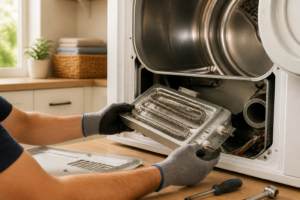
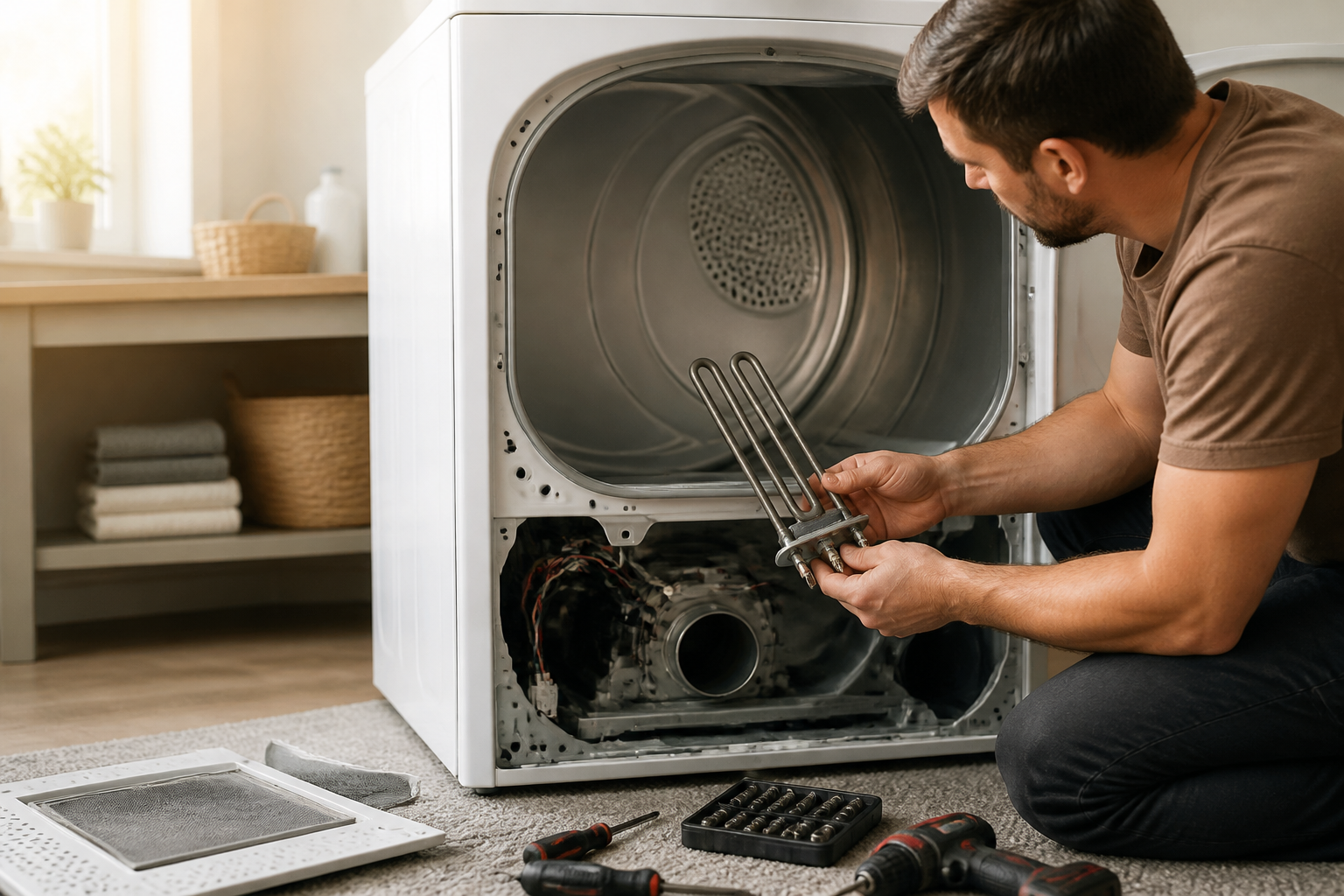
If the thermal fuse tests good but your DLE3400W still produces no heat, the heating element is likely failed. The heating element is an electric resistance coil that converts electrical current into heat. When it fails, it develops an open circuit and cannot generate heat.
Heating Element Location on DLE3400W
The heating element on the DLE3400W is located inside the blower housing at the rear of the dryer interior. You access it by removing the rear panel (same procedure as for the thermal fuse).
Testing the Heating Element with a Multimeter
- After removing the rear panel, locate the heating element assembly in the blower housing
- Disconnect the wire terminals from the heating element (typically two terminals for a 240V element)
- Set your multimeter to the resistance (ohms) setting
- Touch one probe to each terminal of the heating element
- A functioning element should read between 8 and 15 ohms for the DLE3400W model
- If the reading is 0 ohms, the element has shorted internally
- If the reading is “OL” (open circuit) or extremely high (above 100 ohms), the element has burned out and failed
Replacing the Heating Element
- Note the exact wire terminal positions before disconnection
- Disconnect both wire terminals from the old element
- Remove the screws securing the heating element assembly to the blower housing (typically 2-3 screws)
- Slide the old element out of the assembly
- Insert the replacement heating element (part number 5300622032) into the same position
- Secure with screws in the original locations
- Reconnect the wire terminals, matching the original configuration
- Reinstall the rear panel
- Run a test cycle to verify heat generation
High-Limit Thermostat Testing on DLE3400W
The high-limit thermostat acts as a safety override to the heating element. When internal temperature reaches approximately 180°F, it cycles the heating element on and off to prevent overheating. If this component sticks in the open position, the heating element will never energize.
Locating the High-Limit Thermostat
The high-limit thermostat on the DLE3400W is mounted on the blower housing, typically near the exhaust duct exit. It’s a small cylindrical component with two wire terminals.
Testing the High-Limit Thermostat
- Remove the rear panel as described in the thermal fuse section
- Locate the high-limit thermostat on the blower housing
- Disconnect the two wire terminals
- Set your multimeter to continuity mode
- Touch one probe to each terminal
- At room temperature, the thermostat should show continuity (allow current flow)
- If it shows no continuity at room temperature, the thermostat is stuck open and must be replaced
Replacing the High-Limit Thermostat
- Disconnect both wire terminals and note their positions
- Remove the mounting screw securing the thermostat to the blower housing
- Slide the old thermostat out
- Insert the replacement (part number 6931EL3001A) in the same position
- Secure with the mounting screw
- Reconnect the wire terminals
- Reinstall the rear panel and test
Thermistor Testing on DLE3400W
The thermistor is a temperature sensor that provides real-time feedback to the control board about the temperature inside the drum. Unlike the high-limit thermostat, the thermistor continuously changes resistance as temperature changes. The control board reads this resistance to determine when the load is dry. A failing thermistor can prevent the heating element from turning on because the control board cannot properly sense temperature.
Thermistor Location on DLE3400W
The thermistor on the DLE3400W is mounted inside the blower housing, typically on the exhaust duct assembly near the thermal fuse location. It appears as a small bead-shaped sensor with two wire terminals.
Testing the Thermistor with Resistance Readings
A functioning thermistor should show changing resistance values as temperature changes. For the DLE3400W, proper specifications are:
- At room temperature (68-72°F): 5,000-15,000 ohms
- At warm temperature (100-110°F): 1,500-4,000 ohms
- At hot temperature (150°F+): 500-1,500 ohms
- Remove the rear panel to access the thermistor
- Disconnect the thermistor wire terminals
- Set your multimeter to the 20k ohms resistance setting
- Touch one probe to each terminal and record the reading (this is room temperature resistance)
- Carefully hold the thermistor near (not in) warm water from a faucet and observe the resistance change
- The resistance should decrease as temperature increases (the opposite of a normal resistor)
- If the resistance does not change with temperature or reads “OL” in all conditions, the thermistor has failed
Replacing the Thermistor
- Disconnect the thermistor wire terminals
- Remove the mounting clip or screw securing the thermistor
- Slide out the old thermistor
- Insert the replacement (part number 6931EL3003A) in the same location
- Secure with the original mounting method
- Reconnect the wire terminals
- Reinstall the rear panel and run a test cycle
Moisture Sensor Cleaning – The Most Overlooked Fix
Many DLE3400W dryers that seem to have heating problems are actually functioning normally but producing clothes that feel damp because the moisture sensor cannot properly detect dryness. The moisture sensor consists of two metal bars inside the drum that detect when clothes are dry by measuring electrical resistance. When these bars become coated with lint, detergent residue, and fabric softener buildup, they cannot sense moisture accurately and the control board prematurely ends the drying cycle.
Locating the Moisture Sensor Bars
Open the door of your DLE3400W and look directly into the drum. You’ll see two small metal bars approximately 3-4 inches apart on the interior wall of the drum. These are the moisture sensor contacts. They appear as small silvery or copper-colored rectangular tabs flush with the drum surface.
Cleaning the Moisture Sensors
- Unplug the DLE3400W from the electrical outlet
- Open the dryer door
- Tear off a small piece of steel wool (do not use stainless steel wool, which doesn’t work as well)
- Using moderate pressure, scrub each metal bar directly across its surface in a back-and-forth motion
- Wipe away any wool fibers or debris with a dry cloth
- The bars should now appear shiny and clean with no visible buildup
- Close the door and plug the dryer back in
- Run a test cycle with damp clothes to verify improved drying performance
This simple maintenance task resolves drying issues on approximately 25% of DLE3400W units brought in for repair. Many homeowners find that cleaning the moisture sensors restores full drying capability without requiring any component replacement.
Control Board Failure on DLE3400W
If you’ve tested all the components above and found them to be functioning properly, the problem likely resides in the control board. The control board (also called the main PCB assembly) is the electronic circuit that controls all dryer functions. When the control board fails, it may not send voltage to the heating
Recommended Parts & Tools
Dryer Heating Element for LG
The heating element is the most common culprit when an LG dryer stops heating properly. This replacement element is designed specifically for LG dryers and will restore your dryer’s ability to generate heat for proper drying cycles. Check current pricing on Amazon.
Multi-Bit Screwdriver Set
You’ll need various screwdriver sizes to disassemble the dryer cabinet and access the heating element during this repair. This comprehensive set includes both Phillips and flathead bits in multiple sizes to handle all fasteners on your LG dryer. Check current pricing on Amazon.
Dryer Vent Lint Brush and Cleaning Kit
A clogged dryer vent is often responsible for poor heating performance, so clearing lint buildup is essential before replacing parts. This brush kit efficiently removes lint from the vent hose and ductwork, which can improve drying performance and prevent future heating issues. Check current pricing on Amazon.
The Heating Element That Ends Most LG DLE3400W No-Heat Problems
If your dryer is running but producing little to no heat, the heating element is almost always the culprit on this model. It’s the first part I replace when I encounter the classic symptom of tumbling without warmth.
What works
- Direct fit for the LG DLE3400W without adapter hassles—bolt holes line up and terminals match the factory connectors.
- Wattage and resistance spec are accurate to OEM, so you won’t deal with under-heating or premature burnout like some aftermarket generics.
- Arrives as a complete assembly with the mounting bracket, cutting your prep time and reducing the chance of misalignment during reinstall.
What doesn’t
- Doesn’t address thermal fuse failure—if your fuse blew, replacing only the element won’t restore heat until you check and replace the fuse too.
- Installation requires removing the dryer’s front panel and disconnecting terminal connectors, so it’s not a five-minute swap if this is your first appliance repair.
I’ve ordered heating elements on the assumption they were bad only to find a clogged vent was the real problem—always clear the lint trap and vent ductwork first before ordering parts. Once you’ve confirmed the heating element is actually faulty, Dryer Heating Element for LG cuts through the guesswork.
This post contains affiliate links. As an Amazon Associate, I earn from qualifying purchases at no extra cost to you.