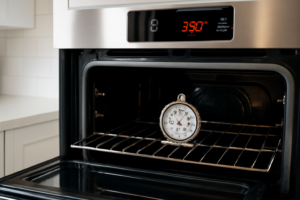
F2 Error Code
This guide walks you through diagnosing and fixing the F2 error code on the Whirlpool WFG505M0BS gas range. The F2 code indicates an oven temperature sensor fault, and most homeowners with basic mechanical skills can complete this repair in 1 to 2 hours without professional help.
Common Symptoms & Causes
The F2 error on this model typically presents alongside several recognizable symptoms before or after the code appears on the display.
- F2 error code flashing on the control display during or after a bake or broil cycle
- Oven overheating or failing to reach the set temperature accurately
- Oven shuts off unexpectedly mid-cycle with the error code displayed
- Control panel beeping continuously with no response to input
The most common root cause is a failed or out-of-range oven temperature sensor (RTD probe), though a faulty electronic oven control board can also trigger this fault code.
Safety First
- Unplug the range from the wall outlet or shut off the dedicated circuit breaker before starting any work
- Wear work gloves to protect against sharp metal edges inside the oven cavity
- Photograph all wiring harness connections before disconnecting anything
- Work in a well-lit space so you can clearly see wire routing and component placement
Tools & Parts Needed
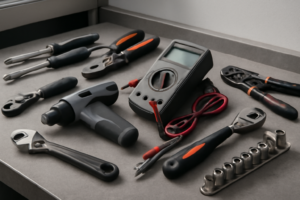
Essential Tools
- Phillips head screwdriver (#2)
- Quarter-inch nut driver or socket set
- Digital multimeter (for resistance testing)
- Needle-nose pliers
- Flashlight or headlamp
Replacement Parts
- Oven Temperature Sensor (WP9750818)
- Electronic Oven Control Board (W10584476)
- Oven Sensor Wiring Harness
Step-by-Step Repair Instructions
🔨 Pro Tip from Dave
On the WFG505M0BS, the sensor harness connector sits behind the rear oven wall panel and has a known tendency to work itself loose from vibration over time — before you even pull the sensor, reseat that connector firmly and clear the code, because a loose connection will throw an identical F2 as a fully dead sensor and you don’t want to spend $30 on a part you don’t need. I’ve probably saved customers that exact part cost a dozen times just by catching this step first.
Step 1: Disconnect Power
Unplug the range from the power outlet or flip the dedicated circuit breaker to the off position. Wait at least five minutes before touching any internal components to allow residual heat to dissipate. Never skip this step, as the control board carries live voltage even when the range appears off.
Step 2: Locate the Oven Temperature Sensor
Open the oven door and look toward the upper left rear corner of the oven cavity. The temperature sensor is a thin metal probe mounted with two screws and connected to a wire harness that runs through the back wall. This is the most likely component responsible for triggering the F2 code.
Step 3: Test the Sensor with a Multimeter
Disconnect the sensor’s wire harness connector and set your multimeter to measure resistance (ohms). At room temperature, a good Whirlpool oven temperature sensor should read approximately 1,080 to 1,100 ohms. A reading significantly outside that range, or an open circuit reading, confirms the sensor has failed and must be replaced.
Step 4: Remove the Faulty Sensor
Remove the two Phillips screws securing the sensor bracket to the oven wall and gently pull the probe forward. Carefully feed the wire harness back through the oven wall opening, taking care not to damage the insulation. Set the old sensor aside for comparison with your replacement part.
Step 5: Install the Replacement Sensor
Thread the new sensor’s wire harness through the oven wall opening and seat the probe into the mounting bracket. Fasten the two mounting screws snugly but do not overtighten, as the bracket is thin metal that can strip easily. Reconnect the wire harness connector until it clicks firmly into place.
Step 6: Restore Power and Test
Plug the range back in and set the oven to bake at 350°F. Monitor the display as the oven preheats — the F2 error code should no longer appear if the sensor was the cause. If the code returns immediately or within a few minutes, the electronic oven control board likely needs to be replaced.
Step 7: Clear the Error Code
If the oven heats correctly without triggering F2, press the Cancel or Off button to clear any stored fault code from the control board memory. Some WFG505M0BS units require you to disconnect power for 60 seconds to fully reset the board and clear residual codes. After the reset, run a full bake cycle to confirm the repair is successful.
How Much Does This Repair Cost?
Replacing the oven temperature sensor yourself typically costs between $15 and $35 for the part. If the control board is also needed, expect to spend an additional $80 to $150 for the part. Compare that to a professional service call, which typically runs $150 to $300 just for labor and diagnosis on a gas range, and the DIY route saves most homeowners $100 to $250 or more on a straightforward sensor replacement.
Where to Buy Replacement Parts
You can order all the parts you need directly through Amazon with fast shipping. Search for the following to find compatible components for the Whirlpool WFG505M0BS:
- Whirlpool WFG505M0BS Oven Temperature Sensor WP9750818 Replacement
- Whirlpool WFG505M0BS Electronic Oven Control Board W10584476 Replacement
- Whirlpool WFG505M0BS Oven Sensor Wiring Harness Replacement
When to Call a Professional
Most of the repairs in this guide are within reach for a careful DIYer with basic tools. In my experience, if you’ve replaced the temperature sensor, verified a solid harness connection, and the F2 code returns within a few cycles, the control board itself is likely misreading resistance values — at that point you’re looking at a board replacement that runs $150–$250 in parts alone, and improper installation can create gas ignition timing issues that make this a job for a certified technician. When in doubt, a diagnostic service call typically costs $80–$120 and can save you from a misdiagnosis that costs more in parts.
Frequently Asked Questions
The F2 error code on your Whirlpool WFG505M0BS points directly to a faulty oven temperature sensor, so that’s the first component you’ll want to replace. The Oven Range Temperature Sensor Probe Compatible with Whirlpool Model Numbers WFG381LV, WFG505M0B, WFG510S0A, WFG515S0E is a direct-fit aftermarket option built specifically for this line of Whirlpool gas ranges, saving you from guessing on compatibility. Swapping it in typically clears the F2 code immediately and restores accurate temperature regulation to your oven. (As an Amazon Associate I earn from qualifying purchases.)
If you prefer to go the OEM route for guaranteed factory specs, the Whirlpool WPW10181986 Genuine OEM Range Temperature Sensor Replacement Part – Replaces W10131826, 8273902, W10181986 is the exact part Whirlpool uses in production and covers several common cross-reference part numbers. Using a genuine OEM sensor gives you confidence that the resistance readings will match your control board’s expectations precisely, which is critical for accurately diagnosing whether the sensor — and not the board itself — was the true cause of the F2 fault.
While you have the range pulled apart and are already doing hands-on maintenance, it’s a good time to check the condition of your burner control knobs, which take a beating from daily heat and grease exposure. The W10339442 Stove Knobs Replacement Parts for Whirlpool Gas Range Oven