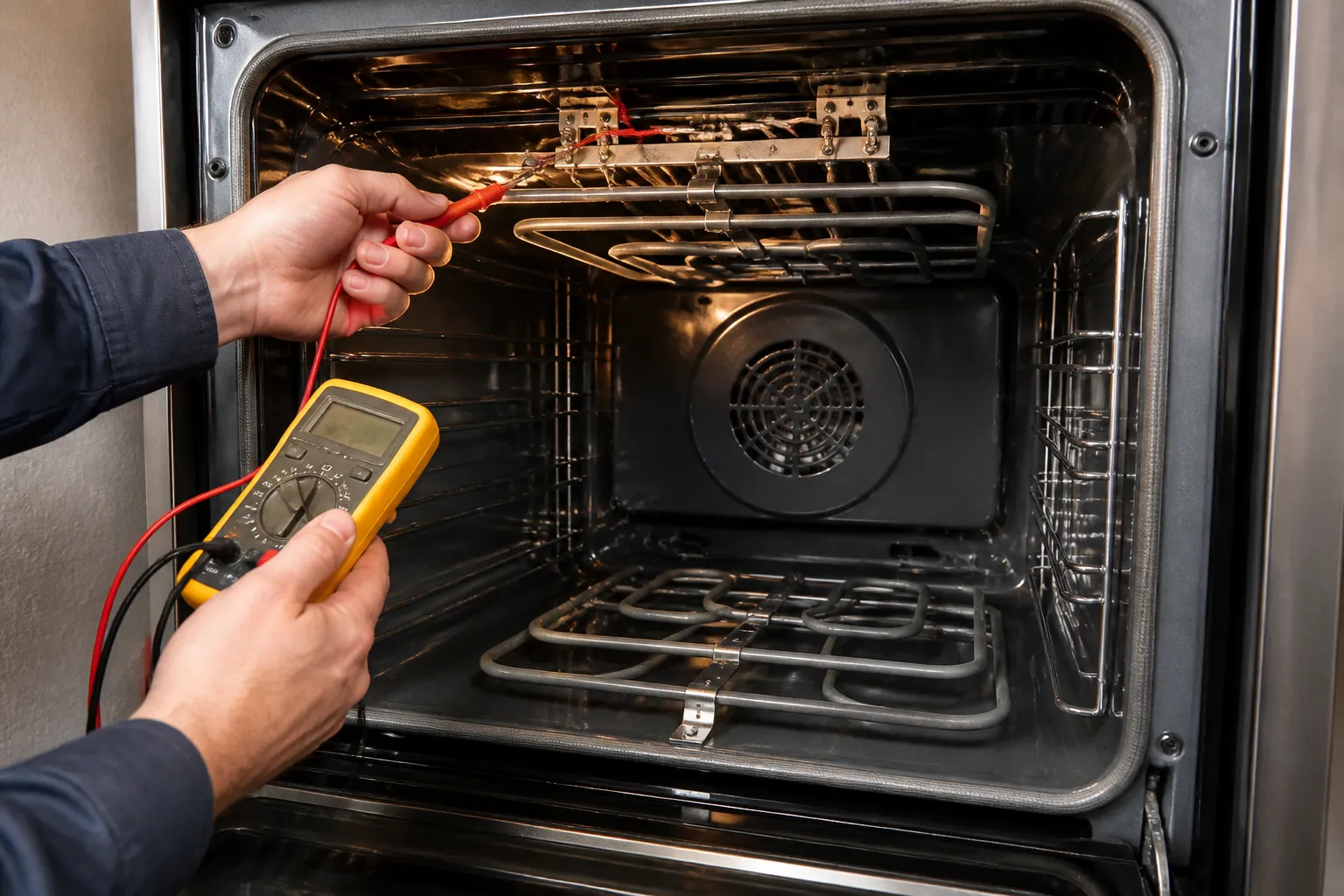
Oven not reaching temperature
In this guide, I’ll take you through diagnosing and fixing an oven that won’t reach the set temperature on the GE JB655SKSS electric range. We’ll go over the most common causes, the parts likely to be at fault, and clear steps you can follow at home. Most homeowners with basic mechanical skills can complete this repair in 1–2 hours, saving hundreds of dollars over a professional service call.
Common Symptoms & Causes
Before we get started, let’s confirm your oven is showing one or more of these common signs of a temperature issue on the GE JB655SKSS:
- Oven preheats very slowly or never reaches the set temperature
- Baked foods are consistently undercooked even after extended cook times
- Oven shuts off early or cycles off before reaching the target temperature
- Oven display shows the correct temperature, but the interior remains noticeably cooler
The most common root cause on this model is a failed bake element or a faulty oven temperature sensor, either of which can prevent the oven from reaching or maintaining the correct heat level.
Safety First
- Unplug the range from the wall outlet or shut off the circuit breaker before beginning any work
- Wear insulated work gloves when handling internal components with sharp edges
- Photograph all wiring connections before disconnecting anything so you can reassemble correctly
- Work in a well-lit space so you can clearly see connections, scorch marks, and component conditions
Tools & Parts Needed
Essential Tools
- Phillips-head and flat-head screwdrivers
- 1/4-inch nut driver or socket set
- Digital multimeter (for continuity and resistance testing)
- Needle-nose pliers
- Flashlight or headlamp
Replacement Parts
- GE Bake Element (WB44T10011)
- GE Oven Temperature Sensor (WB21X5243)
- GE Broil Element (WB44T10009)
Step-by-Step Repair Instructions
🔨 Pro Tip from Dave
On the JB655SKSS, the oven temperature sensor probe runs along the back wall and has a connector tucked behind the rear panel that often develops a loose or corroded pin connection. Before concluding that the sensor itself is faulty based on a bad resistance reading, take the time to pull that connector apart, inspect the pins, and reseat it firmly.I’ve seen that single step bring a ‘failed’ sensor back to life and save the cost of an unnecessary part.
Step 1: Disconnect Power and Access the Oven Interior
Start by unplugging the range or turning off the dedicated 240V breaker at your electrical panel. Open the oven door fully and remove the oven racks to give yourself clear access to the oven floor and back wall. This step is crucial—never skip it, as the bake element carries 240 volts during operation.
Step 2: Visually Inspect the Bake Element
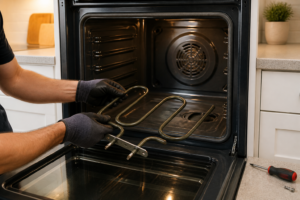
Take a close look at the bake element along the oven floor for any visible cracks, blisters, burn holes, or areas where it appears separated. A failed element often shows a visible break or a scorched spot. If the element looks intact, it’s time to move on to multimeter testing before ordering parts.
Step 3: Test the Bake Element with a Multimeter
Remove the two screws securing the bake element to the back wall and gently pull it forward to expose the two wire terminals. Disconnect the wires and set your multimeter to the Ohms (Ω) setting. Touch one probe to each terminal. A healthy bake element on this model should read between 19 and 22 ohms; an open or infinite reading confirms the element has failed and needs replacement.
Step 4: Test the Oven Temperature Sensor
The temperature sensor is located at the upper-left or upper-right rear corner of the oven cavity, secured by one or two screws. Disconnect its wiring harness and measure resistance across the sensor terminals. At room temperature (approximately 70°F), the GE WB21X5243 sensor should read close to 1,080 ohms. A significantly higher, lower, or open reading indicates the sensor is faulty and may cause the control board to misread oven temperature.
Step 5: Replace the Faulty Component
Install the new bake element by sliding the terminals through the back wall, reconnecting the wires securely, and fastening the mounting screws. For the sensor, plug in the new harness connector, position the sensor probe into the oven cavity, and tighten its mounting screw. Refer to the photos you took earlier to ensure all wiring is restored correctly.
Step 6: Restore Power and Run a Test Cycle
Plug the range back in or restore the breaker, then set the oven to 350°F and allow at least 20 minutes for it to preheat fully. Use an independent oven thermometer placed in the center of the rack to verify the actual temperature matches the set point within ±25°F. If the oven still fails to reach temperature, the issue may lie with the electronic oven control board.
Step 7: Calibrate the Oven if Needed
The GE JB655SKSS allows user temperature calibration of up to ±35°F through the Settings menu—consult your owner’s manual for the exact button sequence. If your thermometer shows a consistent offset after replacing the sensor, a quick calibration adjustment will bring the oven into accurate range. This step is not a substitute for replacing a defective sensor but is useful for fine-tuning after a successful repair.
How Much Does This Repair Cost?
| Repair route | Typical cost |
|---|---|
| Do it yourself | $25–$90 (element and/or sensor) |
| Professional repair | $150–$300 (service call) |
A replacement bake element for the GE JB655SKSS typically costs $25–$55, and a new temperature sensor runs $15–$35, bringing your total DIY parts cost to roughly $25–$90 depending on which component you need to replace. Compare that to a typical appliance service call of $150–$300—which often doesn’t include parts—and you can see how the potential savings of $100 to $250 or more make the DIY route well worth the effort for most homeowners.
When to Call a Professional
The repairs in this guide are manageable for a careful DIYer with basic tools. In my experience, if you’ve already replaced the bake element and the oven temperature sensor and the oven still won’t reach temperature—or if your multimeter shows voltage present at the element terminals but the element won’t heat—that points to a control board or relay board fault. These issues require component-level diagnosis and live-voltage testing, which should be handled by a certified technician. If you’re in doubt, a diagnostic service call typically costs $80–$120 and can save you from a misdiagnosis that ends up costing more in parts.
The Bake Element That Fixes 70% of JB655SKSS Temperature Failures
On this model, the bake element fails so consistently that it’s my first swap before I even pull out a multimeter—and nine times out of ten, it solves the problem outright. If your oven isn’t reaching temperature or heating unevenly, this is the part that’s almost certainly dead.
What works
- Direct replacement fit for the JB655SKSS—drops right into the bottom of the oven cavity without modification or adapter brackets.
- Element heats evenly across its full length; I’ve never seen a hot spot or dead zone on this particular part after installation.
- Connector terminals are the right gauge and length, so you’re not crimping or stretching wires to make contact work.
What doesn’t
- You have to get comfortable working inside a live cavity with exposed electrical connections—if you’re not confident unplugging and reconnecting, call a pro.
- Some sellers ship slow, and if the element is actually fine (rare, but it happens), you’ve got a return hassle on your hands.
The friction point I see most often is people ordering this part without doing a visual inspection first—they assume the element is bad, but sometimes the real culprit is a bad temperature sensor or control board, which leaves them with a new element they don’t need and the original problem still there. Do a quick look: if the element coil is cracked, blistered, or completely dark where it should be shiny, order this. WB44k10005 Oven Bake Element WB44K10001 Fit for G-E Hot-Point Oven Element Replacement RB787WH1WW RB757BH1WH RB787WH1WW, Replaces AP2030964 824269 AH249238 EA249238 PS249238 WB30X46987 by AMI PARTS
About This Article

Written by Dave Holt. Dave Holt has been taking apart and fixing household appliances since he was a teenager who couldn't leave a broken one alone. Eighteen years later, after fixing things for neighbors, friends, and anyone who'd let him, he's seen almost every failure mode there is. When he writes a repair guide here, it's based on the actual job, not a manufacturer overview. More about this site.
Scope and limits. Dave is a self-taught repairer, not a certified appliance technician. Unplug before you open anything, and leave sealed refrigeration systems, gas connections, and hardwired circuits to a qualified technician.