Complete Guide to Removing and Replacing the Ice Maker on Samsung RF27T5201SR
Today I’m here to guide you through removing and replacing the ice maker on your Samsung RF27T5201SR. Like any premium appliance, this French door refrigerator can run into issues over time, and I want to make sure you’re equipped to handle it yourself.
Tools and Materials You’ll Need
- Phillips head screwdriver (medium size)
- Flathead screwdriver (for prying if needed)
- Smartphone or flashlight (the ice compartment is dark)
- Small bowl or container (to catch any remaining water)
- Replacement ice maker assembly DA97-15217A (if replacing the entire unit)
- Wire connector or harness kit (if reusing existing connector)
- Clean cloth or paper towels
Before diving into this repair on your RF27T5201SR, make sure to unplug the refrigerator from the electrical outlet. Safety first, folks—working with electrical components is nothing to mess around with.
⚠️ Safety Warning
The ice maker assembly on the RF27T5201SR has electrical components, so it’s crucial to always unplug the refrigerator before starting any work. Never try to test the ice maker while it’s plugged in or your hands are wet. Additionally, the water inlet valve that feeds the ice maker may contain water under pressure, so make sure to point the inlet connection downward when disconnecting it to avoid getting sprayed. If you’re not comfortable dealing with electrical connections or water systems, I highly recommend contacting a professional appliance repair technician.
Step 1: Remove the Ice Bucket from Your RF27T5201SR
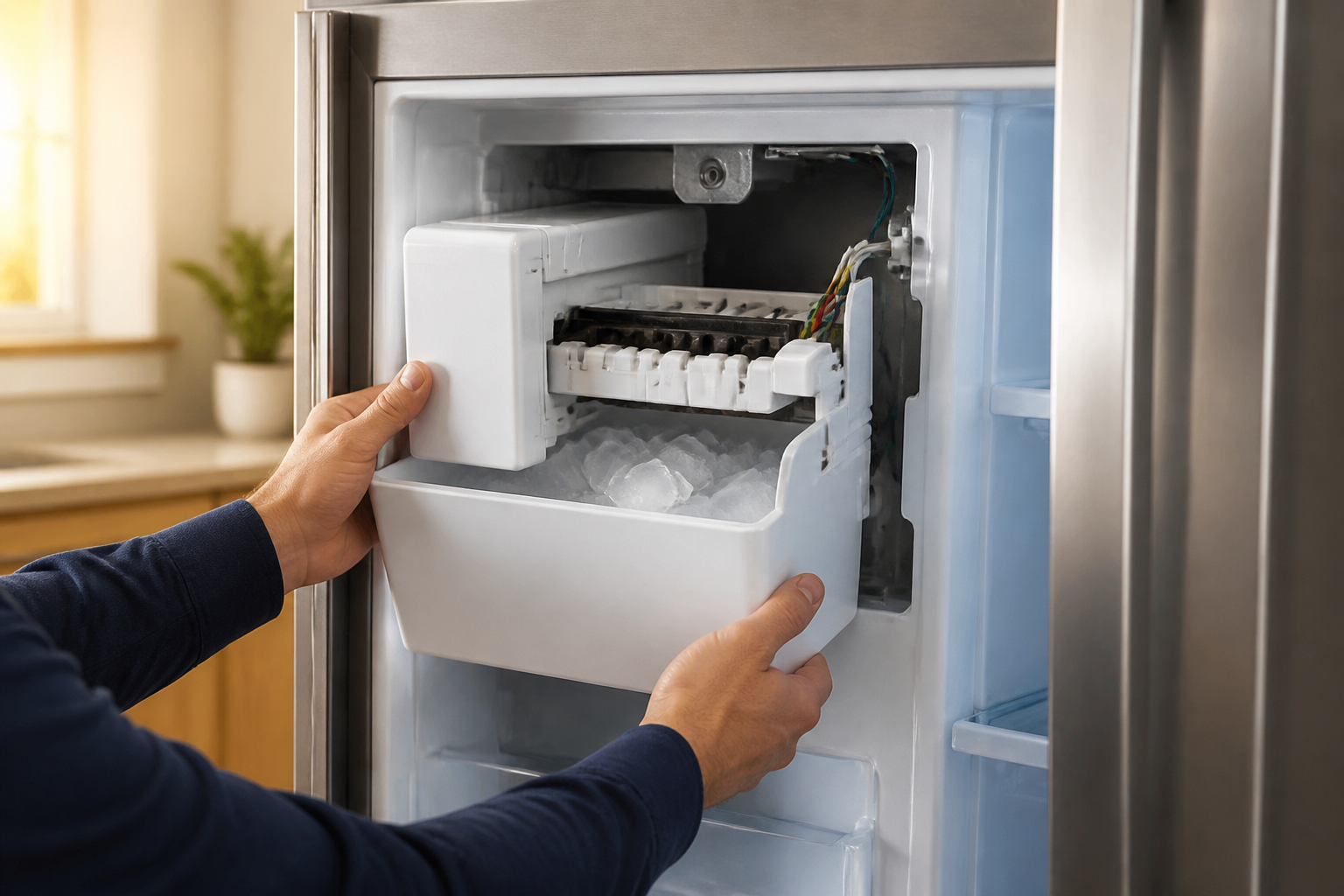
To access the ice maker assembly, the first step is removing the ice bucket, which you’ll find in the freezer compartment on the right side of the unit.
- Open the freezer door of your RF27T5201SR fully.
- Locate the ice bucket—it’s a plastic container that catches the ice from the maker above.
- Grasp the bucket firmly with both hands on the sides.
- Pull the bucket straight out toward you with steady, even pressure.
- The bucket should release cleanly without resistance.
- Set the bucket aside in a safe location.
- If there’s residual water in the bucket, pour it into your small container.
When removing the bucket, avoid twisting or wiggling it excessively. The RF27T5201SR is designed for the bucket to pull straight out. If it feels stuck, check for ice buildup around the edges and gently warm the connection points with your hands or a warm cloth.
Step 2: Locate and Remove the Three Mounting Screws
With the ice bucket out of the way, you’ll have clear access to the ice maker assembly, which is secured with three Phillips head screws.
- Use your smartphone flashlight to illuminate the ice maker compartment inside your RF27T5201SR.
- Look directly above where the ice bucket was positioned—the ice maker assembly will be visible.
- Identify the three mounting screws:
- One screw on the left side of the ice maker housing.
- One screw on the right side of the ice maker housing.
- One screw at the bottom center of the assembly.
- Using your Phillips head screwdriver, turn each screw counterclockwise.
- Remove each screw completely and place them in a small container so they don’t get lost.
- Do not over-tighten when removing—the screws on the RF27T5201SR are brass and can strip if forced.
These screws are typically 10-12mm in length and won’t be extremely tight. Hand pressure on your screwdriver should suffice. If you encounter any difficulty, apply slight downward pressure while turning to break the seal.
Step 3: Disconnect the Wire Harness
Now it’s time to disconnect the wire harness that powers the ice maker assembly.
- Look for the wire harness connector, usually located on the right side of the ice maker assembly.
- The connector has a small plastic clip or latch on one side.
- Gently press this clip inward with your finger or a small flathead screwdriver.
- While holding the clip, grasp the connector and pull it straight away from the ice maker.
- Do not twist or wiggle the connector—pull straight out with steady pressure.
- Once disconnected, place the wire harness aside where it won’t be damaged.
The connector is keyed, meaning it will only fit one direction, so take note of its orientation for reinstallation. If it feels stuck, ensure you’ve fully depressed the retention clip before pulling.
Step 4: Slide the Ice Maker Forward and Down
With the screws removed and the wire harness disconnected, you can now slide the ice maker assembly out of your RF27T5201SR.
- Place both hands on either side of the ice maker assembly.
- Apply gentle forward pressure to slide the ice maker toward you.
- Once it has moved forward approximately 2-3 inches, angle the assembly slightly downward.
- Continue pulling forward and downward until the ice maker clears the mounting bracket.
- Lift the assembly out of the freezer compartment.
- Set the ice maker in a safe location where water dripping won’t cause damage.
Keep in mind that the assembly will still contain some residual water, so have your small bowl ready to catch any drips. It’s not heavy—typically weighing around 3-4 pounds—but handle it carefully to avoid any spills.
Step 5: Inspect the Ice Maker Assembly and Evaporator Cover
Before you install the replacement ice maker, inspect the ice compartment and surrounding components for any damage or issues.
Check the Defrost Heater Area
The defrost heater on the RF27T5201SR is crucial for preventing ice buildup on the evaporator cover. Here’s what to look for:
- Check for visible damage to the heating element (it looks like a thin wire or ribbon).
- Inspect for cracks or corrosion on the defrost heater housing.
- If the heating element appears blackened, burnt, or broken, it will need replacement.
Inspect the Evaporator Cover for Ice Buildup
This is one of the most common issues causing RF27T5201SR units to stop making ice. Look directly up into the space where the ice maker was positioned:
- The evaporator cover should be clear of ice or frost.
- If you see excessive ice accumulation (more than a thin layer), the defrost cycle may not be working properly.
- This condition often indicates a failure of the defrost heater.
Check the Water Inlet Valve Connection
Locate where the water line connects to the ice maker. The inlet valve should have water present:
- Look for water droplets or moisture at the inlet connection point.
- If the connection is completely dry and your RF27T5201SR isn’t making ice, the inlet valve may be frozen or faulty.
- Check for ice crystals blocking the inlet port.
Step 6: Addressing the Known RF27T5201SR Ice Buildup Issue
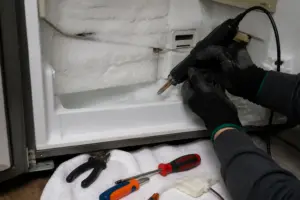
A lot of Samsung RF27T5201SR owners find their refrigerators stop making ice due to frost accumulation on the evaporator cover. It’s a known issue with this model.
Identifying Ice Buildup on the Evaporator
With the ice maker removed, you can easily see the evaporator cover area. Look for:
- Thick ice or frost accumulation (thicker than 1/4 inch) on the evaporator cover.
- Ice blocking the opening where water should drip onto the ice maker.
- Reduced or no ice production even though the ice maker motor seems to be functioning.
How to Fix Ice Buildup on RF27T5201SR
If you discover ice buildup is the issue with your RF27T5201SR:
- Never chip away ice aggressively—this can damage the evaporator coils.
- Let the refrigerator defrost naturally by leaving the freezer door open for 4-6 hours.
- Alternatively, place warm (not hot) towels on the evaporator cover to gently melt the ice.
- Once the ice is cleared, place a bowl under the defrost drain to catch any water.
- Check that the defrost drain at the bottom of the freezer is not clogged.
- Run a defrost cycle (see Step 9 for instructions).
- If the ice returns within a few days after clearing, the defrost heater likely needs replacement.
This ice buildup issue is typically caused by a faulty defrost heater or thermostat. The heater cycles on periodically to prevent this exact problem, and if it has failed, ice will accumulate regardless of whether the ice maker assembly is functioning.
Step 7: Install the Replacement Ice Maker (DA97-15217A)
If the ice maker assembly itself is damaged or defective, it’s time to install the replacement DA97-15217A on your RF27T5201SR. This is the OEM-equivalent assembly for this model.
- Before installation, ensure the evaporator compartment is clean and clear of ice.
- If you removed ice during the inspection, make sure all moisture has dripped away or dried.
- Position the new ice maker assembly to align with the mounting bracket.
- The mounting bracket has three holes corresponding to the screw locations.
- Carefully slide the ice maker backward into position, angling it slightly upward as you go.
- Once seated, the ice maker should sit flush with the mounting bracket with no gaps.
- Insert the three mounting screws:
- Left side screw first.
- Right side screw second.
- Bottom center screw last.
- Turn each screw clockwise with your Phillips head screwdriver.
- Tighten firmly but avoid over-tightening—stop when you feel resistance, then add a quarter turn.
- The proper torque is about 10-12 inch-pounds (very light pressure).
Reconnecting the Wire Harness on RF27T5201SR
Now it’s time to reconnect the wire harness for the ice maker to function:
- Locate the wire harness connector on the right side of the new ice maker assembly.
- Compare the connector orientation to the port on the ice maker.
- The connector is keyed and will only fit one direction—don’t force it.
- Align the connector carefully and push it straight in until you hear a small click.
- Verify that the retention clip has engaged and the connector is fully seated.
- Gently tug the connector to ensure it’s secure.
Step 8: Reinstall the Ice Bucket
With the new ice maker assembly installed and the wire harness connected, it’s time to replace the ice bucket.
- Check that the ice bucket is clean and free of debris.
- Position the bucket directly below the ice maker assembly.
- The bucket has two side guides that align with grooves on the freezer wall.
- Push the bucket straight in until it seats fully.
- You should hear a soft click when the bucket locks into position.
- Gently tug the bucket to confirm it’s secure.
Step 9: Plug in Your RF27T5201SR and Run the Initial Setup
Your RF27T5201SR is now ready to be powered on and tested.
- Plug the refrigerator back into the electrical outlet.
- Close both the freezer and refrigerator doors.
- The compressor should start running within a few minutes.
- Wait about 5 minutes for the system to stabilize.
Running the Force Test Cycle on RF27T5201SR
This model has a force test mode that will cycle the ice maker immediately, allowing you to verify proper operation:
- Press and hold the “Freezer” or “Ice Maker” button (exact location varies by control panel type) for 3-5 seconds.
- Listen for a buzzing or humming sound from the freezer area—this indicates the ice maker motor is engaged.
- You should hear water flowing into the ice maker within 10-15 seconds.
- The ice maker will cycle for approximately 30-60 seconds during the test.
- Water should fill the ice maker tray evenly.
- Once the cycle is complete, close the freezer door.
Keep in mind that it typically takes the RF27T5201SR about 24 hours before the first ice cubes start falling into the bucket. This allows the water to freeze completely, so don’t be alarmed if no ice appears in the first few hours after installation.
What to Expect in the First 24 Hours
- The ice maker motor will cycle every 4-6 hours.
- You may hear water running and the ice maker thumping as it ejects developing cubes.
- The first batch of ice cubes may not appear until 12-24 hours have passed.
- Initial cubes may be cloudy or small—this is normal on a new installation.
- Clear, full-size ice cubes should start appearing within 48 hours.
Step 10: Ice Maker Assembly Replacement vs. Water Inlet Valve Replacement
Not all ice problems with the RF27T5201SR require a full ice maker assembly replacement. Knowing which component is faulty can save you time and money.
When to Replace the Entire Ice Maker Assembly on RF27T5201SR
Consider replacing the complete ice maker assembly (DA97-15217A) if you notice:
- The ice maker motor does not run when activated.
- Water drains from the ice maker assembly but no ice forms.
- The ice maker ejects ice cubes that fall into the bucket incomplete or damaged.
- The ice maker shows visible cracks, corrosion, or physical damage.
- The ejection blade is broken or bent.
- The heating element (for ice ejection) is non-functional.
When to Replace Only the Water Inlet Valve on RF27T5201SR
The water inlet valve (a separate component from the ice maker assembly) should be replaced if:
- Water never reaches the ice maker tray during a cycle.
- The ice maker motor runs but produces no ice cubes.
- Your RF27T5201SR shows water leaking from the inlet area of the ice maker.
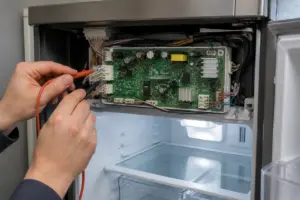
- Testing with a multimeter shows no electrical signal reaching the valve.
- The inlet connection is frozen solid and won’t thaw.
Replacing the water inlet valve is more complicated since it’s located inside the freezer compartment wall. If you suspect an inlet valve failure, it’s best to call a professional repair technician, as this repair requires removing the freezer shelf and partially disassembling the freezer wall.
Troubleshooting Your RF27T5201SR After Installation
No Ice Appearing After 24 Hours
If your RF27T5201SR ice maker has been installed and powered on for over 24 hours without producing ice:
- Check that the ice maker motor is running—listen for humming every 4-6 hours.
- Verify that water is reaching the ice maker by manually running the force test cycle.
- Inspect the evaporator area for frost buildup that may be blocking water flow.
- Ensure that the water supply to your home is on and that the RF27T5201SR is properly connected.
- Check the
Recommended Parts & Tools
Samsung Ice Maker Assembly DA97-02038A
This is the direct replacement ice maker assembly for the Samsung RF27T5201SR refrigerator model. Using the correct OEM part ensures a proper fit and optimal ice production performance after installation.
Screwdriver Set with Magnetic Tips
You’ll need various screwdrivers to disconnect the ice maker assembly and remove the mounting brackets during this repair. A magnetic tip set prevents losing small screws inside the refrigerator compartment and makes the job much easier.
Appliance Cleaning Brush and Coil Cleaner
While the ice maker is removed, it’s an ideal time to clean the ice maker housing area and water supply lines to prevent mineral buildup and ensure the new unit operates efficiently. A specialized appliance brush reaches tight spaces where dust and debris accumulate.
The Samsung Ice Maker Assembly That Actually Stops the No-Ice Problem on RF27T5201SR
If your RF27T5201SR has stopped making ice entirely or is producing only a few cubes before shutting down, the ice maker assembly itself is usually the culprit—and this is the exact OEM part that gets the job done without compatibility guesswork. Order this before you start troubleshooting anything else.
What works
- Drops directly into the ice maker housing with no adapter or modification needed; the connectors line up exactly as they should on this model.
- Comes with the motor, heating element, and valve assembly all pre-assembled, so you’re not hunting for a dozen sub-parts or dealing with finicky calibration steps.
- Ice production resumes immediately after installation in most cases—I’ve seen these units freeze a full batch within 30 minutes of power-up.
What doesn’t
- It’s not a quick fix if your problem is actually a frozen water line or a kinked inlet tube—you’ll have replaced a good part for nothing, so confirm water is actually reaching the ice maker before ordering.
- The unit itself doesn’t come with detailed photo instructions for your specific model, so you’ll want a service manual or video guide open beside you during installation.
The one friction point I see most often is homeowners assuming the ice maker failed when the real issue was a clogged inlet valve or low water pressure from a failed water filter—I’ve had two callbacks where the assembly was fine and the filter just needed replacing. Don’t skip the water supply check before committing to this part, but once you’ve ruled out the inlet line, grab the Samsung Ice Maker Assembly DA97-02038A and you’re 90% of the way there.
About This Article

Written by Dave Holt. Dave Holt has been taking apart and fixing household appliances since he was a teenager who couldn't leave a broken one alone. Eighteen years later, after fixing things for neighbors, friends, and anyone who'd let him, he's seen almost every failure mode there is. When he writes a repair guide here, it's based on the actual job, not a manufacturer overview. More about this site.
Scope and limits. Dave is a self-taught repairer, not a certified appliance technician. Unplug before you open anything, and leave sealed refrigeration systems, gas connections, and hardwired circuits to a qualified technician.