Complete Samsung RS27T5200SR Troubleshooting Guide: Fan Noise, Defrost Drain, and Ice Bucket Problems
Even a reliable appliance like the Samsung RS27T5200SR develops issues eventually. In this guide I’ll help you diagnose and fix the three most common ones you’re likely to meet on this model: excessive fan noise, clogged defrost drains, and frozen ice buckets. Each of these can be resolved without calling a professional, and I’ll walk you through the steps based on my own experience.
Understanding the Samsung RS27T5200SR Fan System
The RS27T5200SR features two distinct cooling fans that work in concert to keep your food chilled. Identifying which fan is making noise is your first step toward restoring peace and quiet to your kitchen.
The Evaporator Fan (Freezer Compartment)
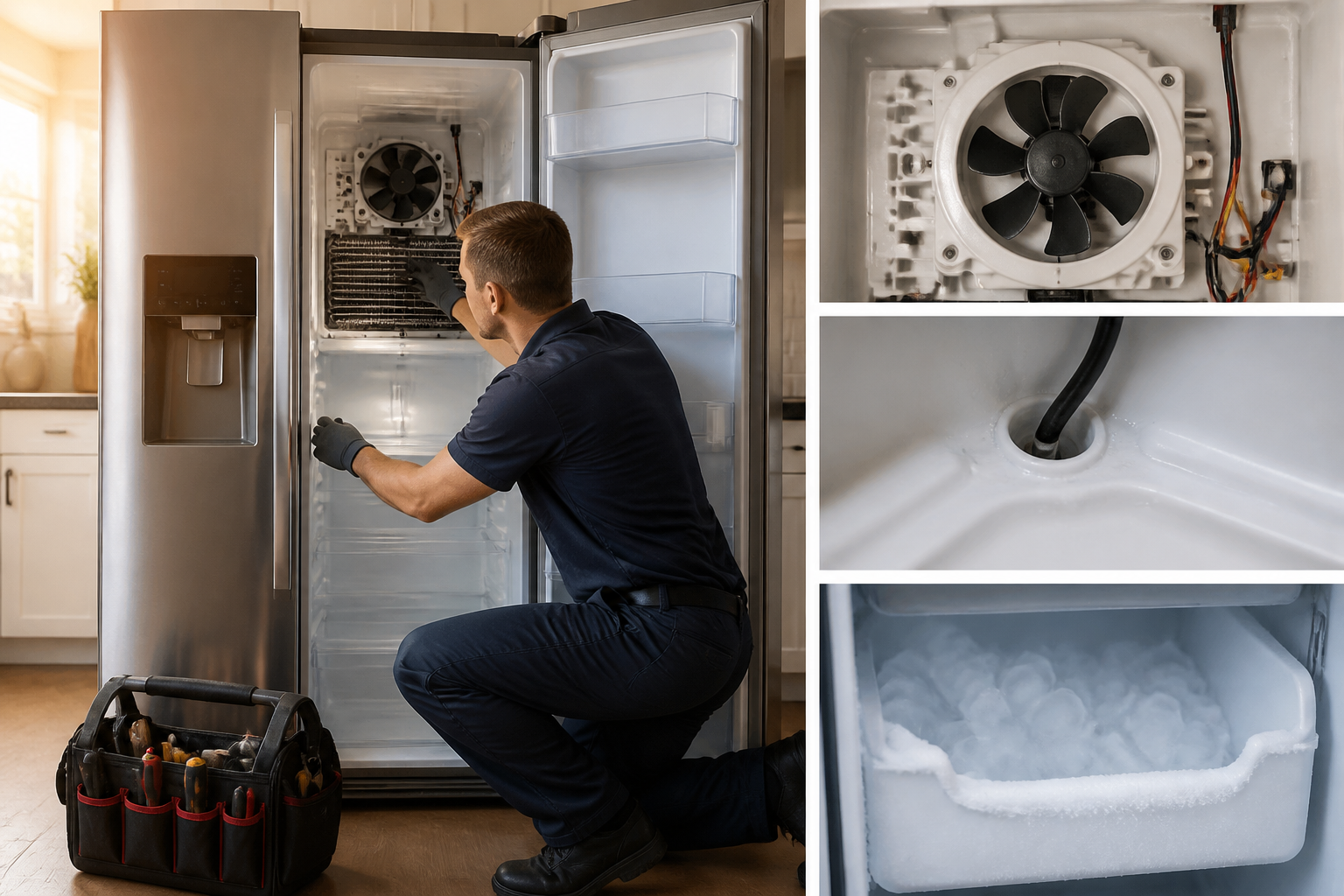
The evaporator fan is situated inside the freezer compartment, usually hidden behind the back wall panel. This fan is responsible for circulating cold air from the freezing coils throughout the freezer and refrigerator sections. When it’s working properly, you’ll hear a low, steady hum. In normal operation, the evaporator fan in the RS27T5200SR runs almost continuously.
The Condenser Fan (Rear Exterior)
Located at the bottom rear of your RS27T5200SR, near the compressor, the condenser fan pulls air through the condenser coils to release heat. It typically operates in shorter cycles compared to the evaporator fan, producing a moderate motor noise accompanied by some airflow sounds.
Identifying Fan Noise Problems in the RS27T5200SR
Normal vs. Abnormal Fan Sounds
Every RS27T5200SR will emit some fan noise during use. Knowing the difference between normal sounds and those that signify a problem can save you both time and money.
Normal sounds: Low humming from the freezer area, occasional whooshing as air circulates through the ducts, rhythmic clicking when the compressor cycles on or off.
Problem sounds requiring investigation: Loud grinding or squealing, rattling or vibrations, scraping noises from ice, fan blades hitting the housing, or loud clattering sounds.
The Ice Scraping Sound: Evaporator Fan Ice Buildup
One of the most common complaints I hear about the RS27T5200SR is a loud scraping or grinding sound from the freezer. This usually indicates ice has formed on the evaporator fan blades or that the fan is partially frozen. As the fan spins, the ice-covered blades hit the fan housing, resulting in that unmistakable grinding noise.
This issue arises because the evaporator coils frost up during operation. A defrost cycle should melt this frost and drain it away through the defrost drain. However, when that drain gets blocked (which I’ll cover later), water backs up and refreezes on the evaporator fan.
Squealing from the RS27T5200SR Rear Fan
If you hear a squealing noise from the back of your RS27T5200SR, especially near the bottom, it typically means the condenser fan motor bearings are failing. This is a sign that the motor needs to be replaced. Squealing is not normal motor noise and will only get worse over time.
Rattling and Vibration Issues
Rattling sounds indicate loose components. Ensure that your RS27T5200SR is level—use a bubble level on both the front-to-back and side-to-side axes. Also, check that nothing in the bottom drawers is vibrating during fan operation.
How to Quiet a Noisy Evaporator Fan in the RS27T5200SR
If the noise is coming from the freezer area (ice scraping sounds), follow these steps to defrost the evaporator fan and restore quiet operation.
Step 1: Unplug Your RS27T5200SR
It’s crucial to disconnect power before attempting any repairs. Unplug the refrigerator from the wall outlet and wait five minutes to discharge any capacitors.
Step 2: Remove the Freezer Back Panel
Inside the freezer compartment of your RS27T5200SR, you will find a plastic panel covering the back wall. This panel is generally secured with 4-6 screws that fit into slots on the freezer frame.
- Take out any ice bins or shelves obstructing access.
- Locate screws along the top, sides, and bottom of the back panel.
- Use a Phillips head screwdriver to remove all screws.
- Carefully pull the panel away from the wall; it may require a slight upward movement to disengage.
- Set the panel aside with care to avoid damage.
Step 3: Inspect the Evaporator Fan Blades
Behind the back panel, you’ll find the evaporator fan assembly of your RS27T5200SR. Inspect whether there’s ice buildup on the blades or around the fan housing.
Look for:
- Thick ice coating on fan blades.
- Frozen buildup inside the fan housing shroud.
- Ice bridges between blade tips and the plastic housing.
- Visible frost obstructing blade movement.
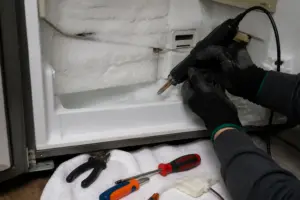
Step 4: Defrost the Evaporator Fan
The safest way to defrost the evaporator fan in your RS27T5200SR is through passive thawing and gentle removal of ice.
- Leave the freezer empty and the refrigerator unplugged (you’ve already done this).
- Put towels on the freezer floor to catch meltwater.
- If there’s significant ice buildup, you can carefully pour room-temperature water over the affected areas—avoid hot water to prevent cracking the plastic.
- Utilize a plastic scraper to gently remove ice around the fan housing. Be cautious; aggressive scraping can damage the shroud or fan blades.
- Allow 2-4 hours for complete thawing if the ice buildup is heavy.
- Once thawed, manually rotate the fan blades with your finger—they should spin freely without resistance.
Step 5: Verify Blade Clearance
Before reassembling, check that the evaporator fan in your RS27T5200SR has adequate clearance. Gently spin the blades and listen for any contact noise. They should rotate smoothly without touching the housing. If you hear scraping, additional ice remains or the housing is bent.
Step 6: Check the Defrost Drain Connection
While the back panel is off, inspect the small tube or opening at the bottom of the evaporator compartment—it’s part of the defrost drain system. Look for ice crystals or debris blocking it. If it’s blocked, that’s likely the reason ice accumulated on your fan. I’ll address drain cleaning shortly.
Step 7: Reassemble and Test
Reinstall the back panel by reversing the removal steps. Ensure all screws are secure and slots are properly engaged. Plug in your RS27T5200SR, set the temperature control to its normal setting, and let the refrigerator run for 30 minutes. Listen for the fan—it should produce only a quiet hum with no grinding or scraping sounds.
The Defrost Drain System on the RS27T5200SR
How the Defrost System Works
Your RS27T5200SR utilizes an automatic defrost cycle to prevent frost buildup on the cooling coils. During this cycle, heating elements warm the evaporator coils, melting any frost. The resulting water must drain out of the freezer compartment and flow toward the condenser unit at the back of the refrigerator, where it evaporates during normal operation.
The defrost drain on the RS27T5200SR is a small tube located at the bottom rear of the freezer compartment, typically behind the back panel you just removed. This drain connects to a larger tube that runs behind the refrigerator cabinet and eventually leads to the drain pan beneath the unit.
Why the Defrost Drain Clogs
The defrost drain on your RS27T5200SR can become blocked by:
- Ice crystals that form if the drain partially freezes.
- Food particles, dust, or debris that enter the drain during defrost cycles.
- Algae or mold growth inside the drain tube (usually appears as black slime).
- Bent or kinked drain tubing that traps water.
- Ice cream or other materials accidentally dropped into the drain opening.
When the defrost drain clogs on your RS27T5200SR, water from the defrost cycle has nowhere to go. It backs up into the freezer, refreezes, and accumulates on the evaporator coils and fan—leading directly to the ice scraping noise you previously heard.
Locating the Defrost Drain on the RS27T5200SR
The primary drain opening on your RS27T5200SR is found at the very bottom of the freezer compartment, behind the back wall panel, toward the rear corner. It’s a small opening (typically ⅜ to ½ inch in diameter) with a short plastic tube. You might need to remove or shift the evaporator fan shroud slightly to access it, but on the RS27T5200SR, the drain is usually visible once the back panel is taken off.
Cleaning the Defrost Drain on Your RS27T5200SR
Supplies You’ll Need
- Warm water (not boiling).
- Small turkey baster or syringe (without needle) for injecting water.
- Flexible plastic tubing or pipe cleaner sized to fit the drain opening (typically ⅜ inch).
- Soft-bristled brush.
- Towels for catching water.
- Access to the area beneath your RS27T5200SR.
Step 1: Prepare the Work Area
Expect some water to drain out during this procedure. Lay towels both inside the freezer compartment and on the floor beneath the refrigerator to catch runoff.
Step 2: Locate and Clear the Freezer Drain Opening
With the back panel removed (from the fan noise repair I just described), find the defrost drain opening at the bottom rear of the freezer on your RS27T5200SR. You might see ice or slime around this opening. Use your plastic tubing or a straightened plastic pipe cleaner to gently probe the drain opening and try to dislodge any immediate blockage.
Be cautious—metal objects can puncture the plastic drain tubing or crack the freezer wall.
Step 3: Flush with Warm Water
Using a turkey baster or syringe, inject warm water into the drain opening on your RS27T5200SR. Squeeze the water slowly, watching to see if it flows through. If water backs up, you’ve found a clog.
Continue injecting warm water while gently probing with the plastic tube. This combination often dislodges blockages. You should feel resistance give way as the clog breaks free.
Step 4: Access the Drain Tube Behind the Refrigerator
The defrost drain on your RS27T5200SR runs from the freezer compartment down to a larger drain pan beneath the unit. To fully clear the system, you’ll need access to this tube.
- Unplug the RS27T5200SR.
- Carefully pull the refrigerator away from the wall (this may take two people—be cautious not to bend the water supply line if you have an ice maker).
- Inspect the bottom rear of the unit for a plastic drain pan and the drain tube running into it.
- The drain tube is typically ½ inch black or clear plastic tubing.
- Locate where this tube enters the pan (there’s usually a simple slip connection).
Step 5: Clean the Main Drain Tube
At the bottom of your RS27T5200SR, the drain tube leading into the drip pan can also become clogged with the same debris affecting the freezer drain.
- Carefully disconnect the drain tube from the pan by gently twisting and pulling—don’t force it.
- Over a bucket or sink, pour warm water through the tube to flush it.
- If water doesn’t flow, insert flexible plastic tubing (smaller in diameter than the drain tube) and gently work it through to clear the blockage.
- Once clear, flush with warm water one more time.
- Reconnect the tube to the drain pan, ensuring the connection is tight.
Step 6: Clean the Drain Pan
The drain pan beneath your RS27T5200SR collects the defrost water. Over time, algae and mold can grow in this stagnant water, creating unpleasant odors and potentially blocking the drain tube opening on the pan itself.
- Slide the drain pan out from under the RS27T5200SR (it typically pulls straight out).
- Empty any standing water.
- Scrub the pan with a soft brush and warm water mixed with a small amount of white vinegar.
- Rinse thoroughly.
- Slide the pan back into place, ensuring the drain tube opening on the pan aligns properly with the incoming tube.
Step 7: Final Flush and Reassembly
Plug in your RS27T5200SR and allow it to run through one defrost cycle (approximately 4 hours, though cycles may vary). Observe the drain pan beneath the unit—you should see water accumulate as the defrost cycle proceeds, indicating proper drainage. The water will eventually evaporate from the pan during normal operation.
If no water appears in the pan after completing a full defrost cycle, the freezer drain on your RS27T5200SR may still be partially blocked. In that case, repeat the flushing procedure.
Frozen Ice Bucket Problems on the RS27T5200SR
Why the Ice Maker Bucket Freezes in Place
The ice bucket on your RS27T5200SR is located in the freezer compartment, collecting ice made by the ice maker. Under normal conditions, the bucket should slide freely in and out for refilling and cleaning.
However, ice can build up around the edges and bottom of the bucket, eventually freezing it in place. This can occur for several reasons:
- Excess water from the ice maker freezing on the bucket’s exterior.
- Humidity in the freezer causing condensation that freezes on the bucket.
- Ice buildup inside the housing that freezes the bucket’s support rails.
- A defrost drain clog causing water to back up into the ice maker area (tying back to the drainage issues we discussed previously).
A frozen ice bucket on your RS27T5200SR isn’t just an annoyance; it can damage both the bucket and the ice maker housing if you try to force it out.
Safe Removal of a Frozen Ice Bucket
Never yank or apply excessive force to a frozen ice bucket on your RS27T5200SR. Doing so can crack the plastic bucket and potentially damage the guide rails in the ice maker housing.
Gentle Thawing Method
- Unplug your RS27T5200SR.
- Fill a spray bottle with room-temperature water (not hot to avoid thermal shock to the plastic).
- Spray the sides and edges of the ice bucket where it meets the housing, allowing water to penetrate the seams.
- Wait 5-10 minutes for the ice to start softening.
- Gently pull the bucket straight out—do not rock or twist it.
- If it doesn’t move, repeat the spraying and waiting process.
- Once the bucket begins to move even slightly, pull steadily but slowly—avoid jerking.
- If it gets stuck again, repeat the spraying process.
Using Warm Water for Faster Thawing
If the gentle spray method isn’t effective after 20 minutes, you can use warm (not hot) water:
- Ensure your RS27T5200SR is unplugged.
- Carefully pour warm (around 110-120°F) water around the perimeter of the ice bucket.
- Pay special attention to the corners and bottom where the bucket sits in the housing.
- Let the water work for 5 minutes.
- Gently pull the bucket straight out.
- Immediately dry both the bucket and the interior of the ice maker housing with towels to prevent refreezing.
Critical warning: Never use boiling water. The sudden temperature change can crack the plastic bucket or the ice maker housing on your RS27T5200SR.
What to Do Once the Bucket Is Free
Once you’ve successfully removed the frozen ice bucket from your RS27T5200SR:
- Empty any ice from the bucket.
Recommended Parts & Tools
Samsung Refrigerator Defrost Drain Unclogger Kit
A clogged defrost drain is often the main culprit behind frozen ice buckets and water backup in Samsung refrigerators. This specialized kit includes flexible cleaning tools and brushes designed to reach and clear the drain line without damaging the tubing.
DA31-00342A Refrigerator Motor BLDC Fan Compatible
If the fan noise continues after cleaning the drain, the evaporator fan motor may be failing and in need of replacement. This OEM-compatible motor is specifically designed for Samsung side-by-side refrigerators, restoring proper airflow and eliminating grinding or rattling sounds.
Professional Appliance Cleaning Brush Set
These stainless steel brushes and pipe cleaners are essential for removing ice buildup and debris from the defrost drain system and condenser coils during maintenance. With various brush sizes, you can access tight spaces and restore proper drainage throughout the refrigerator.
The Defrost Drain Unclogger That Actually Clears Ice Buildup in the RS27T5200SR
If you’ve got water pooling under your crisper drawers or the ice maker is backing up, a frozen or debris-clogged defrost drain is almost always the reason behind it on this model. This kit provides you with the right tools to flush and clear the line without having to disassemble your fridge any more than necessary.
What works
- The pressure-flush design actually breaks through ice blockages in the drain line—not just pushing water around like a turkey baster does.
- Comes with flexible tubing sized for Samsung’s defrost drain port, so you won’t be improvising with garden hoses or cramming standard plumbing fittings into tight spaces.
- Lets you test the drain flow before you reassemble everything, saving you the frustration of buttoning it back up only to discover water still pooling a week later.
What doesn’t
- If the blockage is deep in the main drain line running under the fridge, this kit clears the accessible defrost drain port but may not reach a clogged main line—you’ll need a wet-vac or professional drain snake for that.
- Requires you to pull the kickplate and access panels; if you’re uncomfortable removing a few screws and working around water, this can become more stressful than it needs to be.
Most of the time, I order parts based on the symptom alone—pooling water usually indicates the evaporator drain—but I’ve hit blockages stubborn enough that this kit took three goes over two weeks before the whole drain assembly had to come out. Don’t wait that long; if it doesn’t clear on the first solid flush, move on to replacing the drain line itself. Samsung Refrigerator Defrost Drain Unclogger Kit
About This Article

Written by Dave Holt. Dave Holt has been taking apart and fixing household appliances since he was a teenager who couldn't leave a broken one alone. Eighteen years later, after fixing things for neighbors, friends, and anyone who'd let him, he's seen almost every failure mode there is. When he writes a repair guide here, it's based on the actual job, not a manufacturer overview. More about this site.
Scope and limits. Dave is a self-taught repairer, not a certified appliance technician. Unplug before you open anything, and leave sealed refrigeration systems, gas connections, and hardwired circuits to a qualified technician.