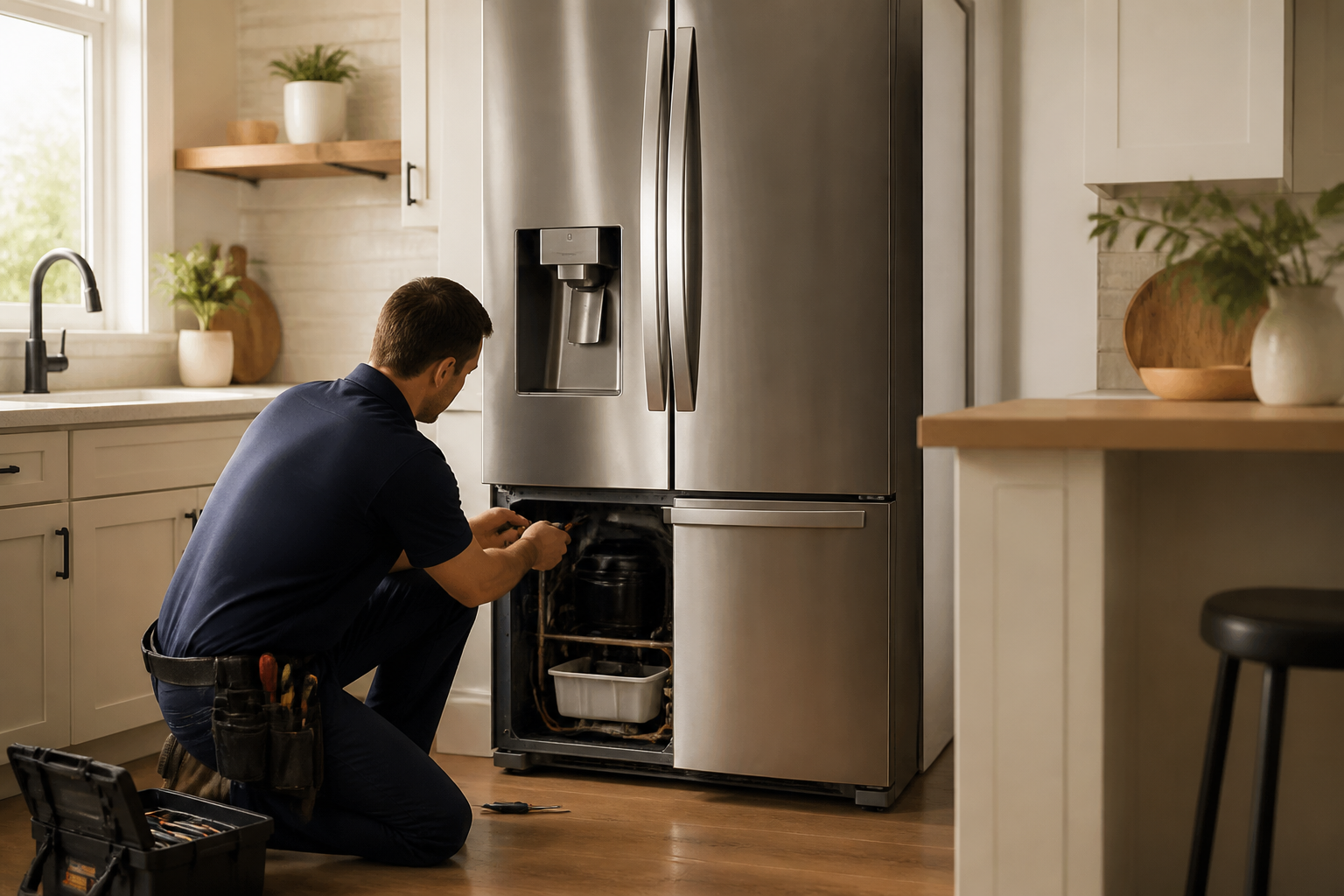
LG LRFXS2503S Error Codes: Complete Troubleshooting Guide
The LG LRFXS2503S French door refrigerator is equipped with a sophisticated diagnostic system that displays error codes when the appliance detects faults in its various systems. Understanding these codes is essential for effective troubleshooting and repair. This comprehensive guide covers every error code you may encounter on the LG LRFXS2503S, how to access the diagnostic menu, and step-by-step repair procedures.
How to Enter Diagnostic Mode on the LG LRFXS2503S
The LG LRFXS2503S refrigerator has a built-in service diagnostic mode that allows you to view current and historical error codes. Accessing this mode requires a specific button sequence on the display panel.
Step-by-Step Diagnostic Mode Access
- Locate the control panel on the front of your LG LRFXS2503S refrigerator, typically found on the right side of the upper door.
- Press and hold the “Refrigerator” button and the “Ice Plus” button simultaneously for 3 seconds until you hear a beep.
- The display will show “dI” (diagnostic information) on the temperature display screen.
- Press the up arrow button to cycle through the diagnostic menus on the LG LRFXS2503S.
- Current error codes will display on the main LCD screen with their specific codes listed.
- Continue pressing the up arrow to view historical error codes that have been stored in memory.
- To exit diagnostic mode, press and hold the same two buttons (Refrigerator + Ice Plus) for 3 seconds again.
The display will return to normal temperature mode once you exit the diagnostic menu. All historical codes remain stored until you manually clear them after completing repairs.
Complete Error Code Reference for the LG LRFXS2503S
Er IF — Ice Fan Error
The Er IF error code indicates that the ice maker fan motor is not functioning properly or is not being detected by the control board in your LG LRFXS2503S.
Common Causes:
- Ice fan motor has failed internally
- Loose or disconnected wiring harness on the ice fan motor
- Ice fan blades are frozen or jammed with ice buildup
- Main control board is not sending proper voltage to the ice fan
- Failed capacitor on the main control board affecting fan circuits
How to Fix Er IF:
- Unplug the LG LRFXS2503S from the electrical outlet and wait 5 minutes.
- Open the ice maker compartment door and locate the ice fan assembly on the back wall of the ice maker housing.
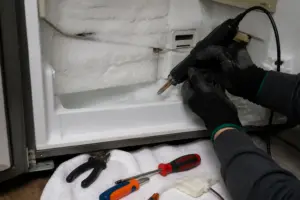
- Check for any visible ice accumulation around the fan blade. If present, use a hair dryer on low heat to gently melt ice away from the motor and blade assembly.
- Manually rotate the fan blade by hand to ensure it spins freely without resistance.
- Trace the wiring harness from the ice fan motor back to where it connects to the main harness. Ensure the connector is fully seated and has no bent pins.
- If the fan still doesn’t spin freely, you’ll need to remove the ice maker assembly (typically held by 2-3 screws) and replace the ice fan motor assembly.
- Reconnect power and run diagnostic mode to verify the error has cleared.
Er rF — Refrigerator Fan Error
Er rF indicates that the refrigerator compartment evaporator fan is not operating correctly. This fan is critical for circulating cold air throughout the refrigerator section of your LG LRFXS2503S.
Common Causes:
- Refrigerator evaporator fan motor has burned out
- Fan blade is broken or missing blades
- Frost or ice blocking fan blade rotation
- Wiring harness disconnected or corroded at connection points
- Main control board failure preventing fan voltage supply
- Defrost cycle not completing, causing ice dam around fan housing
How to Fix Er rF:
- Unplug your LG LRFXS2503S refrigerator for safety.
- Locate the refrigerator evaporator fan, which is typically mounted on the back wall of the refrigerator compartment above or behind the top shelf.
- Remove any food items blocking access and carefully slide the shelf up and out.
- Check for frost accumulation around the fan housing. If present, allow 24 hours of normal operation after plugging in, as the defrost cycle should clear ice naturally.
- If no frost is visible, inspect the fan blade for cracks or missing sections. Look for any visible damage to the motor housing.
- Pull gently on the wiring connector to ensure it’s fully seated. Check for corrosion (green or white residue) at the connector pins.
- If corrosion is present, carefully clean the pins with a pencil eraser and reconnect firmly.
- If the fan blade is damaged or the motor won’t spin, order replacement evaporator fan assembly for the LRFXS2503S and install following manufacturer documentation.
- Plug in and verify error clears in diagnostic mode.
Er FF — Freezer Fan Error
Er FF signals that the freezer compartment evaporator fan is not functioning. This component is essential for maintaining proper freezer temperatures on your LG LRFXS2503S.
Common Causes:
- Freezer evaporator fan motor failure
- Ice accumulation preventing blade rotation
- Cracked or broken fan blade
- Disconnected wiring harness to freezer fan
- Damper door stuck in closed position blocking airflow
- Control board not sending voltage to freezer fan circuit
How to Fix Er FF:
- Disconnect power to your LG LRFXS2503S by unplugging the unit.
- Access the freezer compartment and remove shelving to locate the freezer evaporator fan, typically positioned on the back wall.
- Check for visible frost or ice on the fan assembly. If present, the defrost heater may be malfunctioning. Allow 24 hours for a defrost cycle to complete.
- Inspect the fan blade for cracks, warping, or missing sections. The blade should be complete and undamaged.
- Check the wiring harness connection at the fan motor. Ensure the connector is fully inserted with no bent pins or corrosion.
- Locate the air damper door between the refrigerator and freezer compartments. This door should move freely. If stuck in the closed position, the freezer compartment won’t receive airflow even if the fan runs.
- If the damper is stuck, thaw ice around it using a hair dryer on low heat, then manually work it open and closed a few times.
- If the fan motor is defective, order the freezer evaporator fan assembly for the LRFXS2503S and install it according to the service manual.
- Restore power and check diagnostic mode to confirm error resolution.
Er CO — Communication Error
Er CO indicates a communication failure between the main control board and one or more sub-boards or sensor modules in your LG LRFXS2503S refrigerator.
Common Causes:
- Loose or disconnected communication cable between boards
- Corroded connector pins preventing proper data transmission
- Failed sub-board (ice maker board, freezer board, or display board)
- Main control board failure
- Power surge damage to communication circuits
- Intermittent wiring harness connection
How to Fix Er CO:
- Unplug the LG LRFXS2503S and wait 5 minutes for capacitors to discharge.
- Plug the unit back in and immediately enter diagnostic mode to see if the error reappears. Intermittent communication errors may resolve after a power cycle.
- If the error persists, unplug again and access the control board area (usually behind the lower kickplate or bottom compartment).
- Visually inspect all data cables connecting the main control board to sub-boards. Look for loose connectors, bent pins, or obvious damage.
- Gently disconnect and reconnect each communication cable, ensuring firm seating.
- Inspect each connector for corrosion. Clean corroded pins with a pencil eraser and reconnect.
- If this doesn’t resolve the issue on your LG LRFXS2503S, one of the sub-boards has likely failed and requires replacement.
- Test again in diagnostic mode after reconnecting all cables.
Er dH — Defrost Error
Er dH indicates that the defrost cycle is not completing properly on your LG LRFXS2503S refrigerator. This system periodically heats the evaporator coils to prevent excessive frost buildup.
Common Causes:
- Defrost heater element has failed
- Defrost thermostat not triggering heating cycle
- Defrost timer circuit on main board is defective
- Wiring harness disconnected from defrost heater
- Defrost drain line is frozen or clogged
- Control board defrost circuit has failed
How to Fix Er dH:
- Disconnect power to your LG LRFXS2503S for 10 minutes.
- Check if the freezer compartment has excessive frost buildup on the back wall or around the evaporator fan. This confirms defrost is not operating.
- Locate the defrost drain line at the bottom rear of the refrigerator. This is typically a small plastic tube running from the evaporator compartment down to the drain pan.
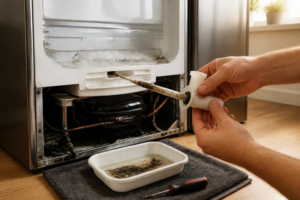
- Use a turkey baster or syringe to flush warm water through the defrost drain to clear any blockages. If water flows freely, the drain is not the issue.
- If the drain was frozen, allow it to thaw completely before proceeding.
- Access the defrost heater element, located in the evaporator housing behind the freezer compartment. You’ll need to remove the back panel or evaporator cover.
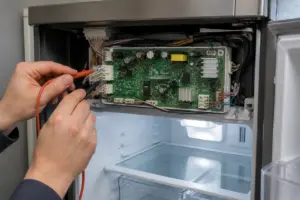
- Using a multimeter set to the ohms (resistance) setting, test the defrost heater. A resistance reading between 24-40 ohms indicates the element is functional. If the reading is infinite (open circuit), the heater element has failed and must be replaced.
- Order a replacement defrost heater assembly for the LG LRFXS2503S if testing shows failure.
- After installing a new heater element or clearing the drain, restore power and allow several hours for a defrost cycle to complete.
- Return to diagnostic mode to verify the error has been cleared.
Er FS — Freezer Sensor Error
Er FS indicates that the main control board is not receiving proper temperature readings from the freezer thermistor (temperature sensor) on your LG LRFXS2503S.
Common Causes:
- Freezer temperature sensor (thermistor) has failed
- Loose or corroded wiring harness connection at sensor
- Sensor cable is damaged or pinched
- Main control board is not reading sensor signal properly
- Ice accumulation covering the sensor probe
How to Fix Er FS:
- Unplug the LG LRFXS2503S from the electrical outlet.
- Locate the freezer temperature sensor, typically mounted on the back wall of the freezer compartment or on the evaporator housing. It appears as a small probe with a thin wiring harness.
- Visually inspect the sensor and wiring for damage, crushed areas, or ice coating the probe.
- If ice is present, allow it to thaw naturally or use a hair dryer on low heat to carefully warm the sensor.
- Check the wiring connection at the sensor and where it plugs into the control board. Ensure the connector is fully seated and free of corrosion.
- Using a multimeter set to the ohms setting, measure the resistance at the sensor. At room temperature (approximately 70°F / 21°C), a typical freezer thermistor should read between 4,000-10,000 ohms. Consult your specific model’s service manual for exact specifications.
- If the reading is infinite (open circuit) or zero ohms (short circuit), the sensor has failed and needs replacement.
- Order a replacement freezer temperature sensor for the LRFXS2503S and install it in the same location, ensuring the wiring harness is securely connected.
- Restore power and verify the error clears in diagnostic mode.
Er rS — Refrigerator Sensor Error
Er rS signals that the refrigerator compartment temperature sensor is not functioning properly on your LG LRFXS2503S refrigerator.
Common Causes:
- Refrigerator temperature sensor (thermistor) has failed
- Disconnected or loose wiring harness at sensor connection
- Damaged sensor cable
- Sensor probe is covered with ice or frost
- Main control board failure preventing sensor signal reading
How to Fix Er rS:
- Disconnect power to your LG LRFXS2503S refrigerator.
- Locate the refrigerator temperature sensor, typically found on the back wall of the refrigerator compartment or mounted on the evaporator housing above the refrigerator section.
- Inspect the sensor probe and wiring harness for visible damage, pinching, or ice accumulation.
- Thaw any ice on the sensor using a hair dryer set to low heat.
- Check the connector where the sensor wiring plugs into the main board. Ensure it’s fully inserted and free of corrosion or bent pins.
- Using a multimeter set to ohms, measure the sensor resistance at room temperature. A normal reading should be between 4,000-10,000 ohms. Refer to your LRFXS2503S service documentation for exact values.
- If the multimeter shows infinite resistance (open) or zero ohms (short), the sensor has failed.
- Obtain a replacement refrigerator temperature sensor for the LRFXS2503S and install it in the exact location of the original, with the wiring harness firmly connected.
- Restore electrical power and run diagnostic mode to confirm the error has resolved.
Er IS — Ice Maker Sensor Error
Er IS indicates that the ice maker water level sensor or ice level sensor is not functioning correctly on your LG LRFXS2503S.
Common Causes:
- Water level sensor in ice maker has failed
- Ice level sensor is blocked or not functioning
- Mineral deposits or scaling on the water level sensor probe
- Loose wiring harness connection to ice maker sensor module
- Ice maker board is not communicating with main control board
- Water supply line to ice maker is frozen or clogged
How to Fix Er IS:
- Unplug the LG LRFXS2503S from power.
- Access the ice maker compartment and locate the ice maker water level sensor. This is typically a small probe or float-style sensor inside the ice maker housing.
- Inspect the sensor for mineral deposits, scaling, or debris. If visible buildup is present, gently clean it with a soft brush or cloth and distilled water.
- For stubborn mineral deposits, soak a cloth in white vinegar and wipe the sensor probe clean.
- Check the wiring harness connection to the sensor. Ensure the connector is fully seated.
- Verify that water can flow freely through the ice maker water inlet tube by checking the water supply line connection. If water has frozen in the line, use warm water or a hair dryer to thaw it.
- If the sensor is severely corroded or damaged, order a replacement ice maker sensor assembly for the LRFXS2503S.
- Reconnect power and run the diagnostic menu to verify the error clears.
How to Clear Error Codes After Repair on the LG LRFXS2503S
Once you’ve completed repairs on your LG LRFXS2503S refrigerator, you’ll want to clear the error codes from the control board’s memory to verify that the issue has been fully resolved.
Error Code Clearing Procedure
- Ensure your repair is complete and all parts are reinstalled and wiring is reconnected.
- Plug the LG LRFXS2503S into the electrical outlet.
- Wait 5 minutes for the control board to fully initialize.
- Press and hold the Refrig
Recommended Parts & Tools
LG Refrigerator Water Filter Replacement (LT800P Compatible)
Many LG LRFXS2503S error codes relate to water dispensing and ice maker issues, which are often caused by a clogged or failed water filter. Replacing the water filter is one of the first troubleshooting steps and can resolve filter-related error codes immediately. Check current pricing on Amazon.
ESCO 70534 Adjustable Wrench Set with Precision Design
Accessing interior components and replacement parts on your LG refrigerator often requires removing panels and fasteners with the right tools. This adjustable wrench set provides the versatility needed for disconnecting water lines and removing various bolts during repairs. Check current pricing on Amazon.
Affresh Refrigerator Cleaner and Deodorizer
Keeping your LG refrigerator clean prevents sensor contamination and ice buildup that can trigger error codes related to temperature and ice maker malfunctions. This specialized refrigerator cleaner safely removes residue from interior coils and components without damaging sensitive electronics. Check current pricing on Amazon.
The Water Filter That Stops Most LG LRFXS2503S Error Codes Before They Start
A surprising number of error codes on this model trace back to a clogged or failing water filter—sensor faults, ice maker problems, and even compressor strain can all stem from restricted water flow. If you’re seeing diagnostic codes and the fridge has been running for 6+ months without a filter change, this is your first swap before you start troubleshooting anything else.
What works
- Direct fit into the LG LRFXS2503S cartridge housing with no adapter needed—clips in the same way OEM filters do, and the pressure release valve works properly on first install.
- Clears water restriction errors that were causing sensor misreads; I’ve watched error codes disappear 24 hours after swapping a neglected filter because the system finally gets clean water flow again.
- The micron rating catches sediment and chlorine effectively enough that you don’t have to order again for a full 6 months of normal family use—real lifespan, not optimistic marketing.
What doesn’t
- If your error code is electrical (compressor relay, control board, temperature sensor), a new filter won’t fix it—this solves water-path problems, not power delivery or sensor calibration issues.
- Installation requires you to catch the pressure release and hold it while sliding the cartridge out; if you rush, water spills onto the cabinet floor and creates a different mess entirely.
I’ve pulled apart LRFXS2503S units where the owner ordered a circuit board replacement before checking the filter—turn off the water supply valve, wait 30 seconds, then carefully remove and replace the cartridge before you assume the error code means internal electronics failure. LG Refrigerator Water Filter Replacement (LT800P Compatible)
This post contains affiliate links. As an Amazon Associate, I earn from qualifying purchases at no extra cost to you.