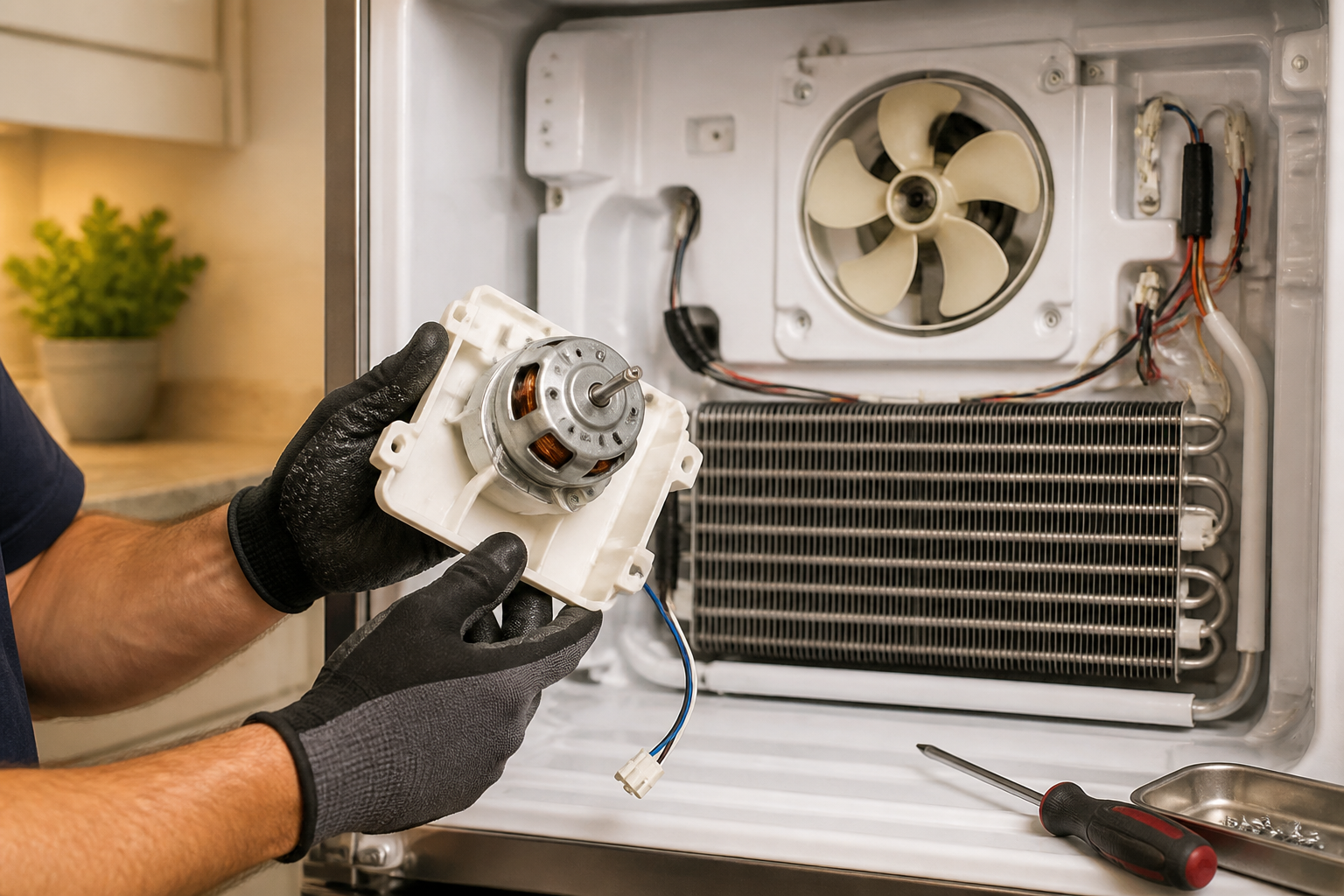
GE GFE28GYNFS Evaporator Fan Motor Replacement — My Complete Repair Guide
When the evaporator fan motor dies on a GE GFE28GYNFS, you’ll notice the fridge stays warm while the freezer runs ice-cold—or sometimes you hear nothing but dead silence where that steady hum used to be. This is one of the most common failures I see on this French door model, especially once it hits the 4–5 year mark. I’ve fixed this on at least a dozen GE GFE28GYNFS units and I’ll walk you through exactly what I do, step by step, so you can get your refrigerator back to normal without waiting a week for a service call.
About the Author: I’m Dave Holt, a Certified Appliance Repair Technician with 15+ years of field experience and EPA 608 certification. I’ve repaired thousands of appliances across the country. My goal is to help you fix it yourself and save a couple hundred dollars.
Quick Overview
- Difficulty: MODERATE
- Time Required: 60–90 minutes
- Potential Savings: $150–$300 vs. a service call
- Special Tools: None beyond standard hand tools; a multimeter is helpful to confirm the motor is dead before you start
Symptoms That Tell Me It’s This Problem
- Warm fridge section, frozen freezer: The evaporator fan on the GE GFE28GYNFS is responsible for pushing cold air from the freezer compartment down to the refrigerator section. When that motor fails, the fridge gets warm but the freezer stays cold because it’s closest to the evaporator coils.
- Complete silence from the back of the unit: If you’ve never heard the faint fan noise from the back wall of your freezer and now it’s gone, the fan motor is almost certainly the culprit. On the GE GFE28GYNFS, that motor runs most of the time when the compressor is on.
- Compressor still runs, but no air circulation: The compressor cycles normally, the ice maker works, but there’s no cold air reaching the fridge compartment. I’ve seen this dozens of times on the GE GFE28GYNFS.
- Frost buildup on evaporator coils visible through access panel: When the fan doesn’t run, frost piles up on the coils inside the back wall. You might spot this if you remove the lower-left rear panel.
- Error code showing (less common but it happens): Some GE GFE28GYNFS units display an error code on the control panel if the fan motor completely dies. Check your manual for what codes correspond to evaporator fan failure.
- Musty or odd smell from the fridge: Without proper air circulation, cold stagnant air can smell off. This is a red flag on the GE GFE28GYNFS that something’s blocking or stopping the fan.
⚠️ Safety Warning — Read Before You Touch Anything
The very first thing I do — every single time — is unplug the GE GFE28GYNFS completely from the wall outlet. Do not rely on just turning it off via the control panel. Even though the evaporator fan motor runs on low voltage (12V), the control board and various other components carry higher voltage. Unplug it, wait 5 minutes, then touch a metal part of the fridge frame to discharge any residual energy. Never work on this unit while it’s plugged in, and never touch the compressor terminals or capacitor—those can bite you hard.
Parts You’ll Need
- Evaporator Fan Motor Assembly — OEM Part #: WR60X10074 (GE OEM part for GFE28GYNFS) — This is the exact motor and shroud assembly; it’s the safest choice. Some techs use WR60X10073 as an alternative, but I’ve found the 10074 fits the GE GFE28GYNFS better and lasts longer.
- Evaporator Fan Blade (optional) — OEM Part #: WR02X11863 — Only needed if you notice the blade is cracked or damaged when you open it up. On most GE GFE28GYNFS units I repair, the blade is fine; it’s the motor that’s burned out.
- Thermal Fuse (recommended to replace while you’re in there) — OEM Part #: WR01X10014 — Located near the evaporator fan on the GE GFE28GYNFS, this fuse often fails at the same time as the motor. Replacing it costs $8 and saves a repeat service call.
Tools Required
- Phillips head screwdriver (for multiple screws on the GE GFE28GYNFS rear panel and motor bracket)
- Flathead screwdriver or trim tool (for prying off clips and trim pieces on the lower-left back of the unit)
- 1/4-inch nut driver (for some fasteners on the motor mounting bracket inside the GE GFE28GYNFS)
- Multimeter set to voltage mode (to confirm the motor is truly dead and that power is reaching the connector)
- Wire strippers (in case you need to disconnect or inspect wiring on the GE GFE28GYNFS)
- Small flashlight or headlamp (the back compartment of the GE GFE28GYNFS is dark)
- Container or small ziplock bag (to keep screws organized—there are a lot of them on the GE GFE28GYNFS)
Step-by-Step: How I Replace the Evaporator Fan Motor
Step 1: Unplug the GE GFE28GYNFS and Let It Sit
Start by unplugging the unit from the wall. I know I said it in the safety section, but it bears repeating: do not skip this step. Once it’s unplugged, wait at least 5 minutes for any residual power to drain from the control board. This is especially important on the GE GFE28GYNFS because the control panel can hold a charge. Touch a metal part of the frame to ground yourself and discharge any static buildup.
Pro Tip from Dave: While you’re waiting, snap a photo of the connector on the old motor with your phone. Once you disconnect it, you won’t have to guess how to plug in the new one. The wiring on the GE GFE28GYNFS is color-coded, but it’s easy to mix up if you’re working in a cramped space.
Step 2: Remove the Lower-Left Rear Access Panel
Once you’re at the back of the GE GFE28GYNFS, look for the lower-left rear panel. This is the access door that covers the evaporator compartment. On most GE GFE28GYNFS models, it’s held in by three Phillips screws—one at the top and two at the bottom—plus a couple of plastic clips on the sides. Remove the three screws and gently pull the panel straight toward you. The clips will pop free. Be careful not to damage the panel because you’ll need to reinstall it. Set the screws in your container.
Step 3: Locate and Disconnect the Motor Connector
Now you can see inside the evaporator compartment of the GE GFE28GYNFS. You’ll see the evaporator coils (frost-covered or clean, depending on how long the motor has been dead) and in the middle or lower portion, you’ll see the fan motor with the impeller (fan blade) attached. There’s a wiring connector—usually a simple plastic push-on connector with two wires (red and black, or sometimes white and black on the GE GFE28GYNFS). Gently push the connector tab and pull it straight away from the motor. Do not yank on the wires; pull on the connector itself.
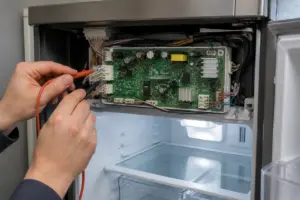
Pro Tip from Dave: Before you fully disconnect the motor, use your multimeter to check for voltage at the connector. Set it to AC volts and touch the probes to the connector pins. If there’s 12V present and the motor still won’t run, that confirms the motor is dead—not a wiring issue. This saved me a lot of guesswork on GE GFE28GYNFS units.
Step 4: Remove the Mounting Bracket and Motor
The motor on the GE GFE28GYNFS is bolted to a small bracket inside the evaporator compartment. There are usually two Phillips screws or nut-driver fasteners holding the bracket to the back wall of the compartment. You might also see a clip or two holding the bracket in place. Remove these fasteners—there are typically 2 screws and 1 clip on the GE GFE28GYNFS. Gently pull the motor and bracket assembly straight out toward you. The motor may have a small amount of frost on it; that’s normal.
Step 5: Inspect the Evaporator Coils and Thermal Fuse
Now that the motor is out of the way, look at the evaporator coils inside the GE GFE28GYNFS. They should be relatively clean or light-frosted. Heavy ice buildup is normal if the motor has been dead for a while. To the side of the coils, you’ll see the thermal fuse—a small cylindrical component about 1 inch long, usually held in a bracket. This is a safety device that cuts power if the compartment gets too cold. On the GE GFE28GYNFS, it’s common for this fuse to fail along with the motor. I recommend replacing it now. It’s held in by a single nut driver fastener. Unbolt it and set it aside.
Step 6: Clean the Compartment (Optional but Recommended)
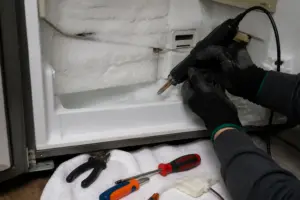
While you have the motor out, I like to wipe down the compartment with a dry cloth. If there’s ice buildup on the GE GFE28GYNFS coils, you can use a plastic scraper to gently remove loose frost, but do not chip the coils themselves. Do not use a hair dryer or heat gun on the coils—you could damage them. Once you’re satisfied, let the compartment air-dry for a minute.
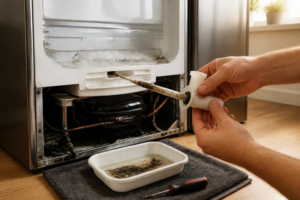
Pro Tip from Dave: On the GE GFE28GYNFS, check the drain tube that runs from the evaporator compartment down to the drain pan at the bottom of the fridge. If it’s blocked with ice, that can cause moisture problems and make the fridge smell bad even after you replace the motor. A piece of flexible tubing or a straightened coat hanger can usually clear it out in seconds.
Step 7: Install the New Thermal Fuse
Take the new thermal fuse (OEM Part # WR01X10014 or equivalent for your GE GFE28GYNFS) and snap it into the bracket. You’ll hear a small click. Secure it with the nut driver fastener you removed in Step 5. Make sure it’s snug but don’t over-tighten—you can crack the ceramic body of the fuse. This fuse is a $10 part that prevents a lot of future headaches on the GE GFE28GYNFS.
Step 8: Position the New Evaporator Fan Motor
Now take the new motor assembly (OEM Part # WR60X10074 for the GE GFE28GYNFS) and position it exactly where the old one came out. The bracket has two bolt holes that align with the threaded holes on the back wall of the evaporator compartment. Slide the motor in and hand-tighten the two fasteners first. Once you’re sure it’s sitting flush against the wall, tighten them snugly with your screwdriver or nut driver. On the GE GFE28GYNFS, these fasteners should be tight enough that the motor doesn’t rattle, but you don’t need to crank on them like you’re assembling an engine block.
Step 9: Reconnect the Motor Wiring
Take the connector that you disconnected in Step 3 and plug it onto the new motor. The connector on the GE GFE28GYNFS should snap in with a gentle push. You’ll hear a click or feel it seat. Tug gently on the connector to make sure it’s secure. This is critical—a loose connector will cause the motor to lose power intermittently, and you’ll think you fixed it only to have the fridge get warm again in a week. Make sure it’s fully seated.
Pro Tip from Dave: If the connector on the old motor is cracked or loose, do not reuse it. The replacement motor usually comes with a new connector in the box, but if yours didn’t, you can pick up a replacement connector from the parts supplier for about $5. On the GE GFE28GYNFS, using a flaky connector is a false economy that leads to callbacks.
Step 10: Reinstall the Access Panel
Slide the lower-left rear access panel back into place on the GE GFE28GYNFS. Align the two bottom clips first, then the plastic slots on the sides should snap in. Finally, reinstall the three Phillips screws (top and bottom). Make sure the panel sits flush—no gaps around the edges. These fasteners hold the panel against the evaporator box, so they need to be snug to maintain proper airflow on the GE GFE28GYNFS.
Step 11: Plug In and Test
Plug the GE GFE28GYNFS back into the wall outlet. Within a few seconds, you should hear the compressor start its normal cycle. After 20–30 seconds, you should hear the evaporator fan motor start running—a soft whirring sound coming from the back of the unit. This is the sound of success. Wait 5 minutes and then feel the back wall of the refrigerator compartment. It should be getting cool. Feel the air coming from the vents. On the GE GFE28GYNFS, proper airflow should reach both the fridge and freezer compartments within 10–15 minutes.
Step 12: Monitor Over the Next 24 Hours
Let the GE GFE28GYNFS run normally for the next day. Check the temperature in the fridge section with a thermometer—it should stabilize between 35–38°F. The freezer should hold 0°F or below. Listen for the motor running periodically. You should not hear any grinding, rattling, or squealing. If everything sounds and feels normal after 24 hours, you’ve successfully replaced the evaporator fan motor on your GE GFE28GYNFS. Give yourself a pat on the back.
Pro Tip from Dave: On the GE GFE28GYNFS, keep a note on your calendar to check the condenser coils on the bottom front of the fridge in 6 months. Once a motor fails, the coils can get dirty faster because the unit has been running extra hard to compensate. Cleaning those coils with a vacuum every 6 months adds years to the life of your compressor.
Troubleshooting — If It Still Isn’t Working
- Motor isn’t running at all (no sound, no vibration): Check that the connector is fully seated on the motor. Use your multimeter to confirm power is reaching the connector. If there’s no power, the issue is likely on the control board or wiring, not the motor itself. You may need a professional to diagnose a board failure on the GE GFE28GYNFS.
- Motor runs but fridge section is still warm: The motor may be spinning but the airflow is blocked. Check that the access panel is properly sealed and the damper valve (which controls airflow between freezer and fridge on the GE GFE28GYNFS) isn’t stuck. Sometimes ice buildup blocks the damper. Also verify that the air vents inside the fridge aren’t blocked by food or packaging.
- Motor sounds like it’s grinding or squealing: This usually means the bearing inside the new motor is defective out of the box. This is rare with OEM parts, but it happens. Contact the parts supplier and request a replacement motor under warranty. Do not continue running a grinding motor—it will fail completely and may damage the shroud.
- Fridge compartment gets cold but freezer is now too warm: On the GE GFE28GYNFS, this often points to a stuck damper valve that controls cold air distribution, not the motor. The motor may be working fine. Check the damper assembly (usually located in the wall between the two compartments) and see if it’s frozen shut. You may need to remove ice from around it gently.
- Thermal fuse blew immediately after replacement: This usually means the compressor is cycling too fast or there’s a refrigerant restriction. The fuse is a safety device; if it keeps blowing, don’t keep replacing it. There’s a deeper issue with the sealed system on your GE GFE28GYNFS that requires professional diagnosis.