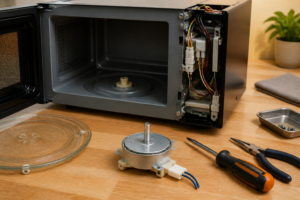
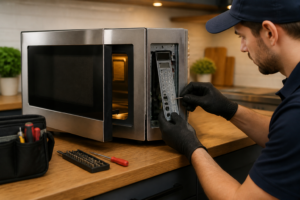
Door Switch Replacement for LG LMV2031ST Over-the-Range Microwave
The door switch assembly in your LG LMV2031ST over-the-range microwave is a critical safety component that prevents the magnetron from operating when the door is open. This primary and secondary door switch system consists of three individual switches that work in sequence to ensure safe operation. When one or more of these switches fail, your LG LMV2031ST will exhibit various operational issues ranging from complete failure to start, to running with the door open (extremely dangerous). This repair is rated as MODERATE difficulty due to the high-voltage components involved and the precision required when working with microwave safety systems. The repair typically takes 45-60 minutes and requires careful attention to switch positioning and proper reassembly to maintain the factory safety specifications of the LG LMV2031ST.
Symptoms
- Microwave will not start when door is closed and start button is pressed, but interior light and display function normally
- Unit displays error code “DE” (Door Error) on the LG LMV2031ST control panel even when door appears properly closed
- Microwave starts cooking immediately when door is closed without pressing start button (immediate professional service required)
- Intermittent operation where the unit sometimes works and sometimes doesn’t, often requiring multiple door open/close cycles
- Turntable rotates and interior light activates, but no heating occurs when start button is pressed
- Unusual clicking or buzzing sounds coming from the upper right door area when opening or closing the door on your LG LMV2031ST
⚠️ Safety Warning
EXTREME CAUTION REQUIRED: Microwaves contain high-voltage capacitors that can retain lethal electrical charges (up to 4,000 volts) even when unplugged for extended periods. Before beginning any work on your LG LMV2031ST, the unit must be unplugged for at least 24 hours, and the high-voltage capacitor must be properly discharged using an insulated screwdriver across the terminals. Never attempt this repair if the microwave continues to operate with the door open, as this indicates a catastrophic safety failure requiring immediate professional service. Always wear safety glasses and work with dry hands on a non-conductive surface. The magnetron and high-voltage transformer in the LG LMV2031ST can cause severe burns or electrocution if proper safety procedures are not followed. If you are uncomfortable working with high-voltage appliances, contact a qualified technician.
Parts Needed
- Primary Door Switch Assembly – LG Part Number 6600W1K006A (normally open switch)
- Secondary Door Switch Assembly – LG Part Number 6600W1K006B (normally closed switch)
- Monitor Door Switch Assembly – LG Part Number 6600W1K006C (safety monitor switch)
- Door Switch Mounting Bracket – LG Part Number 4975W1A002A (if bracket is damaged or worn)
- Wire nuts or crimp connectors (14-16 AWG capacity) for secure electrical connections
- Electrical contact cleaner spray for cleaning switch contacts and connections
Tools Required
- Phillips head screwdriver set (specifically #2 Phillips for outer panel screws)
- Flathead screwdriver set (1/4″ and 3/8″ for wire terminals and clips)
- Digital multimeter capable of measuring continuity and resistance
- Needle-nose pliers for handling small wire connectors
- Wire strippers for 14-16 AWG wire
- Insulated screwdriver for capacitor discharge (minimum 1000V rating)
- Flashlight or work light for illuminating the switch assembly area
Step-by-Step Instructions
Step 1: Power Disconnection and Safety Preparation
🔨 Pro Tip from Dave
On the LMV2031ST, pay close attention to the monitor switch — if it has failed in the closed position, the moment you restore power you’ll blow the main line fuse, and I’ve seen techs (including guys on my own crew) replace that fuse, assume they fixed it, and hand the unit back before realizing the root cause is still sitting right there in the switch bracket. Always test all three switches for both continuity and proper actuation with the door latch before you button anything up.
Unplug your LG LMV2031ST from the electrical outlet and ensure it has been disconnected for at least 24 hours before beginning work. Remove the unit from its mounting brackets above the range by lifting it straight up and out. Place the microwave on a stable, non-conductive work surface with the door facing you. Locate the high-voltage capacitor behind the control panel and carefully discharge it using an insulated screwdriver placed across both terminals for 10 seconds. You should hear a loud pop when properly discharged.
Step 2: Remove the Outer Cabinet
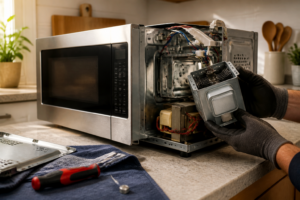
Remove the seven Phillips head screws from the top panel of your LG LMV2031ST, located along the rear edge and two along each side. Remove the four screws from the right side panel and carefully slide the outer cabinet shell toward the back of the unit, then lift it off. The door switch assembly will now be visible in the upper right corner of the door frame opening, mounted to a metal bracket behind the door latch mechanism.
Step 3: Test Existing Door Switches
Before removal, test each switch with your multimeter set to continuity mode. With the LG LMV2031ST door open, the primary switch (top position) and monitor switch (bottom position) should show continuity (0 ohms), while the secondary switch (middle position) should show no continuity (infinite resistance). When you manually press each switch actuator, these readings should reverse. Document which switches are failing to determine if all three need replacement.
Step 4: Disconnect Wiring Harness
Locate the six-wire connector harness attached to the door switch assembly. This connector has three pairs of wires: two white wires for the primary switch, two black wires for the secondary switch, and one white and one orange wire for the monitor switch. Carefully disconnect each wire terminal by gently pulling the female spade connectors straight off the switch terminals. Take a photo of the wiring configuration before disconnection to ensure proper reassembly of your LG LMV2031ST.
Step 5: Remove Switch Mounting Bracket
Remove the two Phillips head screws securing the door switch mounting bracket to the frame of your LG LMV2031ST. These screws are located at the top and bottom of the metal bracket, approximately 1.5 inches apart. The entire switch assembly will come out as one unit attached to the L-shaped mounting bracket. Note the orientation of the bracket as it must be reinstalled in exactly the same position to ensure proper door alignment and safety function.
Step 6: Remove Individual Door Switches
Each door switch on the LG LMV2031ST is held to the mounting bracket by a single Phillips head screw and a plastic retaining clip. Remove the screw from each faulty switch and gently press the retaining clip to release the switch body from the bracket. The switches are arranged vertically with the primary (normally open) switch at the top, secondary (normally closed) switch in the middle, and monitor switch at the bottom, spaced exactly 0.75 inches apart center-to-center.
Step 7: Install New Door Switches
Install the new door switches in the exact same positions on the mounting bracket, ensuring the switch actuator buttons face toward the door latch area. The primary switch (part 6600W1K006A) goes in the top position, secondary switch (part 6600W1K006B) in the middle, and monitor switch (part 6600W1K006C) at the bottom. Secure each switch with its retaining clip and Phillips screw, ensuring the switches are firmly seated and properly aligned with the door latch actuator tabs on your LG LMV2031ST.
Step 8: Reinstall Switch Assembly
Position the door switch mounting bracket back into its original location on the LG LMV2031ST door frame. The bracket must be oriented so the switches align with the three actuator tabs on the door latch mechanism. Install the two mounting screws finger-tight initially, then close the door to verify proper switch activation. Each switch should be fully depressed when the door is closed. Tighten the mounting screws securely once proper alignment is confirmed.
Step 9: Reconnect Wiring Harness
Reconnect the six-wire harness to the new door switches following your reference photo. The primary switch receives two white wires, the secondary switch receives two black wires, and the monitor switch receives one white and one orange wire. Ensure all spade connectors are fully seated on their terminals and apply gentle pressure to verify secure connections. Poor connections can cause intermittent operation or complete failure of your LG LMV2031ST.
Step 10: Test Switch Operation
Using your multimeter, verify proper switch operation before reassembling the cabinet. With the door open, measure continuity across each switch’s terminals. The primary and monitor switches should show continuity (0-3 ohms), while the secondary switch should show no continuity. When you manually press each switch actuator, these readings should reverse. This confirms the switches are functioning correctly and are properly wired in your LG LMV2031ST.
Step 11: Reassemble Outer Cabinet
Carefully slide the outer cabinet shell back over the internal components of your LG LMV2031ST, ensuring no wires are pinched or displaced. The cabinet should slide forward easily and seat flush with the front panel. Reinstall the four right side panel screws and the seven top panel screws in their original locations. Ensure all screws are tightened securely to maintain proper electrical grounding and structural integrity.
Step 12: Final Testing and Installation
Remount your LG LMV2031ST in its over-the-range brackets and reconnect power. Test door switch operation by opening and closing the door several times, verifying the interior light activates when open and deactivates when closed. Place a microwave-safe cup of water inside and run a 30-second heating cycle to confirm proper magnetron operation. The unit should start immediately when the start button is pressed and stop immediately when the door is opened.
Troubleshooting
- If the LG LMV2031ST still shows door error after switch replacement, check door latch alignment and ensure the door is properly closing with adequate pressure to fully activate all three switches
- Intermittent operation after repair typically indicates loose wire connections at the switch terminals – remove and reseat all spade connectors ensuring tight fit
- If the unit operates but won’t heat, verify the monitor switch is properly connected as this switch controls magnetron operation in addition to safety monitoring
- No response when start button is pressed may indicate the primary switch is installed in wrong position or is defective – verify switch part numbers match installation positions
- Error codes persisting after successful switch replacement often indicate control board issues requiring professional diagnosis of your LG LMV2031ST
- If door switches activate but interior components don’t respond, check for blown fuses in the high-voltage circuit which may have failed due to the original switch malfunction
When to Call a Professional
- If your LG LMV2031ST continues to operate with the door open after switch replacement, as this indicates multiple safety system failures requiring immediate professional intervention
- When error codes persist after successful door switch replacement, indicating potential control board or wiring harness problems beyond basic switch replacement
- If you encounter damaged or corroded wiring during disassembly, as this may indicate larger electrical problems requiring comprehensive diagnosis and repair
- When you are uncomfortable working around high-voltage components or lack proper safety equipment to discharge the capacitor safely before beginning work on your LG LMV2031ST
When to Call a Professional
Most of the repairs in this guide are within reach for a careful DIYer with basic tools. In my experience, if you’ve replaced all three switches and the unit still blows the line fuse on power-up, or if your multimeter reveals the magnetron thermal cutout or the high-voltage capacitor is involved, that’s the point where the repair has moved well outside DIY territory — a charged microwave capacitor can hold upward of 2,100 volts and is genuinely lethal without proper discharge procedures and training. When in doubt, a diagnostic service call typically costs $80–$120 and can save you from a misdiagnosis that costs more in parts.
Recommended Parts & Tools
LG 6600W1K006A Door Switch for Over-the-Range Microwave
This is the OEM replacement door switch specifically designed for LG over-the-range microwaves including the LMV2031ST model. The switch ensures proper door closure detection and safety interlock function. Check current pricing on Amazon.
11-in-1 Screwdriver Set with Security Bits for Appliance Repair
This professional screwdriver set includes the Torx and Phillips head bits needed to remove the mounting screws on the LG LMV2031ST microwave housing and access the door switch assembly. The magnetic tips help prevent dropped screws during the repair process. Check current pricing on Amazon.