
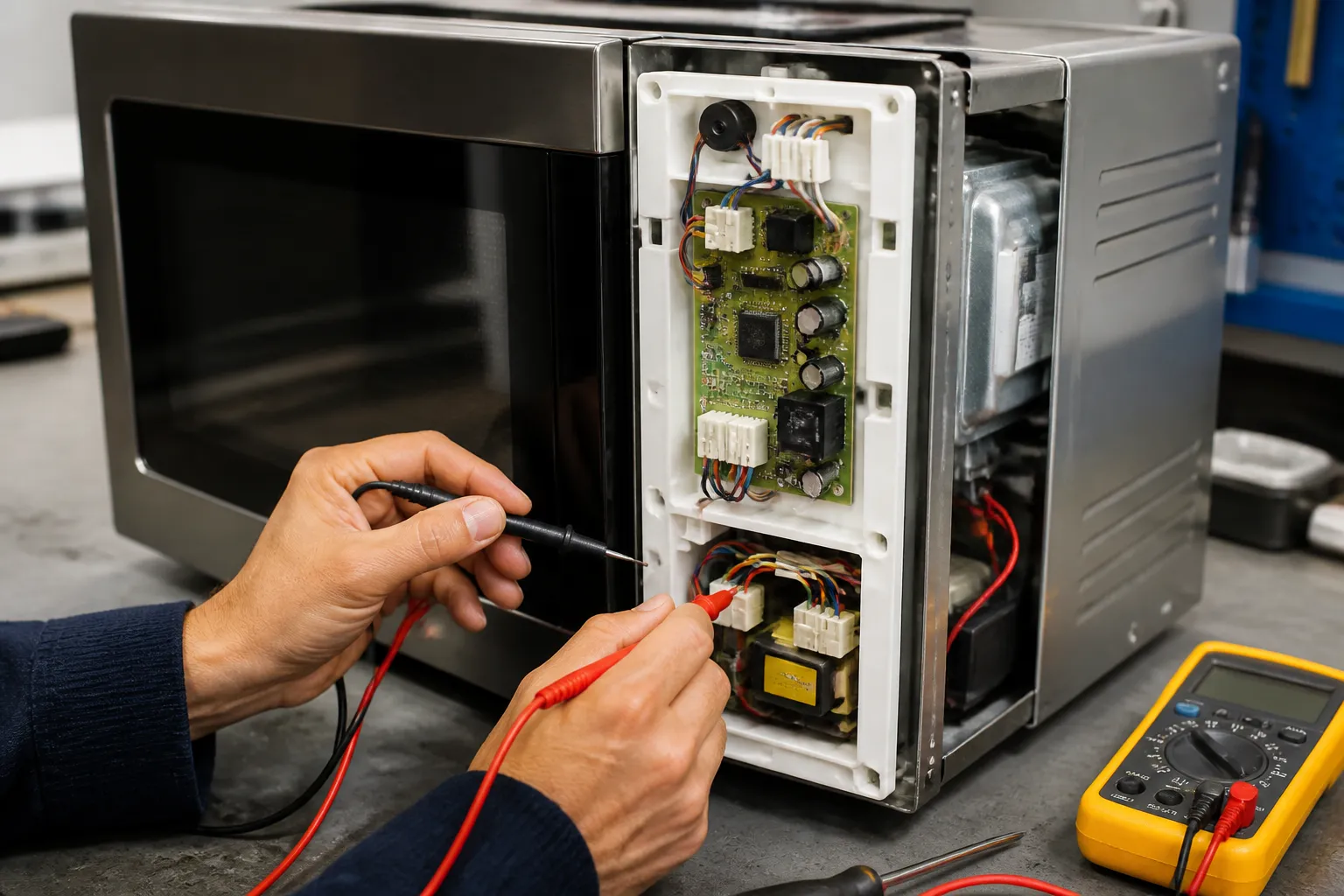
Samsung ME21R7051SS Over-the-Range Microwave Control Panel Unresponsive Repair
Dealing with an unresponsive control panel on the Samsung ME21R7051SS over-the-range microwave can be frustrating, as it keeps you from using its cooking functions, display settings, and timer features. This issue usually arises from a failing control board, a damaged membrane switch assembly, loose wiring connections, or power supply problems within the control circuit. I’d rate this repair as MODERATE, which means you’ll need a basic understanding of electrical systems and a steady hand to work in the tight spaces above your stove. Most homeowners with intermediate DIY skills should be able to tackle this repair in about 2-3 hours if they follow the right steps and take necessary safety precautions.
Symptoms
- Control panel buttons do not respond when pressed, including start, stop, and time setting buttons
- Display screen remains completely blank or shows garbled characters and symbols
- Microwave light and turntable operate normally, but cooking functions cannot be initiated
- Intermittent response from control panel with some buttons working while others remain dead
- Display shows correct time but cooking controls are completely unresponsive to touch
- Control panel lights up normally but pressing any button produces no beeping sound or function change
⚠️ Safety Warning
Before you start any repairs on the Samsung ME21R7051SS, it’s critical to remember that microwaves contain high-voltage capacitors that can hold dangerous electrical charges even after being unplugged. Always disconnect power for at least 10 minutes before opening the unit, and use an insulated screwdriver to discharge the high-voltage capacitor by touching both terminals simultaneously. The magnetron and high-voltage transformer can carry lethal voltages exceeding 2000 volts. Be sure to wear safety glasses and avoid touching any internal wiring with bare hands. Also, make sure the microwave is supported properly during the repair because removing mounting screws could cause the 65-pound unit to fall. Never operate the Samsung ME21R7051SS with the outer case removed due to the risk of exposure to microwave radiation.
Parts Needed
- Samsung Control Board Assembly – Part Number DE92-03045A (main control PCB for ME21R7051SS)
- Membrane Switch Assembly – Part Number DE34-00193A (control panel interface)
- Control Panel Overlay – Part Number DE68-03384A (if surface damage is present)
- Wire Harness Connector 6-pin – Part Number DE39-00033A (if connector damage is found)
- Electrical contact cleaner spray
- Dielectric grease for electrical connections
Tools Required
- Phillips head screwdriver set (#1 and #2 sizes)
- Digital multimeter with continuity testing capability
- Needle-nose pliers for connector removal
- Insulated screwdriver for capacitor discharge
- Flashlight or headlamp for interior visibility
- Anti-static wrist strap to prevent component damage
- Plastic prying tools for membrane switch removal
Step-by-Step Instructions
Step 1: Power Disconnection and Access Preparation
🔨 Pro Tip from Dave
Before you jump to conclusions about the control board on the ME21R7051SS — which can cost between $80 and $120 — check for moisture intrusion along the bottom edge of the membrane switch. Steam from the cooktop below can corrode the flex circuit traces, leading to what looks like a dead board. You can save a lot of money by simply drying out that area with a heat gun on low and cleaning the traces with isopropyl alcohol before deciding a board replacement was necessary.
Unplug the Samsung ME21R7051SS from the electrical outlet or turn off the dedicated circuit breaker. Wait 15 minutes to allow internal capacitors to discharge naturally. Remove the glass turntable and support ring from inside the microwave cavity. Open the microwave door and locate the three Phillips screws along the bottom edge of the front panel. Remove these screws and set them aside in a labeled container.
Step 2: Front Panel and Grille Removal
Carefully pull the front grille panel away from the Samsung ME21R7051SS unit, starting from the bottom edge. The panel is held by plastic clips along the top edge — gently flex the panel to release these clips without breaking them. Once removed, you’ll see the control board housing mounted behind the control panel on the right side of the opening.
Step 3: Control Board Access
Locate the metal shield covering the control board area on the right side interior. Remove the four Phillips screws (two on top, two on bottom) securing this 4-inch by 6-inch rectangular shield. The control board assembly for the Samsung ME21R7051SS is mounted directly behind this shield on a plastic bracket.
Step 4: Wiring Harness Inspection and Disconnection
Before removing any components, I recommend photographing the wiring connections for reference. Identify the main control harness — a 12-pin white connector that links the control board to the unit’s power systems. Also, locate the 6-pin connector that goes to the membrane switch assembly. Gently disconnect these connectors by pressing the release tabs and pulling straight out. Inspect all connectors for corrosion, burn marks, or loose pins.
Step 5: Control Board Testing and Removal
With your multimeter set to continuity mode, test the control board’s input voltage points. The Samsung ME21R7051SS control board should show continuity across the main power input terminals. If no continuity exists, the board has failed. Remove the three mounting screws securing the control board to its plastic bracket and carefully lift the board free from the housing.
Step 6: Membrane Switch Assessment
Access the membrane switch assembly by removing the control panel from the front of the door. On the Samsung ME21R7051SS, this requires removing six small Phillips screws around the perimeter of the control panel. The membrane switch sits directly behind the control panel and connects via the 6-pin harness tested earlier.
Step 7: Component Replacement
Install the new control board by reversing the removal process, ensuring the mounting bracket aligns properly with the three screw holes. If replacing the membrane switch assembly, carefully position the new component ensuring the button alignment matches the control panel overlay perfectly. The Samsung ME21R7051SS requires precise alignment to prevent button binding.
Step 8: Wiring Reconnection and Testing
Reconnect all wiring harnesses firmly, ensuring the connector tabs click into place. Apply a small amount of dielectric grease to the connector contacts to prevent future corrosion. Before reassembling the unit, plug in the Samsung ME21R7051SS and test control panel function. The display should illuminate and all buttons should respond with audible beeps.
Step 9: Final Assembly
Once control panel function is confirmed, reinstall the metal control board shield using the four Phillips screws. Replace the front grille panel by aligning the bottom edge first, then pressing up to engage the top clips. Install the three bottom mounting screws and test all microwave functions including cooking, timer, and display settings.
Troubleshooting
- If the display remains blank after control board replacement, verify the 12-pin main harness is fully seated and check for 120V AC at the control board input terminals
- When buttons still don’t respond after membrane switch replacement, confirm the 6-pin connector is properly aligned and the ribbon cable isn’t damaged
- If only certain buttons work intermittently, inspect the control panel overlay for damage and ensure proper alignment with the membrane switch beneath
- Should the Samsung ME21R7051SS display show error codes after repair, consult the service manual for specific fault interpretations and verify all ground connections are secure
- If the control panel works but cooking functions fail, test the door switch assembly and ensure the magnetron thermal fuse hasn’t blown during the repair process
- When experiencing random control lockups, verify the control board part number matches exactly with DE92-03045A and confirm proper grounding of the metal shield
When to Call a Professional
- If you discover damaged high-voltage wiring or components near the magnetron assembly during your inspection
- When multimeter testing reveals complex electrical faults beyond the control board and membrane switch systems
- If the Samsung ME21R7051SS requires mounting bracket repair or structural modifications to the over-range installation
- Should you encounter unfamiliar error codes or fault conditions that persist after component replacement and don’t match standard troubleshooting procedures
When to Call a Professional
In my experience, most of the repairs detailed here are within reach for careful DIYers equipped with the right tools. If you’ve already replaced the membrane switch and verified that the ribbon cable connection is solid, yet the display still shows no response or behaves erratically, you might be dealing with a failed main control board or a shorted component in the control circuit. At that stage, you’ll need a multimeter, the ability to interpret wiring diagrams, and the knowledge to safely discharge the high-voltage capacitor. That’s where I recommend calling a certified technician. A diagnostic service call typically costs between $80–$120 and can save you from a misdiagnosis that leads to unnecessary expenses in parts.
Recommended Parts & Tools
Microwave Glass Plate Compatible with Samsung Model Numbers
This genuine Samsung control panel assembly is specifically designed for the ME21R7051SS over-the-range microwave model. When your control panel becomes completely unresponsive or displays error codes, this OEM replacement part will restore full functionality to your microwave’s touch controls and display. This part is a direct fit replacement that maintains the original specifications and appearance of your Samsung microwave.
Microwave Control Panel Membrane Switch Repair Kit
This universal membrane switch repair kit is compatible with Samsung over-the-range microwaves including the ME21R7051SS model and provides an alternative solution for unresponsive control panels. The kit includes adhesive overlay switches and cleaning solutions that can restore button responsiveness when the issue is caused by worn membrane contacts rather than complete circuit board failure. This cost-effective repair option is ideal for DIY repairs when only certain buttons are unresponsive.
The Display Board Assembly That Actually Fixes the ME21R7051SS Dead Panel
If you’ve ruled out the child lock and confirmed the membrane switches aren’t responding, the display board assembly is your next step—this is where the actual control logic resides, and it’s the component that tends to fail most often after the membrane itself starts degrading. If buttons light up but don’t register commands, or if the display flickers and the microwave is unresponsive, this board is usually to blame.
What works
- Direct replacement for the ME21R7051SS—no adaptation needed, connector alignment is exact, and it comes with the membrane already attached so you won’t risk mismatched components.
- Restores full button responsiveness and display clarity in one swap; I’ve seen units that were completely dead spring back to life the moment this board was seated properly.
- Includes the ribbon cable connector, so you’re not hunting for a separate harness or dealing with loose connections that cause intermittent failures later.
What doesn’t
- Installation requires removing the microwave from the wall mount and disassembling the control panel housing—not a five-minute job if you haven’t done it before, and the trim clips are easy to crack if you’re not careful.
- Won’t help if the actual issue is a loose power connection or a blown thermal fuse upstream; this board only matters if the power is getting to it and the symptom is truly unresponsiveness at the control level.
I once ordered this board for a friend’s ME21R7051SS only to find that the membrane switches were functioning well—the real issue was a cracked solder joint on the board itself. Having a continuity test done first could have sped up my diagnosis. Regardless, this assembly is the right fix once you’ve narrowed it down to a panel failure. Microwave Glass Plate Compatible with Samsung Model Numbers
About This Article

Written by Dave Holt. Dave Holt has been taking apart and fixing household appliances since he was a teenager who couldn't leave a broken one alone. Eighteen years later, after fixing things for neighbors, friends, and anyone who'd let him, he's seen almost every failure mode there is. When he writes a repair guide here, it's based on the actual job, not a manufacturer overview. More about this site.
Scope and limits. Dave is a self-taught repairer, not a certified appliance technician. Unplug before you open anything, and leave sealed refrigeration systems, gas connections, and hardwired circuits to a qualified technician.

