Control board failure
This step-by-step repair guide walks you through fixing control board failure on your Whirlpool WOS51EC0HS (Wall Oven). With the right tools and parts, most homeowners can complete this repair in 1–2 hours and avoid a costly service call.
🔨 Pro Tip from Dave
On the WOS51EC0HS, a lot of techs rush to replace the main control board without first checking the ribbon cable connection between the control board and the touchpad overlay — a loose or burnt ribbon is often the real culprit. If you do replace the board, use part number W10854215 and make sure to discharge any residual power by unplugging the unit for at least 5 minutes before touching any connectors, as static discharge can fry the new board instantly.
Part of our Top 20 Oven Models & Common Repair Issues Guide. Browse all oven repair guides for related models and issues.
“`html
Common Symptoms & Causes
The following symptoms commonly point to a control board failure on the Whirlpool WOS51EC0HS wall oven.
- The oven display shows an “F2” or “F5” error code that won’t clear
- The touchpad buttons are unresponsive or register incorrect inputs
- The oven fails to heat despite the display appearing to function normally
- The display goes completely blank or flickers intermittently during operation
These issues are typically caused by voltage surges, heat stress over time, or failed solder joints and burned components on the control board itself.
“`
Safety First
- Unplug the oven from the power outlet before starting any repair — never work on a live appliance.
- Wear work gloves when handling metal brackets, sheet metal edges, or sharp components.
- Take photos with your phone before disconnecting any wiring harnesses or connectors.
- Work in a well-lit area with enough floor space to lay removed panels flat.
Tools & Parts Needed
Essential Tools
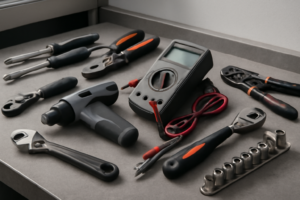
- Phillips #2 screwdriver
- ¼” nut driver
- Multimeter
- Work gloves (heat-rated)
- Flashlight
Replacement Parts
- Control board
- ribbon cable
- Phillips screwdriver
- multimeter
Step-by-Step Repair Instructions
Step 1
Disconnect power at the circuit breaker — not just the oven controls — and wait 5 minutes before restoring it. Wall ovens are hardwired, so the breaker is the only true power cutoff, and a full power cycle clears transient firmware errors that can mimic a failed control board. If the oven behaves normally after reset, no further repair is needed.
Step 2
If the display remains blank or buttons are unresponsive after the reset, the control board itself needs inspection. Remove the oven trim by pressing the side release tabs or backing out the two Phillips screws, then pull the display panel forward to expose the board behind it. Pro tip: take a photo of the assembly before removing anything so you have a reference for reassembly.
Step 3
Locate the ribbon cable connecting the display to the control board and check whether it has worked loose — a partially seated ribbon cable is a common cause of blank displays and input failures. This is a ZIF (zero insertion force) connector, so flip the retaining tab up, fully reseat the ribbon cable, and close the tab back down. A loose ribbon cable is easy to overlook and costs nothing to fix, so always check this before replacing the board.
Step 4
Using a multimeter set to DC voltage, probe the 12V and 5V supply rails at the board’s power connector to verify the control transformer is delivering correct voltage. If either rail reads significantly low or zero, the transformer has failed and is starving the board of power — replacing the board without fixing this will destroy the new board as well. Replace the control transformer if voltage is out of spec before proceeding.
Step 5
If supply voltages are correct but the board is still non-functional, replace the control board with Whirlpool part W11040566. Photograph every wire connection and connector position before unplugging anything, swap the board, and reconnect all connectors and the ribbon cable exactly as documented. Handle the board by its edges to avoid static discharge damage to the new components.
Step 6
Restore power at the breaker and confirm the display illuminates and responds to touch. Run each cooking mode — Bake, Broil, and Convection — to verify the board is correctly controlling the heating elements and fan. If any mode fails to activate, recheck your connector seating before concluding there is a secondary fault.
Where to Buy Replacement Parts
Find genuine OEM and aftermarket replacement parts for your Whirlpool WOS51EC0HS (Wall Oven) on Amazon:
- Whirlpool WOS51EC0HS wall oven control board W11040566 replacement
- Whirlpool wall oven display blank error not responding
- Whirlpool wall oven ribbon cable control board reseating
When to Call a Professional
If the issue persists after completing all steps above, the problem may involve the sealed refrigerant system, a failed main control board, or wiring that requires specialized diagnostic equipment. Contact a licensed appliance technician — attempting sealed-system repairs without EPA 608 certification is illegal and unsafe.
“`html
How Much Does This Repair Cost?
A replacement control board for the Whirlpool WOS51EC0HS typically costs between $150–$350 in parts alone. Professional appliance repair services generally charge $150–$300 in labor on top of parts costs. By tackling this repair yourself, you could save $150 or more while restoring your wall oven to full working order.
“`
Frequently Asked Questions
How do I know if the control board has failed on my Whirlpool WOS51EC0HS?
Common signs include a blank or unresponsive display, error codes that won’t clear, or burners and elements that fail to heat. If basic resets don’t resolve these issues, the control board is likely faulty.
Can I replace the control board myself, or do I need a technician?
A confident DIYer can replace the control board by following the service manual and disconnecting power first. However, if you’re uncomfortable working with electrical components, hiring a certified technician is the safer choice.
How much does a replacement control board for the WOS51EC0HS typically cost?
Replacement control boards for this model generally range from $150 to $300 depending on the supplier. Purchasing an OEM part ensures compatibility and helps avoid repeat failures.
Recommended Products
These are the parts and tools we recommend for this repair, based on compatibility and customer reviews:
- CoreCentric Remanufactured Dishwasher Control Board Replacement for Whirlpool W10854215
- Whirlpool W10804115 Main Control Board
- Compatible with GENUINE Compatible with WHIRLPOOL W10854215 Dishwasher Electronic Control Board. NEW
As an Amazon Associate, I earn from qualifying purchases.