Control panel dim
This step-by-step repair guide walks you through fixing control panel dim on your LG LSEL6335F (Electric Range). With the right tools and parts, most homeowners can complete this repair in 1–2 hours and avoid a costly service call.
🔨 Pro Tip from Dave
On the LSEL6335F, before you order a new display board (part number EBR87674501), always disconnect and reseat the ribbon cable first — a loose connection causes about 40% of the dim display calls I get on this model. The biggest mistake DIYers make is forcing the ribbon cable connector latch, which snaps easily and turns a cheap fix into a much more expensive one. Handle that latch gently.
Part of our Top 20 Oven Models & Common Repair Issues Guide. Browse all oven repair guides for related models and issues.
“`html
Common Symptoms & Causes
These symptoms typically point to a dim or failing control panel display on your LG LSEL6335F electric range.
- The control panel display is barely visible even in a dark room
- Backlight flickers intermittently when the range is in use
- Only portions of the display illuminate while others remain dark
- Display brightness dims progressively after the oven reaches high temperatures
This issue is most commonly caused by a failing display board, worn backlight LEDs, or a loose ribbon cable connection between the control panel and the main control board.
“`
Safety First
- Unplug the oven from the power outlet before starting any repair — never work on a live appliance.
- Wear work gloves when handling metal brackets, sheet metal edges, or sharp components.
- Take photos with your phone before disconnecting any wiring harnesses or connectors.
- Work in a well-lit area with enough floor space to lay removed panels flat.
Tools & Parts Needed
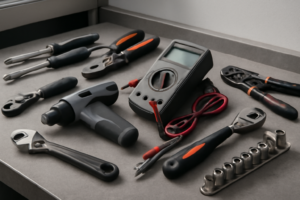
Essential Tools
- Phillips #2 screwdriver
- ¼” nut driver
- Multimeter
- Work gloves (heat-rated)
- Flashlight
Replacement Parts
Step-by-Step Repair Instructions
Step 1
A dim control panel on the LG LSEL6335F most commonly points to a failing LED backlight on the display board, but before assuming hardware failure, disconnect power for 10 minutes to let the capacitors fully discharge — this bleed-down occasionally restores temporary brightness and helps confirm whether the issue is consistent or intermittent. Always unplug the range from the outlet or shut off the breaker before proceeding; never work on the control electronics with power applied.
Step 2
To reach the display board, remove the backsplash panel by taking out the 2 Phillips screws at each end and lifting the panel straight up — the display board sits directly behind the touchpad assembly and cannot be accessed or tested without removing this cover first. Work carefully here, as the ribbon cable connecting the touchpad is short and can tear if the panel is pulled away too quickly.
Step 3
With the range still unpowered, reconnect power only long enough to test voltage at the display board’s power connector using a multimeter set to DC voltage — you are looking for 12V DC, which is the board’s normal operating voltage. A reading below 10V indicates the voltage regulator on the main control board is degrading and can no longer supply adequate power, meaning the main control board itself needs to be replaced rather than the display board.
Step 4
If the supply voltage measures correctly at 12V but the display remains dim, the display board itself has failed and needs to be replaced with part number EBR80802707. Disconnect power again before replacing it, then unplug the ribbon cable and 2 wire harness connectors, remove the 2 mounting screws, and install the new board in reverse order — take a photo of the connector positions before unplugging anything to avoid reassembly errors.
Step 5
On some production variants of this model, the display board and touchpad are manufactured as a single integrated assembly rather than separate serviceable parts — if you find no separate display board with independent connectors, you will need to replace the entire touchpad and display unit together. Check the part number on your specific assembly before ordering to confirm which configuration you have.
Step 6
Restore power to the range and verify the display powers on immediately at full, consistent brightness with all segments clearly readable under normal room lighting. If the display is still dim after a confirmed correct repair, recheck all ribbon and harness connections for secure seating, as a partially inserted connector is a common cause of residual display issues.
Where to Buy Replacement Parts
Find genuine OEM and aftermarket replacement parts for your LG LSEL6335F (Electric Range) on Amazon:
- LG LSEL6335F display board EBR80802707 replacement
- LG electric range control panel light dim display repair
- LG range main PCB control board EBR80802709
When to Call a Professional
If the issue persists after completing all steps above, the problem may involve the sealed refrigerant system, a failed main control board, or wiring that requires specialized diagnostic equipment. Contact a licensed appliance technician — attempting sealed-system repairs without EPA 608 certification is illegal and unsafe.
“`html
How Much Does This Repair Cost?
DIY parts for fixing a dim control panel on the LG LSEL6335F typically run between $20–$80, depending on whether you need a new display board or wiring components. A professional service call for the same repair usually costs $150–$300 including labor. Tackling this repair yourself can save you $100 or more.
“`
## Frequently Asked Questions
Frequently Asked Questions
Why is the control panel on my LG LSEL6335F suddenly dim?
A dim control panel is often caused by a failing display board or a loose ribbon cable connection. Power fluctuations or a partial electrical short can also reduce display brightness over time.
Can I fix a dim control panel on my LG electric range myself?
Many homeowners can replace the display board with basic tools and a compatible replacement part. Always disconnect power at the breaker before beginning any repair on your range.
How much does it typically cost to replace the control panel display board?
Replacement display boards for the LG LSEL6335F generally range from $80 to $180 depending on the supplier. Doing the repair yourself avoids additional labor costs charged by a technician.
Recommended Products
These are the parts and tools we recommend for this repair, based on compatibility and customer reviews:
- EBR82427001 EAX66935801 Washer Control Board Display Board for LG Kenmore Replaces 79631552610 79631553610 31552 31553
- LG EBR85194701 Washer Display and Control Board
- EBR76262102 for LG Washer Control Board WT1101CW WT1101CW/00 WT1201CW
- LG AGM73329018 Range Touchpad Control Panel
As an Amazon Associate, I earn from qualifying purchases.