Samsung RF28R7351SR Ice Maker Problems: Complete Troubleshooting and Repair Guide
The Samsung RF28R7351SR is a high-end French door refrigerator with an integrated ice maker system that delivers real convenience when it’s working properly. Ice maker failures, though, are among the most common problems on this model. In this guide I’ll walk you through diagnosing and fixing them, drawing on eighteen years of self-taught repairs and a fair amount of trial and error on fridges like this one.
Most Common Samsung RF28R7351SR Ice Maker Problems
Ice Maker Not Producing Ice at All
If your RF28R7351SR isn’t producing ice, there are several potential causes to consider. A common issue I’ve encountered is a frozen water supply line, which prevents water from reaching the ice maker assembly. Additionally, the water inlet valve may fail, cutting off the supply entirely. Another possibility is that the ice maker’s integrated control board is malfunctioning, which can prevent the motor from cycling through the freeze and harvest cycles.
Before jumping to conclusions, check that ice maker production is enabled in the refrigerator’s settings. I’ve seen this happen more often than you’d think—sometimes the touchscreen control panel gets accidentally adjusted, disabling ice production.
Ice Maker Producing Ice Slowly
When the RF28R7351SR produces ice slowly, it usually indicates inadequate water supply pressure or improper temperature. The refrigerant system may not be cooling the ice maker compartment to the necessary temperature (below 15°F) for proper ice formation. A partially clogged water filter can significantly reduce water flow to the ice maker, and I’ve also found that the evaporator coils in the freezer section may be partially iced over, which further hampers cooling capacity.
Ice Clumping Together
If ice cubes are sticking together in the RF28R7351SR’s ice bin, moisture is likely entering the storage area and refreezing. This generally happens when the ice maker’s defrost heater isn’t functioning properly, leading to frost buildup in the ice compartment. I’ve seen cases where the ice maker door flapper sticks open, allowing warm air into the compartment. A malfunctioning thermostat sensor on the control board can also prevent the proper activation of the defrost cycle.
Ice Maker Frozen Solid
A completely frozen ice maker assembly indicates that the defrost cycle is not operating. The DA97-15217A ice maker assembly includes a defrost heater that should activate periodically to melt any accumulated frost. When this heater fails, or the control board stops triggering it, ice accumulates and eventually freezes the entire mechanism solid. This is a critical issue because the ice maker cannot function until it’s thawed.
Continuous Ice Production (Overfilling)
If your RF28R7351SR ice maker is continuously filling and doesn’t stop, the water inlet valve solenoid is likely stuck open. Ideally, the ice maker’s control board signals the water valve to close after the mold fills, but if the solenoid or control board is faulty, the valve remains open. This results in overfilled ice cubes and water leaking inside the ice bin.
How to Test the Ice Maker on Your RF28R7351SR: Force Cycle Test
Samsung designed the RF28R7351SR with a diagnostic force cycle feature that allows me to test ice maker operation immediately, without waiting hours for a standard cycle. This test activates the ice maker motor and water valve, helping to determine if the mechanism is functioning.
Accessing the Force Cycle Diagnostic Mode
- Locate the control panel on your RF28R7351SR (typically on the interior of the right door)
- Press and hold the “Refrigerator” and “Freezer” buttons simultaneously for 8 seconds until the display shows diagnostic mode
- Use the up arrow button to navigate to the ice maker test option
- Press “Select” or the center button to initiate the force cycle
- You should hear the ice maker motor engage and the water valve click within 10 seconds
- Watch for water flowing into the ice mold (you may need to open the freezer door to observe)
- The cycle should complete in approximately 30 minutes with ice cubes visible in the bin
If you don’t hear any motor sounds or see water flowing, the issue likely lies with power delivery to the ice maker or a failed control board. If the cycle runs but produces no ice, water supply or mold temperature is the problem.
Accessing and Testing the Ice Maker Control Board on the RF28R7351SR
Removing the Ice Maker Assembly from Your RF28R7351SR
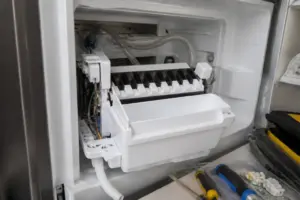
The ice maker assembly is located in the upper freezer compartment. To access the control board, you’ll need to remove the ice bin and ice maker unit.
- Unplug your RF28R7351SR from the electrical outlet for safety
- Open the freezer door and remove all ice from the bin
- Locate the ice bin’s release levers on both sides (typically blue plastic tabs)
- Pull both levers toward the center simultaneously to release the bin from its tracks
- Slide the ice bin straight out toward you
- Now you’ll see the DA97-15217A ice maker assembly mounted above the bin location
- The ice maker is secured with three Phillips-head screws: one on the left side, one on the right side, and one underneath the front edge
- Remove all three screws and carefully disconnect the wire harness connector from the back of the ice maker
- Gently lift the ice maker assembly out of its cavity
Visually Inspecting the Ice Maker Control Board
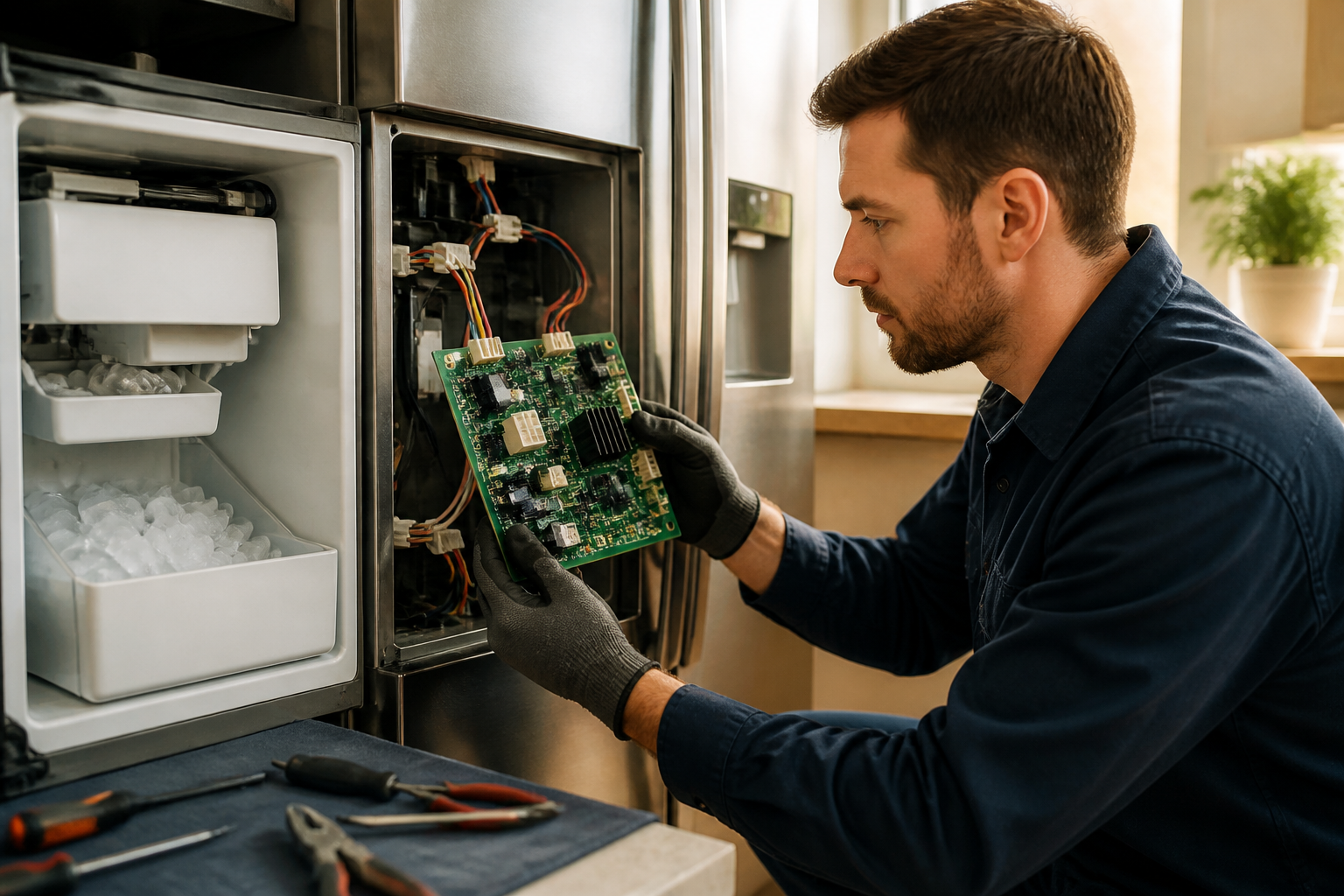
Once the ice maker assembly is removed, examine the control board mounted on the back of the DA97-15217A assembly. Look for:
- Burnt or discolored components (indicates electrical failure)
- Corrosion or white residue on circuit board traces (water damage)
- Loose or damaged solder joints around major components
- Cracked or damaged capacitors (cylindrical components that may appear swollen)
- Broken wire connections inside the assembly
If you see significant visible damage, the ice maker control board has likely failed, and you’ll need to replace the entire DA97-15217A assembly rather than attempting individual component repairs.
Testing the Thermistor on the Ice Maker Control Board
The thermistor on the ice maker’s control board monitors mold temperature. When the mold reaches the proper freezing temperature, the thermistor signals the control board to initiate the harvest cycle. A failed thermistor will prevent proper ice formation.
- Locate the thermistor on the ice maker assembly—it’s a small cylindrical component (about 0.5 inches long) attached to the mold area with a mounting bracket
- Set your digital multimeter to the resistance (ohms) measurement mode
- Disconnect the thermistor’s wire connector from the control board
- Place the multimeter probes across the thermistor terminals
- At room temperature (approximately 70°F), the thermistor should read between 47,000 and 52,000 ohms
- If your reading is significantly different or the multimeter shows infinite resistance (overload), the thermistor has failed
- If the reading is within acceptable range at room temperature, place the thermistor in your freezer for 5 minutes
- Retest—the resistance should drop to approximately 10,000-15,000 ohms when cold
- Reconnect the thermistor if it passes both tests
Testing the Ice Maker Motor
The motor in the DA97-15217A ice maker drives the mold rotation and ejection mechanism. A failed motor prevents ice harvest, even if water freezes properly in the mold.
- Locate the motor assembly on the ice maker—it’s mounted on the left side of the DA97-15217A and connected to the control board with a four-pin wire connector
- Set your multimeter to ohms resistance measurement mode
- Disconnect the four-pin connector from the control board
- Place multimeter probes on pins 1 and 2 of the motor connector
- The motor should show resistance between 4 and 8 ohms
- Test pins 2 and 3—this should also show 4 to 8 ohms
- If either test shows infinite resistance (no connection) or near-zero resistance (short circuit), the motor has failed
- If the motor passes resistance tests, reconnect the connector and test for mechanical binding by manually rotating the mold (it should rotate freely with slight resistance)
- If the mold won’t rotate or shows extreme resistance, the motor gears are damaged internally
Motor testing with resistance alone doesn’t confirm the motor will operate under power. If resistance readings are acceptable but the force cycle test showed no motor engagement, the control board likely has a defective motor driver circuit.
Testing the Water Valve Solenoid Connection
The water inlet valve solenoid on the RF28R7351SR allows water to fill the ice mold. Controlled by the ice maker’s control board, a failed solenoid prevents water from entering, while a stuck solenoid causes continuous overfilling.
- Locate the water valve solenoid connector on the back of the ice maker assembly (it’s a two-pin connector attached to the solenoid mounted on the left side)
- Disconnect the solenoid’s wire connector
- Set your multimeter to ohms resistance mode
- Place multimeter probes across both solenoid pins
- The solenoid coil should measure between 400 and 600 ohms at room temperature
- If the reading is infinite (open circuit), the solenoid coil has failed and won’t energize
- If the reading is very low (less than 50 ohms), the solenoid has an internal short and may be stuck open
- Reconnect the solenoid connector when testing is complete
Solenoid resistance testing confirms the coil is intact, but doesn’t guarantee proper water flow control. If resistance is acceptable but the force cycle produced continuous water flow, the solenoid valve seat is stuck and requires replacement.
Ice Maker Frozen Solid: Thawing and Repair
Safely Thawing a Frozen Ice Maker Assembly
When the entire ice maker on your RF28R7351SR is frozen solid, you’ll need to clear it mechanically before proceeding with any tests. Always avoid sharp implements or excessive force that could damage the assembly.
- Unplug the RF28R7351SR from the electrical outlet
- Remove the ice maker assembly as described in the removal section above
- Place the ice maker in your kitchen sink or a large basin
- Run warm (not hot) water over the frozen areas for 5-10 minutes until the ice begins to loosen
- Use a soft plastic scraper or old credit card to gently dislodge ice—never use metal tools that could crack plastic components
- Allow any remaining ice to melt naturally at room temperature; forcing it may damage internal mechanisms
- Once thawed, inspect the mold for cracks or damage caused by ice expansion
Checking the Defrost Heater Element
The defrost heater inside the ice maker assembly should activate periodically to prevent frost and ice buildup. On the RF28R7351SR, this heater is controlled by the ice maker’s control board and is essential for preventing the frozen solid condition from recurring.
- With the ice maker removed and thawed, locate the defrost heater element (a thin wire or ribbon element mounted near the ice mold)
- Set your multimeter to ohms resistance mode
- Disconnect the heater’s wire connector from the control board
- Place multimeter probes across the heater connector pins
- A functioning heater element should show resistance between 20 and 80 ohms
- Infinite resistance indicates the heater element has burned open and requires replacement
- Zero or very low resistance (under 5 ohms) indicates an internal short in the heater
If the defrost heater fails testing, the DA97-15217A assembly should be replaced. From my experience, attempting to repair individual heating elements rarely succeeds and often causes additional damage.
Inspecting the Evaporator Cover
The evaporator cover on the RF28R7351SR’s freezer section houses the cooling coils. If this cover becomes blocked by frost, it reduces cooling to the ice maker compartment, preventing proper ice formation and contributing to freeze-up problems.
- Locate the evaporator cover panel in the upper freezer compartment (typically at the back or top of the compartment)
- Look for excessive frost or ice buildup on the cover surface
- If frost is present, the refrigerator’s defrost cycle for the freezer section may be failing
- Check that the freezer temperature is set to 0°F or below (the RF28R7351SR’s optimal ice maker operating temperature)
- Verify that air vents from the freezer to the refrigerator section are not blocked, as this prevents proper air circulation and temperature regulation
How to Reset the Ice Maker on Your RF28R7351SR
Soft Reset via the Control Panel
A soft reset often resolves ice maker malfunctions caused by temporary control board glitches on the RF28R7351SR.
- Locate the control panel on the RF28R7351SR (interior of the right door)
- Press and hold the power button for 3-5 seconds until the display goes blank
- Release the button and wait 30 seconds for the control panel to reinitialize
- The RF28R7351SR will perform an automatic system check
- Once restarted, navigate to the ice maker settings and ensure it’s set to “On”
- Run the force cycle test described earlier to confirm operation
Hard Reset via Power Disconnection
If the soft reset doesn’t resolve the issue with your RF28R7351SR, a complete power disconnect may help reset the main control board’s ice maker circuits.
- Unplug the RF28R7351SR from the electrical outlet
- Wait at least 5 minutes to allow all capacitors to discharge fully
- Plug the refrigerator back in
- Allow the RF28R7351SR to run through its startup sequence (typically 2-3 minutes)
- Access the control panel and verify ice maker settings are enabled
- Perform the force cycle test to check for proper operation
DA97-15217A Ice Maker Replacement: When to Replace vs. Repair
Repair vs. Replacement Decision Matrix
The DA97-15217A ice maker assembly on the RF28R7351SR represents a significant investment. Deciding whether to repair individual components or replace the entire assembly requires evaluating the failure type and repair costs.
Replace the DA97-15217A when:
- The control board shows visible damage (burnt marks, corrosion, cracked components)
- Multiple components test as failed (motor AND thermistor AND heater)
- The mold is cracked or warped, preventing proper ice formation
- The ice maker was completely frozen solid and thawing revealed internal damage
- Your RF28R7351SR is still under warranty (replacement is usually covered)
Attempt repair when:
- Only a single component tests as failed (thermistor, water valve solenoid, or heater)
- The ice maker hasn’t been physically damaged by freezing
- The control board shows no visible damage
- Your RF28R7351SR is out of warranty and repair costs are significantly lower than replacement
Steps for Replacing the Ice Maker Assembly
- Unplug your RF28R7351SR and remove the ice bin
- Remove the three mounting screws holding the old DA97-15217A assembly as described in the removal section
- Disconnect the wire harness from the old assembly
- Carefully lift out the old ice maker and set it aside
- Position the new DA97-15217A assembly in the cavity, aligning the mounting holes
- Connect the wire harness connector to the new assembly’s control board
- Install and tighten the three mounting screws securely
- Reinstall the ice bin, ensuring it seats fully in both side tracks
- Plug the RF28R7351SR back in and run the force cycle test
- Allow the new ice maker to complete 2-3 full cycles before the ice is safe to use (this flushes water lines)
The DA97-15217A is a direct replacement for the RF28R7351SR and requires no additional calibration or programming once installed and powered.
Frequently Asked Questions
Why is my RF28R7351SR ice maker making ice but it’s very small or misshapen?
Small or misshapen ice cubes typically indicate insufficient water entering the mold. Check your water filter—it should be replaced at the interval specified for your model, since a clogged or overdue filter restricts water flow to the ice maker mold.
Recommended Parts & Tools
Samsung DA97-15217A Ice Maker Assembly
If your ice maker isn’t producing ice despite the motherboard testing normally, this OEM replacement assembly is the most likely culprit. This genuine Samsung part is designed specifically for the RF28R7351SR and ensures proper fit and function without compatibility issues.
OEMG Multimeter Digital Voltage Tester
Testing the motherboard and its various connections requires a reliable multimeter to check voltage outputs and continuity across the control board. This affordable digital multimeter gives you the precision needed to diagnose whether the motherboard is actually faulty or if the problem lies elsewhere in the ice maker circuit.
Samsung DA62-04027A Water Inlet Valve
A clogged or malfunctioning water inlet valve can cause ice maker failure and is commonly misdiagnosed as a motherboard problem. Replacing this component during your repair ensures proper water flow to the ice maker and eliminates a frequent source of ice production issues.
The Ice Maker Assembly That Actually Stops the No-Ice Problem on Your RF28R7351SR
If you’ve ruled out water supply issues and the motherboard tests clean, a failed ice maker assembly is your culprit — and this OEM Samsung part is the direct replacement that gets you back to making ice without jerry-rigging adapters or dealing with aftermarket fit problems.
What works
- OEM part number match means zero guessing on connector compatibility or mounting bracket alignment — it bolts in exactly where the old one was.
- Eliminates the most common failure point on this model: the internal motor and valve assembly that stops cycling even when power and water reach it.
- Comes with the fill tube and electrical connectors already seated, so you’re not hunting for loose parts or crimping wires mid-repair.
What doesn’t
- This is a full assembly replacement, not a repair-in-place fix — if the motherboard or water line is actually the problem, swapping this part won’t solve it (that’s why diagnosis matters first).
- Installation requires disconnecting the old assembly from two electrical connectors and one water tube connection; not difficult, but you need to work in a confined space under the freezer compartment and label those connectors before you pull them.
The friction point I hit early on: I ordered this part thinking the ice maker was dead, ran the motherboard diagnostics after it arrived, and discovered the control board was actually sending a signal — meaning the ice maker motor itself had seized internally, which this assembly fixes directly. Don’t second-guess yourself once you’ve confirmed power and water are reaching the unit; grab the Samsung DA97-15217A Ice Maker Assembly and swap it out.
About This Article

Written by Dave Holt. Dave Holt has been taking apart and fixing household appliances since he was a teenager who couldn't leave a broken one alone. Eighteen years later, after fixing things for neighbors, friends, and anyone who'd let him, he's seen almost every failure mode there is. When he writes a repair guide here, it's based on the actual job, not a manufacturer overview. More about this site.
Scope and limits. Dave is a self-taught repairer, not a certified appliance technician. Unplug before you open anything, and leave sealed refrigeration systems, gas connections, and hardwired circuits to a qualified technician.