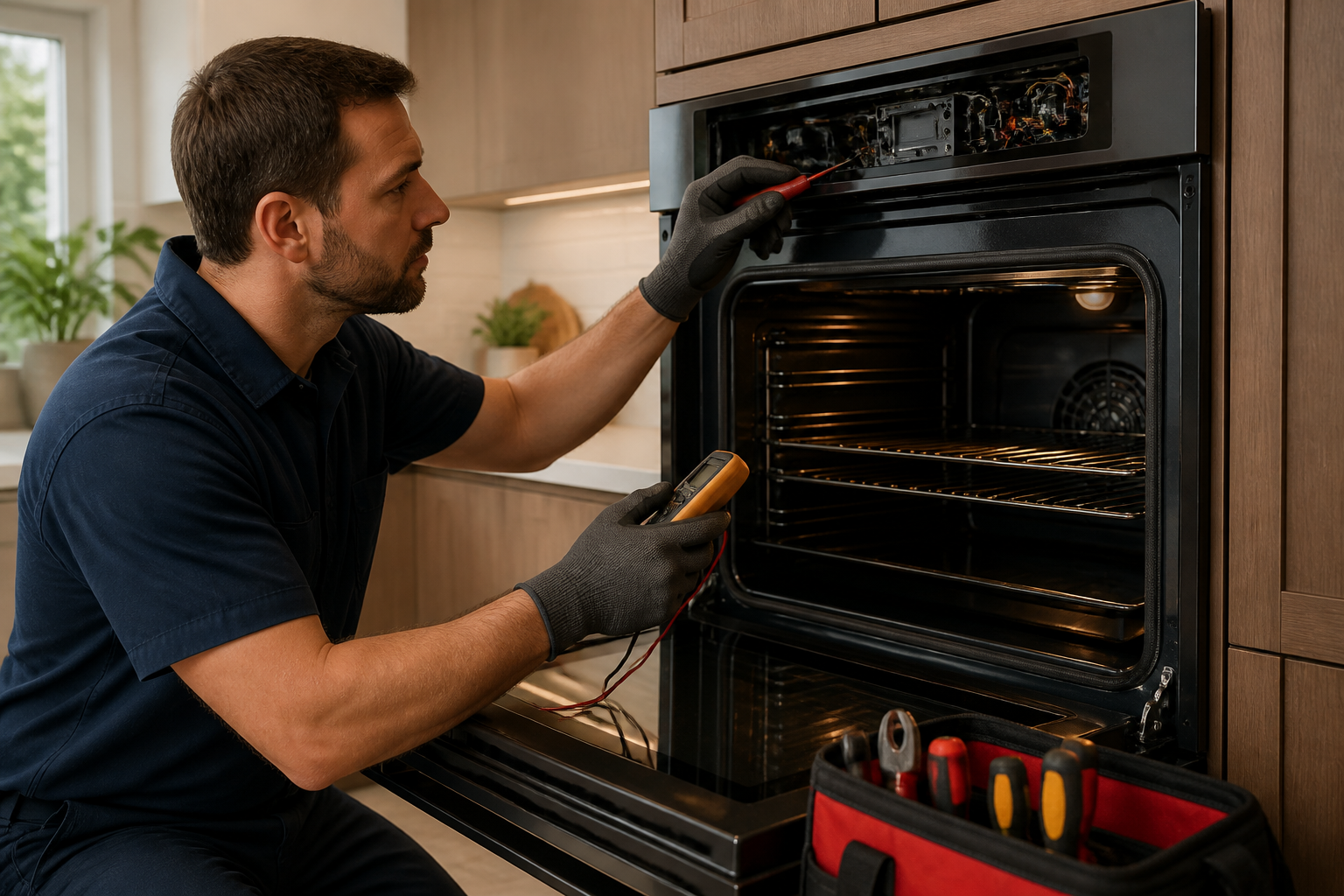
Jenn-Air Wall Oven Sabbath Mode and F3 Error Code Troubleshooting Guide
In this post I’ll guide you through some common issues with Jenn-Air wall ovens, specifically Sabbath mode getting stuck and the F3 error code that often accompanies it. Let’s unravel these problems together, and I’ll show you how to tackle them safely and confidently.
⚠️ Safety Warning
Working on wall ovens can be tricky since they operate at high temperatures and have electrical components that can give you a nasty shock. Here are some safety tips before you begin any repairs:
- Disconnect the appliance from electrical power. Switch off the circuit breaker serving the oven, then test the outlet with a non-contact voltage detector to ensure power is off.
- Allow the oven to cool completely if it’s been in use. Interior temperatures can exceed 500°F, which can lead to severe burns.
- Never work on the appliance while it’s energized. Jenn-Air wall ovens are hardwired to a dedicated 240V circuit — there’s no cord to pull, so the breaker is your only disconnect.
- Before testing electrical components with a multimeter, switch off the oven’s breaker, lock or tag the panel, and confirm the circuit is dead with a contact voltage tester.
- If you’re uncomfortable working with electrical components, contact a licensed appliance repair technician.
What Is Sabbath Mode on Jenn-Air Wall Ovens?
Sabbath mode is designed for Jewish Sabbath observance and other religious practices that restrict certain activities on specific days. When Sabbath mode is active on a Jenn-Air wall oven, it features:
- Constant Temperature Maintenance: The oven keeps a set temperature (typically between 170–200°F) without the usual cycling of heating elements.
- Delayed Start and Stop Response: Commands to adjust temperature or start/stop the oven take effect after a 30-second delay.
- Disabled Audible Alerts: All beeps and chimes are silenced, ensuring no sound output occurs.
- Display Behavior: Some models may not show display changes even if the oven continues to operate.
- No Internal Light: The interior light is disabled when the door opens.
Keep in mind that Sabbath mode isn’t a malfunction; it’s an intentional feature. However, if you find yourself unable to exit Sabbath mode or encounter other simultaneous errors, troubleshooting becomes necessary.
How to Enter and Exit Sabbath Mode on Jenn-Air Wall Ovens
The method to toggle Sabbath mode varies slightly by model. Below are instructions for some common Jenn-Air wall oven models.
Jenn-Air JJW2427 (27″ Single Wall Oven)
- Press the Menu button on the control panel.
- Use the arrow buttons to scroll to Sabbath.
- Press Select to enter the Sabbath menu.
- Choose On to activate Sabbath mode or Off to deactivate.
- Press Start to confirm the change.
Jenn-Air JJW3430 (30″ Double Wall Oven)
- Press Menu on either oven’s control panel (upper or lower).
- Scroll with arrow buttons to Settings or More Options.
- Select Sabbath Mode.
- Press On or Off as desired.
- Press Start to confirm.
Jenn-Air JJW3527 (27″ Single Wall Oven, Newer Models)
- Touch the Settings icon (gear symbol) on the touchscreen display.
- Tap Sabbath Mode from the settings menu.
- Toggle the switch to On or Off.
- Press Confirm or Done.
If these steps don’t work, check your model’s user manual, as newer touchscreen models may have slightly different navigation. Your manual should specify the exact sequence for your serial number range.
Sabbath Mode Stuck: Oven Won’t Exit Sabbath Mode
If you’ve followed the steps above but Sabbath mode is still active, a power cycle can often resolve the issue.
Power Cycle Procedure
- Locate the circuit breaker for the wall oven; it’s typically on a dedicated 40–50 amp circuit.
- Switch the breaker to the OFF position. If you’re unsure which breaker controls the oven, look for one labeled “Oven,” “Range,” or “Kitchen,” or test by turning breakers off one at a time.
- Wait a minimum of 5 minutes. This allows any residual electrical charge to dissipate.
- Switch the breaker back to ON.
- Test the oven. Press a button on the control panel. If the display lights up and responds normally, attempt to exit Sabbath mode using the steps outlined above.
A power cycle resets the control board’s software state. This often fixes the issue when Sabbath mode becomes stuck.
If Power Cycle Does Not Work
If the oven remains in Sabbath mode after a power cycle, the problem might be a control board malfunction or a stuck button contact on the keypad. At this point, consult your oven’s user manual to see if a factory reset procedure exists for your model. Some Jenn-Air ovens allow a hard reset by holding specific button combinations (often Menu + Start simultaneously for 10 seconds). If neither the power cycle nor the manual’s reset procedure works, the control board likely needs replacing, which is best handled by a certified technician.
F3 Error Code on Jenn-Air Wall Ovens
The F3 error code indicates a temperature sensor out of range condition. The oven’s control board relies on a resistance temperature detector (RTD) probe located inside the oven to monitor internal temperature. If the sensor’s electrical resistance falls outside the expected range, the control board triggers the F3 fault code and halts operation for safety.
Common Causes of F3 Error
- Defective RTD Sensor: This is the most common cause; the sensor may degrade, break, or short-circuit.
- Loose or Corroded Wire Connector: Issues with the two-wire connector linking the sensor to the control board can prevent proper signal transmission.
- Damaged Wiring Harness: Wires running from the sensor connector to the control board may be pinched, burned, or broken.
- Control Board Malfunction: Less frequently, the control board’s temperature sensor input circuit fails, causing misinterpretation of sensor data.
How to Test the Jenn-Air Oven Temperature Sensor
Before replacing the sensor, test it with a multimeter to confirm it’s truly defective. This step ensures you don’t replace a functioning sensor if the fault lies elsewhere.
Locating the RTD Sensor
On most Jenn-Air wall ovens, the RTD probe is mounted inside the oven cavity on the right side wall, approximately 4–6 inches up from the oven floor. It appears as a small metal tube (about 1/2 inch in diameter and 3–4 inches long) with a two-wire connector at its base. The sensor is secured by a single setscrew or clip.
Testing Procedure
- Switch off the oven’s circuit breaker and tag the panel. Ensure no power is present with a non-contact voltage detector.
- Allow the oven to cool to room temperature. Sensor readings are temperature-dependent; you need a baseline at ambient conditions.
- Locate the RTD sensor connector. You may need to remove the oven’s control panel trim or access panel to reach it. Consult your model’s service manual for the exact access point.
- Gently disconnect the two-wire connector from the sensor. Take note of the wire colors (typically white and red, though colors can vary).
- Set your multimeter to the Ohms (Ω) setting.
- Touch one multimeter probe to each of the sensor’s connector pins. The order doesn’t matter for an ohms reading.
- Read the ohms value on the display. At room temperature (approximately 70°F), a functioning Jenn-Air RTD sensor should read between 1080 and 1090 ohms. Readings of 0 ohms (shorted sensor) or infinity/no reading (open/broken sensor) indicate a faulty sensor.
- If the reading is within 1080–1090 ohms, reconnect the connector and check for loose connections or wiring damage. If not, proceed to sensor replacement.
Important: Jenn-Air uses a platinum RTD sensor with a specific resistance curve. Readings significantly higher or lower suggest degradation, indicating that replacement is warranted.
Checking the Connector and Wiring
If the sensor tests within the normal resistance range, inspect the connector and wiring:
- Visual Inspection: Check for corrosion (green or white oxidation), burning, or pinched wires.
- Connector Seating: Reconnect the sensor, ensuring it’s fully seated. A loose connector may need replacement.
- Wire Continuity: With the sensor still disconnected, set your multimeter to continuity mode and check the wires at the connector.
If the connector is corroded or damaged, attempt to clean it. If mechanically loose, it may need re-crimping or the sensor assembly replaced.
Jenn-Air Oven Temperature Sensor Replacement Procedure
If testing confirms the sensor is defective, replacing it is necessary. The RTD probe assembly is relatively affordable (typically $40–$80) and requires no soldering or special tools.
Parts and Tools Needed
- Replacement RTD Sensor Assembly (specific to your model)
- Multimeter (for pre-replacement testing)
- Small Phillips or flathead screwdriver (for removing the setscrew or clip)
- Needle-nose pliers (optional, for carefully removing the connector)
Step-by-Step Replacement
- Switch off the oven’s circuit breaker and lock or tag it out. Confirm with a non-contact voltage detector that power is absent.
- Allow the oven to cool completely. Don’t attempt this repair while the oven is warm.
- Locate and access the RTD sensor. You may need to remove a trim panel or access cover depending on your model.
- Note the sensor’s position and orientation. Taking a photo can be helpful for reference during reassembly.
- Locate the mounting setscrew or clip. Use the appropriate screwdriver to loosen and remove it.
- Gently pull the sensor out of its mounting hole. It should slide out smoothly.
- Disconnect the two-wire connector from the old sensor. Pull gently and steadily.
- Connect the two-wire connector to the new RTD sensor. Ensure it’s fully seated.
- Insert the new sensor into the mounting hole, orienting it the same way as the old sensor.
- Secure the sensor with the setscrew or clip. Tighten the setscrew snugly but don’t over-tighten.
- Visually inspect the installation. Ensure everything is seated correctly and no wires are pinched.
- Restore power by switching the circuit breaker back on. Wait for the control board to boot up.
- Test the oven. Preheat it to 350°F and check if the F3 error code reappears.
Post-Replacement Testing
After installing the new sensor and restoring power, run a full preheat cycle. If the oven reaches temperature without error, your repair is complete. If the F3 error reappears, further diagnosis may be necessary.
Understanding Jenn-Air Oven Error Codes: F3 vs. F2 vs. F9
Jenn-Air wall ovens use a standardized error code system to help identify faults. Here’s a quick rundown:
- F3 Error – Temperature Sensor Out of Range: Typically indicates a faulty sensor or loose connection.
- F2 Error – Shorted Temperature Sensor: Indicates the RTD sensor is shorted, often requiring replacement.
- F9 Error – Control Board Fault: Suggests the control board is not communicating properly, often requiring replacement.
If you see F2 instead of F3, the remedy is the same: replace the sensor. If F9 appears after sensor replacement, the control board may be faulty and will need professional attention.
Control Board Diagnosis and Replacement (Backup After Sensor Replacement)
If you’ve replaced the RTD sensor and the F3 error persists, the control board’s sensor input circuit could be faulty.
When to Suspect Control Board Failure
- A new RTD sensor reads correctly, but the oven still displays F3.
- The F3 code appears intermittently, suggesting a flaky circuit.
- The oven displays F9 or other control board error codes.
Recommended Parts & Tools
Jenn-Air Wall Oven Temperature Sensor (RTD Probe)
This OEM-compatible temperature sensor is essential for restoring accurate temperature readings and clearing the fault code.
IFIXIT Pro Tech Toolkit – 112 Piece Set
This toolkit includes all the specialized tools needed to safely disassemble the oven cavity and replace internal parts.
Thermal Grease Compound for Oven Sensors
This food-safe grease ensures proper heat transfer contact between the sensor tip and the oven cavity for accurate readings.
The Temperature Sensor That’s Usually Behind the F3 Error on Jenn-Air Wall Ovens
The F3 error code on a Jenn-Air wall oven almost always points to a faulty RTD (resistance temperature detector) probe. If you’re seeing F3 repeatedly or the oven won’t hold temperature, this sensor is your first replacement candidate.
What works
- Drops right into the existing sensor pocket with no adapter required—the connector and probe diameter are OEM-matched for Jenn-Air models.
- Clears the F3 error immediately on most units once installed and the control board resets, avoiding the cost of a service call or control board replacement.
- Restores accurate temperature regulation, so the oven stops overshooting or undershooting your set temperature—a dead giveaway that the old probe was reading incorrectly.
What doesn’t
- Won’t fix F3 errors caused by a broken control board or wiring harness—if the sensor is visibly intact and seated properly, the board itself may be the culprit.
- Requires removing the interior oven cover and sometimes partial disassembly of the side wall to access the probe pocket, which can feel tight on some Jenn-Air models depending on your comfort level with confined spaces.
I’ve ordered the wrong sensor type first—confusing RTD probes with thermocouples—and wasted a week before confirming Jenn-Air wall ovens use RTD sensors exclusively. Double-check your model number against the compatibility list before ordering, but once you have the right part, Jenn-Air Wall Oven Temperature Sensor (RTD Probe) is the fix that actually sticks.
About This Article

Written by Dave Holt. Dave Holt has been taking apart and fixing household appliances since he was a teenager who couldn't leave a broken one alone. Eighteen years later, after fixing things for neighbors, friends, and anyone who'd let him, he's seen almost every failure mode there is. When he writes a repair guide here, it's based on the actual job, not a manufacturer overview. More about this site.
Scope and limits. Dave is a self-taught repairer, not a certified appliance technician. Unplug before you open anything, and leave sealed refrigeration systems, gas connections, and hardwired circuits to a qualified technician.