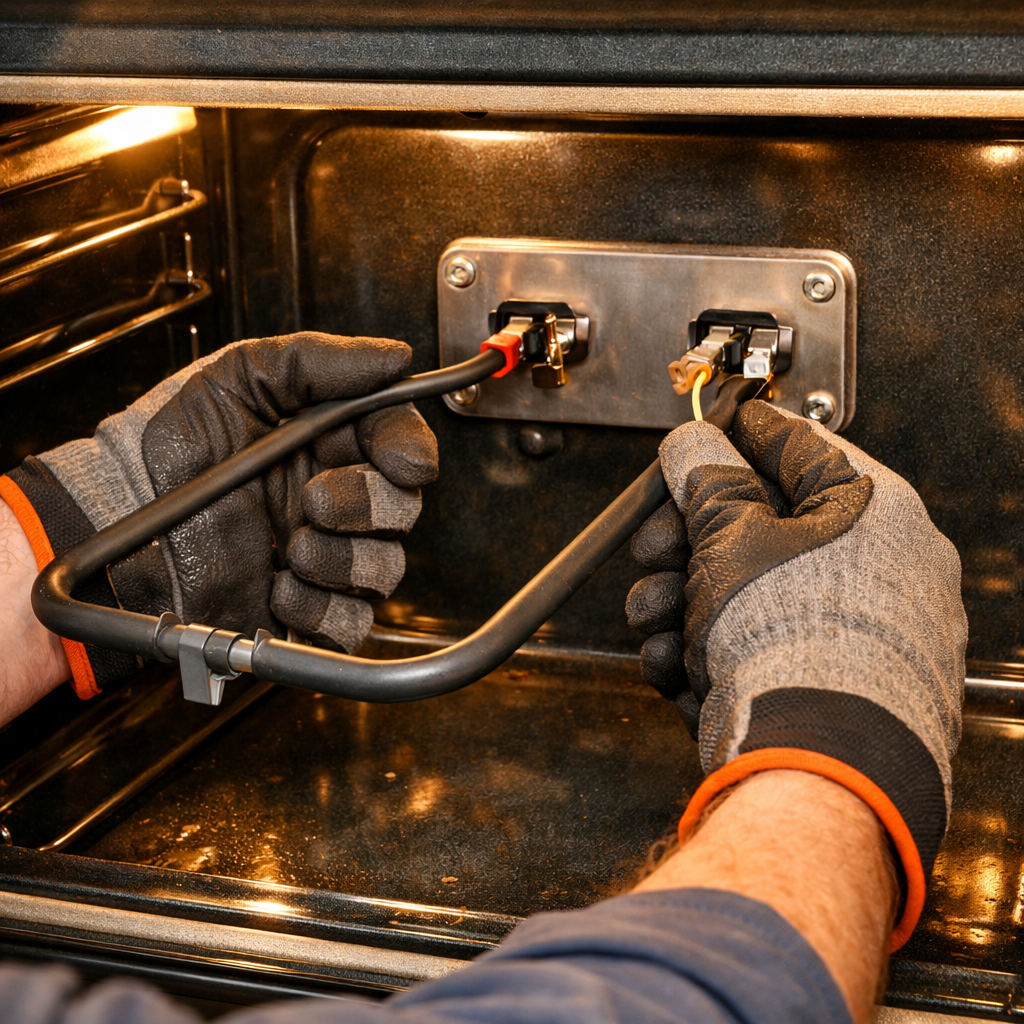
WiFi module replacement
In this guide, I’ll walk you through the process of replacing the wifi module on your LG LWS3063ST (Wall Oven). With the right tools and a little patience, most homeowners can complete this repair in just 1–2 hours, saving money and avoiding the hassle of a service call.
🔨 Pro Tip from Dave
When replacing the WiFi module on the LG LWS3063ST, look for part number EBR86488913. Be cautious with the ribbon cable connector near the control board — it’s delicate and can easily tear if you pull at the wrong angle. Many people mistakenly believe a factory reset will fix the issue, but once the module hardware fails, software resets do nothing, wasting your valuable time.
Part of our Top 20 Oven Models & Common Repair Issues Guide. Browse all oven repair guides for related models and issues.
Common Symptoms & Causes
If you’re experiencing any of the following symptoms, it’s likely that the WiFi module on your LG LWS3063ST wall oven needs replacing:
- The LG ThinQ app fails to detect or connect to the oven, even with a strong WiFi signal.
- The oven display shows an “F7” or network-related error code during setup.
- Remote preheat and monitoring features stop responding or disconnect frequently.
- The WiFi indicator light on the control panel remains off or blinks continuously.
These issues often stem from a failed or corrupted WiFi module, typically caused by power surges, firmware incompatibility, or standard wear and tear over time.
Safety First
- Isolate power at the breaker panel and tag the breaker off. Since this oven is hardwired, using a contact voltage tester is the only way to confirm the circuit is dead — check before touching anything.
- Wear work gloves when dealing with metal brackets, sheet metal edges, or sharp components.
- Take photos with your phone before disconnecting any wiring harnesses or connectors.
- Work in a well-lit area with enough floor space to lay removed panels flat.
Tools & Parts Needed
Essential Tools
- Phillips #2 screwdriver
- ¼” nut driver
- Multimeter
- Work gloves (heat-rated)
- Flashlight
Replacement Parts
- WiFi module
- LG ThinQ app
- Phillips screwdriver
Step-by-Step Repair Instructions
Step 1
First things first: disconnect power to the oven at the circuit breaker. Since wall ovens operate on 240V, there’s a real risk of electrocution. While the power is off, ensure that your router is actively broadcasting a 2.4 GHz band — the LG WiFi module doesn’t support 5 GHz, and trying to pair on the wrong band is the most common reason for setup failures.
Step 2
After restoring power at the breaker, press the WiFi button on the oven’s control panel to activate pairing mode. You’ll see the indicator light start blinking, confirming the module is ready to connect. This step checks that the existing WiFi module is at least powering on and responding; if there’s no light or the button won’t respond, the module is likely faulty.
Step 3
Now, open the LG ThinQ app and go to Add Device → Smart Appliance → Oven. Ensure your phone is connected to the same 2.4 GHz network you want the oven to use — connecting your phone to 5 GHz will silently cause pairing to fail. Follow the in-app prompts closely; the app sends network credentials directly to the module, so any mismatch in network name or password will drop the connection before it completes.
Step 4
If pairing fails after confirming network settings, the WiFi module PCB itself is likely defective and needs replacement. Disconnect power at the breaker again, then remove the oven trim panel by unscrewing the two Phillips screws, which exposes the module mounted to the control board assembly. A pro tip: take a photo of the connector orientation before unplugging anything — the ribbon cables are easy to reseat incorrectly, which can lead to a no-power condition on the control panel.
Step 5
With the new module installed and the trim panel reattached, restore power and run the full ThinQ pairing setup from the beginning, treating it as a first-time connection. The replacement module ships unpaired and doesn’t remember previous networks, so skipping the setup will leave the oven offline, even if the hardware is functional.
Step 6
Once pairing is successful, open ThinQ app settings for the oven and explicitly enable remote preheating and monitoring. These features are off by default for safety and won’t activate on their own. Turning them on allows you to preheat the oven remotely and get alerts if a cooking cycle completes or is interrupted, which is particularly helpful for confirming that the new module is maintaining a stable connection over time.
Where to Buy Replacement Parts
- LG LWS3063ST wall oven WiFi module EBR82797404 replacement
- LG ThinQ wall oven app WiFi setup procedure
- LG wall oven 2.4GHz WiFi connect router setup
When to Call a Professional
If you find that the problem persists after you’ve followed all these steps, you may be dealing with a failed main control board, a defective temperature sensor, or wiring issues that require specialized diagnostic tools. In that case, it’s time to reach out to a licensed appliance technician. And for gas models, don’t attempt to work on the gas valve, burner orifices, or supply line — that work is typically restricted to a licensed gas fitter.
How Much Does This Repair Cost?
| Repair route | Typical cost |
|---|---|
| Do it yourself | $40–$90 (parts) |
| Professional repair | $150–$300 (parts and labor) |
Replacing the WiFi module on an LG LWS3063ST usually costs $40–$90 for the part if you tackle it yourself. If you opt for a professional appliance technician, expect to pay $150–$300 when you factor in the service call, labor, and parts markup. By choosing the DIY route, you can save yourself $100 or more on this relatively simple repair.
Frequently Asked Questions
Do I need to reset my LG LWS3063ST after replacing the WiFi module?
Yes, after installing the new module, you should perform a factory reset on the oven’s control panel and reconnect it to your home network through the LG ThinQ app.
Will replacing the WiFi module erase my saved oven settings?
Typically, replacing the WiFi module does not erase core oven settings, but you will need to reconfigure your network credentials and ThinQ app pairing.
Is it safe to replace the WiFi module myself on the LG LWS3063ST?
Yes, it is safe, but always disconnect the oven from power at the breaker before starting. If you’re uncomfortable working around electrical components, it’s best to contact a certified appliance technician.
Recommended Products
These are the parts and tools I recommend for this repair, based on compatibility and customer reviews:
- CoreCentric Remanufactured Dishwasher Electronic Control Board Replacement for LG ebr79609805
- Main Control Board EBR83845001 compatible with LG
- CoreCentric Remanufactured Refrigerator Control Board Assembly Replacement for LG EBR73304210
- Fundyliue EBR74164805 Range Oven Relay Control Board
The WiFi Module That Actually Restores LG LWS3063ST Connectivity
When the LG LWS3063ST ceases communication with your phone or ThinQ app, it’s often due to a dead WiFi module — not a router issue or app glitch. This replacement matches the original hardware, and it’s what I turn to when I’ve verified that the module is indeed the problem.
What works
- Plug-and-play fit—no adapter boards or firmware flashing required; the oven recognizes it immediately after installation
- Restores 2.4GHz WiFi connectivity reliably, even after power surge damage that bricked the original module
- Connector placement and keying are identical to OEM, so you won’t accidentally cross-wire it during installation
What doesn’t
- Won’t fix WiFi problems caused by a bad main control board—you need to rule that out first with a multimeter continuity test
- Doesn’t come with pre-programmed WiFi credentials; you’ll need to re-pair it to your router through the ThinQ app after installation
I once ordered three different control boards before realizing the actual WiFi module was the failure point—the oven’s display and heating worked fine, which made it easy to misdiagnose. WiFi module
About This Article

Written by Dave Holt. Dave Holt has been taking apart and fixing household appliances since he was a teenager who couldn't leave a broken one alone. Eighteen years later, after fixing things for neighbors, friends, and anyone who'd let him, he's seen almost every failure mode there is. When he writes a repair guide here, it's based on the actual job, not a manufacturer overview. More about this site.
Scope and limits. Dave is a self-taught repairer, not a certified appliance technician. Unplug before you open anything, and leave sealed refrigeration systems, gas connections, and hardwired circuits to a qualified technician.