Whirlpool WDF520PADM Control Board Power but No Display Lights: Complete Troubleshooting Guide
When your Whirlpool WDF520PADM dishwasher has a control board that receives power but displays no lights on the front panel, it can be frustrating and confusing. This comprehensive guide will walk you through systematic troubleshooting steps to identify and fix the root cause of this common issue.
⚠️ Safety Warning: Before beginning any repair work on your dishwasher, disconnect power at the circuit breaker and turn off the water supply. Wait at least 5 minutes after disconnecting power before accessing electrical components. Use proper lockout/tagout procedures and wear safety glasses when working with electrical connections. Always use a multimeter rated for the voltage you’re testing.
Understanding “Power But No Lights” in Your WDF520PADM
When we say the control board “gets power but no lights,” we’re describing a specific condition where the main control board receives the correct 120V AC power supply, but the user interface (UI) display panel remains completely dark. This means:
- The dishwasher is properly connected to electrical power
- The main control board is receiving voltage
- However, the front display panel shows no LED lights, button illumination, or digital readouts
- The control board may be functioning internally but cannot communicate with or power the display
In the WDF520PADM model, this issue typically stems from problems with the door switch, thermal protection devices, ribbon cable connections, or failure of either the main control board or UI board assembly.
Quick Initial Checks
Control Lock Mode Verification
Before diving into electrical diagnostics, verify that your WDF520PADM isn’t simply in control lock mode. Even though no lights are showing, attempt to unlock the controls by pressing and holding the “Start” and “Sanitize” buttons simultaneously for 3 seconds. If the control lock was engaged, you should see the display illuminate after this procedure.
Door Switch Quick Test
The door switch is critical for display operation in the WDF520PADM. If the door switch fails or is misaligned, the control board will not illuminate the display panel, even when receiving power. Perform these quick checks:
- Ensure the door is completely closed and latched
- Listen for a distinct clicking sound when closing the door
- Check that the door latch mechanism engages properly with the strike plate
- Verify there’s no debris or buildup preventing complete door closure
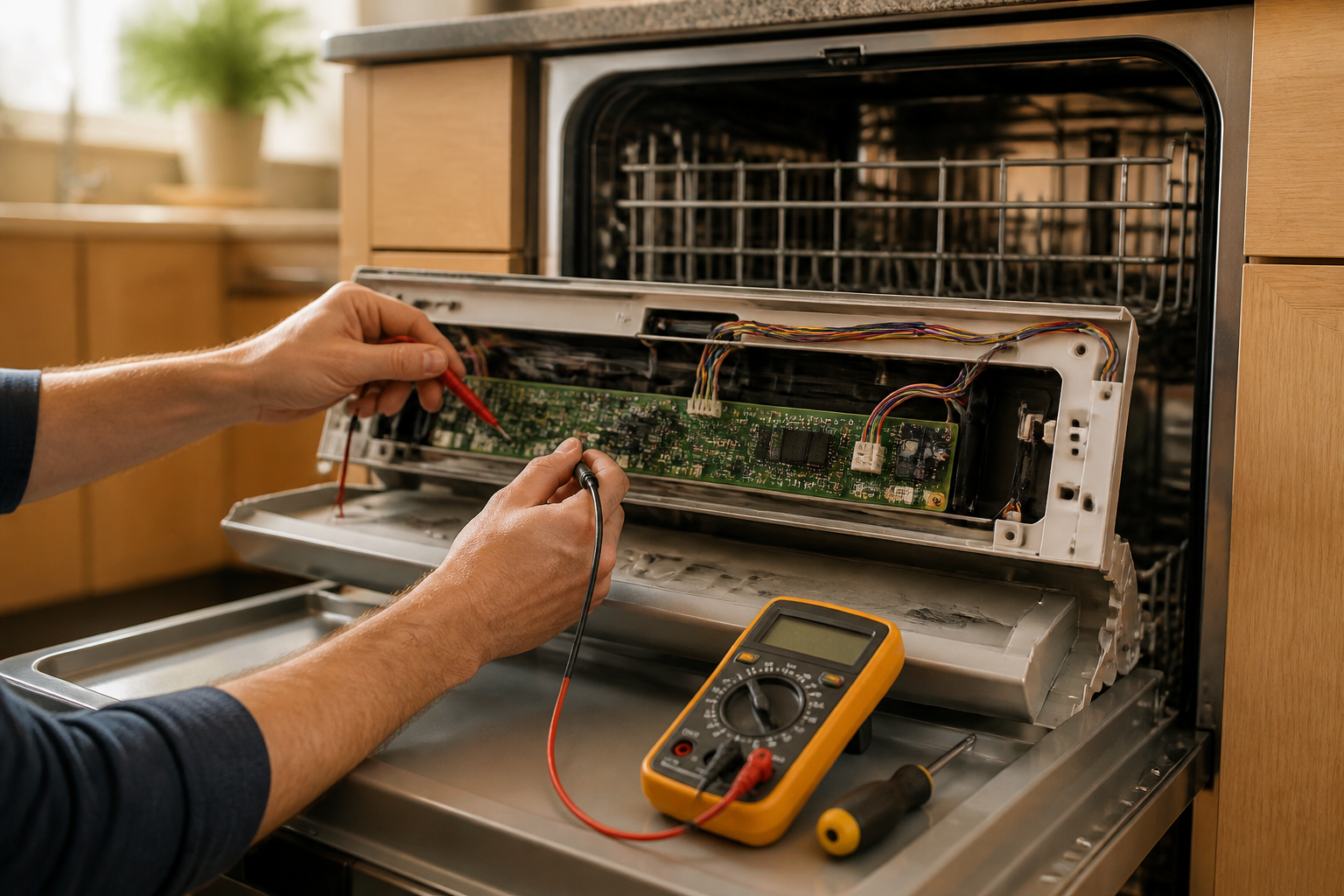
Testing the Door Switch with a Multimeter
The door switch assembly in your WDF520PADM is located in the door latch mechanism and must be tested systematically. You’ll need a digital multimeter capable of measuring continuity and DC voltage.
Accessing the Door Switch
- Disconnect power to the dishwasher at the circuit breaker
- Remove the lower access panel beneath the door
- Locate the door switch assembly in the door latch mechanism (front center of the unit)
- Identify the white plastic connector with 6-8 wires leading to the door switch
Electrical Testing Procedure
- Disconnect the wire harness from the door switch assembly
- Set your multimeter to continuity (ohms) mode
- Test between terminals 1 and 2 on the door switch with the door open – should read infinite resistance (open circuit)
- Close the door fully and retest terminals 1 and 2 – should now read 0-2 ohms (closed circuit)
- Test terminals 3 and 4 with door closed – should read 0-2 ohms
- Open the door and retest terminals 3 and 4 – should read infinite resistance
If any of these readings are incorrect, replace the door switch assembly (part number W10130694 for the WDF520PADM).
Checking the Thermal Fuse
Some WDF520PADM units include a thermal fuse that protects the control board from overheating. When this fuse fails, it can cut power to the display while allowing the main control board to receive power.
Locating the Thermal Fuse
The thermal fuse in the WDF520PADM is typically located:
- Behind the control panel, attached to the main control board housing
- Near the main wiring harness connection point
- As a small white or clear cylindrical component with two wire terminals
Testing the Thermal Fuse
- Disconnect power and locate the thermal fuse
- Remove the fuse from its mounting bracket
- Set multimeter to continuity mode
- Test across both terminals of the fuse
- A good fuse should read 0-2 ohms
- A failed fuse will read infinite resistance (open circuit)
If the thermal fuse has failed, replace it with part number W10258275. Note that thermal fuse failure often indicates an underlying overheating problem that should be investigated.
Control Board Diagnosis and Visual Inspection
With the door switch and thermal fuse verified as functional, focus turns to the control board assembly itself. The WDF520PADM uses a two-part control system: the main control board and the user interface (UI) board.
Accessing the Control Board
- Remove the dishwasher’s front panel by removing screws along the bottom edge
- Carefully lower the front panel to access the control board area
- The main control board is typically mounted behind the control panel in a plastic housing
- Remove the control board housing cover by releasing plastic tabs or removing screws
Visual Inspection Checklist
Examine the control board carefully for these failure indicators:
- Burnt Components: Look for blackened resistors, discolored areas, or carbon tracking
- Swollen Capacitors: Electrolytic capacitors should have flat tops; bulging indicates failure
- Corroded Connections: Check for white or green corrosion on solder joints
- Cracked Solder Joints: Look for hairline cracks around component leads
- Physical Damage: Check for broken components or damaged circuit board traces
Power Supply Verification
- With power restored, carefully measure voltage at the main power connector
- You should find approximately 120V AC between the hot and neutral wires
- Verify the control board’s internal fuse (if present) shows continuity
- Check for proper grounding between the neutral wire and dishwasher chassis
Ribbon Cable Connection Diagnosis
The connection between the main control board and UI display board in your WDF520PADM uses a ribbon cable or multi-wire connector. This connection is critical for display operation.
Inspecting the Ribbon Cable
- Locate the ribbon cable connecting the main board to the UI board
- Carefully disconnect the ribbon cable from both ends
- Inspect the cable for physical damage, cuts, or bent conductors
- Check the connector terminals for corrosion or damage
- Examine the circuit board connection points for loose solder joints
Testing Cable Continuity
- Set multimeter to continuity mode
- Test each conductor in the ribbon cable from end to end
- Each wire should show 0-2 ohms resistance
- Any open circuits indicate cable replacement is needed
- Reconnect the cable ensuring proper seating and orientation
Control Board Reset Procedure
Sometimes the WDF520PADM control board can enter a fault state that prevents proper display operation. A complete power reset may restore normal function.
Performing a Hard Reset
- Turn off power at the circuit breaker
- Wait exactly 60 seconds to allow capacitors to fully discharge
- Restore power at the circuit breaker
- Wait 30 seconds for the control board to initialize
- Test display operation by pressing the power button
If the display illuminates after this reset, monitor the dishwasher for recurring issues that might indicate intermittent component failure.
Control Board vs UI Board Replacement Decision
Determining whether to replace the main control board or the user interface board in your WDF520PADM requires systematic testing.
Main Control Board (W10854215)
Replace the main control board if:
- Visual inspection reveals burnt components or damaged circuits
- The board receives power but doesn’t send control signals to the UI
- Multiple functions fail simultaneously (wash cycles, heating, etc.)
- Voltage measurements show incorrect output values
User Interface Board (W10056352)
Replace the UI board if:
- The main control board tests good but display remains dark
- Some buttons work while others don’t respond
- Display shows partial illumination or garbled information
- Physical damage is visible on the UI board components
Step-by-Step Control Board Replacement
If testing confirms control board failure in your WDF520PADM, follow this detailed replacement procedure.
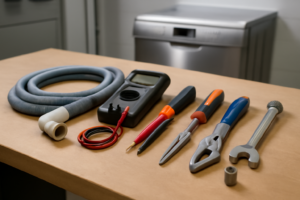
Tools and Materials Needed
- Phillips head screwdriver set
- Flat blade screwdriver
- Needle-nose pliers
- Digital camera or smartphone for documentation
- Replacement control board (W10854215 or W10056352)
- Anti-static wrist strap (recommended)
Removal Procedure
- Disconnect power and water supply to the dishwasher
- Remove the front panel and access the control board area
- Take photos of all wire connections before removal
- Label each wire connector with tape for easy identification
- Carefully disconnect all wire harnesses from the control board
- Remove mounting screws securing the control board to its bracket
- Note the orientation of the board before removal
- Lift out the old control board
Installation Procedure
- Position the new control board in the same orientation as the original
- Secure with mounting screws, ensuring proper grounding connections
- Reconnect all wire harnesses according to your photos and labels
- Verify each connection is fully seated and secure
- Reinstall the control board housing cover
- Replace the front panel and secure with screws
- Restore power and water connections
- Test all dishwasher functions including display operation
Initial Testing After Replacement
- Power on the dishwasher and verify display illumination
- Test each button for proper response
- Start a normal wash cycle to verify all functions
- Check that cycle indicators and time display work correctly
- Verify error codes clear and don’t immediately return
Frequently Asked Questions
Why does my WDF520PADM control board have power but the display won’t turn on?
This typically indicates a failure in the communication path between the main control board and the user interface display. Common causes include a failed door switch preventing the board from activating the display, a blown thermal fuse, loose ribbon cable connections, or failure of either the main control board or UI board itself. Start by testing the door switch and checking all connections before considering board replacement.
How can I tell if the door switch is causing my WDF520PADM display problems?
Test the door switch with a multimeter by checking continuity between its terminals. With the door open, the switch should show infinite resistance (open circuit). When the door is fully closed, it should read 0-2 ohms (closed circuit). If the readings are incorrect, or if you don’t hear a distinct clicking sound when closing the door, the switch likely needs replacement.
What’s the difference between the main control board and UI board in the WDF520PADM?
The main control board (part number W10854215) manages all dishwasher operations including wash cycles, water heating, and pump control. The UI board (part number W10056352) handles the front panel display, button inputs, and communication with the main board. If multiple functions fail, suspect the main board. If only the display or specific buttons don’t work, the UI board is more likely the culprit.
Can I reset my WDF520PADM control board to fix display issues?
Yes, perform a hard reset by turning off power at the circuit breaker for exactly 60 seconds, then restoring power. This allows the control board to fully reset and may resolve temporary glitches. However, if the problem returns, it indicates a hardware failure that requires component replacement.
Where is the thermal fuse located on a WDF520PADM dishwasher?
The thermal fuse is typically located behind the control panel, mounted near the main control board housing. It appears as a small white or clear cylindrical component with two wire terminals. Test it with a multimeter – it should show continuity (0-2 ohms) when good, or infinite resistance when failed.
How much does it cost to replace a WDF520PADM control board?
Control board prices vary, but expect to pay $150-300 for a main control board (W10854215) and $100-200 for a UI board (W10056352). Consider the age of your dishwasher when deciding whether to repair or replace the unit. Professional installation typically adds $100-200 to the total cost.
What safety precautions should I take when working on WDF520PADM electrical components?
Always disconnect power at the circuit breaker and wait at least 5 minutes before accessing electrical components. Use a multimeter rated for the voltage you’re testing, wear safety glasses, and consider using an anti-static wrist strap when handling circuit boards. Never work on electrical components with wet hands or in damp conditions.
When to Call a Professional
Most of the repairs in this guide are within reach for a careful DIYer with basic tools. In my experience, the moment your multimeter confirms correct voltage arriving at the main control board AND you’ve already replaced both the main control board and the user interface board without restoring panel function, you’re likely looking at a wiring harness fault or an intermittent ground issue that requires hands-on tracing with proper diagnostic equipment — that’s the point where a certified technician will save you more money than another round of parts guessing. When in doubt, a diagnostic service call typically costs $80–$120 and can save you from a misdiagnosis that costs more in parts.
Recommended Parts & Tools
Whirlpool W10084141 Control Board Assembly
This is the exact replacement control board for the Whirlpool WDF520PADM dishwasher when the existing board receives power but displays no lights. The control board is the brain of your dishwasher and controls all functions including the display panel. Check current pricing on Amazon.
Klein Tools 32614 Multi-Bit Screwdriver Set
You’ll need various screwdriver bits to remove the dishwasher’s front panel and access the control board assembly safely. This comprehensive set includes both Phillips and flathead bits commonly used in appliance repairs. Check current pricing on Amazon.
CRC QD Electronic Cleaner
Before replacing the control board, clean all electrical connections and contacts to ensure optimal performance of the new component. This quick-dry cleaner removes corrosion, oxidation, and debris that could interfere with proper electrical connections. Check current pricing on Amazon.