Error SE — panel issue
This step-by-step repair guide walks you through fixing error se — panel issue on your Samsung NE63A6511SS (Electric Range). With the right tools and parts, most homeowners can complete this repair in 1–2 hours and avoid a costly service call.
🔨 Pro Tip from Dave
On the NE63A6511SS, before replacing the full control panel assembly (part number DG94-01825A), always unplug the range for 5 full minutes and inspect the ribbon cable connector between the touchpad and control board — corrosion or a loose seating there mimics a panel failure almost perfectly. A lot of techs skip that step and unnecessarily swap out a $150 part.
Part of our Top 20 Oven Models & Common Repair Issues Guide. Browse all oven repair guides for related models and issues.
“`html
Common Symptoms & Causes
The following symptoms typically indicate a panel issue triggering the SE error on your Samsung NE63A6511SS electric range.
- The cooktop display shows the “SE” error code and becomes unresponsive
- Touch controls on the control panel fail to register any input
- The range powers on but no cooking functions can be selected
- The SE error reappears immediately after restarting or resetting the unit
This error is most commonly caused by a faulty membrane touchpad, a damaged control panel ribbon cable, or a failed main control board due to heat exposure or normal wear over time.
“`
Safety First
- Unplug the oven from the power outlet before starting any repair — never work on a live appliance.
- Wear work gloves when handling metal brackets, sheet metal edges, or sharp components.
- Take photos with your phone before disconnecting any wiring harnesses or connectors.
- Work in a well-lit area with enough floor space to lay removed panels flat.
Tools & Parts Needed
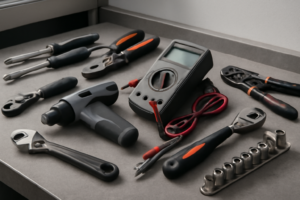
Essential Tools
- Phillips #2 screwdriver
- ¼” nut driver
- Multimeter
- Work gloves (heat-rated)
- Flashlight
Replacement Parts
- Control board
- touchpad assembly
- ribbon cable
- contact cleaner
Step-by-Step Repair Instructions
Step 1
Unplug the range from the wall outlet (or shut off its dedicated breaker) and wait at least 10 minutes before restoring power. The SE error indicates a stuck button or a communication fault between the touchpad and control board, and a full power cycle clears any latched error state in the board’s memory. Safety note: confirm the unit is fully de-energized before touching any components in later steps.
Step 2
If SE returns after the reset, you need to access the control board by removing the backsplash panel — lift it off after backing out the two Phillips screws at each end. This exposes the touchpad ribbon cable and control board connection, which are the most common physical sources of an SE fault. Pro tip: take a photo of the wiring layout before disturbing anything so you have a reference for reassembly.
Step 3
Locate the ZIF (zero insertion force) connector joining the ribbon cable to the control board, flip up its locking tab, and carefully pull the ribbon straight out. Inspect the ribbon for creases, tears, or corrosion, because a damaged or unseated ribbon disrupts the signal lines and mimics a stuck-button condition. Reinsert the ribbon fully until it seats evenly, then press the ZIF locking tab back down to secure it.
Step 4
With the ribbon disconnected and the touchpad accessible, spray a small amount of electrical contact cleaner onto the touchpad membrane contacts and press each button firmly 10 times in succession. This cleans oxidation and debris from the contact pads, which can cause a button to register as continuously pressed and trigger SE. Pro tip: use a cleaner rated safe for plastics and allow it to fully evaporate — typically 2–3 minutes — before reconnecting anything.
Step 5
If cleaning does not resolve the fault, the touchpad membrane itself has failed and must be replaced with part number DG34-00039A. Carefully peel the old touchpad from the panel surface, connect the ribbon cable to the new touchpad’s ZIF connector first, then press the new touchpad firmly into position so its adhesive bonds evenly across the panel. Avoid touching the contact area of the new ribbon with bare fingers, as skin oils can degrade the contacts.
Step 6
Reassemble the backsplash panel, restore power, and confirm the SE error is gone before proceeding. Test every surface burner element and run the oven through a short heat cycle to verify that all functions respond correctly and no new error codes appear. If SE persists after touchpad replacement, the control board itself has failed and will require replacement or professional service.
Where to Buy Replacement Parts
Find genuine OEM and aftermarket replacement parts for your Samsung NE63A6511SS (Electric Range) on Amazon:
- Samsung NE63A6511SS control board DG92-01147A replacement
- Samsung electric range SE error code touchpad ribbon cable
- Samsung range control touchpad DG34-00039A replacement
When to Call a Professional
If the issue persists after completing all steps above, the problem may involve the sealed refrigerant system, a failed main control board, or wiring that requires specialized diagnostic equipment. Contact a licensed appliance technician — attempting sealed-system repairs without EPA 608 certification is illegal and unsafe.
How Much Does This Repair Cost?
DIY repairs for the SE error on the Samsung NE63A6511SS typically involve replacing the control panel or membrane switch, with parts ranging from $30 to $120. Professional service calls for this same issue generally run $150 to $300, including labor. Tackling this repair yourself can save you $100 or more.
## Frequently Asked Questions
What causes the SE error code on my Samsung NE63A6511SS?
The SE error typically indicates a faulty or unresponsive control panel, often triggered by moisture, a stuck button, or a failed touchpad membrane. Power cycling the range by unplugging it for 60 seconds can sometimes clear a temporary glitch.
Can I fix the SE error myself, or do I need a technician?
Many homeowners successfully resolve the SE error by replacing the control panel themselves using basic tools. However, if the new panel doesn’t clear the error, a professional should inspect the main control board.
How much does a replacement control panel cost for this model?
A replacement touchpad or control panel for the NE63A6511SS typically costs between $80 and $150 depending on the supplier. Purchasing an OEM Samsung part ensures compatibility and reliability.
Recommended Products
These are the parts and tools we recommend for this repair, based on compatibility and customer reviews:
- Upgraded DG96-00850H Range Membrane Switch Touchpad Control Panel Compatible with Samsung Gas Ranges Ovens NE63A6511SS/AA-00,NE63A6511SS/AC,NE63A6511SG/AA-00,NE63A6511SS/AA
- DG96-00850H Range Membrane Switch Touchpad Control Panel Compatible with Samsung Electric Ranges Ovens NE63A6511SG, NE63A6511SS, Replaces PS16634295, AP7032886, EAP16634295
- ULXIOM DG96-00850H Range Membrane Switch Touchpad Control Panel Fit for Samsung Gas Ranges Ovens NE63A6511SS/AA NE63A6511SS/AC NE63A6511SG/AA NE63A6511SS/AA-00
- Upgraded DG96-00850H Range Membrane Switch Touchpad Control Panel Fit for Samsung Electric Ranges Ovens NE63A6511SG NE63A6511SS Replace PS16634295 AP7032886 EAP16634295
As an Amazon Associate, I earn from qualifying purchases.