Smart Auto error
This step-by-step repair guide walks you through fixing smart auto error on your Samsung DW80R9950UG. With the right tools and parts, most homeowners can complete this repair in 1–2 hours and avoid a costly service call.
🔨 Pro Tip from Dave
On the DW80R9950UG, the turbidity sensor (part DD82-01118A) is the usual culprit, but before you replace it, check the wire harness connector at the sensor for corrosion or a loose pin — I’ve seen techs swap the sensor unnecessarily when a simple connector cleaning with electrical contact cleaner solves it entirely. Also, always run a calibration cycle after reinstalling to reset the Smart Auto logic.
Part of our Top 20 Dishwasher Models & Common Repair Issues Guide. Browse all dishwasher repair guides for related models and issues.
“`html
Common Symptoms & Causes
If your Samsung DW80R9950UG is displaying a Smart Auto error, you may notice one or more of the following symptoms before or during a wash cycle.
- The dishwasher display shows the “Smart Auto” error indicator and the cycle fails to start
- The wash cycle stops mid-run and the control panel flashes repeatedly
- The dishwasher selects incorrect water temperature or cycle duration unexpectedly
- The unit beeps continuously and becomes unresponsive to button inputs
This error is most commonly caused by a malfunctioning turbidity sensor, a faulty control board, or mineral buildup interfering with the sensor’s ability to accurately read water conditions.
“`
Safety First
- Unplug the dishwasher from the power outlet before starting any repair — never work on a live appliance.
- Shut off the water supply valve before disconnecting any water lines or hoses.
- Wear work gloves when handling metal brackets, sheet metal edges, or sharp components.
- Take photos with your phone before disconnecting any wiring harnesses or connectors.
- Work in a well-lit area with enough floor space to lay removed panels flat.
Tools & Parts Needed
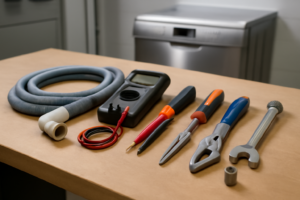
Essential Tools
- Phillips #2 screwdriver
- Torx T20 screwdriver
- Needle-nose pliers
- Multimeter
- Flashlight
Replacement Parts
- Control board
- turbidity sensor
- soft cloth
- multimeter
Step-by-Step Repair Instructions
Step 1
Disconnect power at the breaker before touching any components — this protects you from shock and resets any transient faults that may have triggered the Smart Auto error. While the unit is still powered, note the exact error code shown on the display, since Samsung’s Smart Auto errors can have sub-codes that point to specific subsystems. If the dishwasher is paired with SmartThings, run a remote diagnostic first, as it can log sensor data and narrow down the fault before you open anything up.
Step 2
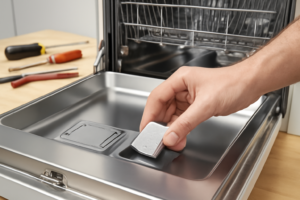
Remove the lower spray arm by twisting it counter-clockwise, then lift out the filter assembly to access the turbidity sensor — the small optical probe seated in the sump. This sensor measures water clarity to control Smart Auto cycle length, and a film of calcium or grease on its lens is the single most common cause of false Smart Auto errors on this model. Wipe the lens gently with a soft cloth dampened with white vinegar to dissolve mineral deposits, then rinse before reassembling.
Step 3
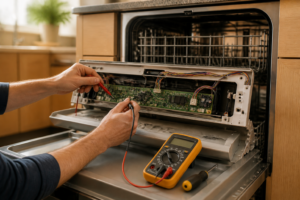
With the unit reassembled and running a wash cycle, use a multimeter to check the voltage at the turbidity sensor’s harness connector — you should read a steady 5V DC reference signal. A missing or fluctuating signal means the sensor has failed internally or its wiring harness is damaged, both of which will prevent Smart Auto from reading water clarity. If voltage is absent or erratic, replace the turbidity sensor rather than the control board, as sensor replacement is significantly cheaper and resolves the majority of Smart Auto faults.
Step 4
Remove the kick plate and the lower access panel (two Phillips screws) to expose the control board, which manages all Smart Auto logic and sensor inputs. Inspect the board closely for burnt traces, swollen capacitors, or damaged relays — these are signs the board itself has failed rather than a sensor feeding it bad data. Use a flashlight for this inspection; even a small dark scorch mark near a relay can confirm a board-level fault.
Step 5
If a board-level fault is confirmed, replace the control board with Samsung part DD82-01397A — this is the correct board for the DW80R9950UG and is not interchangeable with adjacent model numbers. Before disconnecting any harness, photograph all connector positions, as misrouting a harness can create new faults. Remove the four retaining screws, swap the board, reconnect all harnesses using your photos as reference, and confirm no connectors are left loose.
Step 6
Restore power at the breaker and run a Normal cycle with a typical dish load to verify the repair. Smart Auto should now vary the cycle duration based on turbidity sensor feedback — a cycle that locks into a fixed time or throws the same error code indicates the fault is not yet resolved and the diagnostic steps should be revisited. If the cycle completes normally and adapts its length, the repair is confirmed successful.
Where to Buy Replacement Parts
Find genuine OEM and aftermarket replacement parts for your Samsung DW80R9950UG on Amazon:
- Samsung DW80R9950UG main control board DD82-01397A replacement
- Samsung dishwasher Smart Auto sensor turbidity cleaning
- Samsung dishwasher error code list DW80R
When to Call a Professional
If the issue persists after completing all steps above, the problem may involve the sealed refrigerant system, a failed main control board, or wiring that requires specialized diagnostic equipment. Contact a licensed appliance technician — attempting sealed-system repairs without EPA 608 certification is illegal and unsafe.
“`html
How Much Does This Repair Cost?
DIY parts for fixing a Smart Auto error on the Samsung DW80R9950UG typically run $10–$75, depending on the faulty component. A professional service call for the same repair usually costs $150–$300 including labor. Tackling this repair yourself can save you $100 or more, making it a worthwhile effort for most homeowners.
“`
## Frequently Asked Questions
Frequently Asked Questions
What causes the Smart Auto error on the Samsung DW80R9950UG?
The Smart Auto error typically occurs when the dishwasher’s sensors detect a problem with water temperature, soil levels, or cycle calibration. A dirty or faulty turbidity sensor is the most common culprit.
Can I fix the Smart Auto error without calling a technician?
Yes, many homeowners resolve this error by cleaning the sensor and filter assembly or performing a hard reset. If the error persists after these steps, professional service may be needed.
Will this error prevent my dishwasher from running?
The Smart Auto error may interrupt or prevent a wash cycle from completing normally. Addressing it promptly helps avoid further damage to internal components.
Recommended Products
These are the parts and tools we recommend for this repair, based on compatibility and customer reviews:
- Samsung DD82-01118A Genuine OEM Temperature Sensor for Samsung Dishwashers
- Samsung DD82-01118A Dishwasher Sensor
- Samsung DD82-01373A Dishwasher Case Break + Overflow Sensor
- Upgraded DD82-01373A Dishwasher Case Brake and Overflow Sensor Assembly Compatible with Samsung Dishwasher Replaces# DD82-01111A
As an Amazon Associate, I earn from qualifying purchases.