
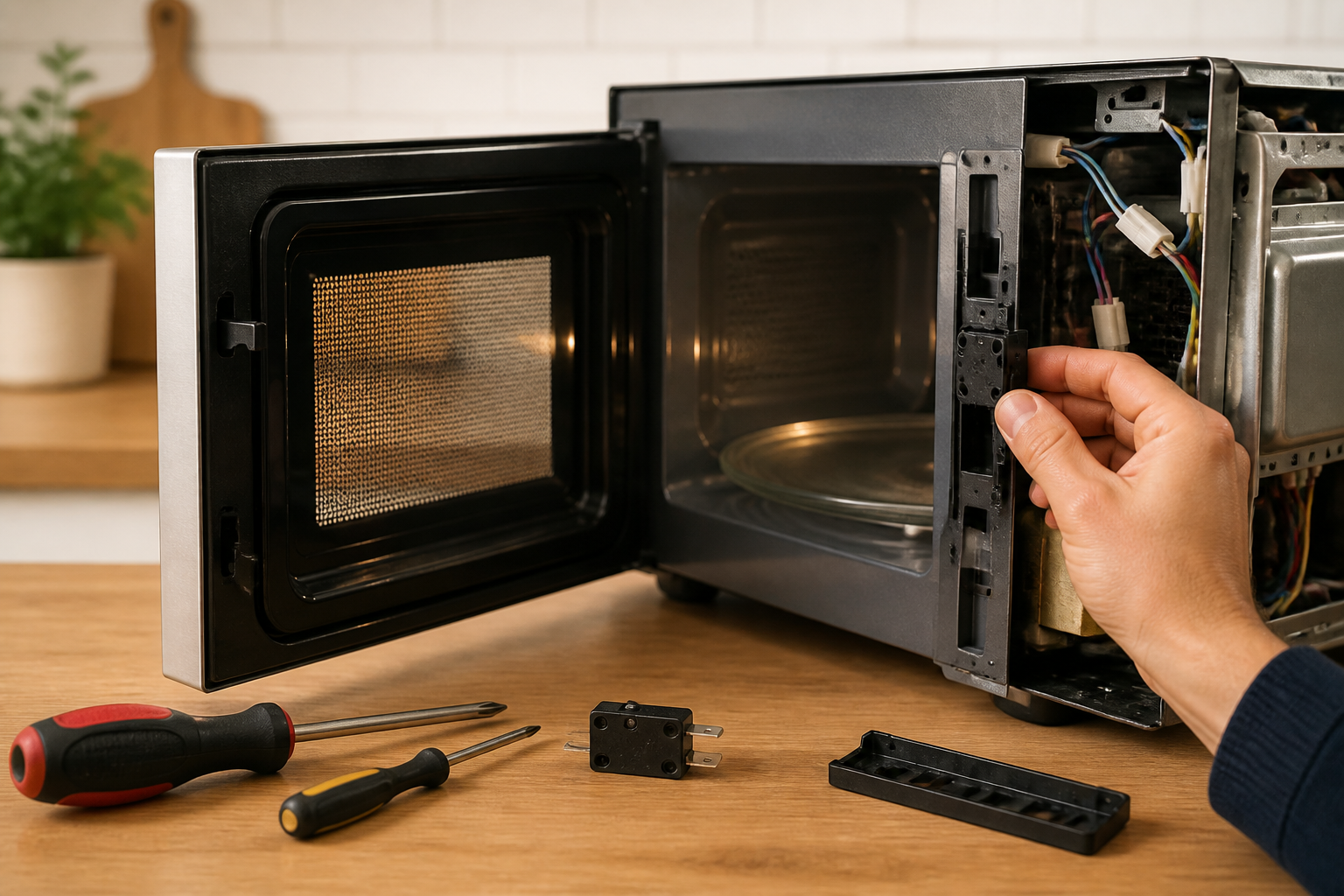
Toshiba EM131A5C-BS Door Switch Replacement Guide
Eighteen years of self-taught repairs has taught me that hands-on experience is the best teacher, and microwaves are one of the few appliances where that experience has to be paired with real caution. Today I’m going to share what I know about replacing the door switch on the Toshiba EM131A5C-BS microwave, a job that’s all about keeping your kitchen safe and functional.
Understanding the Door Switch Assembly on the Toshiba EM131A5C-BS
The door switch assembly on the Toshiba EM131A5C-BS isn’t just one component; it’s a crucial three-part safety interlock system. This redundancy is not just a good idea; it’s mandated by federal regulations to make sure the microwave doesn’t operate when the door is open, preventing dangerous exposure to microwave radiation. Knowing how these switches work and how to replace them can make all the difference in getting your EM131A5C-BS back to a safe operating condition.
The Three Switch Types in Your EM131A5C-BS
- Primary Interlock Switch (PS1): This is the main safety switch that disconnects high-voltage power to the magnetron when the door opens. When the door closes, the mechanical latch pushes against the switch lever, keeping it pressed and allowing power to flow. When you open the door, this switch snaps back and cuts power immediately.
- Secondary Interlock Switch (PS2): Acting as a backup to the primary interlock, this switch also cuts power to the high-voltage transformer if PS1 fails. Both PS1 and PS2 must be closed for the microwave to operate; if either switch opens, the circuit is broken, and the magnetron can’t fire.
- Monitor Switch (PS3): This switch monitors the functionality of the primary interlock switch. It provides feedback to the control circuit and will prevent the microwave from running if PS1 malfunctions. On the EM131A5C-BS, this operates in reverse logic; it must be in the open position (non-conducting) for the microwave to function when the door is closed.
All three switches are mechanically operated by the door latch assembly. When you close the door, the door latch hooks push against the switch levers at the same time, actuating all three switches. This is why a broken door latch can lead to multiple switch failures.
Identifying Symptoms of a Failing Door Switch on the EM131A5C-BS
Recognizing the signs of a failing door switch is crucial. You don’t want to let a small issue turn into a bigger problem for your Toshiba EM131A5C-BS.
Common Door Switch Failure Symptoms
- Microwave Won’t Turn On: If your EM131A5C-BS refuses to operate altogether, that’s a clear sign. You press the start button, the display lights up, but nothing happens. This usually points to one or more interlock switches being stuck open, blocking power from reaching the high-voltage circuits.
- Microwave Runs with Door Open: This is a serious safety hazard. If the primary interlock switch fails or the switch lever gets stuck, the magnetron could keep running even when the door is opened. This is extremely dangerous — never use the EM131A5C-BS under these circumstances.
- Sparking or Arcing When Closing the Door: Hearing sparks or crackling sounds when you close the door? That’s likely worn or oxidized switch contacts. This can create resistance and arcing, leading to further damage.
- Repeatedly Blows the Fuse: Worn switch contacts can draw excessive current, causing the thermal fuse to blow repeatedly, even after replacing it. If the fuse keeps blowing, it’s due to erratic power delivery from the switches.
- Inconsistent Operation: If your EM131A5C-BS works sometimes but not others, it points to dirty or corroded switch contacts that conduct only intermittently. Wiggling the door latch might temporarily “fix” the problem, indicating bad switches.
- Door Won’t Latch Properly: If the door latch feels loose, doesn’t click into place, or wobbles, you might have broken latch hooks. This can prevent the switches from being actuated properly, even if the switches themselves are functional.
⚠️ CRITICAL SAFETY WARNING
STOP before you proceed. The Toshiba EM131A5C-BS contains a high-voltage capacitor that can hold a lethal electrical charge even after you unplug the microwave. This capacitor can store up to 2,000 volts and can deliver a shock that causes serious injury or death. You MUST properly discharge this capacitor before touching any internal components.
Do not skip the capacitor discharge step. Ignoring this warning has led to severe injuries and fatalities.
Tools and Materials You’ll Need
- Phillips head screwdriver (medium size)
- Flathead screwdriver
- Insulated screwdriver for capacitor discharge (ceramic or plastic handle required)
- Digital multimeter with continuity testing function
- Wire strippers
- Small needle-nose pliers
- Door switch assembly replacement kit for Toshiba EM131A5C-BS (includes all three switches)
- Camera or smartphone for taking photos before disassembly
- Container for organizing screws
- Electrical tape or heat shrink tubing for wire connections
Step-by-Step Door Switch Replacement for the Toshiba EM131A5C-BS
Step 1: Unplug Your EM131A5C-BS and Wait
First things first, unplug the Toshiba EM131A5C-BS from the wall outlet. Don’t just turn it off; physically remove the power cord from the receptacle. Wait at least 5 minutes. This allows the high-voltage capacitor to begin discharging, although it won’t completely discharge on its own.
Step 2: Remove the Outer Cabinet of the EM131A5C-BS
The cabinet is secured by screws on the back panel and bottom edges. Expect to find about 4-6 Phillips head screws on the rear panel. Remove these and set them aside in a labeled container. Gently lift and remove the top metal cover. You should see the internal components after separating the cabinet from the base.
Be cautious; there are wires connecting the control panel and display to the main circuit board. Don’t force the cabinet. If it’s stuck, check for any screws you might have missed.
Step 3: Locate and Safely Discharge the High-Voltage Capacitor
Inside your EM131A5C-BS, find the high-voltage capacitor. It’s a large cylindrical component, typically white or black, mounted on the high-voltage transformer assembly. The capacitor has two terminals at the top.
This is how you safely discharge the capacitor: Use your insulated screwdriver (with a plastic or ceramic handle) to carefully touch both terminals of the capacitor simultaneously with the blade. You may see a small spark or hear a pop — that’s normal and indicates the capacitor has discharged. Do this two or three times to ensure complete discharge.
Step 4: Locate the Door Switch Assembly on the EM131A5C-BS
The door switch assembly is located on the right side of the cabinet (when viewed from the front) near the door latch mechanism. Look for three small switch units mounted on a plastic bracket. Each switch should have a small lever arm pointing toward where the door latch hooks make contact.
Before you remove anything, take clear photos of the switch assembly. Document the exact position of each switch and the wire connections to make reassembly much easier.
Step 5: Document Wire Connections Before Disconnecting
Before removing any wires from the switches, take a detailed photograph showing which wires connect to which switch terminals. Use a multimeter to verify which wires carry power and which are signal wires. This documentation is crucial for proper reassembly.
For the EM131A5C-BS, you’ll typically see 2-3 wires connected to each switch unit. The primary interlock switch usually has connections to the high-voltage circuit, so those wires may be thicker gauge, while monitor switch connections are typically thinner.
Step 6: Disconnect the Wires from the Old Switches
Carefully disconnect each wire from the switch terminals. You may need to use needle-nose pliers to gently pry the wire terminals away from the switch posts. Avoid yanking on the wires — apply steady, gentle pressure. If a wire seems stuck, wiggle it slightly while pulling.
As you disconnect each wire, place a small piece of tape on it and label it (PS1-Terminal1, PS2-Terminal2, etc.). This will make reconnection straightforward.
Step 7: Remove the Switch Bracket from the EM131A5C-BS
The switch assembly is mounted to the cabinet with 2-3 Phillips head screws. Carefully remove these screws. The entire switch bracket should lift away from the cabinet frame. Set it aside on a clean surface.
Step 8: Test the Old Switches with a Multimeter
Before installing new switches, test the old ones to confirm they’re actually bad. This will help you understand what went wrong.
For the Primary Interlock Switch (PS1): Press the lever toward the position it would be in when the door is closed. The multimeter should show continuity (zero ohms or a beeping sound). When you release the lever, it should show no continuity (infinite ohms). If it shows continuity in both positions or none at all, it’s definitely bad.
For the Secondary Interlock Switch (PS2): This switch should behave the same way as PS1. When the lever is pressed, you should see continuity, and when released, no continuity.
For the Monitor Switch (PS3): This one works in reverse. When the lever is pressed (door closed), there should be NO continuity. When released (door open), there should be continuity. If your EM131A5C-BS shows the opposite, it’s malfunctioning.
Step 9: Inspect the Door Latch Hooks
While you have the switch assembly removed, check the door latch hooks carefully. These hooks push on the switch levers when the door closes. If they’re cracked, bent, or broken, the switches won’t be actuated properly, even with new switches installed.
The latch hooks are typically on the left side of the cabinet frame. Look for two small projections that extend inward. If they’re broken, you’ll need to replace the entire door latch assembly along with the switches.
To test the latch, manually push the door closed and see if the hooks smoothly engage the switch levers. If they’re misaligned or broken, make a note for replacement.
Step 10: Install the New Door Switch Assembly in Your EM131A5C-BS
The replacement switch assembly comes as a pre-assembled unit. Position it in the same spot where the old one was mounted. Align the mounting holes and insert the Phillips head screws. Tighten them firmly, but don’t over-tighten as you can crack the plastic bracket.
Make sure the switch levers on your new switches aren’t pinched or obstructed. They should move freely through their full range of motion.
Step 11: Reconnect the Wires to the New Switches
Using your labeled wires and the reference photos you took, reconnect each wire to the corresponding switch terminal. For the primary interlock switch connections (which handle higher voltage), ensure the wires are firmly seated. Push each terminal onto the switch post until you feel resistance, then give it a gentle tug to ensure it’s secure.
For the EM131A5C-BS, the typical wire configuration looks like this:
- PS1 (Primary): Usually has two thick gauge wires in series with the high-voltage transformer circuit.
- PS2 (Secondary): Also has two wires in the high-voltage circuit path.
- PS3 (Monitor): Has one or two thinner gauge wires connected to the control board.
Verify each connection by carefully tugging on the wire. It should not come loose.
Step 12: Reassemble the EM131A5C-BS Cabinet
Carefully guide the metal cabinet back onto the base of your EM131A5C-BS. Make sure no wires are pinched between the cabinet and frame. Reinsert all the Phillips head screws you removed earlier and tighten them evenly, but don’t over-tighten; snug is all you need.
Step 13: Test the Repaired EM131A5C-BS
Plug the Toshiba EM131A5C-BS back into the outlet. Press the start button to begin a test cycle. The microwave should start normally. Open the door — it should stop immediately. Close the door and press start again — if it starts, congratulations, you’ve successfully replaced the door switch assembly!
Run the EM131A5C-BS empty for 15-20 seconds to verify normal operation. Listen for the usual humming sound of the magnetron and the cooling fan. If everything sounds and operates normally, you’re all set.
Door Latch Hook Replacement for the Toshiba EM131A5C-BS
If you found that the door latch hooks are broken or bent, they need replacement even if the switches are new. These hooks actuate the switches, so broken hooks will prevent the switches from functioning.
On the EM131A5C-BS, the door latch assembly is generally part of a larger door assembly. The hooks are usually molded as part of the latch bracket. If they’re damaged, you have two options:
- Replace the entire door latch assembly: This is the safest and most reliable solution. Order a complete door latch assembly kit for the EM131A5C-BS and follow the manufacturer’s installation instructions.
- Carefully repair broken hooks: If the break is minor, you might attempt to epoxy the hook back in place using a strong two-part epoxy designed for plastic. However, this is a temporary fix and may not hold long-term.
For the EM131A5C-BS, I recommend replacement over repair because the door latch is a critical safety component. A faulty repair could allow the door to open while the microwave is in operation, exposing you to radiation.
Frequently Asked Questions
Which door switch is used on a Toshiba EM131A5C-BS microwave?
The Toshiba EM131A5C-BS utilizes a three-switch interlock system, not a single door switch. This system includes a primary interlock switch (PS1), a secondary interlock switch (PS2), and a monitor switch (PS3). These are standard safety switches found in commercial-grade Toshiba microwave ovens. Replacement switches are usually available as a complete assembly rather than individual switches, as they’re mounted on a shared bracket and must work together cohesively.
What should I do if the Toshiba EM131A5C-BS door switch assembly has multiple broken switches?
If more than one switch on your EM131A5C-BS is broken, replace the entire switch assembly instead of trying to replace switches individually. The EM131A5C-BS switches are sold as a matched set because they must function in perfect coordination. Mixing old and new switches can create safety hazards. If multiple switches have failed, it’s likely that the door latch hooks are also damaged and should be inspected and replaced if necessary.
Can I operate the Toshiba EM131A5C-BS with a faulty door switch?
Absolutely not. Running the EM131A5C-BS with a failed door switch is extremely dangerous. A faulty primary interlock switch means the microwave could operate with the door open, risking exposure to harmful microwave radiation that can cause serious burns and internal organ damage. Additionally, using the EM131A5C-BS with bad switches can damage the high-voltage circuit. Stop using the microwave immediately and repair it before further use.
How do I know if the problem is the door switch or the door latch on my EM131A5C-BS?
To differentiate between switch and latch issues on your EM131A5C-BS: First, close the door and listen for a distinct click. If there’s no click, the latch hooks are likely broken and not engaging the switches. Second, visually check the latch hooks; they should be straight and uncracked. Third, with the EM131A5C-BS unplugged, manually push the door closed and observe if the switches are being pressed. If they don’t engage smoothly, the hooks are misaligned or broken. If the hooks appear fine and engage properly but the microwave still won’t work, the switches themselves are likely faulty and should be tested individually with the microwave unplugged, or replaced as a set if any show signs of failure.
Recommended Parts & Tools
Microwave Door Latch Switch Kit
This replacement door switch assembly is specifically designed for Toshiba microwave models and includes all necessary components to restore proper door operation and safety interlock function. Installing a genuine or OEM-quality replacement ensures your microwave will function safely and reliably after the repair.
Multi-Bit Screwdriver Set with Magnetic Tips
You’ll need a reliable screwdriver set to remove the microwave’s exterior casing and disconnect the old door switch assembly during this repair. The magnetic tips prevent losing small fasteners inside the appliance cavity, making the job easier and safer.
Digital Multimeter with Continuity Tester
A multimeter allows you to test the old door switch for continuity and verify that the new switch is functioning properly before reassembling your microwave. This helps confirm the repair was successful and prevents reinstalling a faulty component.
The Door Latch Switch Kit That Actually Matches Your EM131A5C-BS
Before you start pulling apart your microwave, you need the right switch set in hand — ordering the wrong kit wastes time and leaves you without a working unit while you wait for a replacement. This kit is designed to fit the three-switch interlock system in the Toshiba EM131A5C-BS without requiring improvisation or adapter work.
What works
- All three switches (primary interlock, secondary interlock, and monitor) come together as one kit, so you’re not hunting down individual parts or mixing brands mid-repair.
- The connectors and terminals are already crimped and ready to snap onto the existing wiring harness — no soldering or rewiring needed.
- Includes the metal bracket and mounting hardware specific to this model, so the switches sit exactly where they need to be for proper door alignment.
What doesn’t
- If only one switch has actually failed (which is rare but does happen), you’re replacing all three when you might only need one — but given the interlock safety design, replacing the full set ensures the whole system works reliably.
- The kit doesn’t include a multimeter to test your old switches first, so if you want to diagnose exactly which switch failed before ordering, you’ll need a separate testing tool.
I’ve had jobs where someone ordered individual switches thinking they’d save money, only to have the interlock system behave erratically because the switches weren’t matched — then they had to order the full kit anyway. Get the complete Microwave Door Latch Switch Kit and do it once.
About This Article

Written by Dave Holt. Dave Holt has been taking apart and fixing household appliances since he was a teenager who couldn't leave a broken one alone. Eighteen years later, after fixing things for neighbors, friends, and anyone who'd let him, he's seen almost every failure mode there is. When he writes a repair guide here, it's based on the actual job, not a manufacturer overview. More about this site.
Scope and limits. Dave is a self-taught repairer, not a certified appliance technician. Unplug before you open anything, and leave sealed refrigeration systems, gas connections, and hardwired circuits to a qualified technician.

