
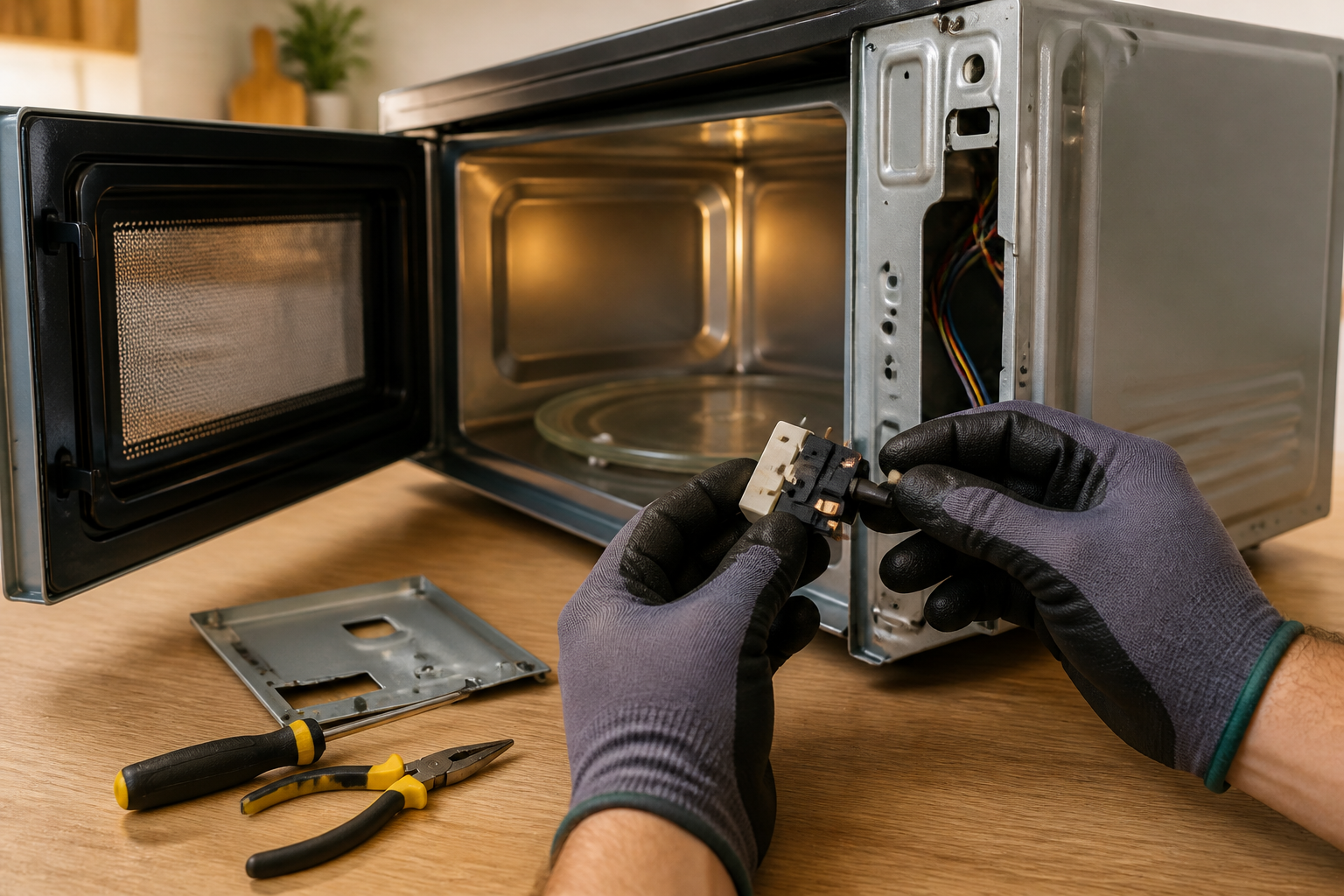
Door Switch Replacement for Whirlpool WMH31017HZ Over-the-Range Microwave
The door switch assembly in the Whirlpool WMH31017HZ is not just a random part; it’s essential for safety. This microwave model uses a three-switch interlock system, ensuring that the microwave won’t operate with the door open — a critical feature to prevent accidents. If any of these switches fail, you’ll run into issues like the microwave refusing to start, running with the door open (which is a serious safety hazard), or displaying error codes. This repair is classified as MODERATE difficulty due to the necessity of discharging high-voltage components and handling sensitive electrical connections. On average, it takes about 45-60 minutes and requires some basic electrical knowledge and safety precautions.
Symptoms
- Microwave will not start when door is closed and start button is pressed
- Unit displays “Door” error message on the digital display panel
- Microwave continues to operate when door is opened (immediate safety hazard)
- Intermittent operation where the unit sometimes works and sometimes doesn’t
- Clicking sounds from the door area when opening and closing without normal engagement
- Control panel lights up but turntable doesn’t rotate and no heating occurs
⚠️ Safety Warning
Microwave ovens contain high-voltage components that can deliver lethal electrical shock even when unplugged. The high-voltage capacitor in the Whirlpool WMH31017HZ can retain a dangerous charge for several hours after disconnection. Before beginning any repair work, unplug the unit for at least 24 hours or properly discharge the capacitor using an insulated screwdriver across the terminals. Never attempt this repair while the unit is plugged in. Always use non-conductive tools when possible and wear safety glasses. If you’re not comfortable working with high-voltage electrical components, contact a qualified technician immediately.
Parts Needed
- Door Switch Kit – Whirlpool Part Number W10211916 (contains three switches for complete replacement)
- Door Switch Primary – Part Number W10269458 (if replacing individual switch)
- Door Switch Secondary – Part Number W10269460 (monitor switch replacement)
- Wire connectors 16-14 AWG (if existing connectors are damaged)
- Electrical contact cleaner spray
- Dielectric grease for switch contacts
Tools Required
- Phillips head screwdriver set (including #1 and #2 sizes)
- Flat blade screwdriver (insulated handle preferred)
- Digital multimeter with continuity testing capability
- Wire strippers/electrical pliers
- Flashlight or work light for interior illumination
- Insulated work gloves
- Magnetic parts tray for organizing screws
Step-by-Step Instructions
Step 1: Power Disconnection and Preparation
🔧 Pro Tip from Dave
On the WMH31017HZ, the monitor switch — the third switch in the interlock chain — is the one that blows the fuse when it fails, so if you find a blown ceramic fuse, don’t just replace the fuse and call it done; test all three switches with a multimeter before reassembly or you’ll be right back in the same boat within days. I always replace all three switches as a set rather than just the obvious failed one, because if one has worn out from door cycling stress, the others are right behind it.
Unplug the Whirlpool WMH31017HZ from the electrical outlet and allow it to sit for at least 24 hours to discharge internal capacitors. If it’s mounted over a range, you may need to remove it from the mounting bracket by unscrewing the two upper cabinet mounting screws and having an assistant help lower the unit. Clear a stable work surface and position the microwave with easy access to the right side panel where the door switch assembly is located.
Step 2: Remove Outer Cabinet
Locate the right side panel of the WMH31017HZ and remove the three Phillips screws along the rear edge and two screws along the bottom edge. The screws are approximately 1/4 inch in length. Carefully slide the right side panel backward about 1 inch, then lift it away from the unit. This will expose the internal components including the door switch assembly mounted on the door frame.
Step 3: Locate Door Switch Assembly
With the side panel removed, identify the door switch assembly on the upper right portion of the door frame opening. The Whirlpool WMH31017HZ uses three door switches arranged vertically: the primary door switch (top), secondary door switch (middle), and monitor switch (bottom). Each switch has a small actuator arm that engages with tabs on the door when closed.
Step 4: Test Existing Switches
Before removal, test each switch with your multimeter set to continuity mode. Manually depress each switch actuator while testing across the terminals. The primary and secondary switches should show continuity when depressed (door closed position) and no continuity when released. The monitor switch operates inversely – showing continuity when released and no continuity when depressed. Record these readings to verify proper replacement function.
Step 5: Photograph Wire Connections
Take clear photographs of all wire connections to each switch before disconnection. The WMH31017HZ typically uses a white wire harness with multiple colored wires connecting to each switch. Note that the primary switch usually connects to white and black wires, the secondary switch to red and black wires, and the monitor switch to blue and black wires.
Step 6: Disconnect Electrical Connections
Carefully disconnect the wire connectors from each door switch by gently pulling on the connector bodies, not the wires themselves. The connectors on this model are typically push-on spade terminals that require a slight rocking motion while pulling to release. Clean any corrosion from the terminals using electrical contact cleaner if necessary.
Step 7: Remove Switch Mounting Hardware
Each door switch on the WMH31017HZ is secured by a single Phillips screw and a mounting bracket. Remove the Phillips screw from each switch bracket and note the position of any washers or spacers. The switches are positioned precisely to ensure proper engagement with the door tabs, so maintain the exact mounting positions during replacement.
Step 8: Install New Door Switches
Install the replacement switches in the reverse order of removal, ensuring each switch is positioned exactly as the original. The actuator arms must align precisely with the door engagement tabs. Secure each switch with its mounting screw, tightening to snug but not over-tight to avoid cracking the plastic switch housing.
Step 9: Reconnect Electrical Connections
Reconnect the wire harnesses to each new switch according to your reference photographs. Ensure all connections are fully seated and secure. Apply a small amount of dielectric grease to the terminals to prevent future corrosion. Verify that no wires are pinched or touching sharp metal edges.
Step 10: Test Switch Operation
Before reassembling the cabinet, test each new switch with your multimeter to confirm proper operation. Manually actuate each switch and verify the correct continuity readings match those specified in Step 4. This verification ensures the switches will function properly when the door is cycled.
Step 11: Reassemble Cabinet
Reinstall the right side panel by reversing the removal process. Ensure all wires are clear of the panel edges before sliding it into position. Replace all five mounting screws and tighten securely. Double-check that the panel is properly aligned and flush with the cabinet.
Step 12: Final Testing
Reconnect power to the Whirlpool WMH31017HZ and perform a complete operational test. Close the door and attempt to start the microwave with a cup of water inside for 30 seconds. Verify that the unit starts normally, then open the door mid-cycle to confirm it stops immediately. Test the door multiple times to ensure consistent operation.
Troubleshooting
- If the microwave still won’t start after replacement, verify all wire connections are secure and properly seated on the switch terminals
- When the unit continues to show door errors, check that the door alignment is correct and the engagement tabs are not bent or damaged
- If operation is intermittent, inspect the door latch mechanism for wear and ensure the switches are mounted at the correct height for proper engagement
- When the microwave starts but immediately stops, the monitor switch may be wired incorrectly – verify it’s connected to the proper terminals
- If there’s no response at all, test the main fuse (typically 20-amp) located near the power input, as door switch failures can sometimes cause fuse failure
- For continued problems, the control board may have sustained damage from the original switch failure and may require professional diagnosis
When to Call a Professional
- If you’re uncomfortable working with high-voltage electrical components or don’t have experience with appliance repair
- When the microwave continues to operate with the door open even after switch replacement, indicating potential control board failure
- If you discover damaged wiring or burned components during the inspection that extend beyond the door switch assembly
- When the unit requires removal from over-range mounting and you don’t have adequate assistance or experience with appliance installation
When to Call a Professional
Most of the repairs in this guide are within reach for a careful DIYer with basic tools. In my experience, if you power up after the switch replacement and the unit still blows fuses, trips the breaker, produces arcing sounds, or if you find any burned or melted wiring harness connectors during disassembly, that microwave needs to be on a certified technician’s bench — those are signs the fault cascaded into the control board or magnetron circuit, and that’s no longer a straightforward switch job. When in doubt, a diagnostic service call typically costs $80–$120 and can save you from a misdiagnosis that costs more in parts.
Recommended Parts & Tools
Whirlpool W10211921 Microwave Door Switch Assembly
This genuine OEM door switch replacement part is specifically designed for Whirlpool over-the-range microwaves including the WMH31017HZ model. The W10211921 switch assembly ensures proper door latching detection and safety operation when the microwave door is opened or closed.
Amartisan 10-Piece Magnetic Screwdrivers Set
Essential precision screwdrivers needed to safely remove the outer casing and access the door switch assembly on your Whirlpool WMH31017HZ microwave. This set includes the Phillips head screwdrivers typically required for microwave panel removal and internal component access.
The Door Switch Assembly That Stops the WMH31017HZ from Nuking Itself
When a Whirlpool WMH31017HZ door switch fails, especially that secondary interlock, you’re looking at a unit that won’t shut down properly — and that’s a safety issue, not just an inconvenience. This is the exact assembly to go to on nearly every call, because the OEM part fits the three-switch sequence without any adapter nonsense.
What Works
- Drops directly into the door latch housing with zero forcing — the connector aligns on the first try, which saves you an hour of frustration on a tight component.
- Resolves both the “won’t start” and “won’t stop” symptoms because you’re replacing the entire interlock stack at once, not guessing which of the three switches is actually bad.
- Ships with the correct harness already attached — I’ve had jobs stall because a generic switch came with the wrong connector configuration.
What Doesn’t
- It’s pricier than hunting down individual switches, but that’s because you’re getting the full assembly — trying to save $15 by replacing just one switch usually means a return trip.
- Door latch removal on this model is tight, and the assembly itself is still a bit cramped to maneuver into place if you’re working without a helper or proper lighting.
I once ordered individual switches thinking I could save money and avoided the main assembly — turned out the secondary switch was fine and I was chasing the wrong component for two days. Skip that headache and order the Whirlpool W10211921 Microwave Door Switch Assembly from the start.
About This Article

Written by Dave Holt. Dave Holt has been taking apart and fixing household appliances since he was a teenager who couldn't leave a broken one alone. Eighteen years later, after fixing things for neighbors, friends, and anyone who'd let him, he's seen almost every failure mode there is. When he writes a repair guide here, it's based on the actual job, not a manufacturer overview. More about this site.
Scope and limits. Dave is a self-taught repairer, not a certified appliance technician. Unplug before you open anything, and leave sealed refrigeration systems, gas connections, and hardwired circuits to a qualified technician.

