Complete Repair Guide for LG WM3400CW: Spider Arm Failure, Hall Sensor Issues, and LE Error Code
The LG WM3400CW front-load washer is a machine I’ve run into more than once, and while it’s generally reliable it can develop problems over time. In this guide I’ll help you understand three common ones — spider arm failure, hall sensor malfunction, and the LE error code. I’ll walk you through diagnosing each and making the repairs yourself with confidence.
Understanding the LE Error Code on the LG WM3400CW
When you see the LE error code on your LG WM3400CW, it indicates a locked rotor or rotor position sensor failure. This means the washer’s control board has detected an issue preventing the drum motor from rotating freely, or the sensor that monitors rotor position is malfunctioning. The WM3400CW uses a direct-drive motor system, known for its efficiency, but it can be sensitive to rotor position detection issues.
Generally, when the LE error code appears, the washer will stop mid-cycle, refusing to complete the wash. You may hear the motor humming without spinning, or the drum may not rotate at all. This error could stem from a failed hall sensor, a mechanical blockage in the drum, internal motor failure, or a compromised rotor position sensor circuit.
Understanding this error code is crucial; it’s the washer’s way of protecting itself from damage. If the rotor can’t move, continuing to operate could risk burning out the motor or damaging the control board. So, let’s dive into diagnosing and fixing this issue.
What Is the Spider Arm and Why Does It Fail?
Spider Arm Anatomy and Function
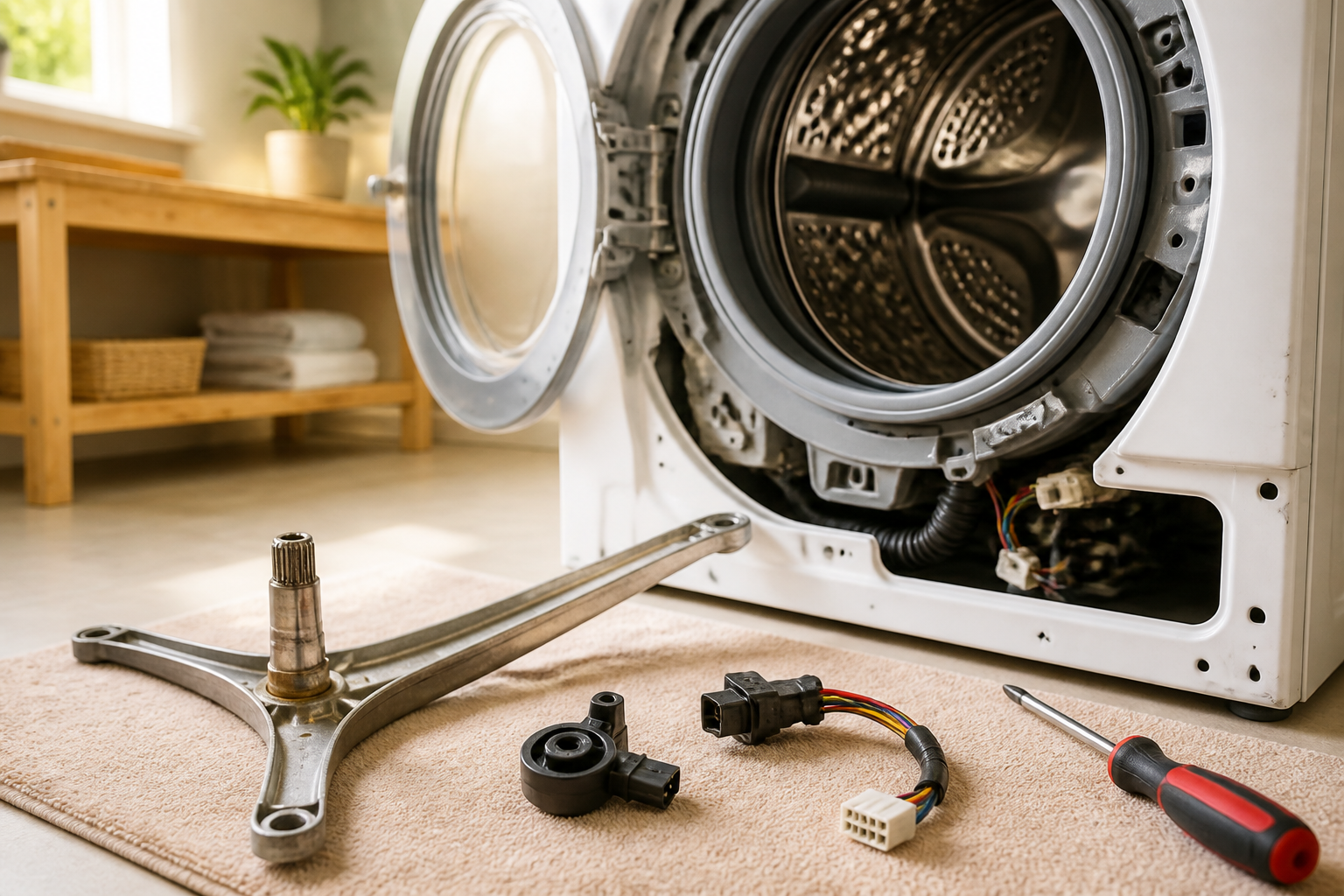
The spider arm on the LG WM3400CW is a three-pronged metal support structure that holds the front of the drum bearing assembly. Its design resembles a spider, hence the name. This component is bolted to the back of the drum and extends into the tub, supporting the entire weight of the drum and all the wet clothes during the spin cycle. That’s some serious pressure—over 300 pounds!
On this model, the spider arm is made of cast metal, connecting the drum to the tub via sealed bearings that allow for smooth spinning. It’s critical for proper drum alignment and balance.
Why Spider Arms Fail
There are several reasons why spider arms fail on the WM3400CW. Normal wear and tear can fatigue the metal over time. Overloading the washer with too many clothes concentrates stress on the spider arm bearings. Additionally, calcium deposits and detergent residue can build up in the tub, creating friction against the spinning drum and making the spider arm work harder than it should. I’ve encountered cases where manufacturing defects have caused premature spider arm failure after just a few years.
Symptoms of Spider Arm Failure on the WM3400CW
- Drum wobble or side-to-side movement: If you notice the drum moving laterally during the spin cycle, that’s a sign the spider arm isn’t supporting the drum properly.
- Metal shavings or debris: Spotting gray or silver particles in the lint trap or on clothes is a red flag—those come from bearing wear as the spider arm deteriorates.
- Loud banging or grinding noises: As the spider arm weakens, the drum can make contact with the tub wall, creating loud metallic banging sounds. Grinding noises indicate bearing material is being damaged.
- Clothes getting caught: A misaligned drum can create gaps where fabric catches, leading to torn clothes and potential damage to the drum seal.
- Burning smell: Friction from a failing spider arm bearing can generate heat, leading to a burnt rubber or metal smell.
- Water leaking from the front seal: Drum misalignment can put pressure on the front tub seal, which may cause leaks.
- Difficulty starting wash cycles: If the drum is severely misaligned, it could prevent the door latch from engaging properly.
The Hall Sensor on the LG WM3400CW: Location and Function
Is the Hall Sensor Built Into the Motor?
A common question I get about the WM3400CW is whether the hall sensor is integrated into the motor. The answer is no. The hall sensor is actually mounted separately on the stator assembly in the direct-drive motor system.
Hall Sensor Location on the WM3400CW
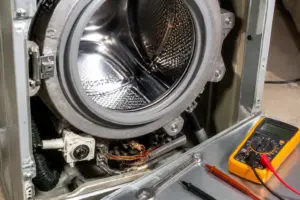
To locate the hall sensor, you’ll need to remove the back panel of your WM3400CW by unbolting it. Once the panel is off, look for the stator at the rear of the motor assembly. The stator is a flat, disc-shaped metal component with copper wire windings. The hall sensor is a small black rectangular component, around 1 inch long and 0.5 inches wide, mounted directly to this stator assembly with one or two screws.
The hall sensor features a three-wire connector: one red wire (power), one black wire (ground), and one yellow or green wire (signal). It detects magnetic field changes from the rotor magnets as the rotor spins, sending this information to the control board to manage motor rotation and speed control.
Why Hall Sensor Failure Causes the LE Error
When the hall sensor fails, it stops relaying rotor position data to the control board. Without this feedback, the control board assumes the rotor is stuck and triggers the LE error code as a safety precaution. This mechanism is designed to prevent motor damage if it’s stalled.
⚠️ Safety Warning
Before starting any repair on the WM3400CW, be sure to unplug the washer from the electrical outlet. Never attempt repairs with the power connected. The motor operates at 240 volts, which can be deadly. Even after unplugging, internal components may still hold dangerous charges. Wait at least 5 minutes before touching any internal parts. If working with electrical components makes you uneasy, it’s best to consult a professional technician.
Testing the Hall Sensor with a Multimeter
Multimeter Preparation
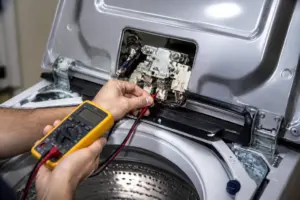
To test the hall sensor, you’ll need a digital multimeter. Set it to measure resistance (ohms) or DC voltage. A standard multimeter priced around $20-40 will do the trick. Just remember to unplug the WM3400CW before starting.
Testing Procedure
- Remove the back panel of the WM3400CW by unbolting all fasteners along the bottom and sides.
- Locate the hall sensor connector on the stator assembly. It’s a three-pin plastic connector.
- Carefully disconnect this connector by gently pulling it straight out.
- Set your multimeter to the resistance setting (ohms). This is typically marked with the omega symbol (Ω).
- Touch the red probe to the red wire terminal and the black probe to the black wire terminal in the connector. A functioning hall sensor should show between 150-500 ohms. If your meter shows 0 ohms (short circuit) or infinite resistance (open circuit), then the sensor is defective.
- With the WM3400CW still unplugged, use a non-contact voltage tester to ensure there’s no power at the connector before proceeding.
- Manually rotate the rotor by hand. Watch for any resistance changes on your multimeter as you rotate. A working hall sensor will show slight fluctuations in resistance as the rotor position changes.
Interpreting Your Test Results
If the resistance is between 150-500 ohms and stable: The hall sensor is likely functioning. The LE error might be due to another issue, like spider arm misalignment preventing the rotor from turning.
If the resistance is 0 ohms: The sensor is shorted and requires replacement.
If the resistance is infinite or the meter reads “OL” (overload): The sensor is open-circuited and has failed internally. You’ll need to replace it.
If the resistance fluctuates wildly or erratically: The sensor connection could be corroded, or the sensor is failing. Replacement is recommended.
Accessing the Rotor and Stator: Back Panel Removal
Tools Needed
- Adjustable wrench or socket set (10mm and 13mm sockets typically)
- Torx screwdriver set (T15 and T25 bits)
- Multimeter
- Container for small parts
- Clean cloth or paper towels
- Rotor bolt removal tool (you can use a rubber mallet and socket if you don’t have a specialized tool)
Back Panel Removal Steps
- Ensure the WM3400CW is unplugged and the power cord is out of reach while working.
- Close the washer door and remove the detergent dispenser drawer by sliding it straight out.
- Move the WM3400CW away from the wall to access the back. You’ll need space to remove the back panel.
- Locate the bolts holding the back panel. Typically, there are six bolts: four along the bottom edge and two on the sides near the top. Remove these bolts with a 10mm or 13mm socket, depending on your model year.
- Carefully pull the back panel straight toward you. If there’s a thin wire harness connecting it to the main assembly, disconnect it gently.
- Set the back panel down on a clean surface where it won’t be damaged. Avoid laying it face-down to prevent bending internal components.
Rotor Bolt Removal
With the back panel removed, you can access the rotor, which is a cylindrical metal component in the center of the motor assembly. It’s held in place by a large bolt (typically 24mm) that’s torqued extremely tight during manufacturing.
To remove the rotor bolt:
- You’ll need a rotor bolt socket or a 24mm socket with a sturdy breaker bar or impact wrench. The bolt typically requires 30-50 foot-pounds of torque to loosen.
- The bolt usually has a reverse thread, meaning it loosens by turning clockwise (unlike most bolts). Check your service manual to confirm the direction for your specific model year.
- If the bolt won’t budge with a standard wrench, try tapping the breaker bar with a rubber mallet while applying steady pressure. Avoid striking the socket directly to prevent damage.
- Some technicians use a rubber mallet to gently tap the rotor itself while applying counter-pressure with the socket to help break the bolt loose without damaging the shaft.
- Once the bolt is loose, remove it completely and set it aside in a safe place for reinstallation.
- Carefully slide the rotor straight out towards you. You may need to gently rock it to free it from the motor shaft.
Rotor Position Sensor (Hall Sensor) Replacement Procedure
Parts Required
For the LG WM3400CW, the hall sensor part number is 6501KW2002A or the updated equivalent 6501KW2002B. Always verify the correct part number for your specific washer by checking the manufacturer’s manual or parts database, as there can be minor variations between production years.
Sensor Replacement Steps
- With the rotor removed, you now have full access to the stator assembly at the back.
- Locate the hall sensor mounted on the stator. It’s the small black rectangular component with a three-wire connector.
- Disconnect the three-wire connector by gently pulling it straight out. If it’s stuck, wiggle it gently while pulling.
- The sensor is secured to the stator with one or two small screws, typically T15 Torx head. Remove these screws and keep them aside in a container.
- Carefully lift the old hall sensor off the stator. Note its orientation, as the new sensor must be installed the same way.
- If the mounting surface is dirty, clean it with a dry cloth—avoid using water or solvents that could damage internal components.
- Position the new hall sensor in the same spot as the old one, ensuring the three-wire connector faces the same direction.
- Install the mounting screws, tightening them firmly without overdoing it to avoid cracking the plastic sensor body. They should be snug—about 1-2 foot-pounds of torque.
- Reconnect the three-wire connector, ensuring it’s fully seated. You should hear a click if it has a locking tab.
- Before reassembling, manually rotate the rotor by hand and verify with your multimeter that the new sensor reads 150-500 ohms and shows resistance variation as the rotor moves.
Spider Arm Replacement: Complete Procedure
Parts Required
The spider arm part number for the LG WM3400CW is 4280EA4001T or 4280EA4001S, depending on your model year. Some kits include the bearing assembly, while others provide just the spider arm casting. Verify your part number against your washer’s serial number to ensure compatibility.
Accessing the Spider Arm
The spider arm is located behind the drum, so you’ll need to remove the drum to access it. This repair is more involved than replacing the hall sensor.
- Unplug the WM3400CW from the electrical outlet and wait 5 minutes.
- Remove the back panel using the steps detailed above.
- Disconnect the rotor bolt and remove the rotor as described earlier.
- Locate the front drum bearing cover—a large circular metal plate on the back of the drum. This cover holds the spider arm in place.
- On the WM3400CW, the bearing cover is secured with multiple bolts (typically 8-12 bolts in a circular pattern). Remove all these bolts using a 10mm or 13mm socket. Place them in a small container to keep track of them.
- Carefully pull the bearing cover straight towards you. If it’s tight, slight rocking may be needed. Avoid prying with a screwdriver to prevent damage.
- Once the cover is off, you’ll see the spider arm—a three-pronged metal structure bolted to the back of the drum at three points.
- Support the drum’s weight with a helper or use a hydraulic floor jack with a wooden block to prevent it from falling while you remove the spider arm bolts.
- Remove the three bolts holding the spider arm to the drum, typically 13mm or 15mm bolts that may be very tight due to factory torque specs (usually 30-50 foot-pounds).
- Once the bolts are out, carefully pull the spider arm towards the rear, away from the drum. It may have sealed bearings that require gentle wiggling to free.
Installing the New Spider Arm on Your WM3400CW
- Before installation, inspect the replacement spider arm. It should look identical to the original, with three evenly spaced legs and mounting holes that align with the drum.
- Position the new spider arm so its legs extend toward the rear of the tub, with the mounting surface facing the rear of the drum.
- Insert the three mounting bolts through the spider arm holes and into the threaded holes in the drum. These bolts must be torqued to the specifications in your service manual, typically 35-45 foot-pounds. Tighten them in a star pattern to ensure even pressure.
- After securing the spider arm, check for any interference with the tub. Rotate the drum by hand to confirm it moves freely.
- Reinstall the bearing cover over the spider arm, aligning the bolt holes carefully.
- Install all bolts in the bearing cover using a criss-cross pattern for even seating. Torque these bolts to about 15-20 foot-pounds.
- Reinstall the rotor by sliding it onto the motor shaft and tightening the rotor bolt to 40-50 foot-pounds (remember, it has reverse thread).
- Reattach the back panel and all its fasteners.
- Before plugging in the WM3400CW, rotate the drum by hand through a complete revolution to ensure everything is aligned properly.
How to Clear the LE Error After Repair
After you’ve completed repairs on your WM3400CW—whether it’s hall sensor replacement or spider arm repair—the LE error code should clear automatically during the next wash cycle. The control board will re-evaluate the rotor position sensor signal and, finding a proper reading, will not trigger the code again. If the LE error returns after your repair, double-check the connector seating and confirm that the drum rotates freely before assuming another component has failed.
Recommended Parts & Tools
LG Washer Spider Arm Assembly Replacement
The spider arm is often the primary component failing in the WM3400CW, as it supports the drum and can crack or wear out over time, causing the LE error code. This genuine LG replacement part ensures proper drum alignment and operation.
iFixit Essential Electronics Toolkit
Accessing the spider arm and hall sensor on your LG washer requires removing panels and internal components, making a quality screwdriver set and socket tools essential. This comprehensive toolkit includes all the drivers and extractors needed for safe disassembly without stripping fasteners.
LG Washer Hall Sensor Replacement Part
The hall sensor monitors drum position and triggers the LE error when it malfunctions or becomes disconnected. Replacing this sensor along with the spider arm ensures both the mechanical support and electronic detection systems work properly.
The Spider Arm Assembly That Stops the Drum-Won’t-Turn Problem Cold
If your WM3400CW drum isn’t spinning or is making grinding noises during the wash cycle, the spider arm is usually the culprit—and it’s the first part I replace before chasing sensor issues. This assembly failure is what actually prevents water and detergent from reaching the drum properly, and it’s a straightforward swap if you catch it early.
What works
- Bolts directly into the same mounting points as the factory part—no modification or adapter fussing required on this model.
- Comes pre-assembled, which saves you 20 minutes of fiddling with the individual spokes and clips inside the drum housing.
- Once installed, the drum spins smoothly again and the grinding noise disappears immediately—a real confidence builder that you ordered the right part.
What doesn’t
- Installation still requires draining the tub and removing the front panel—plan on 45 minutes to an hour of work, not a 10-minute job.
- Won’t fix the LE error code if it’s actually caused by a Hall sensor malfunction rather than mechanical arm failure—you’ll need to diagnose which issue you actually have first.
The real friction point I’ve hit: replacing the spider arm without first confirming the sensor isn’t the actual problem means you’ll end up ordering a second part and pulling the washer apart twice. Run a continuity test on the Hall sensor before you order anything, or at minimum, listen carefully to whether the drum physically won’t turn or if it turns but the washer stops with an error code. Get the LG Washer Spider Arm Assembly Replacement when you’re confident the arm itself is cracked or worn.
About This Article

Written by Dave Holt. Dave Holt has been taking apart and fixing household appliances since he was a teenager who couldn't leave a broken one alone. Eighteen years later, after fixing things for neighbors, friends, and anyone who'd let him, he's seen almost every failure mode there is. When he writes a repair guide here, it's based on the actual job, not a manufacturer overview. More about this site.
Scope and limits. Dave is a self-taught repairer, not a certified appliance technician. Unplug before you open anything, and leave sealed refrigeration systems, gas connections, and hardwired circuits to a qualified technician.