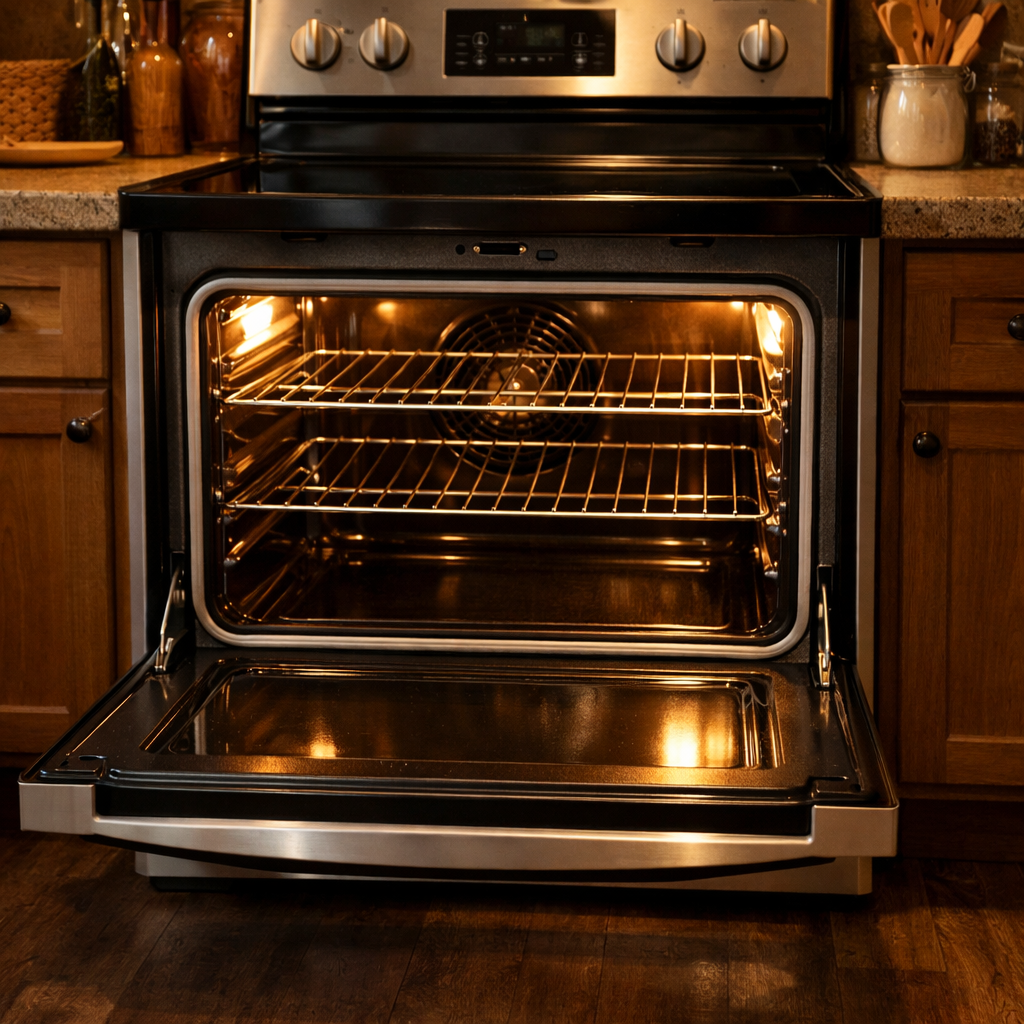

🔩 Glass Touch Control Panel Repair Guide for LG LRE3193ST (Electric Range)
💡 This repair guide will be expanded with detailed instructions. Claude AI will add comprehensive explanations, safety tips, troubleshooting advice, and product recommendations.
🔨 Pro Tip from Dave
Before ordering part ACQ88399501, make sure to do a hard reset first — cut power at the breaker for 5 minutes. Sometimes a voltage spike can lock up the touch interface. A common mistake I see DIYers make is forcing the ribbon cable connector; remember, it has a tiny locking tab that you need to flip up before pulling. If you tear that connector, you’ll end up buying a control board you didn’t plan for.
🔍 Symptoms
Touch controls not responding, display issues
🔧 Part Numbers
- ACQ88399501
🔧 Required Tools
- Phillips screwdriver
- Torx screwdriver
✔️ Difficulty & Cost
Difficulty: Moderate
Estimated Cost: $150-250
✔️ Repair Steps
Step 1: Disconnect power
Disconnect Power
1. Find your home’s main electrical panel (breaker box), which is usually in the basement, garage, utility room, or along an exterior wall.
2. Open the breaker panel door by pulling the metal latch or turning the screw fastener counterclockwise.
3. Look for the breaker labeled “Range,” “Electric Range,” “Kitchen Range,” or something similar. This will be a double-pole breaker rated at 40 or 50 amps, much larger than the standard 15-20 amp breakers.
4. Flip both switches of the double-pole breaker to the OFF position. When you do this, the switches should move from pointing toward the center of the panel to pointing toward the outer edge.
5. Place a piece of tape over the breaker switches, labeling it “DO NOT TURN ON – REPAIR IN PROGRESS” to prevent anyone from accidentally restoring power while you’re working.
6. Go back to the range and try to turn on a burner or the oven. The controls shouldn’t respond, and no lights should come on. If anything powers on, double-check that you turned off the correct breaker.
7. Pull the range away from the wall about 2-3 feet to get to the rear panel. It might help to slide something protective under the front legs to avoid scratching your floor.
8. Locate the power cord connection at the lower rear of the range, about 6-8 inches from the bottom and centered horizontally. You’ll find a hardwired connection in a metal junction box or a power cord plug.
9. If your range has a power cord plug: Grasp the plug body (not the cord) and pull it straight out from the wall outlet. Avoid pulling on the cord itself.
10. If your range is hardwired: Use a Phillips-head #2 screwdriver to remove the junction box cover plate screws (typically 2-4 screws). Set the cover plate and screws aside.
11. Use a non-contact voltage tester by holding the tip within 1 inch of each visible wire terminal inside the junction box. The tester shouldn’t beep or light up. Test all visible wire connections.
12. If the voltage tester activates on any wire, go back to the breaker panel immediately and verify you’ve switched off the correct breaker. Test again until you detect no voltage.
Troubleshooting Tips
If the voltage tester beeps or lights up after turning off the breaker: You’ve turned off the wrong breaker. Check each double-pole 40-50 amp breaker in your panel until you find the one that cuts power to the range.
If you don’t own a non-contact voltage tester: I recommend buying one for 5-25 at any hardware store before continuing. Testing voltage without the proper tools can be dangerous.
If the breaker panel has no labels: Turn off one double-pole breaker at a time and check if the range loses power. Label the correct breaker once identified.
Step 2: Remove control panel screws
Remove Control Panel Screws
1. Locate the two Phillips-head screws on the front face of the control panel, positioned at the far left and far right edges of the glass touch panel, about 1 inch below the top edge of the panel frame.
2. Using a Phillips-head #2 screwdriver, turn the left screw counterclockwise 4-5 full rotations until it releases completely from the mounting bracket. This screw is about 3/4 inch long with a flat head.
3. Catch the screw as it loosens—if you miss it, these screws can drop behind the control panel. Store it in a small container or magnetic tray right away.
4. Repeat the removal process on the right screw, turning it counterclockwise 4-5 full rotations until it’s completely released. Store this screw with the first one.
5. Open the oven door fully to access the interior mounting screws. Look at the top interior edge of the oven cavity, right beneath where the control panel sits.
6. Identify four additional Phillips-head screws along the top interior lip: two are positioned 3 inches from each side edge, and two center screws spaced approximately 8 inches apart. These screws are silver-colored and about 1/2 inch long.
7. Start with the leftmost interior screw, turning counterclockwise 3-4 full rotations with your Phillips-head #2 screwdriver. This screw threads directly into the metal mounting bracket.
8. Continue moving right, removing each of the remaining three interior screws in order. Each screw requires 3-4 counterclockwise rotations to remove completely.
9. Store all four interior screws with the two front panel screws—you now have six in total to reinstall later.
10. Grasp the control panel along both side edges, hands positioned 2-3 inches from each corner. The panel should now be loose but still connected by wire harnesses behind it.
11. Pull the top edge of the control panel forward about 2 inches, tilting it away from the range body at a 30-degree angle. The panel will pivot from the bottom edge.
Troubleshooting Tips for This Step
If a screw won’t turn: The threads might have thread-locking compound applied. Apply steady pressure while turning—don’t force it. If it still resists after 10 seconds, press the screwdriver firmly into the screw head and turn with increased force to break the thread-lock bond.
If you drop a screw behind the panel: Don’t proceed until you retrieve it. Tilt the range backward 15-20 degrees (with someone else’s help) and the screw will slide to the bottom front edge where you can grab it. A dropped screw can short electrical components if left inside.
If the control panel won’t tilt forward after screw removal: One screw may still be partially threaded. Recheck all six screw locations—interior screws might need an extra rotation to clear the mounting bracket threads completely.
If screw heads strip during removal: Use a larger Phillips-head #3 screwdriver for better grip in the damaged screw head, or switch to a manual screwdriver instead of powered for better control.
Step 3: Carefully disconnect ribbon cables
Carefully Disconnect Ribbon Cables
1. Locate the two ribbon cables on the back of the glass touch control panel – one white ribbon cable (about 2 inches wide with 20 visible copper traces) positioned at the top-left corner, and a smaller gray ribbon cable (about 1 inch wide with 12 visible copper traces) at the bottom-right corner.
2. Identify the white locking tab on the first connector (top-left) – this is a horizontal plastic piece about 1/8 inch thick that secures the ribbon cable in place.
3. With your thumb and index finger, grip the white locking tab on both sides and gently lift it upward about 1/8 inch until it pivots to a 45-degree angle – you’ll feel slight resistance, then the tab will move freely when unlocked.
4. Grasp the blue plastic pull-tab at the end of the white ribbon cable (not the copper traces) and pull the ribbon cable straight out horizontally with steady pressure – it should slide out without resistance.
5. Move to the gray ribbon cable connector at the bottom-right – locate the black locking tab, which uses the same mechanism as the white connector.
6. Lift the black locking tab upward about 1/8 inch until it reaches a 45-degree angle using the same grip technique.
7. Pull the gray ribbon cable straight out horizontally by grasping its orange plastic pull-tab – avoid bending or creasing the cable during removal.
8. Position both disconnected ribbon cables toward the center of the control panel, away from any sharp metal edges or screw holes that could damage them.
Troubleshooting Tips for This Step
If the locking tab won’t lift: The tab might already be in the unlocked position. Check if it’s flat against the connector base (locked) or at an angle (unlocked). Some connectors ship in the unlocked position.
If the ribbon cable won’t slide out after unlocking: Ensure the locking tab is fully raised to 45 degrees. Try gently wiggling the ribbon cable side-to-side while pulling straight out—never pull at an angle, as this can damage the copper traces.
If you accidentally tear or crease the ribbon cable: The copper traces inside are very fragile. A crease or tear means you’ll need to replace the cable (LG part number EAD62385601 for the white cable, EAD62385602 for the gray cable). Don’t try to repair creased ribbon cables.
If the locking tab breaks off: The connector won’t secure the ribbon cable properly. You’ll have to replace the entire control board assembly, as these connectors are soldered to the circuit board.
If you’re unsure which position is locked vs. unlocked: Locked position means the tab sits flat and horizontal against the connector. Unlocked position means the tab is raised at a 45-degree angle. When properly unlocked, you should see a visible gap between the tab and the connector base.
Success verification: Both ribbon cables should be completely separated from their connectors with no visible damage to the copper traces or plastic pull-tabs. The locking tabs should still be attached to their connectors.
Step 4: Remove old panel
Remove Old Panel
1. Locate the ribbon cable connector at the bottom right corner of the control panel, about 2 inches from the right edge. This is a white plastic connector, 1 inch wide, with a thin flat cable (ribbon cable) attached.
2. Using your fingers, grip the white plastic connector housing (not the ribbon cable). Pull straight down and away from the control board with steady pressure. You’ll feel it release with about 2-3 pounds of force—when it’s released, it separates cleanly.
3. Once disconnected, guide the ribbon cable backward through the opening in the metal frame. The cable is about 8-10 inches long and may need a slight fold to clear the frame opening.
4. Identify four mounting clips holding the glass panel in place: two at the top corners (1 inch from each edge) and two at the bottom corners (1 inch from each edge). These are spring-loaded metal clips with small tabs.
5. Starting with the top left clip, press the release tab downward (toward the floor) about 1/4 inch using your thumb or a flathead screwdriver. While pressing, slide the glass panel forward about 1/8 inch to disengage it from the clip.
6. Repeat for the top right clip using the same downward pressure and forward sliding motion.
7. Support the glass panel with one hand while releasing the bottom clips. Press each bottom clip’s release tab downward and slide the panel forward.
8. With all four clips released, lift the entire glass control panel assembly straight up and away from the range. The panel weighs about 1-2 pounds.
9. Inspect the ribbon cable connector end (the part that was plugged into the control board). You should see 12-20 thin gold or copper contact strips inside the white connector housing. These must be clean and undamaged.
Troubleshooting: Common Issues During Panel Removal
If the ribbon cable tears when pulling the connector: You’ll need to order a replacement panel assembly (part number ACZ73189601). The cable cannot be repaired independently.
If clips won’t release: Apply penetrating oil (WD-40) to the clip mechanism. Wait 5 minutes, then retry pressing the release tab with a flathead screwdriver for added leverage.
If the panel feels stuck after releasing clips: Check for any adhesive residue along the edges. Run a plastic card (like a credit card) between the panel and frame to break any adhesive seal.
If ribbon cable contact strips appear black or corroded: Clean them with 90% isopropyl alcohol on a cotton swab. Rub each contact strip 3-4 times until the gold/copper color is visible. Allow to dry for 2 minutes before reconnecting.
If you accidentally bend the ribbon cable sharply (more than 90 degrees): Inspect the cable for cracks or tears along the fold. A damaged cable will cause intermittent or complete control failure and requires panel replacement.
Step 5: Install new panel
Install New Panel
1. Remove the new glass touch control panel from its packaging and check for the connector ribbon cable on the back—it’s a flat, translucent cable about 1.5 inches wide that extends from the bottom edge of the panel.
2. Position the new panel at a 45-degree angle approximately 6 inches in front of the control panel opening, with the glass side facing you and the ribbon cable hanging down toward the floor.
3. Locate the white ribbon cable connector on the control board inside the range top—it’s positioned at the center-rear of the opening, approximately 3 inches back from the front edge. The connector is a white rectangular socket with a black locking tab on top.
4. Route the ribbon cable from the new panel through the control panel opening, feeding it straight back toward the white connector. Keep the cable flat and untwisted—any twists will prevent proper connection.
5. Align the ribbon cable end with the white connector socket, ensuring the copper contact side of the cable (gold-colored lines) is facing downward toward the circuit board. The cable has a slight notch on one side that matches a tab inside the connector.
6. Slide the ribbon cable into the white connector socket, pushing it in until you feel resistance—approximately 0.25 inches of cable should insert into the socket.
7. Press down firmly on the black locking tab on top of the white connector using your thumb. The tab should click down and lock flush with the connector body. Gently tug on the ribbon cable—it shouldn’t pull out more than 1/16 inch if properly locked.
8. Position the new glass panel flat against the range top surface, aligning the four mounting holes on the panel’s underside with the four threaded inserts in the range top. The panel edges should sit flush with the surrounding metal frame on all sides.
9. Insert the four Phillips-head screws (previously removed in Step 3) into the mounting holes—one at each corner, positioned about 1 inch from each edge. Hand-tighten each screw 2-3 turns before fully tightening any of them.
10. Tighten all four screws using a Phillips-head #2 screwdriver in a diagonal pattern (front-left, rear-right, front-right, rear-left). Apply firm pressure—about 15-20 inch-pounds—until the panel sits completely flat with no gaps between the glass and metal frame.
Troubleshooting This Step
If the ribbon cable won’t insert into the connector: Ensure the copper contacts face downward and the cable is completely flat without any twists. The cable only fits one direction due to the alignment notch.
If the black locking tab won’t press down: The cable isn’t fully inserted. Pull the cable out, verify the copper contacts face the correct direction, and push the cable in until you feel solid resistance before attempting to lock it.
If the panel doesn’t sit flush after tightening screws: Loosen all four screws, verify the ribbon cable isn’t kinked or bunched underneath the panel, and then re-tighten in the diagonal pattern outlined in substep 10.
Step 6: Reconnect cables
Reconnect Cables to Control Panel
Cable Reconnection Sequence
1. Locate the main ribbon cable connector hanging from the control panel – it’s a flat, wide white connector about 2 inches wide with a gray locking tab on top.
2. Identify the mating connector on the main control board located at the top rear of the range cavity – it’s a white rectangular socket positioned horizontally, approximately 8 inches from the left edge of the opening.
3. Hold the ribbon cable connector with the gray locking tab facing upward and the exposed metal contacts facing downward toward the control board socket.
4. Align the ribbon cable connector with the control board socket by matching the width – the connector will only fit one way due to the keyed design with a notch on the right side.
5. Push the ribbon cable connector straight down into the socket using firm, even pressure with both thumbs on the top edges until you feel it seat completely—there should be no visible gap between the plastic housings.
6. Press down on the gray locking tab until it clicks audibly into the locked position—the tab should be flat against the connector body when properly secured.
7. Locate the secondary wire harness connector (if your model has one) – this is a smaller white connector with 6 individual wires in colors: red, black, white, blue, yellow, and green, positioned 3 inches to the right of the ribbon cable connection.
8. Match the wire harness connector to its socket by aligning the plastic tab on the connector with the slot on the socket – the tab should be on the left side of the connector body.
9. Push the wire harness connector straight into the socket until you hear a distinct click – the locking tab on the connector will snap into place when fully seated.
10. Verify the ribbon cable connection by gently pulling on the cable itself (not the connector) with about 2-3 pounds of force—it shouldn’t come loose from the socket.
11. Verify the wire harness connection by tugging on each individual wire at the connector body—none should pull loose if properly seated.
Troubleshooting Cable Connections
If the ribbon cable won’t seat properly: Make sure the gray locking tab is in the fully open (raised) position before insertion. The tab must be lifted about 1/4 inch above the connector body to allow for insertion.
If you see damaged pins on the ribbon cable: Count the number of intact metal contacts—there should be 26 in total. If more than 2 are bent or missing, you’ll need to replace the ribbon cable (LG part #EBR78534301).
If the wire harness became disconnected during removal: Match wire colors to the corresponding colored dots on the control board socket. Red connects to the red dot, black to black, white to white, blue to blue, yellow to yellow, and green to the ground symbol (three horizontal lines decreasing in length).
If no click is heard when connecting: Remove the connector and check the locking tab for damage. The tab should have a small hook that engages a notch in the socket. If it’s broken, the connector will still work but may become loose during operation.
Verification test: After reconnection, wiggle each connector side-to-side with moderate pressure. Movement shouldn’t exceed 1-2mm if properly locked.
How Much Does This Repair Cost?
| Repair route | Typical cost |
|---|---|
| Do it yourself | $130–$190 (ACQ88399501 panel assembly) |
| Professional repair | $280–$400 (parts and labor) |
The replacement glass touch control panel assembly (ACQ88399501) typically costs $130–$190 through online parts suppliers for a DIY repair. A professional appliance technician will usually charge between $280–$400 total, factoring in parts markup and labor, so you can save quite a bit by handling this one yourself.
Recommended Products
These are the parts and tools I recommend for this repair, based on compatibility and customer reviews:
- 383EW1N006F Range Touchpad Control Panel Switch Membrane Compatible with LG LRE30451SB/LRE30451ST for Part Numbers AP4438640, 1318578, AH3522371, EA3522371, PS3522371
- LG AGM73329018 Range Touchpad Control Panel
- LG 6322FR2046C Genuine OEM Thermistor Temperature Sensor for LG Washing Machines
- LG ACQ87912404 Range Lower Oven Door Outer Panel
The Control Panel Assembly That Solves Most LG LRE3193ST Touch Panel Failures
If the glass touch control panel isn’t responding or has dead zones, you’re almost always dealing with a failed control panel assembly—not a wiring issue or software glitch. This genuine LG replacement (AGM73551615) is the part that resolves the problem nine times out of ten on this model.
What works
- Direct OEM part match means no compatibility guessing—it’s the exact assembly LG installed from the factory, so the connectors and mounting slots align perfectly.
- Genuine touch pad responsiveness returns immediately after installation; no lag or phantom touches like you sometimes get with aftermarket panels.
- Includes the full assembly (touchpad membrane, backing board, and connectors) so you’re not hunting for secondary components mid-repair.
What doesn’t
- OEM parts carry OEM pricing—expect to pay more than third-party control panel swaps, though the reliability difference justifies it on a range you use daily.
- Installation requires disconnecting the old assembly carefully to avoid damaging the ribbon connectors; rushing this step can crack the new part during installation.
In my early days, I once ordered a cheaper aftermarket panel first and found out mid-installation that the connector positioning was slightly off—wasted an afternoon troubleshooting before realizing I’d grabbed the wrong part. Save yourself that hassle and grab the genuine LG assembly from the start. LG AGM73551615 Genuine OEM Control Panel
About This Article

Written by Dave Holt. I have been taking apart and fixing household appliances since I was a teenager who couldn't leave a broken one alone. Eighteen years later, after fixing things for neighbors, friends, and anyone who'd let me, I have seen almost every failure mode there is — and misdiagnosed my share along the way. I am self-taught, with no formal training or certifications. When I write a repair guide here, it is based on the actual job, not a manufacturer overview. More about this site.
Scope and limits. Dave is a self-taught repairer, not a certified appliance technician. Unplug before you open anything, and leave sealed refrigeration systems, gas connections, and hardwired circuits to a qualified technician.