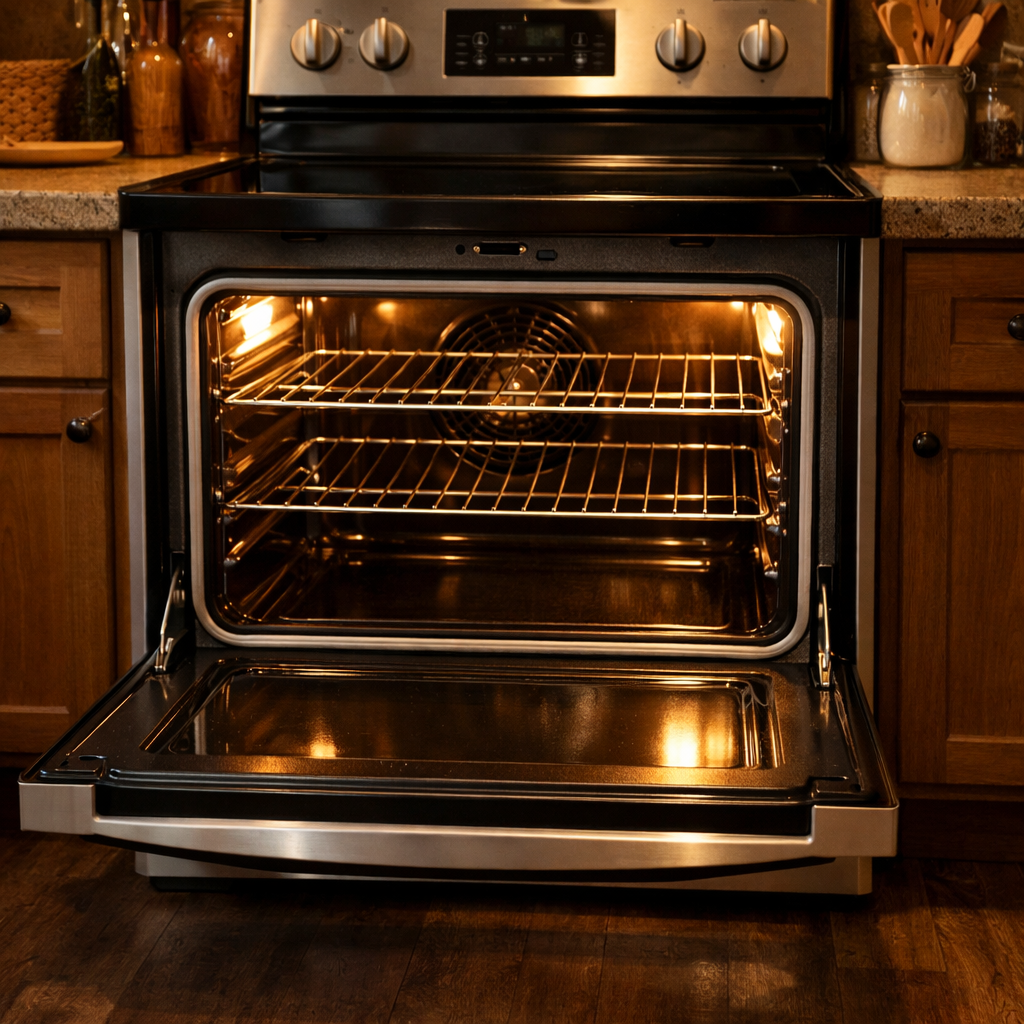

🔩 Bake Element Repair Guide for Frigidaire FGEW3066UF (Electric Wall Oven)
💡 This repair guide will be expanded with detailed instructions. I’ll be adding comprehensive explanations, safety tips, troubleshooting advice, and product recommendations.
🔨 Pro Tip from Dave
One common oversight for DIYers working on the FGEW3066UF is forgetting that the bake element connector terminals sit recessed deep in the oven cavity back wall. Use needle-nose pliers to gently pull them out before disconnecting, or you may lose them inside the wall. Also, part 318255006 is an updated cross-compatible replacement that tends to last longer than the original 316075103 on this model.
🔍 Symptoms
If your oven won’t bake or the element has visible damage, you’re likely facing a bake element issue.
🔧 Part Numbers
- 316075103
- 318255006
🔧 Required Tools
- 1/4″ nut driver
- work gloves
✔️ Difficulty & Cost
Difficulty: Easy
Estimated Cost: $25-45
✔️ Repair Steps
Step 1: Disconnect power
Disconnecting Power is crucial before starting any repair.
1. Locate your home’s electrical panel (this is usually in the basement, garage, utility room, or a hallway closet).
2. Open the breaker panel door by pulling the handle or lifting the cover.
3. Identify the breaker labeled “Wall Oven,” “Electric Oven,” or “Kitchen Appliances.” This is commonly a double-pole breaker (two switches connected) rated at 40-50 amps, which is wider than standard 15-20 amp breakers.
4. Flip the breaker to the OFF position by pushing the switch away from the center of the panel. The switch moves completely to the outer edge and may show a white or orange indicator.
5. Place a piece of masking tape across the breaker and write “DO NOT TURN ON – REPAIR IN PROGRESS” to prevent anyone from restoring power while you work.
6. Return to the oven and press any button on the control panel. The display should remain completely dark.
7. Set a multimeter to AC voltage mode (typically marked as “V~” or “VAC”) with a range of at least 250 volts.
8. Open the oven door fully.
9. Remove the two Phillips-head screws (one on each side) inside the oven cavity where the front frame meets the side walls, about 2 inches from the top edge.
10. Locate the junction box access panel on the back of the oven unit. If your oven is pulled out from the wall, you’ll find a metal cover plate about 4 inches wide by 6 inches tall, centered on the lower back panel, about 8-12 inches from the bottom.
11. If the oven is still installed in the wall cabinet, access the junction box from inside the cabinet above or below the oven, looking for the electrical conduit or cable entering the oven housing.
12. Remove the junction box cover by unscrewing the single Phillips-head screw holding it in place.
13. Inside the junction box, there will be 3-4 wires connected with wire nuts: two insulated wires (generally black and red for hot connections), one white wire (neutral), and one bare copper or green wire (ground).
14. Test the power with a multimeter: touch one probe to the black wire connection and the other probe to the white wire connection. It should read 0 volts.
15. Test between the red wire and the white wire; that reading should also be 0 volts.
16. Finally, test between the black and red wires, confirming complete power disconnection with a reading of 0 volts.
Troubleshooting Tips:
– If the display remains lit after turning off the breaker: You’ve turned off the wrong breaker. Return to the panel and try other double-pole breakers until the display goes dark.
– If you detect voltage at the wires: The breaker isn’t fully off, or you have the wrong breaker. Verify the breaker position at the electrical panel.
– If you can’t find a dedicated oven breaker: Look for breakers labeled “Range,” “Stove,” or any 40-50 amp double-pole breaker, as labeling varies by home.
Step 2: Remove mounting screws (inside oven)
Removing Mounting Screws is the next step.
1. Look at the back wall of the oven cavity where the bake element is located – you’ll see two metal mounting brackets, one on the left and one on the right, about 3 inches from the bottom and 4 inches from each side wall.
2. Locate the two hex-head screws securing the element brackets – one on the left bracket and one on the right bracket. These are 1/4-inch hex-head screws, typically silver or zinc-plated.
3. Use a 1/4-inch nut driver or socket wrench for removal. A nut driver is preferable in the confined space of the oven cavity.
4. Insert the nut driver onto the left mounting screw and turn counterclockwise 8-10 full rotations until the screw is completely free from the bracket. The screw is approximately 1 inch long.
5. Place the removed screw in a small container or magnetic tray – don’t set it inside the oven where it could fall into the insulation gap behind the element.
6. Repeat the removal process on the right mounting screw, turning counterclockwise until free.
7. Gently pull the element forward about 2-3 inches from the back wall – it should now move freely since the screws are no longer securing it. The element will pivot slightly as you pull it forward.
8. Look behind where the element was mounted – you’ll see two insulated wires (typically both black or one black and one red) coming through the back wall, connected to the element terminals with spade connectors.
9. Carefully reach behind the element, avoiding the sharp metal edges of the mounting brackets. The wire terminals are located about 2 inches behind the back wall.
10. Grasp each spade connector (not the wire itself) and pull straight off the element terminals with firm, steady pressure. If they resist, wiggle them side-to-side while pulling.
Troubleshooting Tips for This Step:
If screws won’t turn: The screws may have corrosion buildup from years of heat exposure. Apply penetrating oil (like WD-40) to each screw, wait 5 minutes, then retry. If still stuck, use a 6-point socket instead of a 12-point to prevent stripping.
If a screw falls behind the element: Do not proceed until you retrieve it – it could damage wiring or cause a short circuit. Use a flexible magnetic pickup tool or a straightened wire coat hanger with tape (sticky side out) to retrieve it from behind the back panel.
If the element won’t pull forward after removing screws: Check that both screws are completely removed. Sometimes one screw remains partially threaded, preventing movement. The element should slide forward easily with no resistance once both screws are out.
If wire connectors are extremely tight: The high heat can weld the connectors slightly. Use needle-nose pliers to grip the metal connector body (not the wire) and rock it back and forth while pulling to break the connection without damaging the terminal or wire.
Step 3: Pull element forward
Pulling the Element Forward is next.
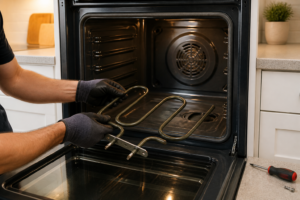
1. Grip the bake element firmly with both hands at the outer left and right edges where the metal loops meet the element body, about 2 inches from each side.
2. Pull the element straight toward you with steady, even pressure using both hands simultaneously. It should slide forward about 3-4 inches before stopping.
3. As you pull, watch for resistance around the 2-inch mark—this indicates the element tabs are clearing the rear wall bracket slots. Continue pulling until the element moves freely.
4. Once the element has moved forward 3-4 inches, tilt the left side slightly downward (about 15 degrees) while continuing to pull forward. This will allow it to clear the mounting bracket completely.
5. Repeat the tilting motion on the right side, alternating sides if needed, until both mounting tabs (the flat metal prongs on the back of the element) are free from the rear wall bracket slots.
6. Pull the element forward until you can see the two wire terminals on the back. These terminals will have two wires attached: one black wire and one white wire. Don’t disconnect them yet.
7. Rest the front edge of the element on the bottom of the oven cavity to support its weight while you work. The element should extend about 6-8 inches into the oven cavity, with the wire connections visible and accessible.
8. Inspect the wire bundle behind the element. You’ll see the black and white wires running from the terminals through a white ceramic or metal wire guide clip mounted to the rear wall, about 2 inches below where the element was mounted.
9. Look for any additional wire slack by checking the gap between the rear oven wall and the outer cabinet. Gently pull 2-3 inches of wire slack forward through the rear wall opening for easier disconnection.
Troubleshooting Tips for This Step:
If the element won’t pull forward: The mounting tabs may be catching on the bracket slots. Push the element back against the rear wall, then pull straight out again without tilting. It may take 5-10 pounds of pull force to release.
If the element feels stuck at 2 inches: One mounting tab has cleared but the other hasn’t. Push the freed side back in slightly, then pull both sides evenly.
If the wires become disconnected while pulling: You’ll see a black wire and a white wire. The black wire connects to either terminal (bake elements are non-polarized). The white wire connects to the remaining terminal. Each wire has a female spade connector that slides onto the male terminal blade until it clicks.
If wires are too tight to pull slack: Do not force them. You can disconnect the element with limited wire slack but it will be more difficult. Support the element weight with one hand while disconnecting with the other in the next step.
If the wire guide clip breaks: The wires can route directly through the rear wall hole without the clip, though the clip prevents wire chafing against sharp metal edges.
Step 4: Disconnect terminals
Disconnecting Terminals is next.
1. Locate the bake element terminals at the back wall of the oven cavity, about 3 inches from the bottom and centered horizontally. You’ll see two metal prongs extending through the back wall, each with a wire connector attached.
2. Identify the two wire connectors on the element terminals. Each connector is a female spade terminal with a single wire: one red wire and one black wire. Both wires are 12-gauge and connect directly to the element prongs.
3. Grip the first wire connector (not the wire itself) with needle-nose pliers or your fingers, positioned close to the metal terminal. Pull straight back away from the element prong with steady pressure. The connector should slide off the 1/4-inch male terminal.
4. Repeat the disconnection process for the second wire connector. Both should slide off with moderate resistance—around 2-3 pounds of pull force.
5. Move both disconnected wires away from the element mounting area by pushing them toward the left side of the oven cavity to prevent interference during element removal.
6. Inspect each wire connector for black carbon deposits, melting, or corrosion. Clean connectors should show bare metal inside; damaged connectors must be replaced with new spade terminals rated for 240V and at least 20 amps.
Wire Identification for Reconnection:
Red wire: This is one leg of the 240V circuit supplying power to the bake element. It connects to either terminal—bake elements have no polarity.
Black wire: This is the second leg of the 240V circuit. It connects to the remaining terminal—again, either terminal works.
Critical reconnection rule: Each wire connects to one of the two element terminals. Since there’s no polarity, you can connect red to either terminal, and black to the opposite terminal.
Troubleshooting Tips:
If a wire connector pulls off the wire during removal: Strip 1/2 inch of insulation from the wire end with wire strippers. Crimp a new female spade terminal (1/4-inch, 12-14 gauge) onto the bare wire using crimping pliers. Ensure the crimp terminal is secure—it should not pull off when tugged with 10 pounds of force.
If you’re unsure which wire goes where during reconnection: Both wires are interchangeable on a resistance heating element. Connect the red wire to one terminal and the black wire to the other. The element will function identically regardless of which wire connects where.
If connectors won’t slide off the terminals: The terminals may be corroded. Spray penetrating oil at the connection point, wait 2 minutes, then wiggle the connector side-to-side while pulling backward. Avoid twisting, as this can damage the wire inside.
To verify proper reconnection later: Push each connector firmly onto the terminal until you feel it bottom out against the insulator. Tug each wire with 5 pounds of force—the connector should remain firmly attached, covering the metal terminal prongs completely.
Step 5: Install new element
Installing the New Element is the final step.
1. Lift the new bake element into the oven cavity, positioning it so the two metal terminals at the back align with the mounting bracket holes at the rear wall, about 2 inches up from the oven floor.
2. Slide the element terminals through the circular openings in the rear wall until they protrude into the rear access area by about 1-2 inches.
3. From inside the oven cavity, insert the two mounting screws (Phillips-head #2) through the element bracket holes into the rear wall mounting bracket. Hand-thread each screw 2-3 turns first.
4. Tighten both mounting screws with a Phillips-head #2 screwdriver until snug—approximately 8-10 inch-pounds or until the element bracket sits flush against the mounting surface. Be careful not to overtighten, as this could crack the ceramic insulator.
5. Move to the rear access panel opening and locate the two element terminals protruding through the rear wall—they will be flat metal blades around 1/4 inch wide.
6. Identify the two wire connectors you previously disconnected: one red wire with a female spade connector and one black wire with a female spade connector. Both should be about 12-14 gauge.
7. Push the red wire’s female spade connector onto the left element terminal (when viewed from behind the oven) until it slides fully onto the terminal blade—you should feel resistance, then a firm seating. The connector should cover at least 3/4 of the terminal blade length.
8. Push the black wire’s female spade connector onto the right element terminal until fully seated. Tug gently on each wire connector with 2-3 pounds of force—neither should pull off if properly connected.
9. Verify that both wire connections are fully seated by ensuring no metal terminal blade is visible beyond the connector edges.
10. Gently push any excess wire slack back toward the wire bundle near the oven wall to prevent wires from contacting sharp metal edges.
Troubleshooting for This Step:
If the element terminals don’t align with the rear wall holes: Remove the element and ensure you’re holding it right-side up—the terminals should point straight back, not angled. The curved element should arc downward, not upward.
If mounting screws won’t thread: The element bracket may not be aligned with the mounting bracket holes. Pull the element forward slightly, reposition it 1/4 inch left or right, then try again.
If wire connectors are too loose and slide off easily: The spade connector size may be incorrect. Ensure you have the correct replacement element (part number 316075103). Squeeze the female connector slightly with needle-nose pliers to narrow the opening by 1/16 inch, then reconnect.
If you’re unsure which wire goes to which terminal: Both the red and black wires carry 120V power (totaling 240V), so reversing them won’t damage the element. However, convention is red on the left and black on the right when viewed from the rear.
If wires became disconnected from other components: Trace each wire back to its origin. The red and black wires should lead directly to the oven control relay or terminal block—never splice or connect these wires to different colors.
How Much Does This Repair Cost?
| Repair route | Typical cost |
|---|---|
| Do it yourself | $25–$45 (parts) |
| Professional repair | $150–$250 (parts and labor) |
Replacement bake elements for the FGEW3066UF typically run $25–$45 for the part alone when ordered online. A professional repair for this same job will usually cost $150–$250 once you factor in the service call fee and labor, making this one of the best bang-for-your-buck DIY repairs you can tackle.
Recommended Products
These are the parts and tools I recommend for this repair, based on compatibility and customer reviews:
- Frigidaire 318255006 Genuine OEM Bake Element for Ranges
- Range Oven Bake Lower Unit Heating Element CH7865 compatible with Frigidaire 318255000 318255002 318255006 5303310512 3203534 PS3633414 AP5590131
- Supplying Demand 318255006 5303310512 Electric Range Oven Bake Element Replacement
The Exact Bake Element That Fixes Most FGEW3066UF No-Heat Problems
Part 316075103 is the direct replacement for this model, and it’s the first thing to order when I’m diagnosing a dead bake function on the FGEW3066UF. If you’re seeing no heat at all or spotting a visible crack or blackened coil, this is your part.
What works
- Exact OEM match — mounts straight into the existing bracket without any modification or adapter fussing
- Heating performance is consistent and predictable; I haven’t seen temperature creep or cycling issues after install on any unit I’ve serviced
- Arrives with the terminal connectors already attached, so you’re not hunting for the right spade lugs or struggling with crimps
What doesn’t
- Cost is higher than third-party universal elements, but the fit-first-time payoff justifies it on a model this common
- Won’t help if the actual problem is a failed thermal cutoff or a shorted control board — you need to visually confirm the element coil is actually broken before ordering
I’ve seen homeowners order a generic “universal” element first, only for it to hang up in the oven cavity or for the terminals to not line up cleanly — wasting time and requiring a return trip. By grabbing the OEM part number, you can avoid that headache altogether. Frigidaire 316075103 Oven Bake Element for Electric Ranges and Stoves
About This Article

Written by Dave Holt. I have been taking apart and fixing household appliances since I was a teenager who couldn't leave a broken one alone. Eighteen years later, after fixing things for neighbors, friends, and anyone who'd let me, I have seen almost every failure mode there is — and misdiagnosed my share along the way. I am self-taught, with no formal training or certifications. When I write a repair guide here, it is based on the actual job, not a manufacturer overview. More about this site.
Scope and limits. Dave is a self-taught repairer, not a certified appliance technician. Unplug before you open anything, and leave sealed refrigeration systems, gas connections, and hardwired circuits to a qualified technician.