SN966S High Voltage Diode Replacement Guide
If your Panasonic NN-SN966S microwave has intermittent heating, takes longer than normal to heat food, or you smell a burning odor, the high-voltage diode may have failed. The diode converts AC voltage to DC for the magnetron. This is an INTERMEDIATE repair that requires working with high-voltage components.
🔨 Pro Tip from Dave
On the NN-SN966S, the OEM replacement diode is part number ENIA6V7KA, and one mistake I see DIYers make constantly is forgetting to discharge the high-voltage capacitor before touching anything — even with the unit unplugged, that capacitor holds a lethal charge. Also watch for the diode’s orientation on reinstall; this model’s bracket makes it easy to accidentally reverse the polarity, which will immediately burn out your new part.
⚠️ CRITICAL SAFETY WARNING
This repair involves HIGH VOLTAGE. The diode is part of the high-voltage circuit that operates at over 2,000 volts. You MUST:
- Unplug the microwave and wait at least 60 seconds
- Discharge the high-voltage capacitor before touching ANY components
- The capacitor can hold a LETHAL charge even when unplugged
- Use a discharge tool to safely discharge the capacitor
- Wear insulated gloves
- Keep one hand behind your back when working
Symptoms of High Voltage Diode Failure
Common signs that indicate diode failure:
- Intermittent heating (works sometimes, not others)
- Takes much longer than normal to heat food
- Burning smell during operation
- Microwave runs but food barely warms
- Weak or inconsistent heating
Parts Needed
Check each product page for other buying options. Price and other details may vary based on product size and color. (Part #: RVMDA303WRZZ)
Note: High-voltage diodes are specific to the model. Ensure you get the correct replacement part.
Tools Required
- Digital Multimeter – For testing the diode
- Phillips Screwdriver – For case screws
- Needle-Nose Pliers – For wire connections
- High-voltage discharge tool – CRITICAL for safety
- Insulated gloves – Rated for high voltage
- Safety glasses – Protection from debris
Step-by-Step Instructions
Step 1: Unplug and Discharge Capacitor
Unplug the microwave from the wall outlet. Wait at least 60 seconds. Use a discharge tool to short the high-voltage capacitor terminals. Touch the tool across both terminals simultaneously. Repeat 3-4 times to ensure full discharge. This is CRITICAL for your safety.
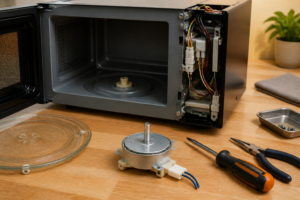
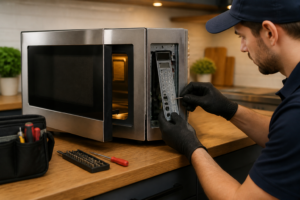
Step 2: Remove the Outer Case
Locate and remove all screws from the rear and side panels. Remove all visible screws and set them aside. Gently lift the panels away, being careful not to damage any wires.
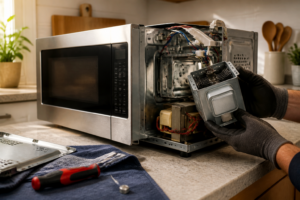
Step 3: Locate the High Voltage Diode
The high-voltage diode is typically located near the magnetron or high-voltage transformer. It’s a small, cylindrical component (about 1-2 inches long) with two wire leads. It may be mounted on a bracket or directly on the transformer. Look for a component with a stripe or marking indicating polarity.
Step 4: Test the Diode
Before replacing, test the diode with your multimeter:
- Set multimeter to diode test mode (or resistance mode)
- Test in forward direction: Should show low resistance (0.5-2 ohms)
- Test in reverse direction: Should show infinite resistance (open circuit)
- If diode shows low resistance in both directions, it’s shorted (bad)
- If diode shows infinite resistance in both directions, it’s open (bad)
- A good diode conducts in one direction only
Step 5: Disconnect the Diode Wires
The diode has two wire connections. Use needle-nose pliers to gently pull the wire connectors off the diode terminals. Take a photo before disconnecting – polarity matters! The diode must be installed in the correct direction. Note which terminal connects to which wire.
Step 6: Remove the Old Diode
The diode may be held in place by a clip, bracket, or heat-shrink tubing. Carefully remove any mounting hardware. If it’s secured with heat-shrink, carefully cut it away. Remove the old diode completely.
Step 7: Install the New Diode
Position the new Panasonic RVMDA303WRZZ diode in the same location as the old one. CRITICAL: Ensure the polarity matches the original. The diode has a stripe or marking indicating the cathode (negative) end. Match this to your photo. The diode must be installed in the correct direction or it won’t work and may cause damage.
Step 8: Reconnect the Wires
Refer to your photo and reconnect the wires to the correct terminals. Push the connectors firmly onto the terminals. Double-check the polarity – the wires must connect to the same terminals as before.
Step 9: Secure the Diode
Secure the diode with the same mounting method used before (clip, bracket, or heat-shrink). Ensure it’s firmly in place and won’t move. If using heat-shrink, apply it carefully to avoid damaging the diode.
Step 10: Reassemble the Microwave
Carefully replace all panels, ensuring no wires are pinched. Reinstall all screws. Tighten securely but don’t overtighten.
Step 11: Test the Installation
Plug the microwave back into the wall outlet. Place a cup of water in the center. Start a 1-minute cooking cycle on high power. The water should heat up normally. If heating is still weak or intermittent, check your connections and verify the diode polarity is correct.
Troubleshooting
If the microwave still has heating issues after replacement:
- Verify diode polarity is correct (test with multimeter)
- Check all wire connections are secure
- Test the magnetron (may also be failing)
- Inspect the high-voltage capacitor
- Check the high-voltage transformer
- Verify door switches are working
Understanding Diode Polarity
High-voltage diodes are directional components. They only allow current to flow in one direction. The cathode (negative) end is typically marked with a stripe, band, or minus sign. The anode (positive) end is unmarked. Installing the diode backwards will prevent the microwave from heating.
When to Call a Professional
Consider professional help if:
- You’re uncomfortable working with high-voltage components
- You don’t have proper safety equipment
- The problem persists after replacement
- Multiple components need testing or replacement
← Back to Top 20 Microwave Models & Common Repair Issues Guide
How Much Does This Repair Cost?
The replacement high-voltage diode for the NN-SN966S typically runs between $8 and $20 for the part alone, making this one of the most affordable microwave fixes possible. A professional appliance technician will usually charge $100 to $175 total including labor, so DIY savings are significant if you’re comfortable with the safety precautions.
Recommended Products
These are the parts and tools we recommend for this repair, based on compatibility and customer reviews:
- 10 Pcs CL04-12 Microwave Oven High Voltage Diode Rectifier,Microwave Diode
- HVR-1X4 Microwave High Voltage Diode (Rectifier) fits for Whirlpool Kenmore GE Replaces T3509, A6202-3280, 6021W3B001U, HVR 1X4, HVR-1X, HVM12, T3512, 512TH Diode
- Lovelysp Universal Microwave Diodes CL04-12 0.5A 12KV High Voltage Diode Compatible with Most Microwave Ovens 2PCS (Black)
- CL01-12 Microwave High Voltage Diodes Repair Parts 0.35A 12KV (Pack of 2 Pcs)
As an Amazon Associate, I earn from qualifying purchases.