Miele F48 Error Code: Complete Troubleshooting Guide
The F48 error code on Miele washing machines indicates a heating system fault—specifically, the water failed to reach the target temperature during a wash cycle. This is one of the most common error codes on Miele machines and is usually fixable with proper diagnosis. This comprehensive guide will walk you through identifying the root cause and performing the repair yourself.
⚠️ Safety Warning
Before beginning any repair work on your Miele washing machine:
- Disconnect the machine from electrical power at the wall outlet. Do not rely on the power button alone.
- Allow 30 minutes for capacitors to discharge after disconnecting power, as some components may retain electrical charge.
- The heating element operates at high temperatures—avoid touching it immediately after a wash cycle or during testing.
- Never test electrical components while the machine is plugged in.
- Water may be trapped inside the drum and heating element housing—have towels ready and position the machine near a drain.
- If you are uncomfortable working with electrical components or multimeter testing, contact a qualified technician.
What Does F48 Mean on a Miele Washing Machine?
The F48 error code specifically indicates that the water temperature did not reach the target temperature within the expected timeframe. During a heating cycle, the Miele control board monitors the water temperature through the NTC sensor and expects the heating element to raise the temperature to a preset level (typically 30°C, 40°C, 60°C, or 95°C depending on your wash program). When the temperature sensor doesn’t detect adequate heating after a reasonable time interval, the machine triggers the F48 fault and halts the cycle.
The underlying cause could be:
- A faulty or broken heating element
- A malfunctioning NTC temperature sensor providing incorrect readings
- Poor electrical connection to the heating element
- A failed circulation pump preventing water flow through the heater
- Control board malfunction (least common)
Quick Diagnostic: When Does F48 Appear?
Your first troubleshooting step is determining which wash cycles trigger the error:
F48 Appears Only on Hot Wash Cycles (60°C, 95°C, or Hot Water Cycles)
This pattern strongly suggests a heating element fault or NTC sensor problem. The cold water fill and pump functions are working normally, but heat generation is failing.
F48 Appears on All Cycles, Including Cold Washes
If F48 occurs even on 20°C or 30°C cold wash cycles (which shouldn’t require heating), suspect:
- An NTC sensor that’s reading high temperatures constantly, falsely reporting overheating
- A control board receiving corrupted temperature data
- A circulation pump failure preventing any water movement
F48 Intermittent (Appears Sometimes, Not Always)
Intermittent F48 errors typically indicate loose electrical connections to the heating element or sensor, or a heating element that’s partially functional but unreliable. Test connections first before replacing components.
Accessing the Miele Heating Element
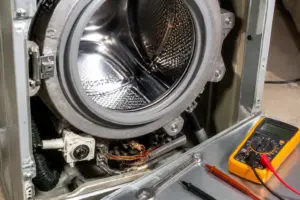
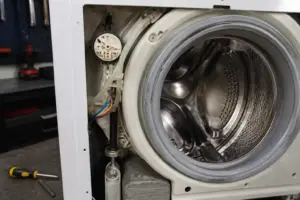
On most Miele washing machine models, the heating element is accessed by removing the front panel. Here’s the process:
- Disconnect the machine from power at the wall outlet and wait 30 minutes.
- Locate the front panel screws. Most Miele machines have 2–4 screws along the bottom edge of the front panel, typically hidden behind a removable base trim or directly visible.
- Remove the base trim if present by gently prying it away from the machine body with a plastic spoon or trim tool.
- Unscrew all fasteners holding the front panel and carefully lift the panel away from the machine. Note that some models may have clips along the top—gently release these before pulling.
- Locate the heating element, which appears as a cylindrical or flat metal component behind the front panel. It is typically positioned near the bottom of the machine and connected to the drum via water inlet/outlet tubes.
- Take a photo of the electrical connectors before disconnecting anything, so you know which wires go where.
- Disconnect the heating element’s power supply by carefully pulling the electrical connector straight away from the element terminals. You may need to release a small clip on the connector.
Different Miele models (W1, W3, W5 series) have slight variations in panel design. Consult your specific model’s service manual if you encounter resistance—forcing components can cause damage.
Testing the Heating Element with a Multimeter
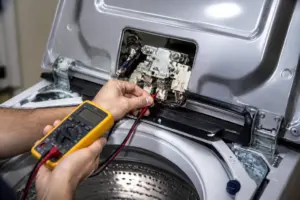
Once you’ve disconnected the heating element, use a multimeter to test its resistance. This is the most direct way to determine if the element is functional.
Proper Multimeter Testing Procedure
- Set your multimeter to the resistance (Ohms) setting, typically marked with the Ω symbol. Start on the highest resistance range (e.g., 200 Ohms or 2000 Ohms).
- Ensure the heating element is completely disconnected from power and any circuit board connections.
- Touch the multimeter probes to the two metal terminals or contact points on the heating element. Make firm contact, pressing the probe tips directly onto the metal.
- Read the resistance value displayed on the multimeter screen.
Expected Resistance Values for Miele Heating Elements
Miele heating elements typically have a resistance between 22–28 ohms when cold. Some models may range from 20–30 ohms depending on wattage and design. Consult your specific model’s service documentation for the exact specification.
Interpretation:
- Reading between 22–28 ohms: The heating element is functioning and should be capable of generating heat. Proceed to test the NTC sensor.
- Reading of 0 ohms (or “OL” indicating open circuit): The heating element is broken and requires replacement. A reading of 0 ohms means the internal wire is severed.
- Reading of infinity or “OL” (open line): The heating element is completely disconnected internally and must be replaced.
- Extremely high reading (above 100 ohms): The heating element has internal corrosion or damage and should be replaced.
- Very low reading (below 10 ohms): Less common, but may indicate internal short. Replace the element.
Obtaining Replacement Heating Elements
Miele heating element part numbers vary by machine model. Common part numbers for various Miele models include those from the 1600W–2200W range. You must identify your exact machine model (found on the serial plate inside the door frame) and order the corresponding part number. Contact Miele directly or consult the service manual for the correct replacement part specific to your model.
Testing the NTC Temperature Sensor
If the heating element tested within normal resistance range, the problem likely lies with the NTC (Negative Temperature Coefficient) temperature sensor. This sensor continuously measures water temperature and sends data to the control board. If it reads incorrectly, the board may falsely believe the water is already hot or is overheating, and will trigger F48.
Locating the NTC Sensor
The NTC sensor is a small probe (typically 6–12mm in diameter) inserted directly into the water path of the heating element or drum. It is usually:
- Mounted on or near the heating element housing
- Inserted into a protective metal or plastic tube within the water circuit
- Connected to a two-wire electrical connector (often color-coded)
Consult your model’s service manual for the exact location, as it varies by model series.
Testing the NTC Sensor with a Multimeter
- Disconnect the NTC sensor’s electrical connector from the circuit board.
- Set the multimeter to resistance (Ohms) mode.
- Touch the multimeter probes to the two terminals of the NTC sensor connector (you may need to push a small pin inside the connector to access the contact points).
- Record the resistance reading at room temperature (approximately 20–25°C).
NTC Sensor Resistance Chart
NTC sensors have a known relationship between temperature and resistance. At room temperature (approximately 20–25°C), a functioning Miele NTC sensor should typically read between 4,500–5,500 ohms. This varies slightly by sensor model, but the following general chart applies:
- 10°C: Approximately 7,000–8,000 ohms
- 20°C: Approximately 5,000–6,000 ohms
- 30°C: Approximately 3,500–4,500 ohms
- 40°C: Approximately 2,500–3,500 ohms
- 50°C: Approximately 1,800–2,500 ohms
- 60°C: Approximately 1,200–1,800 ohms
If your sensor reading is significantly higher or lower than expected for room temperature, or if it doesn’t change when you warm the sensor gently under running warm water (retest in a few moments), the sensor is faulty and must be replaced.
NTC Sensor Replacement
If testing confirms the NTC sensor is faulty, note that on many Miele models, the sensor is integral to the heating element assembly and cannot be replaced separately. This means you may need to replace the entire heating element unit. However, on some newer models, the sensor can be unscrewed from its mounting. Consult your service manual to determine if your model allows separate sensor replacement.
Checking the Circulation Pump
The circulation pump (also called the wash pump or circulation motor) forces water through the heating element. If this pump is not functioning, water cannot reach the heating element to be warmed, and F48 will be triggered.
Identifying Pump Failure
To determine if the pump is the culprit:
- Run a hot wash cycle and listen carefully during the heating phase. You should hear a faint electric motor running and water flowing through the machine.
- If you hear no motor sound and feel no water vibration, the pump may not be running.
- Stop the cycle (use the start/stop button) and open the detergent drawer to access the drain pump filter (on the front-bottom of the machine).
- Remove the drain filter by turning it counterclockwise. Check for debris, lint, or blockages that might prevent the circulation pump from operating.
- Clean the filter thoroughly and reinstall it. Run another hot cycle to see if F48 still appears.
Testing the Circulation Pump
If the filter is clean and the pump still doesn’t seem to run:
- Access the pump housing, typically located in the lower front section of the machine (consult your service manual for access).
- Disconnect the pump’s power connector (usually a 2- or 3-wire connector).
- Set a multimeter to resistance mode and test the pump windings by connecting the probes to the two main power terminals.
- Expected reading: Most circulation pumps show 10–50 ohms of resistance. A reading of 0 (open circuit) or infinity indicates a burned-out motor.
- If resistance is normal, the pump motor itself may be functional but not receiving power—check the electrical connections and control board signals.
If the circulation pump tests as faulty or if you confirm it’s not receiving power signals from the control board, the pump must be replaced. Pump replacement typically requires disconnecting inlet/outlet water lines and removing mounting bolts—refer to your service manual for detailed steps.
Control Board and Power Supply Issues
If you’ve tested the heating element, NTC sensor, and circulation pump and all appear functional, the problem likely resides in the control board (also called the programmer or electronic module) or the power supply to these components.
Checking Electrical Connections
Before assuming the control board is faulty:
- Visually inspect all connectors to the heating element, NTC sensor, and pump. Look for corrosion, bent pins, or loose-fitting connectors.
- Gently reseat all connectors by disconnecting and reconnecting them firmly. Corrosion or loose connections are surprisingly common causes of F48.
- Check for water damage or moisture around the control board area, which could cause intermittent electrical faults.
- Examine the power supply connector to the heating element for signs of scorching or burned terminals.
Control Board Testing
Testing the control board requires specialized diagnostic equipment and knowledge of the specific circuit design for your model. Signs of control board failure include:
- All heating components test as functional, but F48 persists
- The control board display is dim or flickering
- Multiple error codes appearing simultaneously
- Visible burn marks or component damage on the board itself
If you suspect control board failure, consult a qualified technician, as diagnosis and replacement require specialized tools and expertise.
How to Clear the F48 Error Code After Repair
Once you’ve identified and fixed the underlying issue (replaced the heating element, sensor, or pump), you need to clear the error code from the machine’s memory.
Clearing F48 Automatically
- Reconnect all components securely and ensure the machine is plugged in.
- Run a test hot wash cycle (such as a 60°C cotton cycle).
- If the heating functions correctly and the cycle completes without error, the F48 code will automatically clear from memory.
- If F48 reappears, there is likely another issue—re-check all connections and consider additional testing.
Manual Error Code Clearing
Some Miele models allow manual error clearing through a service menu:
- Power off the machine and unplug it from the outlet.
- Wait 2 minutes.
- Plug the machine back in and power it on.
- Press and hold the “Start/Stop” button for 3–5 seconds while the machine is idle (not mid-cycle). Some models require holding two specific buttons simultaneously—consult your user manual.
- The control board should reset and clear stored error codes.
Not all Miele models have a manual reset function accessible to users. If the above steps don’t work, the error will clear automatically after a successful wash cycle.
Understanding Miele F-Code Series and Related Errors
F48 is part of Miele’s F40 series error codes, which are all related to heating and temperature control. Understanding the broader context helps with future troubleshooting:
- F40: Heating element fault or no heating detected (similar to F48 but sometimes used interchangeably)
- F41: NTC temperature sensor fault or sensor signal out of range
- F42: Water inlet temperature sensor fault (on models with separate cold and hot water temp sensors)
- F43: Heating element overheating or stuck at maximum temperature
- F44: Circulation pump fault or blockage preventing water flow through heater
- F46: Heater power supply fault or relay failure on control board
- F48: Water temperature did not reach target (heating element too slow or sensor malfunction)
If you see related codes (especially F41, F43, or F44) in addition to or instead of F48, this provides additional diagnostic information about which component is specifically at fault.
Prevention and Maintenance
To avoid future F48 errors and extend the life of your heating components:
- Use high-quality descaling solutions monthly (
Recommended Parts & Tools
Miele Genuine Refrigerator Door Seal Gasket
The F48 error code often indicates a door seal issue preventing proper closure. A worn or damaged gasket is one of the most common causes of this error, as it prevents the appliance from maintaining proper temperature and triggering the sensor. Replacing with a genuine Miele gasket ensures a perfect fit and reliable performance.
UXCELL 7-in-1 Multimeter Digital Tester
This multimeter is essential for testing the door switch and temperature sensors that trigger the F48 error code. You’ll need to verify electrical continuity and voltage readings to determine if sensors are functioning properly before replacing parts. A reliable digital tester helps diagnose the exact cause quickly and accurately.
Refrigerator Coil Cleaning Brush
F48 errors can sometimes result from condenser coil buildup preventing proper sensor function and airflow. A specialized coil brush lets you safely clean dust and debris from the evaporator area without damaging delicate components. Regular cleaning prevents future error codes and improves overall appliance efficiency.
The Multimeter Test That Rules Out a Heating Element Replacement
Before you order an expensive heating element for your Miele F48 error, you need to know if it’s actually the culprit — and a multimeter is the fastest way to confirm voltage is reaching the element and that it’s not burned out internally. This single test will save you from ordering the wrong part and having to disassemble the machine twice.
What works
- The resistance mode catches a dead heating element instantly — good elements read 20–40 ohms, open ones read infinity, and shorted ones read near zero, which tells you exactly what you’re dealing with.
- Continuity beep function confirms whether power is actually reaching the element terminals, which rules out wiring or thermostat issues before you start pulling parts.
- The display is clear enough to read in tight spaces under the Miele’s tub, and the probe tips are thin enough to reach terminal connectors without forcing anything.
What doesn’t
- You still need to know how to safely discharge the machine’s capacitor before testing — a multimeter won’t warn you, and the shock can be real if you’re careless.
- A failing thermostat will often look fine on a resistance test but still prevent heating, so if the element reads good, you’ll need to test the thermostat separately or move to the inlet valve.
I’ve pulled heating elements that tested perfectly fine only to find out the real problem was a thermostat stuck open or a clogged inlet valve — and I had to reassemble everything and troubleshoot again. A multimeter lets you narrow it down in 10 minutes instead of 2 hours of trial and error. UXCELL 7-in-1 Multimeter Digital Tester
About This Article

Written by Dave Holt. Dave Holt has been taking apart and fixing household appliances since he was a teenager who couldn't leave a broken one alone. Eighteen years later, after fixing things for neighbors, friends, and anyone who'd let him, he's seen almost every failure mode there is. When he writes a repair guide here, it's based on the actual job, not a manufacturer overview. More about this site.
Scope and limits. Dave is a self-taught repairer, not a certified appliance technician. Unplug before you open anything, and leave sealed refrigeration systems, gas connections, and hardwired circuits to a qualified technician.