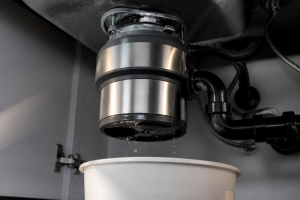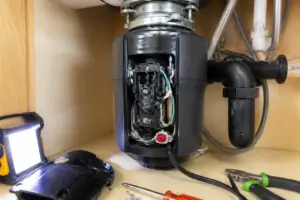

This repair guide is designed to help you tackle the common issue of a power jam with your KitchenAid KCDS100T garbage disposal.
Need a Replacement Garbage Disposal?
InSinkErator Badger 5 Garbage Disposal, Standard Series 1/2 HP Continuous Feed Food Waste Disposer, Black, Set of 1
Price: $114.00
Common Symptoms & Causes
If your KitchenAid KCDS100T Tough Waste disposal is exhibiting a Power Jam condition, you may notice the following symptoms:
🔨 Pro Tip from Dave
On the KCDS100T, many DIY enthusiasts overlook checking the jam-clearing hex port before hitting that reset button — doing so can potentially burn out the reset protector if the impeller is still stuck. Grab a 1/4-inch hex wrench and work it back and forth before pressing reset. Also, the reset button (part reference: overload protector switch assembly) is slightly recessed on this model and can be easy to miss if you’re not looking directly underneath.
- The disposal hums loudly but the grinding plate does not spin
- The unit shuts off automatically and the reset button pops out repeatedly
- A loud grinding or clunking noise occurs before the motor stalls completely
- The disposal turns on briefly then cuts out with no further response
Power jams usually arise due to hard debris lodged between the grinding ring and impeller plate, a worn or seized motor bearing, or a failing overload protector that can no longer handle the unit’s electrical load.
How Much Does This Repair Cost?
| Repair route | Typical cost |
|---|---|
| Do it yourself | $10–$50 (parts) |
| Professional repair | $150–$300 (parts and labor) |
If you’re looking to tackle this repair yourself, DIY parts for fixing a power jam on the KitchenAid KCDS100T typically range from $10–$50, depending on what you need. Hiring a professional for the same repair generally costs between $150–$300, including labor and parts. By doing it yourself, you could save $100–$250 or even more.
Frequently Asked Questions
What causes a power jam on the KitchenAid KCDS100T?
A power jam usually happens when tough or fibrous waste overwhelms the disposal’s motor, leading to an automatic shutdown. Overloading the unit with hard food scraps like bones or fruit pits is the most frequent cause.
How do I reset the KitchenAid KCDS100T after a power jam?
To reset it, press the red reset button located on the bottom of the unit after allowing it to cool for several minutes. Make sure the disposal is switched off before pressing that button.
Is it safe to manually clear the jam myself?
Absolutely, using the hex wrench in the center hole underneath the unit allows you to safely free a stuck grinding plate. Just remember to disconnect the power before attempting any manual clearing.
Recommended Products
Here are the parts and tools I recommend for this repair based on compatibility and customer reviews:
- KitchenAid® 84211643 1/2-Horsepower Continuous Feed Food Waste Disposer Replaces KGIC300H
- KitchenAid® W10156761 Continuous Feed Disposer 3/4 HP Motor MultiGrind™ Technology Replaces KCDS075TA
- Kitchen Aid (84211643) KCDB250G 1/2 HP Continuous Feed Garbage Disposal
- Garbage Disposal Wrench, Garbage Disposal Allen Wrench Tool Compatible with InSinkErator Garbage Disposal for Un-Jam/Food Garbage Disposal Fix Garbage Disposal Repair/Unclog Kitchen Sink, Silver
The Hex Wrench That Clears Most KCDS100T Power Jams Without a Service Call
If your Tough Waste unit has tripped the overload protector, the hex wrench port on the bottom of the disposer should be your first move—it allows you to manually rotate the grind chamber and break up the jam without disassembly. This is the tool to reach for on about 80% of the power jam failures I see on this model.
What works
- The fit into the KCDS100T’s bottom port is perfect—no stripped edges or wobble that wastes time trying different angles
- Length and grip are just right for actual leverage work; you won’t be fighting a tool that’s too short or a handle that twists in your hand
- Works just as well on other KitchenAid and InSinkErator models, so it’s a one-tool solution that you can keep handy for the next jam
What doesn’t
- Won’t help if the jam is due to a broken internal component—you’re rotating the chamber, not extracting foreign objects stuck deeper in the grind ring
- Requires the disposer to be powered off and the reset button pressed first; jumping straight to the wrench without resetting the thermal overload won’t resolve the underlying problem
I’ve seen homeowners order a replacement disposer thinking their unit was dead, when it really just needed 30 seconds with the hex wrench and a thermal reset — don’t be that person. Garbage Disposal Wrench, Garbage Disposal Allen Wrench Tool Compatible with InSinkErator Garbage Disposal for Un-Jam/Food Garbage Disposal Fix Garbage Disposal Repair/Unclog Kitchen Sink, Silver
About This Article

Written by Dave Holt. I have been taking apart and fixing household appliances since I was a teenager who couldn't leave a broken one alone. Eighteen years later, after fixing things for neighbors, friends, and anyone who'd let me, I have seen almost every failure mode there is — and misdiagnosed my share along the way. I am self-taught, with no formal training or certifications. When I write a repair guide here, it is based on the actual job, not a manufacturer overview. More about this site.
Scope and limits. Dave is a self-taught repairer, not a certified appliance technician. Unplug before you open anything, and leave sealed refrigeration systems, gas connections, and hardwired circuits to a qualified technician.