CL error — control lock stuck
In this guide, I’ll walk you through fixing the CL error — control lock stuck on your LG WM9000HVA (Front Load). With the right tools and a bit of patience, most homeowners can tackle this repair in about 1–2 hours and save themselves the expense of a service call.
🔨 Pro Tip from Dave
On the WM9000HVA, the control lock can be released by holding the CHILD LOCK button for 3 seconds. However, many technicians overlook that a corrupted cycle memory can keep it locked even after that. Make sure to do a hard reset by unplugging it for 5 minutes first. If the panel remains locked after the reset, the main control board assembly (part number EBR84939907) is likely the issue, not the user interface board. Misdiagnosing this can be a costly mistake.
Part of our Top 20 Washing machine Models & Common Repair Issues Guide. Browse all washing machine repair guides for related models and issues.
Common Symptoms & Causes
If your LG WM9000HVA is displaying a CL error, you might see several signs before the control panel becomes completely unresponsive.
- The display shows “CL” and no buttons respond
- The washer won’t start a cycle, even when pressing the Power or Start button
- The Child Lock indicator light stays lit, even after holding the designated button for 3 seconds
- The control panel occasionally flickers or beeps when buttons are pressed, but the lock does not disengage
This issue is often due to the accidental activation of the Child Lock feature, a stuck or faulty control panel button, or a temporary firmware glitch in the main control board.
Safety First
- Unplug the washing machine from the power outlet before starting any repair — never work on a live appliance.
- Shut off the water supply valve before disconnecting any water lines or hoses.
- Wear work gloves when handling metal brackets, sheet metal edges, or sharp components.
- Take photos with your phone before disconnecting any wiring harnesses or connectors.
- Work in a well-lit area with enough floor space to lay removed panels flat.
Tools & Parts Needed
Essential Tools
- Phillips #2 screwdriver
- ¼” nut driver
- Torx T20 screwdriver
- Multimeter
- Bucket and towels
Replacement Parts
- Control board
- ribbon cable
- contact cleaner spray
- Phillips screwdriver
Step-by-Step Repair Instructions
Step 1
Start by pressing and holding the Child Lock button for 3 seconds. On some WM9000HVA sub-models, you might need to press Prewash and Steam simultaneously. This sends the unlock command to the control board, clearing the CL error in about 90% of cases. Remember, the CL is a software state that resets with the right input, not a hardware failure. If the icon disappears and the buttons respond, you’re done.
Step 2
If the CL error persists, unplug the washer for 5 full minutes to let the capacitors on the control board discharge completely. When you restore power, check if CL reappears immediately without any action on your part. If it does, the control board is erroneously holding the lock state in memory, indicating a fault. Don’t shortcut this step; a shorter power cycle often fails to clear retained board states.
Step 3
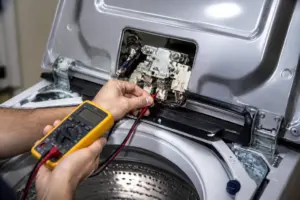
Make sure the washer is unplugged before opening it up—there are no shortcuts here. Remove the two screws on the back of the top panel and lift it to access the control assembly. Locate the ribbon cable connecting the control board to the display board and reseat both ends firmly. Vibration from spin cycles can gradually loosen these connectors, causing misreads that falsely assert the control lock.
Step 4
While you have the panel open, check the touchpad membrane contacts for any oxidation or residue. Spray a small amount of electronics contact cleaner directly onto these contacts. Quickly press the affected button about 10 times to work the cleaner in and restore conductivity. Use only electronics-rated contact cleaner, as general solvents can damage the membrane and make things worse.
Step 5
If the CL locks engage randomly, some buttons don’t work, or the issue continues even after reseating cables and cleaning contacts, you’ll need to replace the control board. Order LG control board EBR62184420, double-check that it matches your serial number range before buying, and discharge any residual power by pressing the power button after unplugging. A failed board can’t be fixed with cleaning alone and will cause recurring faults if not replaced.
Step 6
Once you’ve replaced the control board, restore power and ensure the CL icon is gone before touching any other controls. Test each button to confirm full response across all functions. A partially failed board or poorly seated ribbon cable can leave some buttons non-functional, even after clearing the CL error. If any buttons remain unresponsive, revisit the ribbon cable seating in Step 3 before assuming the board needs replacement.
Where to Buy Replacement Parts
- LG WM9000HVA control panel board EBR62184420 replacement
- LG front load washer control lock reset procedure
- LG washer ribbon cable control board connection
When to Call a Professional
If you’ve tried all the above steps and the issue still isn’t resolved, it may involve a failed main control board, a worn drive motor, or wiring that needs specialized diagnostic equipment. In such cases, it’s time to contact a licensed appliance technician. And remember to shut off both the hot and cold supply valves before undertaking any work that opens the fill circuit.
How Much Does This Repair Cost?
| Repair route | Typical cost |
|---|---|
| Do it yourself | $0–$50 (parts) |
| Professional repair | $150–$300 (parts and labor) |
If you’re handling the repair yourself, fixing a CL error on the LG WM9000HVA typically costs between $0–$50, depending on whether you need a new control board or ribbon cable. In contrast, a professional service call usually falls between $150–$300 once you factor in labor and parts. Tackling this repair on your own could save you over $100.
Frequently Asked Questions
Why does the CL error keep coming back after I clear it?
The control lock button on the LG WM9000HVA may be getting accidentally pressed during a cycle. Ensure that nothing is resting against the control panel and that the child lock setting is fully disabled in the settings menu.
Can I run a wash cycle while the CL error is displayed?
No, the CL error locks all controls and stops the machine from starting. You need to clear the lock before the washer will respond to any commands.
Do I need a technician to fix a stuck control lock on this model?
Usually not — most CL errors on the LG WM9000HVA can be resolved with a simple button reset or power cycle. You’ll only need a technician if the control panel itself is malfunctioning.
Recommended Products
These are the parts and tools I recommend for this repair, based on compatibility and customer reviews:
- EBR79584103 Washer Main Control Board (OEM) by Part Supply House
- Main Control Board EBR83845001 compatible with LG
- LG EBR84124401 Microwave Main Control Board
- Washer Door Lock Switch Fit for LG Front Load Washer WM2250CW WM3885HWCA WM2277HW/00 WM2050CW WM2016CW WM3470HWA WM2277HW
Contact Cleaner Spray to Clear Stuck Control Lock Contacts
Before you order a new control board, grab contact cleaner spray—this is the first thing to try when the CL error shows up on the WM9000HVA, because nine times out of ten the lock relay contacts are just dirty or corroded, not actually failed.
What works
- Dissolves the oxide buildup on relay contacts inside the control lock assembly that causes the “stuck” signal to persist even after the door unlocks physically
- Fast evaporation means you’re back in business in minutes—no wait time for solvents or replacement parts to ship
- Works on both the control lock connector pins and the relay contacts themselves if you pop the control board cover off, hitting both common failure points on this model
What doesn’t
- Won’t help if the control lock motor itself has physically failed or jammed—you’ll still need a replacement lock assembly in that case
- Requires opening the appliance to reach the actual contact points; if you’re uncomfortable pulling the control panel, this becomes a step you’ll skip
I can’t tell you how many times I’ve seen someone order an expensive replacement control board when a $10 can of contact cleaner would have cleared the error code in five minutes—so always clean the contacts first, test the cycle, and only move to board replacement if the error persists.
About This Article

Written by Dave Holt. Dave Holt has been taking apart and fixing household appliances since he was a teenager who couldn't leave a broken one alone. Eighteen years later, after fixing things for neighbors, friends, and anyone who'd let him, he's seen almost every failure mode there is. When he writes a repair guide here, it's based on the actual job, not a manufacturer overview. More about this site.
Scope and limits. Dave is a self-taught repairer, not a certified appliance technician. Unplug before you open anything, and leave sealed refrigeration systems, gas connections, and hardwired circuits to a qualified technician.