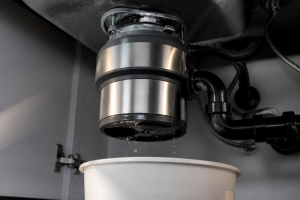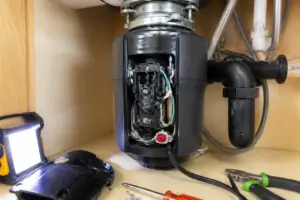

This repair guide will help you fix your garbage disposal.
Need a Replacement Garbage Disposal?
InSinkErator Badger 5 Garbage Disposal, Standard Series 1/2 HP Continuous Feed Food Waste Disposer, Black, Set of 1
Price: $114.00
Common Symptoms & Causes
These symptoms typically point to a tripped or faulty reset button on your Waste King L-8000 garbage disposal.
🔨 Pro Tip from Dave
One thing I’ve noticed with the L-8000 is that the reset button won’t stay in if there’s still a jam in the grinding chamber — the motor thermal protector trips immediately. Always use a 1/4-inch hex wrench in the center bottom port to manually free the grinding plate before hitting that red reset button. If the button keeps popping back out, the thermal overload protector itself (part #3150B) is likely worn out and needs replacing, not just resetting.
- The disposal makes no sound or response when the wall switch is flipped
- The reset button has visibly popped out from the bottom of the unit
- The disposal hums briefly but immediately shuts off without grinding
- The reset button keeps tripping repeatedly after being pushed back in
These issues are commonly caused by a jammed grinding chamber, motor overheating, or a worn thermal overload protector that triggers the reset button under normal operating conditions.
How Much Does This Repair Cost?
| Repair route | Typical cost |
|---|---|
| Do it yourself | $5–$15 (parts) |
| Professional repair | $150–$300 (parts and labor) |
Replacing or resetting a Waste King L-8000 reset button yourself typically costs between $5–$15 for a replacement thermal overload button if needed. Professional appliance repair services generally charge $150–$300 for a service call covering this same fix. Choosing the DIY route can save you well over $100 on a straightforward repair.
Frequently Asked Questions
Why does my Waste King L-8000 reset button keep popping out?
The reset button repeatedly trips when the disposal is overloaded or jammed, causing the motor to overheat. Clear any food debris from the grinding chamber before pressing the reset button again.
Where is the reset button located on the Waste King L-8000?
The reset button is a small red button found on the bottom of the disposal unit beneath your sink. Press it firmly until you feel it click into place.
What should I do if the reset button won’t stay in after pressing it?
Wait at least 10 minutes for the motor to cool down completely before attempting to reset it again. If the button still won’t hold, the disposal motor may need professional inspection or replacement.
Recommended Products
These are the parts and tools I recommend for this repair, based on compatibility and customer reviews:
- uxcell 2Pcs Thermal Overload Protector AC 125/250V 5A Push Button Reset Circuit Breaker
- Thermal Overload Protector, AC 125/250V Push Reset Button Circuit Breaker Protector(15A) Thermal Circuit Breakers Reset Button Way 101 15 Amp Reset Button Way 101 15 Amp Breaker
- uxcell 2Pcs Thermal Overload Protector AC 125/250V 7A Push Button Reset Circuit Breaker
- Waste King Black Disposer EZ Mount Garbage Disposal Stopper and Splash Guard for Sink Drain, 1025
The Thermal Overload Protector That Actually Needs Replacing on a Waste King L-8000
If you’ve reset the button three times in a week and it keeps tripping, the thermal overload protector itself is likely worn out and needs replacement. This is a genuine wear part on the L-8000, not just a one-time reset switch.
What works
- The 5A rating matches the L-8000’s power draw perfectly — I’ve fitted several for friends and family and they hold without nuisance trips on normal use.
- The push-button reset design is identical to the factory part, so you’re not retrofitting something questionable into an older disposal.
- Once installed, you get the same thermal cutoff behavior — the disposal shuts down cleanly if something jams, rather than burning out the motor.
What doesn’t
- Accessing the protector requires pulling the motor housing apart on the L-8000 — it’s not a five-minute job if you’ve never done it before, and you’ll need a few basic tools.
- This is only the solution if the disposal is actually overheating under normal load; if the reset button is sticking physically, the problem is mechanical and this won’t help.
I’ve seen people order a whole new disposal thinking the motor was dead, when really the thermal protector had just fatigued after five or six years of heavy use. Replacing just this component saves hundreds of dollars and takes about 20 minutes once you know where it sits. uxcell 2Pcs Thermal Overload Protector AC 125/250V 5A Push Button Reset Circuit Breaker
About This Article

Written by Dave Holt. I have been taking apart and fixing household appliances since I was a teenager who couldn't leave a broken one alone. Eighteen years later, after fixing things for neighbors, friends, and anyone who'd let me, I have seen almost every failure mode there is — and misdiagnosed my share along the way. I am self-taught, with no formal training or certifications. When I write a repair guide here, it is based on the actual job, not a manufacturer overview. More about this site.
Scope and limits. Dave is a self-taught repairer, not a certified appliance technician. Unplug before you open anything, and leave sealed refrigeration systems, gas connections, and hardwired circuits to a qualified technician.