Wi-Fi disconnect
This step-by-step repair guide walks you through fixing wi-fi disconnect on your GE Profile PTD60EBSRWS (Electric). With the right tools and parts, most homeowners can complete this repair in 1–2 hours and avoid a costly service call.
🔨 Pro Tip from Dave
On the PTD60EBSRWS, a lot of techs overlook the fact that the Wi-Fi antenna lead connects to the UI control board via a small ribbon cable that works loose over time — check connector P1 on board WB27X26485 before assuming the whole board is shot. Replacing the full board when only the ribbon needs reseating is an expensive mistake I see homeowners and even other techs make regularly.
Part of our Top 20 Dryer Models & Common Repair Issues Guide. Browse all dryer repair guides for related models and issues.
“`html
Common Symptoms & Causes
The following symptoms suggest your GE Profile PTD60EBSRWS is experiencing a Wi-Fi connectivity issue.
- The SmartHQ app shows the dryer as “Offline” despite being powered on
- The Wi-Fi status light on the control panel blinks amber continuously
- Remote cycle start or notifications through the SmartHQ app stop working
- The dryer drops connection shortly after a successful Wi-Fi pairing
This issue is typically caused by a weak router signal, an outdated SmartHQ app or dryer firmware, or a failing onboard Wi-Fi module that can no longer maintain a stable connection.
“`
Safety First
- Unplug the dryer from the power outlet before starting any repair — never work on a live appliance.
- Wear work gloves when handling metal brackets, sheet metal edges, or sharp components.
- Take photos with your phone before disconnecting any wiring harnesses or connectors.
- Work in a well-lit area with enough floor space to lay removed panels flat.
Tools & Parts Needed
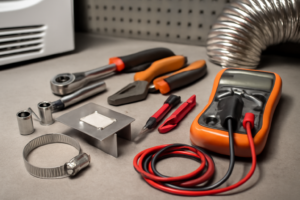
Essential Tools
- Phillips #2 screwdriver
- ¼” nut driver
- Putty knife
- Multimeter
- Work gloves
Replacement Parts
Step-by-Step Repair Instructions
Step 1
GE Profile dryers only support 2.4 GHz Wi-Fi networks and will completely fail to connect if your router is broadcasting solely on 5 GHz — a common source of pairing frustration. Log into your router’s admin panel and confirm a 2.4 GHz band is active and visible; dual-band routers sometimes label this separately (e.g., ‘NetworkName_2.4G’). If you’re unsure how to access your router admin panel, check the label on the router itself for the default gateway IP, username, and password.
Step 2
The Remote Enable button must be physically activated on the dryer before the SmartHQ app can discover it — skipping this step is the most common reason pairing fails mid-setup. Press Remote Enable on the control panel, then open SmartHQ, select Add Appliance, and follow the prompts while keeping your phone connected to the same 2.4 GHz network you intend the dryer to use. Do not switch your phone to a VPN or mobile data during setup, as this will break the local discovery process.
Step 3
Frequent Wi-Fi disconnects after a successful pairing usually indicate a weak signal rather than a faulty module — the dryer’s Wi-Fi radio needs a signal strength of -70 dBm or better to maintain a stable connection. Use a free app like Wi-Fi Analyzer at the dryer’s location to measure actual signal strength, then move your router closer or install a Wi-Fi extender if the reading is weaker than -70 dBm. Pro tip: place any extender no more than halfway between the router and dryer to ensure it rebroadcasts a strong signal rather than a weak one.
Step 4
Firmware updates for the PTD60EBSRWS specifically address known Wi-Fi connectivity bugs, so running an outdated version can cause drops even on a strong network. In the SmartHQ app, navigate to your device settings and select Software Update to check for and install any available firmware. The dryer must remain powered on and within Wi-Fi range during the update — interrupting the process mid-update can corrupt the firmware.
Step 5
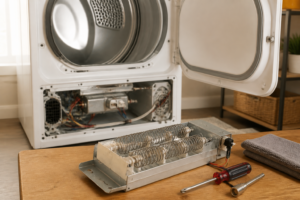
If the Wi-Fi icon never appears on the dryer’s display at all — not just disconnecting but completely absent — the Wi-Fi PCB module itself has likely failed and software troubleshooting will not resolve it. Before opening the dryer, disconnect it from the power outlet to eliminate shock risk; then remove the top panel by releasing the two rear screws and locate the Wi-Fi module PCB. Replace the module with a GE-compatible part, reassemble, and re-pair the appliance from scratch in SmartHQ as if it were a new installation.
Step 6
Once the dryer is successfully reconnected, enable push notifications in SmartHQ so you receive alerts for cycle completion and filter maintenance reminders — this is the primary practical benefit of the Wi-Fi connection and easy to overlook after a lengthy troubleshooting session. Navigate to SmartHQ notification settings and confirm both cycle-end and filter alerts are toggled on for this specific appliance. If notifications don’t arrive after enabling, check that your phone’s OS-level notification permissions are granted to the SmartHQ app.
Where to Buy Replacement Parts
Find genuine OEM and aftermarket replacement parts for your GE Profile PTD60EBSRWS (Electric) on Amazon:
- GE Profile PTD60EBSRWS WiFi module WR55X29780 replacement
- GE SmartHQ dryer app reconnect procedure
- home router 2.4GHz 5GHz band appliance compatibility
When to Call a Professional
If the issue persists after completing all steps above, the problem may involve the sealed refrigerant system, a failed main control board, or wiring that requires specialized diagnostic equipment. Contact a licensed appliance technician — attempting sealed-system repairs without EPA 608 certification is illegal and unsafe.
“`html
How Much Does This Repair Cost?
DIY repairs for a Wi-Fi disconnect on the GE Profile PTD60EBSRWS typically cost between $10–$50, covering parts like a replacement Wi-Fi module or control board components. A professional service call for the same issue usually runs $150–$300 including labor. Choosing the DIY route can save you $100 or more on this straightforward fix.
“`
Frequently Asked Questions
Why does my GE Profile PTD60EBSRWS keep dropping its Wi-Fi connection?
The most common cause is a weak 2.4 GHz signal reaching the dryer, since the PTD60EBSRWS does not support 5 GHz networks. Move your router closer or add a Wi-Fi extender to improve signal strength.
Do I need to re-enter my Wi-Fi credentials after every disconnect?
Not always — performing a network reset through the SmartHQ app will often reconnect the dryer automatically. Only re-enter credentials if the appliance fails to reconnect on its own.
Will resetting the Wi-Fi module erase my custom dryer settings?
A Wi-Fi or network reset only clears the stored network information and does not affect your saved drying cycles or preferences. Your custom settings will remain intact after reconnecting.
Recommended Products
These are the parts and tools we recommend for this repair, based on compatibility and customer reviews:
- WR55X10942C Refrigerator Main Control Board Replacement Compatible with GE & Hotpoint Refrigerators, Replace WR55X10942 WR55X10942P WR55X11130 WR55X10552 WR55X10656, Fridge Repair Control Board Part
- WH22X37837 Main Control Board Compatible With GE Washer Machines – Budora – WH22X38697, WH22X35518, WH22X30897, WH22X29546, WH22X32058, WH22X34660
As an Amazon Associate, I earn from qualifying purchases.