
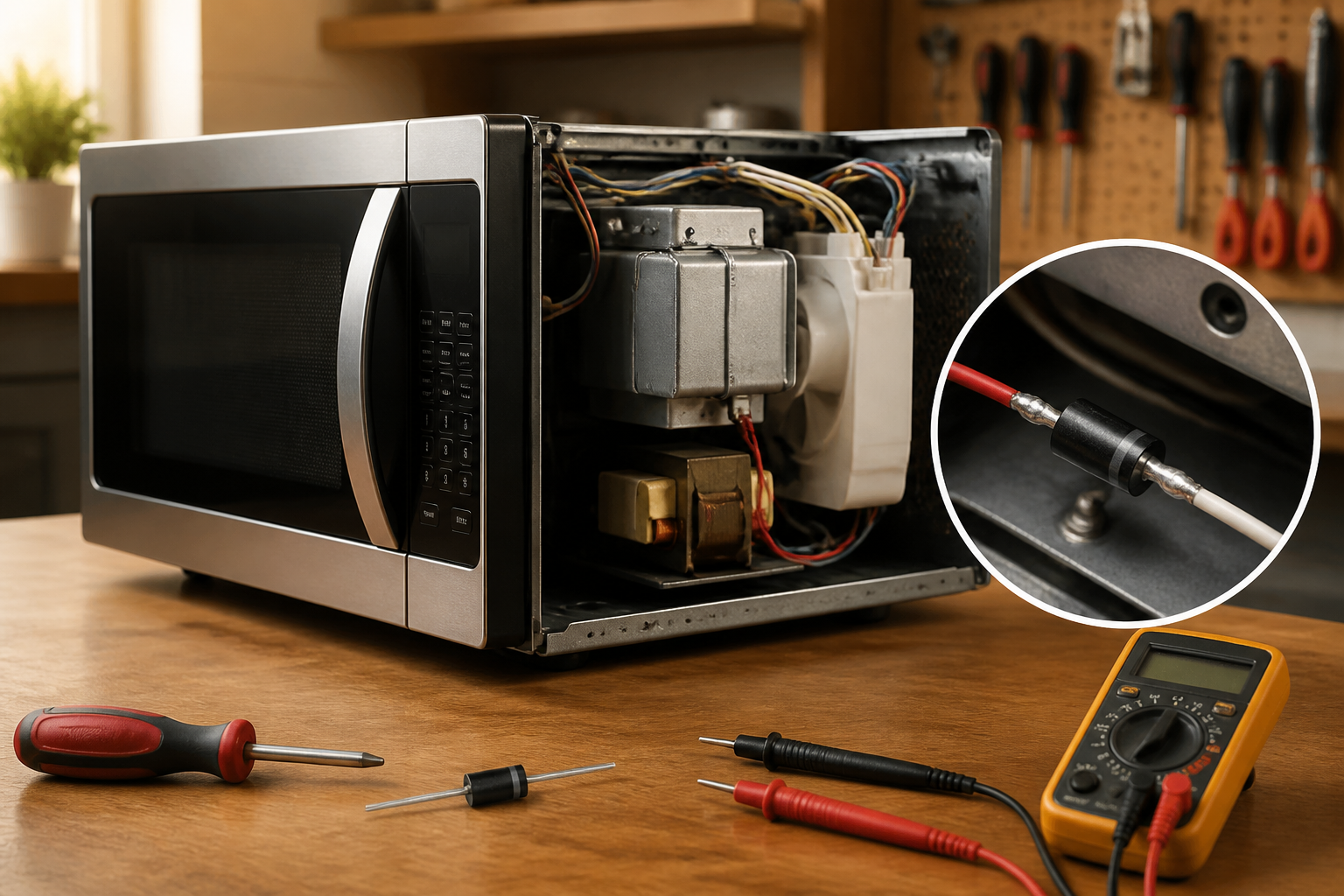
High Voltage Diode Replacement for No Heating in Sharp SMC1132CS Countertop Microwave
When your Sharp SMC1132CS countertop microwave runs but produces no heat, the high voltage diode is often to blame. This semiconductor works alongside the magnetron and capacitor to convert AC power into the high DC voltage essential for microwave heating. If the diode fails, the magnetron won’t receive the necessary power, resulting in a microwave that operates normally but fails to heat food. Given the high voltage components involved, this repair carries a MODERATE difficulty rating, particularly due to the need to safely discharge the capacitor before starting work.
Symptoms
- Microwave runs and turntable rotates, but food remains cold after normal cooking times
- Interior light functions normally and display shows countdown timer
- No arcing sounds or burning smells during operation
- Magnetron cooling fan operates but no humming sound from magnetron itself
- Door closes securely and all safety interlocks engage properly
- Control panel responds to all button inputs and programming functions work correctly
⚠️ Safety Warning
EXTREME CAUTION REQUIRED: Microwave ovens contain high voltage components that can deliver a fatal shock even when unplugged. The high voltage capacitor in your Sharp SMC1132CS can retain a dangerous charge for hours or days after disconnecting power. Before beginning any work, you MUST properly discharge the capacitor using insulated tools. Never touch any wires or terminals with bare hands. If you are not comfortable working with high voltage electrical components, stop immediately and contact a qualified technician. Always ensure the microwave is unplugged and wait at least 10 minutes before opening the cabinet.
Parts Needed
- Sharp High Voltage Diode – Part Number RHRP1560 (12kV, 350mA rating)
- High temperature silicone grease for thermal connection
- Wire nuts (if wire splicing is required)
- Heat shrink tubing or electrical tape for insulation
Tools Required
- Phillips head screwdriver (magnetic tip preferred)
- Flathead screwdriver with insulated handle
- Digital multimeter with high voltage capability
- Insulated needle-nose pliers
- Wire strippers
- Flashlight or headlamp for interior illumination
- Insulated work gloves rated for electrical work
Step 1: Power Disconnection and Initial Preparation
🔨 Pro Tip from Dave
Before you even order a replacement diode, discharge the high voltage capacitor completely — I’ve seen experienced DIYers skip this step because the microwave was unplugged, not realizing a capacitor can hold a lethal 2,100-volt charge for hours after power is removed; always use an insulated discharge tool or a resistor across the capacitor terminals and confirm with a meter before you touch anything in that HV circuit.
Unplug your Sharp SMC1132CS from the electrical outlet and position it on a stable work surface with the right side panel accessible. Remove any food items from the interior and ensure the turntable and support ring are also taken out. Wait a minimum of 10 minutes to allow any residual charge to dissipate naturally before proceeding to cabinet removal.
Step 2: Remove the Outer Cabinet
Start by removing the four Phillips screws from the right side panel of the Sharp SMC1132CS—two screws are located along the top edge and two along the bottom edge. After that, take out the three screws from the rear panel along the right side. Carefully slide the outer cabinet toward the back of the unit and lift it off. You should now have visibility of the high voltage components on the right side of the unit.
Step 3: Locate and Discharge the High Voltage Capacitor
Identify the large cylindrical capacitor mounted vertically near the center-right of the Sharp SMC1132CS chassis. Using an insulated screwdriver, carefully short the two terminals of the capacitor together while wearing insulated gloves. You should see a small spark—this is normal. Repeat this process three times to ensure complete discharge. The capacitor measures approximately 3 inches tall and has two blade terminals on top.
Step 4: Locate the Failed High Voltage Diode
The high voltage diode in the Sharp SMC1132CS is mounted on the right side of the chassis, attached to a metal heat sink. It looks like a black rectangular component about 2 inches long with two wire leads—one connects to the capacitor terminal and the other connects to the chassis ground through a mounting bracket. The diode is positioned roughly 4 inches from the front edge of the unit.
Step 5: Test the Existing Diode
Before removal, test the diode with your multimeter set to diode test mode. Touch the red probe to the cathode end (marked with a band) and the black probe to the anode. A good diode should show infinite resistance in one direction and approximately 0.5-0.7 volts in the forward direction. When you reverse the probes, it should now show infinite resistance. If the diode shows continuity in both directions or infinite resistance in both directions, it has failed.
Step 6: Disconnect the Diode Wiring
Take a moment to carefully photograph the wire connections before disconnecting them. Remove the spade connector from the anode terminal (typically the left side connection) by gently pulling it straight out. The cathode connection is usually a ring terminal secured to the chassis with a hex nut. Use needle-nose pliers to remove this connection, noting that some thermal compound may be present on the mounting surface.
Step 7: Remove the Mounting Hardware
The high voltage diode in the Sharp SMC1132CS is secured to its heat sink with a single mounting screw located at the center of the component. Remove this Phillips screw while supporting the diode to prevent it from falling. Some units may feature a metal clamp that secures the diode—if present, remove the clamp screws as well.
Step 8: Install the New Diode
Apply a thin layer of high temperature silicone grease to the heat sink surface where the new diode will mount. Position the replacement RHRP1560 diode with the cathode band oriented in the same direction as the original component. Secure it with the mounting screw, ensuring good thermal contact with the heat sink but avoiding over-tightening, which could crack the component.
Step 9: Reconnect the Electrical Connections
Attach the ring terminal to the cathode end of the new diode and secure it with the hex nut, ensuring a tight electrical connection. Connect the spade connector to the anode terminal, pushing firmly until it seats completely. Verify that both connections are secure and that no bare wires are exposed that could create a short circuit.
Step 10: Perform Final Testing Before Reassembly
Before reinstalling the cabinet, test the new diode installation by setting your multimeter to diode test mode and verifying proper forward and reverse bias readings. The new diode should show approximately 0.5-0.7 volts in forward bias and infinite resistance in reverse bias, confirming proper installation and functionality.
Step 11: Reassemble the Sharp SMC1132CS Cabinet
Carefully position the outer cabinet over the chassis, ensuring no wires are pinched between the cabinet and internal components. Slide the cabinet forward until it aligns with the front panel. Replace the three rear panel screws along the right side, followed by the four right side panel screws—two along the top edge and two along the bottom edge.
Step 12: Test Microwave Operation
Replace the turntable and support ring, then plug the Sharp SMC1132CS back into the electrical outlet. Place a microwave-safe cup filled with 8 ounces of water inside and heat on high power for 2 minutes. The water should become hot, confirming that the magnetron is now receiving proper high voltage and the diode replacement was successful.
Troubleshooting
- If the microwave still doesn’t heat after diode replacement, test the magnetron for continuity between its terminals—it should show 2-3 ohms resistance
- Check the high voltage capacitor with a capacitor tester to verify it maintains proper capacitance (typically 0.9-1.1 microfarads)
- Verify the high voltage transformer primary winding shows 2-5 ohms resistance and secondary shows 140-180 ohms
- Ensure all door switches are functioning properly by testing continuity when the door is closed
- Check for loose or corroded connections at the magnetron, transformer, and capacitor terminals
- Confirm the thermal protector on the magnetron hasn’t opened due to overheating
When to Call a Professional
- If you’re uncomfortable working with high voltage components or lack experience with electrical repairs
- When multiple high voltage components test as failed, indicating a more complex electrical problem
- If the magnetron itself tests as defective, as replacement requires specialized knowledge and safety procedures
- When the Sharp SMC1132CS shows signs of internal arcing damage or burned components that suggest deeper electrical issues
When to Call a Professional
Most of the repairs in this guide are within reach for a careful DIYer with basic tools. In my experience, if you’ve replaced the diode and the unit still won’t heat, that’s the exact moment to call a certified tech — because the next components in the failure chain are the magnetron and the high voltage capacitor, both of which carry serious shock and RF exposure risks that require calibrated test equipment and hands-on training to diagnose and handle safely. When in doubt, a diagnostic service call typically costs $80–$120 and can save you from a misdiagnosis that costs more in parts.
Recommended Parts & Tools
Universal Microwave High Voltage Diode – Compatible with Sharp Microwaves
This high voltage diode is designed to replace faulty heating diodes in Sharp countertop microwaves including the SMC1132CS model. When the original diode fails, it prevents the magnetron from receiving proper power, causing the no-heating issue you’re experiencing.
Digital Multimeter with High Voltage Testing Capability
Essential for safely diagnosing diode failure in your Sharp SMC1132CS microwave before replacement. This multimeter can test diode continuity and help verify the repair was successful after installing the new part.
The High Voltage Diode That Actually Fixes the Sharp SMC1132CS No-Heat Problem
Before you start testing the magnetron or replacing the capacitor, pull and test the diode — on this Sharp model it fails more often than any other component in the high voltage circuit, and you’ll save yourself hours of troubleshooting by swapping it first. A failed diode (whether shorted or open) stops DC voltage from reaching the magnetron entirely, and the microwave will run and hum but produce zero heat.
What works
- Connector pins fit the SMC1132CS harness without forcing or crimping modifications — plug-and-play replacement that doesn’t require splicing or adapter work.
- Diode housing is rated for the high voltage circuit specifications on this model, so you’re not undersizing or relying on a marginal component that will fail again in six months.
- When this part is actually the culprit, microwave heats up on the first power-on after installation — you get instant confirmation that your diagnosis was correct.
What doesn’t
- A universal diode won’t help if the real problem is the capacitor or magnetron itself — so test first with a multimeter before ordering, or you’ll end up replacing multiple parts in sequence.
- Installation requires working around the high voltage capacitor in tight quarters, so you need a steady hand and a clear workspace; rushing this step can damage adjacent components or create a safety hazard.
I’ve seen people order the wrong diode first (usually one rated for a different microwave model) and waste a week waiting for a return, only to discover it didn’t fit the connector pins properly. Test the diode with a multimeter set to resistance mode first — if you see an open circuit in both directions, this is your culprit, and you can order the Universal Microwave High Voltage Diode – Compatible with Sharp Microwaves with confidence.
About This Article

Written by Dave Holt. Dave Holt has been taking apart and fixing household appliances since he was a teenager who couldn't leave a broken one alone. Eighteen years later, after fixing things for neighbors, friends, and anyone who'd let him, he's seen almost every failure mode there is. When he writes a repair guide here, it's based on the actual job, not a manufacturer overview. More about this site.
Scope and limits. Dave is a self-taught repairer, not a certified appliance technician. Unplug before you open anything, and leave sealed refrigeration systems, gas connections, and hardwired circuits to a qualified technician.

