
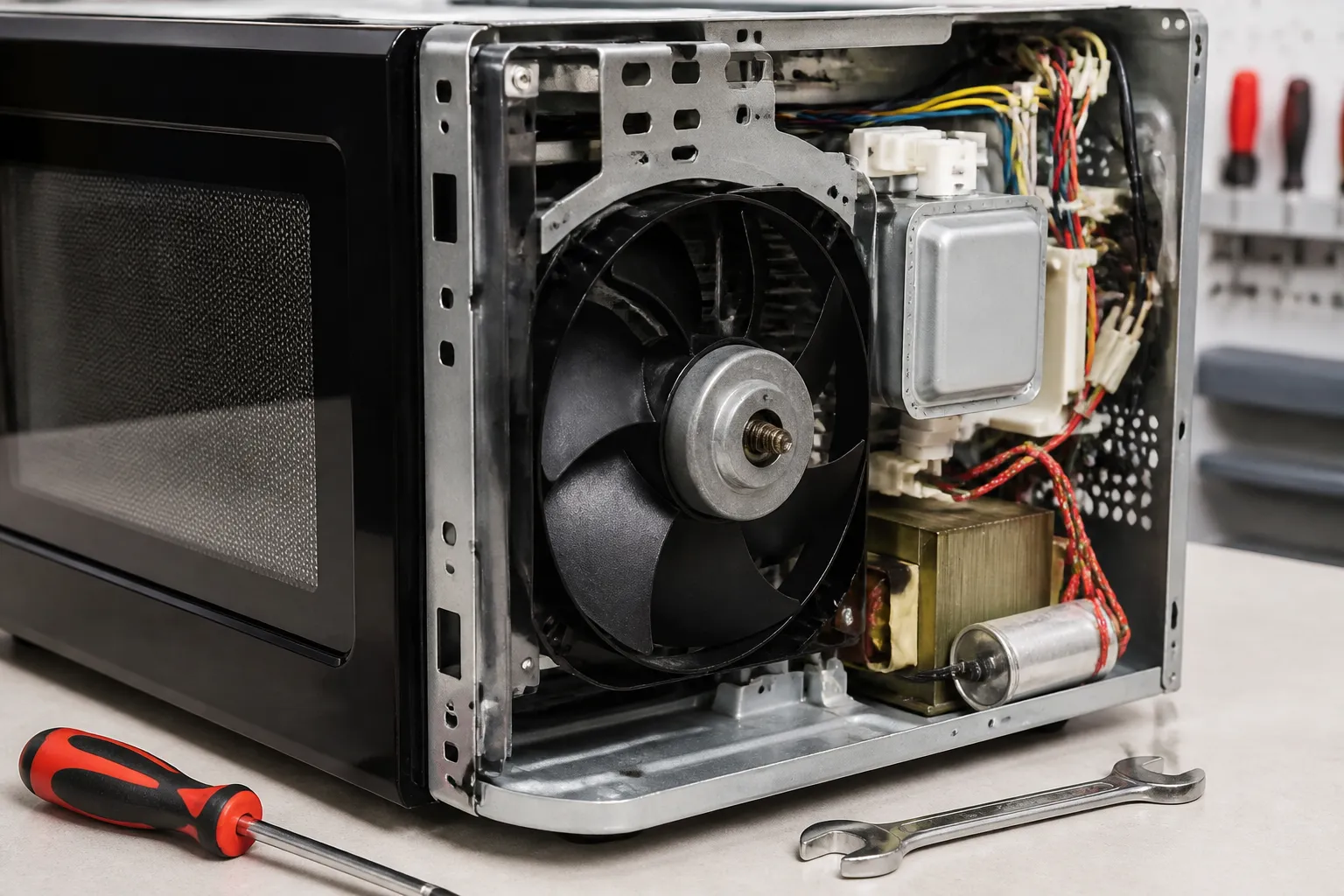
Exhaust Fan Motor Replacement – LG LMV2031ST Over-the-Range Microwave
When your LG LMV2031ST over-the-range microwave’s exhaust fan motor fails, it’s often due to worn bearings, damaged windings, or grease buildup causing it to seize. This repair falls under MODERATE difficulty because it involves working with electrical components and accessing the motor housing through the upper ventilation compartment of the microwave. Most homeowners with basic electrical knowledge and the right tools can complete this repair in about 45-60 minutes.
Symptoms
- Exhaust fan runs intermittently or stops working completely when activated
- Loud grinding, squealing, or rattling noises coming from the top ventilation area
- Fan blades spin slowly or struggle to reach normal speed
- Burning smell emanating from the upper portion of the LG LMV2031ST during fan operation
- Excessive vibration in the microwave cabinet when the exhaust fan is running
- Fan motor hums but blades do not rotate at all
⚠️ Safety Warning
Before you start any repair on your LG LMV2031ST, disconnect power at the circuit breaker for at least 5 minutes. Over-the-range microwaves have high-voltage capacitors that can retain lethal electrical charges even when unplugged. Never attempt this repair with power connected. The magnetron capacitor in this model can hold up to 2,100 volts and must be properly discharged using an insulated screwdriver across the terminals. Always wear safety glasses and work gloves when handling the fan motor assembly. Ensure the microwave is properly supported during disassembly since the LG LMV2031ST weighs approximately 66 pounds.
Parts Needed
- LG Exhaust Fan Motor Assembly – Part Number 4681A20114A or 4681A20114B (120V, 60Hz, 0.8A motor)
- Fan Motor Mounting Bracket – Part Number MCK61841601 (if damaged during removal)
- Motor Wire Harness Connector – Part Number 6411A20019A (if connector is damaged)
- High-temperature silicone grease for motor bearings
- Electrical contact cleaner spray
- Wire nuts (12-14 AWG) for secure connections
Tools Required
- Phillips head screwdriver (#2)
- Flat-blade screwdriver (1/4 inch)
- Digital multimeter with continuity testing capability
- Needle-nose pliers
- Flashlight or headlamp
- Insulated screwdriver for capacitor discharge
- Socket wrench set (8mm and 10mm sockets)
Step-by-Step Instructions
Step 1: Power Disconnection and Access Preparation
🔨 Pro Tip from Dave
On the LMV2031ST specifically, watch for the ground wire that’s routed directly behind the motor mounting bracket — it’s just long enough to look clear, but when you rotate the motor assembly during removal, it can snag and tear the connector right at the terminal. This mistake can turn a one-hour job into a two-hour parts-chasing headache. Before you rotate anything, physically locate that ground lead and pull it fully to the side.
Turn off power to the LG LMV2031ST at the circuit breaker and unplug the unit from the wall outlet. Remove the grease filters from the bottom of the microwave by sliding them toward the center and pulling down. If your model has a charcoal filter, remove it by pushing up and sliding it out. This will give you access to the exhaust fan assembly located in the upper portion of the unit.
Step 2: Remove the Bottom Panel
Locate and remove the six Phillips head screws securing the bottom panel of the LG LMV2031ST. These screws are positioned along the perimeter of the bottom opening. Carefully lower the panel and set it aside. You should now see the exhaust fan assembly mounted in the upper-left corner of the microwave cavity.
Step 3: Access the Fan Motor Housing
Remove the two Phillips screws securing the fan housing cover, located on the left side of the exhaust assembly. The cover is approximately 4 inches by 6 inches and may have accumulated grease. Before proceeding, clean the area with degreaser to ensure good grip and visibility of the motor connections.
Step 4: Disconnect Motor Wiring
Locate the motor wire connector, which is a white plastic connector with three wires (typically black, white, and green). Carefully pull the connector apart by grasping the plastic housing, not the wires. Take a photo of the wire configuration for reference during reassembly. Use your multimeter to test the old motor windings — you should read approximately 15-20 ohms across the motor terminals.
Step 5: Remove the Fan Blade
The fan blade on the LG LMV2031ST is secured with a spring clip or set screw on the motor shaft. If it has a set screw, use a flat-blade screwdriver to loosen it while holding the blade steady. For spring clip models, carefully compress the clip with needle-nose pliers while pulling the blade off the shaft. Note the blade orientation for proper reinstallation.
Step 6: Remove Motor Mounting Screws
Remove the three mounting screws securing the motor to the bracket assembly. These are typically 8mm hex screws located at the top and sides of the motor housing. Support the motor weight as you remove the final screw to prevent it from dropping into the microwave cavity.
Step 7: Extract the Old Motor
Carefully pull the old motor assembly straight out from its mounting position. The motor housing is about 3.5 inches in diameter and extends approximately 4 inches deep into the LG LMV2031ST cabinet. Check the motor mounting bracket for damage or excessive wear that might affect the new motor’s performance.
Step 8: Prepare the New Motor
Remove the new motor from its packaging and compare it to the old unit to ensure proper fit. Apply a small amount of high-temperature silicone grease to the motor shaft where the fan blade will mount. Verify that the motor specifications match: 120V, 60Hz, with the same amperage rating (typically 0.8A for the LG LMV2031ST).
Step 9: Install the New Motor
Position the new motor in the mounting bracket, ensuring the wire connector faces the same direction as the original. Secure it with the three mounting screws, tightening to approximately 15-20 inch-pounds of torque. Be careful not to overtighten, as this can cause motor housing distortion and bearing issues.
Step 10: Reinstall Fan Blade and Wiring
Slide the fan blade onto the motor shaft in the same orientation as it was removed. Secure it with the set screw or spring clip, ensuring the blade spins freely without wobble. Connect the wire harness, making sure the white wire connects to neutral, black to hot, and green to ground. Push the connector together until it clicks securely.
Step 11: Test Motor Operation
Before reassembling the housing, restore power temporarily and test the fan motor operation. The motor should start smoothly and reach full speed within 3-5 seconds. Check for any unusual noises, vibrations, or burning odors. The motor should draw approximately 0.6-0.8 amps during normal operation when measured with your multimeter.
Step 12: Final Reassembly
Replace the fan housing cover and secure it with the two Phillips screws. Reinstall the bottom panel of the LG LMV2031ST with all six screws. Put the charcoal and grease filters back into their original positions. Restore power and perform a final operational test of all fan speeds to ensure everything is working correctly.
Troubleshooting
- If the new motor doesn’t start, verify that all electrical connections are secure and check for 120V at the motor connector using your multimeter.
- Excessive noise after installation may indicate improper fan blade alignment or loose mounting screws — recheck blade position and screw torque.
- If the motor runs but airflow is reduced, ensure the fan blade is properly oriented and that no debris is blocking the exhaust path.
- Intermittent operation could indicate a loose wire connection or a faulty control board sending inconsistent signals to the motor.
- Motor overheating may result from inadequate ventilation around the motor housing or incorrect voltage supply.
- If the motor hums but doesn’t rotate, the fan blade may be installed too tightly on the shaft or motor bearings may be defective.
When to Call a Professional
- If you’re uncomfortable working with electrical components or lack experience with multimeter testing.
- When the microwave control board requires replacement or complex electrical diagnostics are needed.
- If structural damage to the LG LMV2031ST cabinet is discovered that affects motor mounting integrity.
- When proper ventilation ductwork modifications or electrical circuit upgrades are required for optimal motor performance.
When to Call a Professional
Most of the repairs in this guide are within reach for a careful DIYer with basic tools. In my experience, if you’ve opened this unit and found that the wiring harness leading to the motor shows any signs of heat damage, melted insulation, or charring on the connector block — not just on the motor itself — that repair needs to stop immediately. You’ll want to call a certified technician because you’re now looking at a potential fire hazard that goes beyond just a simple motor swap. When in doubt, a diagnostic service call typically costs $80–$120 and can save you from a misdiagnosis that could be more expensive in parts.
Recommended Parts & Tools
LG Electronics 4681A20064A Exhaust Fan Motor Assembly
This is the genuine OEM replacement exhaust fan motor assembly specifically designed for LG over-the-range microwaves, including the LMV2031ST model. The motor assembly comes with the fan blade and mounting hardware needed for a complete replacement.
CRAFTSMAN Ratcheting Screwdriver
This comprehensive screwdriver set includes the Torx and Phillips head bits needed to remove the various screws securing the exhaust fan motor in the LG LMV2031ST microwave. The magnetic bit holder and extension make it easier to work in tight spaces inside the microwave housing.
The OEM Motor Assembly That Solves the LMV2031ST Exhaust Fan Failure
When you’ve confirmed that the motor shaft is actually seized or the windings have failed (not just a grease-locked shaft), the LG OEM replacement is the only part that fits this cavity without modification. Third-party alternatives on this model either sit too proud in the shroud or require bracket rewelding — and frankly, that’s just not worth the hassle.
What works
- Direct fit into the existing motor pocket — no spacers, no forcing, no hunting for the right bolt pattern.
- Comes with the correct shaft diameter and bearing configuration, so the blower wheel slides on without wobble or rattle.
- Connector matches the factory harness exactly; I’ve never had to splice or adapt wiring on a replacement with this part.
What doesn’t
- If you order this before actually confirming motor failure (versus a stuck shaft), you’ll have an expensive part sitting on your bench that you didn’t need.
- Availability can stretch to 2–3 weeks on backorder during holiday seasons, so plan ahead if your exhaust duct is completely non-functional.
I’ve had homeowners order a generic “microwave motor” first, only to find out the shaft is a different diameter or the mounting feet don’t align — then they’re waiting another week for the right part while the kitchen stays non-functional. Once you’ve spun that shaft by hand and confirmed it won’t move, order the LG Electronics 4681A20064A Exhaust Fan Motor Assembly and you’ll have the correct fit the first time.
About This Article

Written by Dave Holt. Dave Holt has been taking apart and fixing household appliances since he was a teenager who couldn't leave a broken one alone. Eighteen years later, after fixing things for neighbors, friends, and anyone who'd let him, he's seen almost every failure mode there is. When he writes a repair guide here, it's based on the actual job, not a manufacturer overview. More about this site.
Scope and limits. Dave is a self-taught repairer, not a certified appliance technician. Unplug before you open anything, and leave sealed refrigeration systems, gas connections, and hardwired circuits to a qualified technician.

