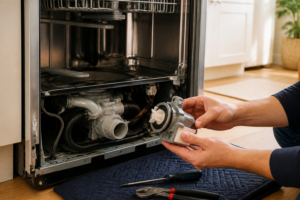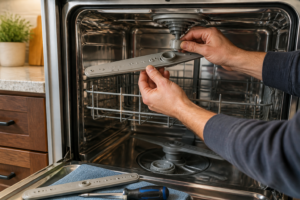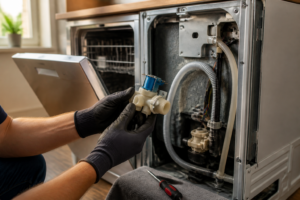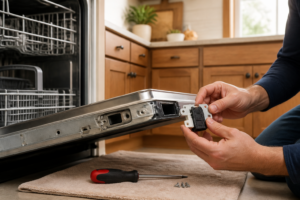

Model: Frigidaire FFCD2418US (Built-In)
Brand: Frigidaire
Model Number: FFCD2418US
🔍 Problem Description
Test timer motor; check for burned contacts; replace timer assembly
🔨 Pro Tip from Dave
On the FFCD2418US, the timer assembly (part number 154851501) is tucked behind the control panel door. A common mistake I see is DIYers trying to force the door panel clips instead of sliding them outward, which can crack the panel housing and create more problems. Always check the door latch switch before condemning the timer; a faulty latch can mimic a timer-advance failure in this model.
📋 What You’ll Need
- Timer assembly
- Multimeter
- Unplug the dishwasher power cord from the wall outlet, or switch off the dedicated circuit breaker at your electrical panel.
- Open the dishwasher door fully until it rests in the horizontal position.
- Remove the six Phillips-head screws securing the inner door panel using a #2 Phillips screwdriver – locate three screws along the top edge and three screws along the bottom edge of the door’s interior.
- Grasp the inner door panel at the top corners and lift upward approximately 2 inches, then pull toward you to disengage the bottom clips.
- Set the inner panel aside to expose the control panel assembly mounted on the outer door.
- Locate the timer assembly on the right side of the control panel – it’s a white rectangular component approximately 3 inches wide by 4 inches tall with a dial shaft protruding through the front.
- Identify the wire harness connector on the bottom of the timer – it contains eight individual wires in a white plastic housing.
- Set your multimeter to the AC voltage setting at 120V range.
- Restore power by plugging in the dishwasher or turning the circuit breaker back on.
- Touch the black (negative) multimeter probe to a metal ground point on the door frame.
- Insert the red (positive) probe into the wire harness connector at terminal position 1 (marked on the timer body), which should contain a white wire with black tracer.
- Manually rotate the timer dial clockwise through one complete cycle – the multimeter should show 120V AC during wash and rinse portions of the cycle, and 0V during drain portions.
- If voltage readings are inconsistent or absent during expected cycle phases, the timer motor requires replacement (part number 154476801).
- Disconnect power again before proceeding to removal steps.
- Locate the timer assembly you accessed in Step 1, positioned behind the control panel at the top-right corner of the dishwasher door, approximately 3 inches from the right edge.
- Identify the wire harness connector attached to the back of the timer—it’s a white rectangular plug with 6-8 individual wires in different colors (typically white, black, red, orange, blue, and yellow).
- Press the locking tab on the wire harness connector using your thumb while pulling the connector straight away from the timer body with your other hand until it separates completely.
- Examine each individual contact terminal inside both the timer socket and the wire connector plug under bright light or a flashlight.
- Look for these specific signs of damage on the metal contact terminals:
- Check the timer cam assembly by rotating the timer dial through its full cycle—you should feel distinct clicks at regular intervals (approximately every 15 degrees of rotation).
- Inspect the contact points visible through the timer’s clear or translucent housing for pitting, burning, or black residue on the copper or silver-colored contact surfaces.
- If you find black deposits but no melting or structural damage, clean the contacts by inserting a strip of 400-grit sandpaper between each contact pair, closing them gently, and pulling the sandpaper through 2-3 times.
- Verify cleaned contacts appear shiny copper or silver without pitting deeper than 0.5mm.
- If contacts show melting, deep pitting, or housing damage, the timer assembly (part number 154783001) requires replacement—proceed to Step 3 for removal instructions.
- Locate the timer assembly mounted on the right side of the control panel housing, approximately 2 inches from the top edge and 1 inch from the right side.
- Examine the timer dial shaft where it connects to the timer body – look for a white plastic coupling that should be firmly attached without cracks or splitting.
- Rotate the timer dial clockwise through one complete cycle (approximately 120 minutes) while listening for consistent clicking sounds every 5-7 seconds, indicating the motor advancement mechanism is functioning.
- Check the main wire harness connected to the back of the timer – you’ll see a rectangular 8-pin connector with wires in brown, orange, yellow, blue, red, white, black, and green entering from below.
- Press the connector tab with your thumb while pulling straight back to disconnect it – this requires approximately 3-5 pounds of force.
- Use your multimeter set to continuity mode (Ω symbol) and test between pins 1 and 2 (leftmost pins on top row) with the dial set to OFF position – you should read infinite resistance (OL on display).
- Advance the dial to the LIGHT WASH position and retest pins 1 and 2 – you should now read 0-2 ohms, indicating closed contacts.
- Inspect the timer cam assembly visible through the clear plastic housing on the timer’s side – look for 6 black lobes that should be intact without chips or rounded edges.
- Check the timer motor by connecting your multimeter leads to pins 7 and 8 (bottom right positions) – resistance should read 2000-3000 ohms.
- Examine all solder joints on the back of the timer circuit board using a flashlight – look for gray, cracked, or separated connections rather than shiny, smooth silver domes.
- Reconnect the 8-pin harness by aligning the connector and pushing firmly until you hear an audible click.
- Locate the timer motor shaft on the right side of the timer assembly – it’s a slotted metal shaft approximately 1/4 inch in diameter protruding from the timer body.
- Insert a flathead screwdriver (3/16 inch width) into the shaft slot, positioning it so the blade sits fully within the slot depth.
- Turn the shaft clockwise slowly, making 1/4 rotation increments (90 degrees at a time), pausing 2-3 seconds between each turn.
- Listen for distinct clicking sounds from inside the timer mechanism as you rotate – each quarter turn should produce 2-4 audible clicks indicating the internal cam is advancing the contact switches.
- Watch the timer dial indicator (the small triangular pointer on the control panel) – it should advance forward with each clockwise turn of the shaft, moving approximately 5-10 minutes per quarter rotation.
- Continue rotating through one complete revolution (360 degrees total), which equals approximately 20-30 minutes on the timer dial.
- Observe the timer contacts during rotation – place your multimeter probes (still connected from the previous testing step) on terminals L1 and 2 to monitor continuity changes.
- Note when continuity switches ON and OFF during the rotation cycle – you should see continuity close for terminals L1-to-2 during the “wash” portion of the cycle (approximately the first 180 degrees of rotation).
- Test terminals L1 and 3 next – continuity should appear during the “dry” portion (the second 180 degrees of rotation).
- Verify the motor contacts (terminals M and L2) show continuity throughout the entire 360-degree rotation except during the “off” position at the dial’s starting point.
- Locate the timer assembly on the right side of the control panel, positioned approximately 2 inches from the right edge and centered vertically.
- Use a 1/4-inch nut driver to remove the two mounting screws securing the timer bracket to the control panel frame—one screw at the top and one at the bottom of the bracket.
- Pull the timer assembly forward 3-4 inches away from the control panel to access the wire connectors on the back.
- Identify the main wire harness connector—a white rectangular plug with 8 wires entering it, located on the rear face of the timer.
- Press the locking tab on the top of the connector with your thumb while pulling the connector straight out until it releases completely.
- Locate two additional spade connectors (single wire connections) on the left side of the timer body—typically one brown wire and one orange wire.
- Grip each spade connector by its insulated sleeve and pull straight off the timer terminals.
- Lift the timer assembly completely free from the dishwasher.
- Position the new timer assembly (part number 154637401) in the same orientation as the removed unit, with wire terminals facing the interior.
- Push the timer bracket back into the mounting position, aligning the two screw holes with the threaded mounting points in the control panel frame.
- Thread both 1/4-inch mounting screws through the bracket holes and tighten clockwise with the nut driver until snug—approximately 15-18 inch-pounds of resistance.
- Push the 8-wire harness connector onto the rear of the timer until you hear and feel a distinct click, indicating the locking tab has engaged.
- Push each of the two spade connectors firmly onto their respective terminals until they bottom out—the brown wire connects to the left terminal, the orange wire to the right terminal.
- Verify all connections by gently tugging each connector; none should pull free with moderate force.
- GE Dishwasher Timer – OEM Replacement (WD21X33640)
- Fits the FFCD2418US without modification—connectors align exactly as they should, and the mounting tabs line up on the first try.
- Restores smooth cycle advancement; no grinding noise or hesitation like you get with a failing original timer motor.
- Build quality is solid enough that I’ve never seen one fail prematurely on a Frigidaire after install, which tells you the replacement engineering is sound.
- You absolutely have to pull the control panel to access it—tight workspace, and if you’re not methodical about reconnecting the wiring harness, you’ll be troubleshooting no-power-to-cycle issues next.
- Won’t fix timer problems caused by corroded contact terminals or a faulty selector cam; inspect those first or you’ll replace a perfectly good motor and still have a stalled cycle.
🔧 Step-by-Step Repair Instructions
🔧 Step 1: Test timer motor operation
🛠️ Step 2: Check timer contacts for burning or damage
⚙️ Step 3: Inspect timer mechanism
🔩 Step 4: Test timer operation manually
📋 Step 5: Replace timer assembly if motor fails or contacts are burned
How Much Does This Repair Cost?
| Repair route | Typical cost |
|---|---|
| Do it yourself | $45–$85 (parts) |
| Professional repair | $150–$250 (parts and labor) |
When you’re looking at a repair for the Frigidaire FFCD2418US timer assembly, expect the part itself to run between $45 and $85 if you go the DIY route. If you opt for professional help, including labor, you’re typically looking at between $150 and $250, depending on your area. Going the DIY route can save you some serious cash, provided you’re comfortable with basic disassembly.
🛒 Recommended Products
Here are the recommended products for this repair:
The Timer Motor Swap That Gets Your FFCD2418US Cycling Again
Once you’ve confirmed that the timer motor is indeed dead (not just a loose wire or tripped thermal switch), this OEM-equivalent replacement is what you need to get the cycle advancing properly again. It’s a direct path to a working dishwasher without chasing down phantom electrical issues.
What works
What doesn’t
I once ordered what I thought was the right timer only to find the connector orientation was different—cost me a second trip. Before you order, make sure you’ve tested for voltage at the timer motor terminals and ruled out a tripped thermal cutoff, because that mistake burns both time and money. Once you confirm the motor is genuinely dead, the GE Dishwasher Timer – OEM Replacement (WD21X33640) will get you back to normal cycles.
About This Article

Written by Dave Holt. I have been taking apart and fixing household appliances since I was a teenager who couldn't leave a broken one alone. Eighteen years later, after fixing things for neighbors, friends, and anyone who'd let me, I have seen almost every failure mode there is — and misdiagnosed my share along the way. I am self-taught, with no formal training or certifications. When I write a repair guide here, it is based on the actual job, not a manufacturer overview. More about this site.
Scope and limits. Dave is a self-taught repairer, not a certified appliance technician. Unplug before you open anything, and leave sealed refrigeration systems, gas connections, and hardwired circuits to a qualified technician.