Sensor bar dirty
This step-by-step repair guide walks you through fixing sensor bar dirty on your LG DLGX7701VE (Gas). With the right tools and parts, most homeowners can complete this repair in 1–2 hours and avoid a costly service call.
🔨 Pro Tip from Dave
On the DLGX7701VE, the moisture sensor bars (part EBG61106801) sit just inside the drum opening on the front bulkhead, and a common mistake is using abrasive scrubbers that scratch the metal strips — once scratched, they collect residue even faster. Use a cotton ball with rubbing alcohol only, and always check for dryer sheet wax buildup specifically, since this model’s drum airflow pattern tends to deposit softener residue directly onto the sensor bars faster than most LG units.
Part of our Top 20 Dryer Models & Common Repair Issues Guide. Browse all dryer repair guides for related models and issues.
“`html
Common Symptoms & Causes
If your LG DLGX7701VE gas dryer is experiencing a dirty sensor bar, you may notice several performance issues that point directly to this problem.
- Clothes come out damp even after a full drying cycle completes
- The dryer stops mid-cycle before laundry is fully dry
- Drying times become significantly longer than normal
- The dryer runs briefly then shuts off as if the load is already dry
These symptoms are typically caused by residue buildup — such as fabric softener, lint, or mineral deposits — coating the moisture sensor bar and preventing it from accurately detecting the moisture level in your laundry.
“`
Safety First
- Unplug the dryer from the power outlet before starting any repair — never work on a live appliance.
- Wear work gloves when handling metal brackets, sheet metal edges, or sharp components.
- Take photos with your phone before disconnecting any wiring harnesses or connectors.
- Work in a well-lit area with enough floor space to lay removed panels flat.
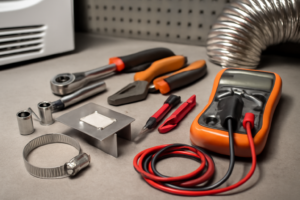
Tools & Parts Needed
Essential Tools
- Phillips #2 screwdriver
- ¼” nut driver
- Putty knife
- Multimeter
- Work gloves
Replacement Parts
Step-by-Step Repair Instructions
Step 1
The sensor bars are two horizontal metal strips located inside the drum at the lint screen opening, and they measure moisture by detecting electrical conductivity between them. Dryer sheet wax and mineral deposits create an insulating layer on the bars, causing the dryer to think clothes are dry before they actually are. Using 0000-grade steel wool, gently scrub both strips until the coating is removed — this grade is fine enough to clean without scratching the metal.
Step 2
After scrubbing, wipe both bars thoroughly with a cloth dampened in white vinegar, which dissolves any remaining mineral deposits and neutralizes residue the steel wool loosened. Finish by drying with a clean cloth — the bars should look like bright, bare metal with no dull film or discoloration, which confirms good electrical contact is possible. Avoid touching the bars with bare fingers after cleaning, as skin oils can re-coat the surface.
Step 3
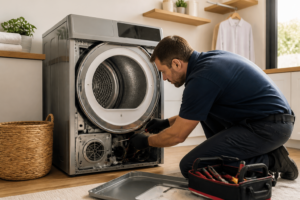
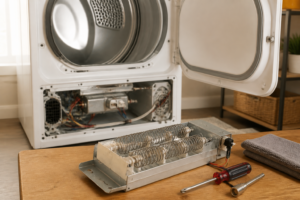
If the bars appear pitted, deeply corroded, or cracked, cleaning alone will not restore reliable conductivity and the bars must be replaced. Remove the two Phillips screws securing the sensor bar assembly to the front bulkhead, then disconnect the two wire connectors — note or photograph connector positions before pulling them to ensure correct reinstallation. Pro tip: replacement sensor bars are inexpensive OEM parts, typically under $20, and installing a degraded bar back in service will cause the same drying complaints to return quickly.
Step 4
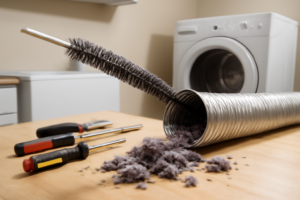
Lint accumulation in the housing around the sensor area increases resistance and mimics the effect of dirty bars, so clean the lint screen housing with a long-handled brush as part of this repair. Push the brush deep into the housing channel and work it around the sides to dislodge compacted lint that a standard screen cleaning misses. Doing this step after cleaning the bars but before testing ensures you are isolating the sensor as the fixed variable.
Step 5
To prevent rapid re-coating of the newly cleaned bars, switch from dryer sheets to liquid fabric softener added during the wash cycle — dryer sheets physically contact and deposit wax on the sensor bars with every single load. If customers insist on dryer sheets, advise wiping the sensor bars with a dry cloth monthly as a maintenance habit. This one change is often the most impactful long-term fix because dirty bars will return within weeks if dryer sheets continue to be used.
Step 6
With repairs complete, run a functional test by loading a full batch of damp clothes, selecting the Auto Dry cycle, and observing the result. A properly functioning sensor circuit will run the drum until the clothes are genuinely dry to the touch, then shut the dryer off within approximately two minutes of reaching that dryness threshold. If the dryer shuts off early with damp clothes or runs excessively long, the sensor circuit or control board may have an underlying fault beyond dirty bars and will need further diagnosis.
Where to Buy Replacement Parts
Find genuine OEM and aftermarket replacement parts for your LG DLGX7701VE (Gas) on Amazon:
- LG DLGX7701VE moisture sensor bar 6602EL3001A replacement
- LG gas dryer sensor dry stops early fabric softener sheet
- dryer sensor bar steel wool cleaning method
When to Call a Professional
If the issue persists after completing all steps above, the problem may involve the sealed refrigerant system, a failed main control board, or wiring that requires specialized diagnostic equipment. Contact a licensed appliance technician — attempting sealed-system repairs without EPA 608 certification is illegal and unsafe.
“`html
How Much Does This Repair Cost?
Cleaning a dirty sensor bar is a low-cost DIY repair, typically requiring only a cotton swab and rubbing alcohol, costing under $5. A professional service call for this same fix can run $150–$300 once labor and trip fees are included. Doing it yourself saves you well over $100 for a straightforward, beginner-friendly task.
“`
Frequently Asked Questions
How do I know if the sensor bar on my LG DLGX7701VE is dirty and not broken?
If your dryer stops early but clothes are still damp, a dirty sensor bar is the most likely cause. A truly faulty sensor will trigger an error code, while a dirty one simply gives inaccurate moisture readings.
What should I use to clean the sensor bar on this LG gas dryer?
Use a soft cloth lightly dampened with rubbing alcohol to wipe the two metal sensor bars inside the drum. Avoid abrasive cleaners, as they can scratch the surface and worsen performance.
How often should I clean the sensor bar on my LG DLGX7701VE?
Clean the sensor bar every one to three months, especially if you use dryer sheets regularly. Dryer sheet residue is the most common cause of sensor bar buildup on this model.
Recommended Products
These are the parts and tools we recommend for this repair, based on compatibility and customer reviews:
- (2 Pack) Rayhoor 6500EL3001A Dryer Moisture Sensor Bar Replacement Part Fit for LG Kenmore – Replaces PD00001914, 1268224, AP4445128, EAP3529161
- 6500EL3001A – OEM Upgraded Replacement for LG Dryer Moisture Sensor Bar
As an Amazon Associate, I earn from qualifying purchases.