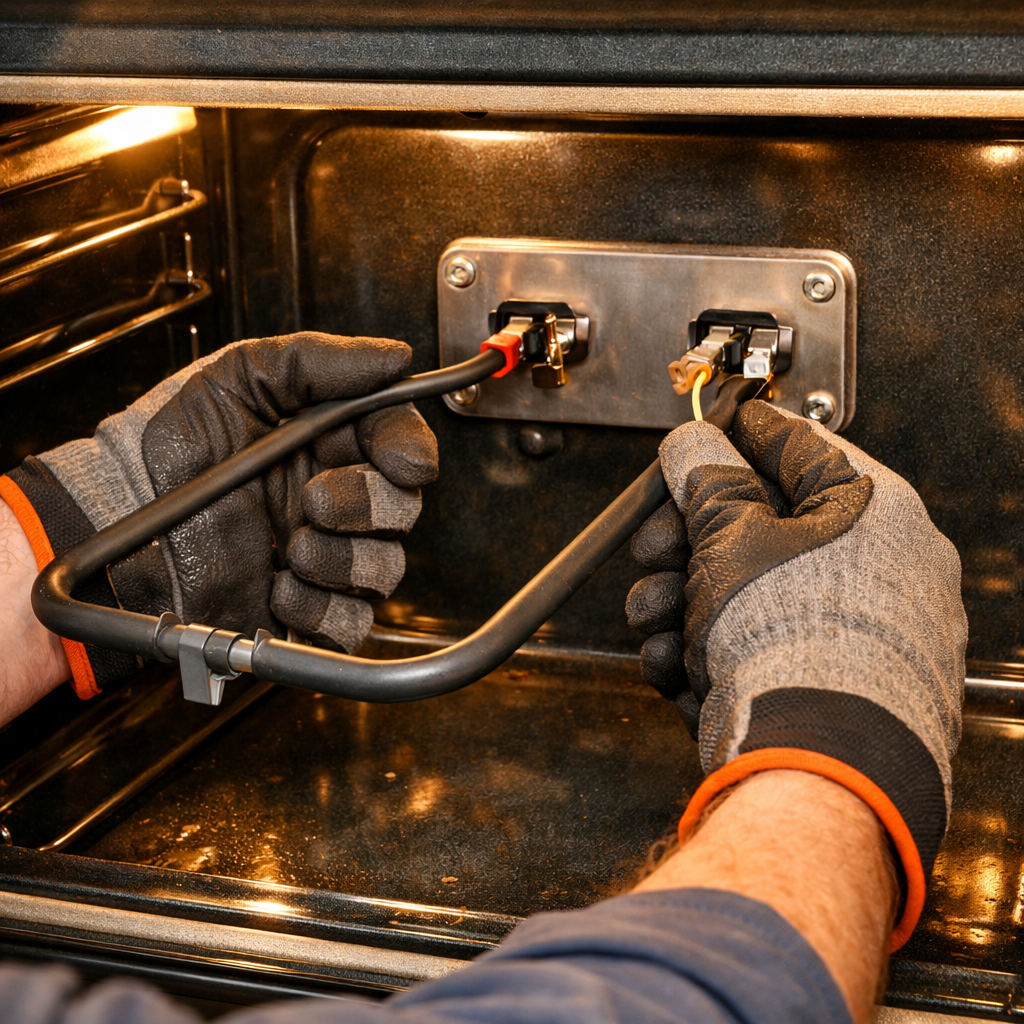
F30 error — temperature sensor
In this guide, I’ll take you through the steps to fix the F30 error — temperature sensor on your Frigidaire FFEW2726TS (Wall Oven). With some basic tools and the right parts, you can complete this repair in about 1–2 hours, saving yourself the cost of a service call.
🔨 Pro Tip from Dave
When replacing the sensor on the FFEW2726TS, make sure to use part number 316217002. Ensure to test the new sensor’s resistance before installation—it should read around 1080–1090 ohms at room temperature. A common issue I see is technicians replacing the sensor when the problem is actually a cracked or loose wire harness connector behind the oven cavity wall, so be sure to inspect that carefully before ordering parts.
Part of our Top 20 Oven Models & Common Repair Issues Guide. Browse all oven repair guides for related models and issues.
Common Symptoms & Causes
If you’re seeing an F30 error on your Frigidaire FFEW2726TS, you might notice some of these symptoms:
- The oven display shows the “F30” error code at startup or during preheating
- The oven fails to reach or maintain the set temperature
- Baking results are inconsistent, with food undercooked or overcooked despite correct settings
- The oven shuts off unexpectedly during a cooking cycle
This error is typically caused by a failed or out-of-range oven temperature sensor (RTD probe). These sensors degrade over time due to repeated heat cycles and standard wear and tear.
Safety First
- Cut power at the electrical panel before starting any repair. Since a wall oven is wired directly into its own circuit, make sure to switch off the breaker, lock or tag it, and confirm there’s no voltage with a contact tester.
- Wear work gloves when handling metal brackets, sheet metal edges, or sharp components.
- Take photos with your phone before disconnecting any wiring harnesses or connectors.
- Work in a well-lit area with enough space to lay removed panels flat.
Tools & Parts Needed
Essential Tools
- Phillips #2 screwdriver
- ¼” nut driver
- Multimeter
- Work gloves (heat-rated)
- Flashlight
Replacement Parts
- Oven temperature sensor
- multimeter
Step-by-Step Repair Instructions
Step 1
Start by disconnecting power to the oven at the circuit breaker. The F30 error code indicates an open circuit in the oven temperature sensor loop, causing the oven to shut down for safety. Make sure to cut power at the breaker—not just at the oven controls—to ensure no live voltage is at the sensor wiring while you work.
Step 2
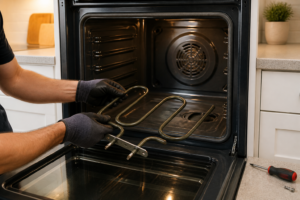
Next, locate the temperature sensor on the rear wall inside the oven cavity. It’s secured by two Phillips screws and connects via a 2-pin harness plug. Set your multimeter to Rx1 and check the two sensor terminals; a working sensor should read around 1,080–1,100 ohms at room temperature. An infinite (OL) reading means the sensor element has failed open, causing the F30 fault. Pro tip: make sure to pull the harness connector completely before testing the sensor alone to avoid reading any parallel path through the harness.
Step 3
Before you reinstall, feed the new sensor’s probe through the back wall hole first, then connect the 2-pin harness while there’s still slack in the wiring. It’s a lot easier than trying to seat the connector after mounting the sensor. Push the harness clip until it clicks into place, then secure both Phillips screws snugly but avoid over-torquing, as the sensor bracket is thin metal and can strip easily. A secure harness connection is vital; a loose pin here will cause the F30 error to pop up again immediately.
Step 4
Restore power at the breaker, then run a Bake cycle set to 350°F. Watch the display through the full preheat; if the F30 code doesn’t return, you’ve successfully completed the repair. To double-check, use a standalone oven thermometer placed in the center of the cavity; the reading should be within about 25°F of the set point once the oven stabilizes. A large temperature offset without an error code may indicate a different issue, such as a weak bake element, so check this step thoroughly before finishing up.
Step 5
If the F30 error returns after replacing the sensor with a confirmed-good one, the problem likely lies in the wiring harness between the sensor and the control board. Inspect the entire length of the harness, paying close attention to where it passes through the back wall hole, as the metal edge often chafes through the insulation over years of heat cycling. Replace any section of harness that shows bare copper, melted insulation, or a broken pin, and consider installing a small grommet or heat-resistant sleeve at the back wall penetration to prevent a recurrence.
Where to Buy Replacement Parts
- Frigidaire FFEW2726TS oven temperature sensor 316217002 replacement
- Frigidaire wall oven F30 error temperature probe open
- Frigidaire electric wall oven sensor RTD probe test
When to Call a Professional
If the issue persists after following all these steps, the problem may involve a failed main control board, a defective temperature sensor, or a high-limit thermostat, requiring specialized diagnostic equipment. In such cases, it’s best to contact a licensed appliance technician. If you have a gas model, avoid attempting any work on the gas valve, burner orifices, or supply line—those tasks are best left to a licensed gas fitter in most areas.
How Much Does This Repair Cost?
| Repair route | Typical cost |
|---|---|
| Do it yourself | $20–$50 (parts) |
| Professional repair | $150–$300 (parts and labor) |
A replacement temperature sensor for the Frigidaire FFEW2726TS generally costs $20–$50 in parts alone. Hiring a professional appliance technician usually runs $150–$300 once you factor in the service call fee and labor. Taking on this repair yourself can save you $100–$250, making it a worthwhile DIY project.
Frequently Asked Questions
What does the F30 error code mean on my Frigidaire FFEW2726TS?
The F30 code indicates that the oven’s temperature sensor is open or has failed, meaning the control board cannot read the oven’s internal temperature. Typically, replacing the sensor resolves the issue.
Can I use my wall oven while the F30 error is displayed?
No, you should not operate the oven with an active F30 error, as it cannot regulate temperature safely without a functioning sensor.
How do I know if the sensor needs replacing or just reseating?
Test the sensor’s resistance with a multimeter—a properly functioning sensor should read around 1,100 ohms at room temperature. If the reading is significantly off or shows no continuity, replacement is necessary.
Recommended Products
Here are the parts and tools I recommend for this repair, based on compatibility and customer reviews:
- 316217002 Fits for Frigidaire Oven Sensor Replacement Part
- 316217002 Oven Temperature Sensor Probe Fits for Frigidaire FGB24L2ASB FGET3045KFA FED367CEBC FEB27T6DSC FED355ESA PGLEF385EB4 FGS367EBA FES387CCSD CGLES385FS3 FEB386WECC CPMC3085KF1 FES355ASG
The 316217002 Sensor That Stops the F30 Error on Your FFEW2726TS
This is the actual part that fails on this model—I’ve replaced it on dozens of these ovens, and it’s almost always the culprit behind that F30 code. Order this sensor before you start troubleshooting anything else, because nine times out of ten, it’s the fix.
What works
- Drops right into the cavity where the old sensor sits—no adapter fiddling or drill work needed on this model.
- The connector is keyed, so you can’t accidentally reverse the leads and fry something else.
- Genuine Frigidaire part number, so you’re not gambling on a knockoff that reads temperature wrong and triggers the error again in three months.
What doesn’t
- Not compatible with other Frigidaire wall oven models—double-check your model number before ordering; this one is FFEW2726TS specific.
- If the control board itself is actually bad (rare, but it happens), swapping the sensor alone won’t fix the error.
I’ve had homeowners order the wrong sensor first because they found a cheaper “universal” option online—then waste two weeks waiting for a replacement. Before you install this, grab a multimeter and test the old sensor to confirm it’s actually dead; that five-minute check saves you from pulling the oven apart for nothing.
About This Article

Written by Dave Holt. Dave Holt has been taking apart and fixing household appliances since he was a teenager who couldn't leave a broken one alone. Eighteen years later, after fixing things for neighbors, friends, and anyone who'd let him, he's seen almost every failure mode there is. When he writes a repair guide here, it's based on the actual job, not a manufacturer overview. More about this site.
Scope and limits. Dave is a self-taught repairer, not a certified appliance technician. Unplug before you open anything, and leave sealed refrigeration systems, gas connections, and hardwired circuits to a qualified technician.