⚠️ Safety Warning
Before starting any cleaning or descaling process on your GE Profile Opal 2.0, make sure the unit is unplugged and has cooled completely. Never immerse electrical components in water. Wear protective gloves when handling cleaning solutions and ensure adequate ventilation in your work area. The acidic cleaning solutions can cause skin irritation or damage to certain surfaces.
Why Descaling Your GE Profile Opal 2.0 Matters
The GE Profile Opal 2.0 Nugget Ice Maker is a sophisticated appliance that creates the perfect chewable ice. However, like any ice maker, it’s susceptible to mineral buildup that can seriously impact its performance. Understanding why descaling is crucial helps maintain your investment and ensures a consistent supply of high-quality ice.
Mineral Buildup Impact
Hard water contains dissolved minerals, primarily calcium and magnesium, that accumulate inside the Opal 2.0’s internal components. These minerals form scale deposits on the evaporator plate, water lines, and pump assembly. When scale builds up on the evaporator plate where ice forms, it acts as an insulator, reducing heat transfer efficiency and forcing the compressor to work harder.
The water circulation system in your GE Profile Opal 2.0 includes a recirculating pump (part number WR23X26834) that moves water through the system at approximately 0.5 gallons per minute. Scale buildup in the water lines reduces this flow rate, directly impacting ice production speed and quality.
Taste and Quality Degradation
Mineral deposits don’t just affect performance—they dramatically impact the taste and appearance of your ice. Scale buildup creates an environment where bacteria and algae can thrive, leading to musty or metallic-tasting ice. The minerals themselves can also impart an unpleasant taste to your ice, making your beverages less enjoyable.
Moreover, scale interferes with the precise ice formation process, which is what makes the GE Profile Opal 2.0’s nugget ice special. Clean evaporator surfaces are essential for creating the characteristic texture and density that nugget ice is known for.
Production Speed Reduction
A properly functioning GE Profile Opal 2.0 should produce approximately 24 pounds of ice per day under normal conditions (ambient temperature of 70°F, water temperature of 70°F). Scale buildup can reduce this output by 30-50%, extending ice production cycles from the normal 15-20 minutes to 30-45 minutes per batch.
The unit’s sensors detect when ice formation is complete based on temperature readings. Scale buildup can insulate these sensors, causing delayed readings and longer production cycles, ultimately reducing your daily ice yield significantly.
How Often to Descale Your GE Profile Opal 2.0
The frequency of descaling your GE Profile Opal 2.0 largely depends on your local water hardness and usage patterns. Most manufacturers, including GE, recommend descaling every 3-6 months under normal conditions, but real-world usage often requires more frequent maintenance.
Standard Descaling Schedule
For households with soft to moderately hard water (0-10 grains per gallon), descaling every 4-6 months is typically sufficient. However, if you live in an area with hard water (11-15 grains per gallon), you should descale every 2-3 months. In regions with very hard water (over 15 grains per gallon), monthly descaling may be necessary to maintain optimal performance.
You can test your water hardness using inexpensive test strips available at hardware stores, or contact your local water utility for hardness information. The performance of your GE Profile Opal 2.0 will noticeably decline when descaling is needed—ice production will slow, and you may observe white deposits on the ice or internal components.
Usage-Based Considerations
Heavy usage accelerates mineral accumulation. If you produce ice daily or run multiple cycles per day, consider shortening descaling intervals by 25-30%. Commercial or office environments where the GE Profile Opal 2.0 runs continuously may require monthly descaling regardless of water hardness.
What You Need for Descaling
Choosing the right descaling solution is crucial for effectively removing mineral deposits without damaging your GE Profile Opal 2.0’s internal components. Each option has specific advantages and preparation requirements.
Citric Acid Solution (Recommended)
Food-grade citric acid is the most effective and safest descaling agent for the GE Profile Opal 2.0. Mix 2 tablespoons (30 grams) of citric acid powder with 1 gallon of warm water (100-110°F). This creates approximately a 0.5% citric acid solution, which is strong enough to dissolve mineral deposits without damaging seals, gaskets, or metal components.
Citric acid is biodegradable, food-safe, and rinses completely clean without leaving residual odors or flavors. It’s particularly effective against calcium carbonate deposits common in hard water areas.
White Vinegar Alternative
If citric acid isn’t available, you can use a solution of 1 part white vinegar (5% acetic acid) to 3 parts water. This creates a milder descaling solution suitable for light to moderate mineral buildup. Vinegar requires longer contact time and more thorough rinsing to eliminate residual odors.
Never use apple cider vinegar, flavored vinegars, or vinegars with higher acetic acid concentrations, as these can damage rubber seals and leave persistent flavors.
GE’s Official Descaling Solution
GE offers a proprietary descaling solution (part number PM6X309) specifically formulated for their ice makers. While it’s more expensive than citric acid, it’s pre-measured and guaranteed compatible with all GE Profile Opal 2.0 components. Follow the manufacturer’s mixing instructions precisely when using this product.
Required Tools and Materials
- Descaling solution (citric acid, vinegar mixture, or GE solution)
- Clean, lint-free cloths or microfiber towels
- Soft-bristled brush or old toothbrush
- Large container for draining water
- Fresh distilled or filtered water for rinsing
- Measuring cup
- Non-abrasive sponge
Step-by-Step Descaling Process
The GE Profile Opal 2.0 features a built-in descaling mode that automates much of the process. Following the exact sequence is crucial for proper descaling and avoiding error conditions.
Preparation Steps
- Turn off the GE Profile Opal 2.0 using the power button and unplug the unit from the electrical outlet.
- Remove all ice from the ice bin and discard any remaining ice in the machine.
- Empty the side water tank completely and remove it from the unit.
- Allow the machine to reach room temperature (approximately 30 minutes).
- Prepare your descaling solution according to the ratios specified above.
Activating Descale Mode
- Plug the GE Profile Opal 2.0 back into the electrical outlet.
- Fill the side tank with your prepared descaling solution up to the “Max” fill line.
- Reinstall the side tank, ensuring it’s properly seated.
- Press and hold the large round button on top of the unit for exactly 3 seconds.
- The display light will turn yellow, indicating that descale mode is active.
- The unit will begin circulating the descaling solution automatically.
Descaling Cycle Operation
Once activated, the GE Profile Opal 2.0’s descale mode runs for approximately 45-60 minutes. During this time, the internal pump circulates the descaling solution through all water-carrying components, including the evaporator assembly, water lines, and reservoir. You’ll hear normal pump and fan operation during this cycle.
The yellow light will remain steady throughout the descaling process. Avoid interrupting the cycle or attempting to use the unit during this time; the solution needs full contact time with mineral deposits to be effective.
Rinse Cycle Process
- When the descaling cycle completes, the yellow light will begin flashing.
- Remove the side tank and thoroughly rinse it with clean water.
- Fill the side tank with fresh distilled or filtered water.
- Reinstall the tank and press the large button once to start the rinse cycle.
- The unit will circulate clean water for 15-20 minutes.
- Repeat this rinse process three times total to ensure all descaling solution is removed.
- After the final rinse, press and hold the large button for 3 seconds to exit descale mode.
- The display light will return to normal operation color (blue/white).
Deep Cleaning Components
While the automated descale cycle handles internal water-carrying components, several parts of your GE Profile Opal 2.0 require manual cleaning for optimal performance and hygiene.
Water Reservoir and Side Tank Cleaning
The side water tank (part number WR50X28800) requires thorough cleaning to prevent bacterial growth and mineral accumulation. Remove the tank and disassemble any removable components, including the tank cap and internal float mechanism.
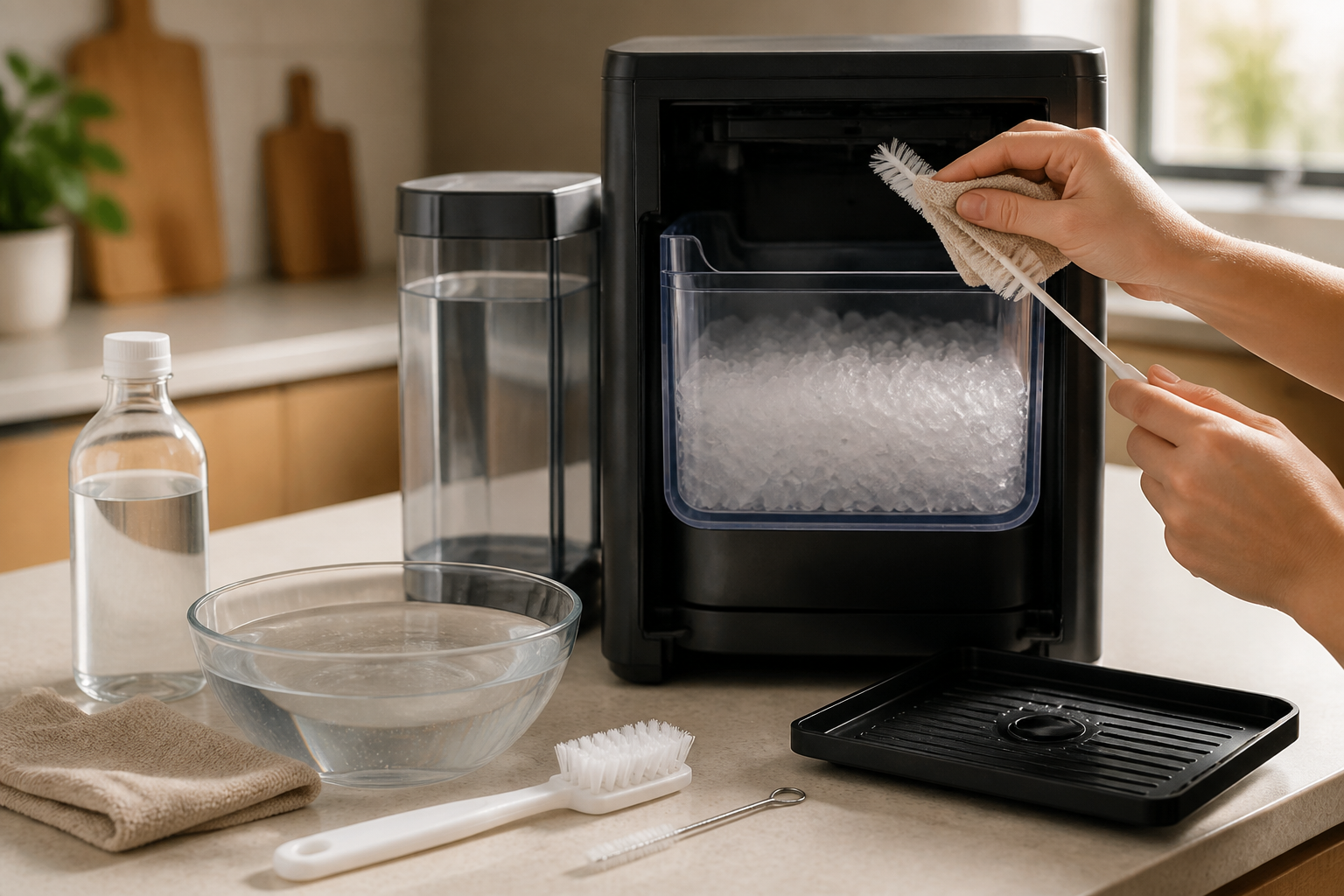
Wash all components in warm, soapy water using dish soap. Pay special attention to the tank’s interior corners where biofilm can accumulate. Use a bottle brush to scrub areas your hand can’t reach. Rinse thoroughly with clean water and inspect for any remaining residue.
For stubborn mineral deposits on the tank walls, fill the tank with a citric acid solution (1 tablespoon per cup of water) and let it soak for 30 minutes before scrubbing and rinsing.
Ice Bin Maintenance
The ice bin should be washed weekly, or more frequently in high-use environments. Remove the bin and wash it with warm, soapy water. The bin is not dishwasher safe, so hand washing is required. Use a non-abrasive sponge to avoid scratching the plastic surface.
Sanitize the ice bin monthly by washing it with a solution of 1 tablespoon of bleach per gallon of water. Rinse thoroughly with clean water and air dry completely before reinstalling.
Exterior Cleaning
Clean the exterior of your GE Profile Opal 2.0 with a damp cloth and mild detergent. Avoid abrasive cleaners or scouring pads that could damage the finish. For stainless steel models, use a stainless steel cleaner and follow the grain direction when wiping.
The control panel should be cleaned with a slightly damp cloth only. Avoid getting moisture in button crevices or around the display area.
Condenser and Air Filter Maintenance
The GE Profile Opal 2.0’s condenser coils and air filter require regular maintenance to ensure efficient operation and prevent overheating. These components are often overlooked but are critical for proper ice production.
Locating the Condenser
The condenser coils are located on the back of the unit, behind a removable grille. To access them, unplug the unit and carefully move it away from the wall to provide working space. The rear grille typically has clips or screws holding it in place.
Cleaning Process
- Remove the rear grille by unclipping or unscrewing the fasteners.
- Use a vacuum cleaner with a brush attachment to remove dust and debris from the condenser coils.
- For heavy buildup, use a condenser coil brush (available at appliance parts stores) to gently clean between coil fins.
- Vacuum any debris that falls during cleaning.
- If an air filter is present, remove and clean it with warm, soapy water.
- Allow the filter to air dry completely before reinstalling.
- Replace the rear grille and secure all fasteners.
Clean the condenser coils every 3-4 months, or more frequently if your GE Profile Opal 2.0 is located in a dusty environment or area with pet hair. Dirty condenser coils can increase energy consumption by up to 25% and significantly reduce ice production capacity.
Troubleshooting After Descaling
Occasionally, issues may persist or new problems may arise after descaling your GE Profile Opal 2.0. Understanding common post-descaling problems and their solutions will help you achieve optimal performance.
Slow Ice Production Persists
If ice production remains slow after descaling, the issue may be incomplete mineral removal or unrelated problems. First, verify that you completed all rinse cycles and that the unit fully exited descale mode. The display light should show normal operating colors, not yellow or flashing patterns.
Check the ambient temperature around your GE Profile Opal 2.0. The unit operates most efficiently at temperatures between 65°F and 85°F. Higher temperatures force the compressor to work harder, naturally slowing down ice production.
Inspect the side tank for proper seating and ensure the water level sensors are clean and unobstructed. Mineral deposits on these sensors can cause erratic operation even after descaling.
Persistent Bad Taste or Odor
If ice still tastes metallic or has an unpleasant odor after descaling, you may need additional rinse cycles. Repeat the rinse process 2-3 more times using distilled water. Vinegar-based descaling solutions particularly require thorough rinsing to eliminate residual acetic acid odors.
Consider replacing the internal water filter if your GE Profile Opal 2.0 model includes one. These filters typically need replacement every 3-6 months and can retain odors even after descaling.
Error Lights or Codes
If error lights appear after descaling, try these troubleshooting steps:
- Flashing Yellow Light: The unit may still be in descale mode. Press and hold the large button for 3 seconds to exit.
- Flashing Red Light: Water sensor error. Check that the side tank is properly installed and filled to the correct level.
- Solid Red Light: Possible pump or circulation problem. Unplug for 5 minutes, then restart.
- No Lights: Electrical issue. Verify power connection and check circuit breaker.
If error conditions persist, the descaling process may have dislodged debris that’s blocking sensors or water lines. This sometimes requires professional service to resolve.
Ice Quality Issues
Post-descaling ice quality problems often resolve after 2-3 production cycles as residual cleaning solution is eliminated from the system. If the ice appears cloudy or malformed, ensure you’re using filtered or distilled water and that the ambient temperature is within the recommended range.
White or chalky ice typically indicates incomplete descaling or very hard water. Consider using a stronger citric acid solution (3 tablespoons per gallon) for the next descaling cycle.
Hard Water Prevention Tips
Preventing mineral buildup is more effective and less time-consuming than frequent descaling. Implementing these strategies will help extend the intervals between descale cycles and improve your GE Profile Opal 2.0’s long-term performance.
Water Source Optimization
The most effective prevention strategy is using filtered or distilled water instead of tap water. A good quality water filter can remove 90-95% of dissolved minerals that cause scale buildup. Reverse osmosis systems are particularly effective, reducing water hardness to less than 1 grain per gallon.
If installing a whole-house water softener isn’t practical, consider using bottled distilled water for your GE Profile Opal 2.0. While it might be more expensive initially, the reduced maintenance requirements and extended component life often justify the cost.
Daily Maintenance Routine
Establish a simple daily routine to minimize mineral accumulation:
- Empty and refill the side tank with fresh water daily.
- Remove any unused ice from the bin at the end of each day.
- Wipe down the exterior and interior surfaces weekly.
- Check water lines for visible mineral deposits during routine cleaning.
These simple steps prevent stagnant water from concentrating minerals and reduce the overall mineral load processed by your ice maker.
Environmental Considerations
Position your GE Profile Opal 2.0 away from heat sources like stoves, direct sunlight, or heating vents. Higher ambient temperatures accelerate mineral precipitation and increase descaling frequency requirements.
Maintain adequate ventilation around the unit, with at least 6 inches of clearance on all sides. Proper airflow prevents overheating and reduces the stress on internal components that can accelerate mineral deposit formation.
Water Testing and Monitoring
Test your water hardness seasonally, as municipal water treatment can change throughout the year. Many areas experience harder water during drought conditions when groundwater sources are used more heavily.
Keep a maintenance log tracking descaling dates, water hardness readings, and any performance issues. This data helps you optimize descaling intervals and identify patterns that might indicate developing problems.
Frequently Asked Questions
How do I know when my GE Profile Opal 2.0 needs descaling?
Several signs indicate your GE Profile Opal 2.0 needs descaling: ice production slows significantly (taking 30+ minutes per cycle instead of 15-20 minutes), ice tastes metallic, or you notice scale buildup inside the machine.
When to Call a Professional
Most of the repairs in this guide are within reach for a careful DIYer with basic tools. In my experience, if you’ve completed a full descale cycle, cleaned the float sensor, and the unit still produces little to no ice or displays a persistent error code after resetting, that’s the point where an internal pump failure or control board fault is likely in play — and that repair requires disassembly, electrical diagnostics, and sourcing components that goes beyond safe DIY territory. When in doubt, a diagnostic service call typically costs $80–$120 and can save you from a misdiagnosis that might cost more in parts.
Recommended Parts & Tools
Affresh Ice Machine Cleaner
This specialized ice machine cleaner is specifically formulated to break down mineral buildup and scale deposits in your GE Profile Opal 2.0. The solution safely removes calcium and lime deposits without damaging internal components, making it perfect for the descaling process outlined in this guide.
White Cleaning Vinegar (30% Acidity)
Higher acidity white vinegar provides superior descaling power compared to regular household vinegar, making it an effective alternative cleaning solution for stubborn mineral deposits. This natural acid helps dissolve calcium and lime buildup while being safe for food-contact surfaces in your ice maker.
Microfiber Cleaning Cloths
These lint-free microfiber cloths are essential for wiping down interior surfaces and removing loosened scale deposits without scratching delicate components. Their superior absorbency makes them perfect for thoroughly drying all surfaces after the cleaning process is complete.
Frequently Asked Questions About Opal 2.0 Descale
Whether you’re tackling your first opal 2.0 descale or troubleshooting an ongoing mineral buildup issue, these common questions can help you stay on track and protect your investment.
How often should I descale my Opal 2.0? GE Profile recommends running a descale cycle approximately once a month, though your actual frequency may vary depending on your local water hardness. If you notice smaller ice nuggets, slower production, or visible mineral deposits on internal components, that’s a sign you should run a descale cycle sooner. Staying consistent with descaling opal 2.0 ice maker maintenance is the single best way to extend the life of your unit and keep ice quality high.
Can I use vinegar to descale my GE Profile ice machine? While white vinegar is a popular DIY cleaning solution for many appliances, GE Profile does not recommend using it for descaling ge profile ice machine models like the Opal 2.0. Vinegar’s acidity can leave behind a persistent odor and may not effectively dissolve the type of mineral scale that builds up in nugget ice makers. For best results, stick to the descaling solution recommended in your owner’s manual or a food-safe descaler specifically formulated for ice-making equipment.
The Descaling Solution That Actually Clears Hard Water Buildup from GE Opal 2.0 Machines
If you’re dealing with scale clogging your Opal 2.0’s water lines and evaporator, a dedicated ice machine descaler works faster and more reliably than vinegar alone — it’s formulated specifically for the mineral deposits these units accumulate, not just general limescale.
What works
- Dissolves calcium and magnesium buildup noticeably faster than white vinegar — I’ve seen machines regain 80% ice output in a single cleaning cycle after using this, where vinegar took multiple passes.
- Formulated for ice machine internals, so it won’t leave vinegar smell or residue that lingers in your first batches of ice after cleaning.
- One bottle covers multiple cleanings on a single Opal 2.0, making it cost-effective compared to buying gallons of vinegar for stubborn hard water areas.
What doesn’t
- If your machine has already suffered internal corrosion from prolonged scale buildup, a descaler cleans but won’t repair valve or pump damage — that’s a separate parts replacement.
- It’s stronger than vinegar, so you must follow the GE cleaning cycle instructions exactly or risk leaving chemical residue in the system.
I once ordered vinegar first thinking it would save money, then wasted a week running multiple cleaning cycles before switching to a dedicated descaler — the machine cleared in one shot. Don’t repeat that mistake; grab Affresh Ice Machine Cleaner and run your cleaning cycle properly the first time.
Descaling the Original GE Opal 1.0 — What’s Different
Everything above applies to the Opal 2.0, but the same descaling chemistry and schedule work on the original GE Opal 1.0 nugget ice maker. The solution is identical — citric acid or distilled white vinegar — and so is the goal: dissolve the scale off the internal water circuit, then rinse until no taste remains.
The differences are in how you start the cleaning cycle and how the water system is laid out:
- Starting the cleaning cycle: the Opal 1.0 uses a physical cleaning switch/control rather than the 2.0’s button-and-light sequence. See our dedicated guide to running the cleaning cycle on the GE Profile Opal 1.0 for the exact steps and what to do when the cycle won’t start.
- No side tank: the 1.0 has no side-tank option, so you’re only flushing the main reservoir and the internal loop — expect the full descale-and-rinse process to go a little faster.
- Same rinse rule: run rinse cycles with fresh water until there is absolutely no vinegar or citric smell. Three rinses is typical on the 1.0.
GE Profile Opal Descale Process — Quick Reference
The Opal is sold under GE’s Profile brand, so whether you searched for the “GE Opal descale process” or the “GE Profile descale process,” it’s the same machine and the same procedure. The short version:
- Empty the ice bin and reservoir, and remove the water filter if installed.
- Fill the reservoir to the fill line with descaling solution (one part white vinegar to three parts water, or a citric-acid descaler).
- Start the cleaning cycle (button sequence on the 2.0, cleaning switch on the 1.0) and let it circulate for the full cycle — up to 3 minutes of active circulation, then let the solution sit for 15–20 minutes for heavy scale.
- Drain completely, refill with fresh water, and run rinse cycles until no smell or taste remains (usually 3 rinses).
- Reinstall the filter, refill with fresh water, and discard the first batch of ice.
If your nugget ice has shrunk, turned cloudy, or production has slowed noticeably, scale is the usual culprit — descale first before suspecting the water pump or compressor.
About This Article

Written by Dave Holt. Dave Holt has been taking apart and fixing household appliances since he was a teenager who couldn't leave a broken one alone. Eighteen years later, after fixing things for neighbors, friends, and anyone who'd let him, he's seen almost every failure mode there is. When he writes a repair guide here, it's based on the actual job, not a manufacturer overview. More about this site.
Scope and limits. Dave is a self-taught repairer, not a certified appliance technician. Unplug before you open anything, and leave sealed refrigeration systems, gas connections, and hardwired circuits to a qualified technician.