Perfect Temp not holding
This step-by-step repair guide walks you through fixing perfect temp not holding on your Electrolux EI30EW38TS (Wall Oven). With the right tools and parts, most homeowners can complete this repair in 1–2 hours and avoid a costly service call.
🔨 Pro Tip from Dave
On the EI30EW38TS, the temperature sensor probe (part number 316217002) is notorious for drifting out of resistance spec before it fully fails — your ohmmeter should read approximately 1080–1090 ohms at room temperature, and anything outside that range means replace it immediately. A common mistake I see is techs replacing the control board first because it’s the more obvious suspect, which wastes $200+ when the $25 sensor was the real problem all along. Always test the sensor resistance before touching anything else.
Part of our Top 20 Oven Models & Common Repair Issues Guide. Browse all oven repair guides for related models and issues.
“`html
Common Symptoms & Causes
If your Electrolux EI30EW38TS is struggling to maintain its Perfect Temp setting, you may notice one or more of the following warning signs:
- The oven temperature fluctuates more than 25°F above or below the set Perfect Temp target
- The Perfect Temp indicator light cycles off prematurely and fails to re-engage
- The control panel displays an F30 or F31 error code during or after a Perfect Temp cycle
- Food is consistently undercooked or overcooked despite using the Perfect Temp feature correctly
These issues are most commonly caused by a failing oven temperature sensor (RTD probe), a faulty relay on the control board, or general wear to the electronic oven control board itself.
“`
Safety First
- Unplug the oven from the power outlet before starting any repair — never work on a live appliance.
- Wear work gloves when handling metal brackets, sheet metal edges, or sharp components.
- Take photos with your phone before disconnecting any wiring harnesses or connectors.
- Work in a well-lit area with enough floor space to lay removed panels flat.
Tools & Parts Needed
Essential Tools
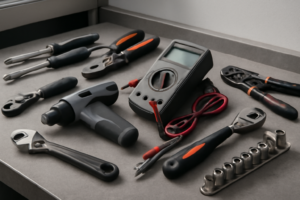
- Phillips #2 screwdriver
- ¼” nut driver
- Multimeter
- Work gloves (heat-rated)
- Flashlight
Replacement Parts
- Temperature sensor
- convection element
- oven thermometer
- multimeter
Step-by-Step Repair Instructions
Step 1
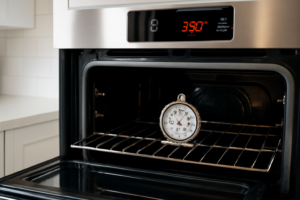
Disconnect power at the breaker before opening any panels, then restore power and run the Perfect Temp function at 350°F with a calibrated oven thermometer placed in the center of the cavity. You are establishing a baseline to confirm the fault is real and repeatable — a temperature swing greater than 25°F above or below the set point sustained over time indicates a hardware or calibration problem, not normal cycling. Pro tip: let the oven fully preheat and stabilize for at least 15 minutes before logging readings.
Step 2
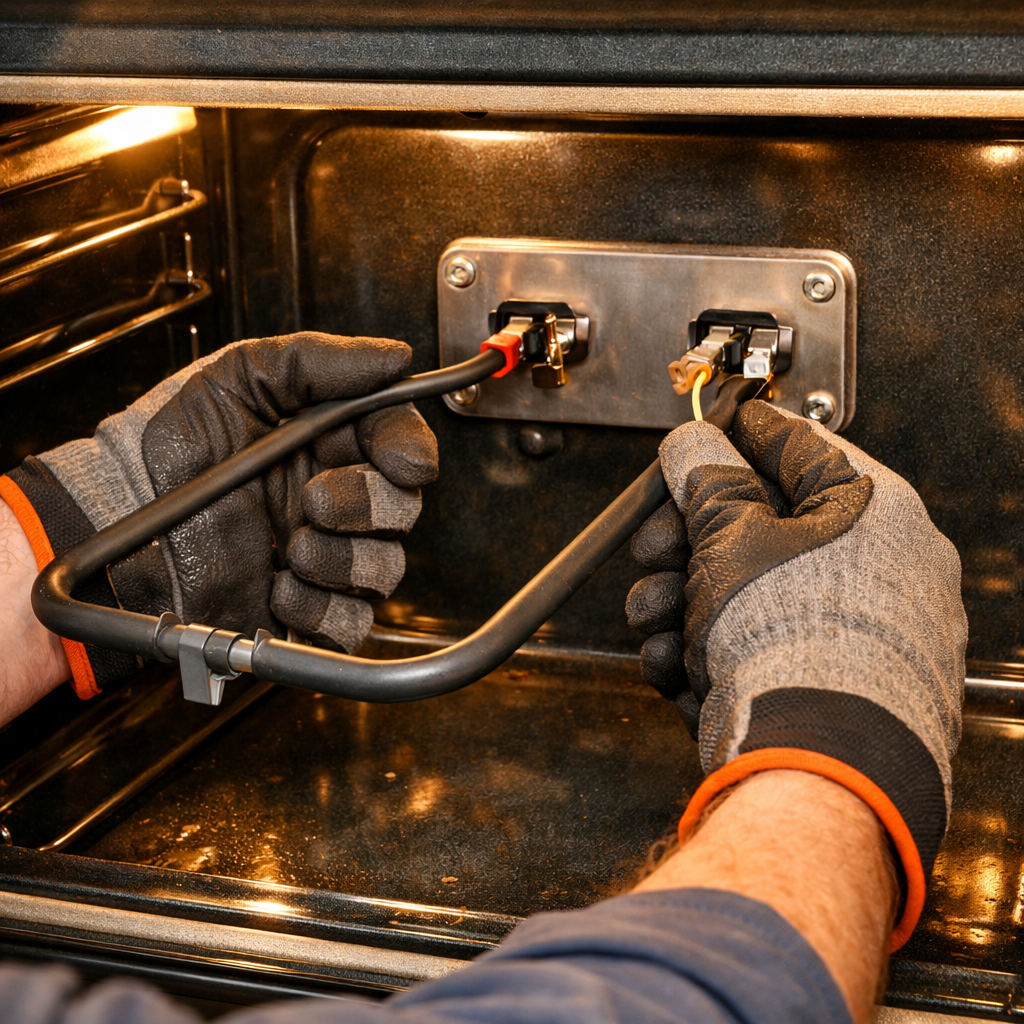
Locate the temperature sensor on the back wall of the oven cavity, remove the 2 Phillips screws, disconnect the harness, and measure its resistance with a multimeter. The sensor should read approximately 1,080Ω at room temperature (70°F); a reading well outside this spec means the sensor is feeding the control board inaccurate temperature data, causing the Perfect Temp logic to over- or under-fire the elements. Safety note: confirm power is off at the breaker before disconnecting the harness — residual voltage can be present in some control circuits.
Step 3
Remove the back panel inside the oven cavity (4 Phillips screws) to access the convection element, then set your multimeter to Rx1 and probe both terminals. An open reading (no continuity) means the element has burned through and cannot produce heat, which will cause the oven to fall short of the set temperature and never recover. Pro tip: also visually inspect the element for visible cracks, blistering, or burn marks that confirm failure before ordering the part.
Step 4
With the power off, manually spin the convection fan blade by hand to check for resistance, grinding, or a completely seized shaft. The convection fan circulates hot air to maintain even, consistent temperature throughout the cavity — a failing or dead motor creates hot and cold zones that the Perfect Temp system cannot compensate for. If the blade does not spin freely or the motor hums but does not turn when power is restored, replace the motor assembly.
Step 5
If the sensor and elements test within spec, the issue may be a calibration offset that has drifted in the control board’s memory. Access the calibration mode by holding the Bake button for 5 seconds, then adjust the temperature offset up or down based on the difference between the set point and your thermometer readings. Pro tip: make small adjustments (5–10°F at a time), run a full preheat cycle after each change, and re-measure before adjusting further to avoid overcorrecting.
Step 6
After completing the repair or calibration, run a full cook cycle at 350°F with your oven thermometer still in place to verify the fix. The Perfect Temp function should now hold the cavity temperature within ±10°F of the set point consistently throughout the entire cycle without large swings. If temperature variance persists beyond this range after replacing components and calibrating, the control board itself may be misreading sensor input and should be evaluated next.
Where to Buy Replacement Parts
Find genuine OEM and aftermarket replacement parts for your Electrolux EI30EW38TS (Wall Oven) on Amazon:
- Electrolux EI30EW38TS oven temperature sensor 318276524 replacement
- Electrolux wall oven convection element 318255902 replacement
- Electrolux oven Perfect Temp mode calibration
When to Call a Professional
If the issue persists after completing all steps above, the problem may involve the sealed refrigerant system, a failed main control board, or wiring that requires specialized diagnostic equipment. Contact a licensed appliance technician — attempting sealed-system repairs without EPA 608 certification is illegal and unsafe.
“`html
How Much Does This Repair Cost?
DIY parts for fixing a Perfect Temp issue on the Electrolux EI30EW38TS typically run between $20 and $150, depending on whether you need a temperature sensor, control board, or thermostat. A professional service call usually costs $150–$300 including labor. Tackling this repair yourself can save you $100 or more.
“`
Frequently Asked Questions
Why does my Electrolux EI30EW38TS keep dropping below the set Perfect Temp temperature?
A faulty temperature sensor or a failing control board is usually the cause. Test the sensor’s resistance with a multimeter and replace it if readings fall outside the manufacturer’s specified range.
Can I recalibrate the oven temperature myself without calling a technician?
Yes, the EI30EW38TS allows user calibration through the control panel settings menu. Adjust the offset temperature in small increments and verify accuracy using a standalone oven thermometer.
How do I know if the control board is causing the Perfect Temp issue?
If replacing the temperature sensor doesn’t resolve the problem, the control board is likely defective. Inconsistent temperature swings combined with error codes on the display are strong indicators of board failure.