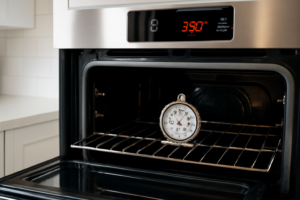
F10 error — runaway temperature
This step-by-step repair guide walks you through fixing f10 error — runaway temperature on your Frigidaire FGGH3047VF (Gas Range). With the right tools and parts, most homeowners can complete this repair in 1–2 hours and avoid a costly service call.
🔨 Pro Tip from Dave
On the FGGH3047VF, always replace the RTD sensor probe with part number 316217002 — don’t cheap out on off-brand sensors, as they often read resistance slightly out of spec and will trigger the F10 right back. A common mistake I see is technicians replacing the EOC control board first, which is expensive and usually unnecessary — test the sensor resistance at room temperature first (should read approximately 1080–1090 ohms at 75°F) before assuming the board is bad.
Part of our Top 20 Oven Models & Common Repair Issues Guide. Browse all oven repair guides for related models and issues.
“`html
Common Symptoms & Causes
These symptoms typically appear when your Frigidaire FGGH3047VF is triggering an F10 runaway temperature error.
- The oven display shows the “F10” error code during or after a baking cycle
- The oven continues heating beyond the set temperature and won’t stop
- The control board emits a continuous beeping alarm alongside the F10 code
- The oven feels excessively hot near the door or control panel even at low settings
This issue is most commonly caused by a faulty oven temperature sensor (RTD probe) sending incorrect resistance readings, or a failing control board that can no longer regulate heating output properly.
“`
Safety First
- Unplug the oven from the power outlet before starting any repair — never work on a live appliance.
- Wear work gloves when handling metal brackets, sheet metal edges, or sharp components.
- Take photos with your phone before disconnecting any wiring harnesses or connectors.
- Work in a well-lit area with enough floor space to lay removed panels flat.
Tools & Parts Needed
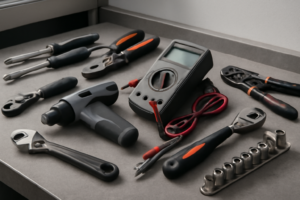
Essential Tools
- Phillips #2 screwdriver
- ¼” nut driver
- Multimeter
- Work gloves (heat-rated)
- Flashlight
Replacement Parts
Step-by-Step Repair Instructions
Step 1
Unplug the range immediately because F10 means the control board is detecting continuous runaway temperature, which can scorch the oven interior or trigger a fire if left running. This is not a false alarm to ignore — the board genuinely believes the oven is overheating without stopping. Do not restore power until you have diagnosed the root cause.
Step 2
After the oven cools for at least 30 minutes, test the temperature sensor mounted on the oven back wall (two Phillips screws, two-pin harness). A healthy sensor reads 1,080–1,100Ω at room temperature; a reading below 900Ω means the sensor has shorted and is sending a falsely extreme temperature signal to the board, which directly triggers F10. If the sensor fails this test, replace it before assuming the control board is at fault — it is the most common and least expensive fix.
Step 3
Restore power after installing the new sensor and run the oven briefly to see whether F10 returns. If the error fires again with a known-good sensor, the control board itself is failing to regulate temperature correctly and must be replaced; the correct replacement board for this model is part number 316576601. Do not continue using the range with a malfunctioning board, as runaway temperature presents a real burn and fire hazard.
Step 4
To access the control board, remove the backsplash panel by taking out the two Phillips screws at each end and lifting the panel straight off — the board sits behind the console beneath it. Work with the range unplugged during this step; photographing all harness connections before you touch anything will save significant time during reassembly.
Step 5
Unplug every harness connector from the old board, then remove the four Phillips mounting screws securing it to the chassis. Install the new board in the same orientation, reconnect all harnesses by matching your reference photos, and replace the backsplash panel before restoring power. A missed connector is the most common reason a new board appears to fail immediately, so verify every connection before the first power-on.
Step 6
With the repair complete, run the oven at 350°F for at least 20 minutes with an independent oven thermometer placed inside. The temperature should climb to target, stabilize within roughly ±25°F, and hold there without triggering F10 — steady stabilization confirms both the sensor and board are communicating correctly. If the error returns under this controlled test, recheck all harness connections before considering any further diagnosis.
Where to Buy Replacement Parts
Find genuine OEM and aftermarket replacement parts for your Frigidaire FGGH3047VF (Gas Range) on Amazon:
- Frigidaire FGGH3047VF oven temperature sensor 316217002 replacement
- Frigidaire gas range control board 316576601 replacement
- Frigidaire oven F10 runaway temperature fix
When to Call a Professional
If the issue persists after completing all steps above, the problem may involve the sealed refrigerant system, a failed main control board, or wiring that requires specialized diagnostic equipment. Contact a licensed appliance technician — attempting sealed-system repairs without EPA 608 certification is illegal and unsafe.
“`html
How Much Does This Repair Cost?
DIY parts for fixing an F10 runaway temperature error on the Frigidaire FGGH3047VF typically cost between $20–$150, depending on whether you replace the oven temperature sensor, control board, or both. A professional service call for this repair usually runs $150–$300 including labor. Tackling this repair yourself can save you $100 or more in labor costs alone.
“`
## Frequently Asked Questions
Is it safe to keep using my Frigidaire FGGH3047VF while the F10 error is active?
No, you should stop using the range immediately until the issue is resolved. A runaway temperature condition can create a fire hazard or permanently damage the oven’s control board.
What part most commonly causes the F10 error on the FGGH3047VF?
The RTD oven temperature sensor is the most frequent culprit. A faulty sensor sends incorrect readings to the control board, triggering the runaway temperature fault.
Can I reset the F10 error by simply unplugging the range?
Unplugging the range may temporarily clear the error, but it will return if the underlying sensor or control board issue isn’t repaired. Always diagnose the root cause before restoring power.
Recommended Products
These are the parts and tools we recommend for this repair, based on compatibility and customer reviews:
- 316217002 Oven Temperature Sensor Probe for Frigidaire Gallery/Kenmore/Electrolux Ranges – Range Oven Sensor, Replaces AP3363354 316111201 318087600
- 316217002 Oven Temperature Sensor for Frigidaire Kenmore Stove and Oven
As an Amazon Associate, I earn from qualifying purchases.