EHS error — exhaust heat sensor
This step-by-step repair guide walks you through fixing ehs error — exhaust heat sensor on your LG DLEX8900V (Electric). With the right tools and parts, most homeowners can complete this repair in 1–2 hours and avoid a costly service call.
🔨 Pro Tip from Dave
On the DLEX8900V, the exhaust heat sensor (part number 6931EL3003D) sits near the blower housing, and a common mistake I see is techs replacing it without checking the exhaust duct for blockage first — a restricted duct causes heat buildup that burns out the new sensor all over again. Also, the connector pins on this model are prone to corrosion, so clean them with electrical contact cleaner before plugging in the replacement.
Part of our Top 20 Dryer Models & Common Repair Issues Guide. Browse all dryer repair guides for related models and issues.
“`html
Common Symptoms & Causes
If your LG DLEX8900V is displaying the EHS error code, you may notice one or more of the following symptoms before or during the fault.
- The dryer display shows the “EHS” error code and stops mid-cycle
- The drum stops tumbling but the dryer remains powered on
- Clothes come out still damp even after a full drying cycle
- The dryer runs briefly then shuts off without completing the cycle
This error is most commonly caused by a failed or out-of-range exhaust heat sensor, which deteriorates over time due to prolonged heat exposure, lint buildup around the sensor, or normal electrical wear.
“`
Safety First
- Unplug the dryer from the power outlet before starting any repair — never work on a live appliance.
- Wear work gloves when handling metal brackets, sheet metal edges, or sharp components.
- Take photos with your phone before disconnecting any wiring harnesses or connectors.
- Work in a well-lit area with enough floor space to lay removed panels flat.
Tools & Parts Needed
Essential Tools
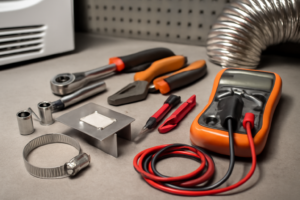
- Phillips #2 screwdriver
- ¼” nut driver
- Putty knife
- Multimeter
- Work gloves
Replacement Parts
Step-by-Step Repair Instructions
Step 1
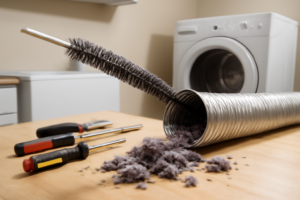
The EHS code stands for exhaust heat sensor, and the most common trigger is a restricted vent duct rather than a failed thermistor — excess back-pressure causes exhaust temps to spike and trips the sensor. Before touching any components, disconnect the dryer and thoroughly clean the entire vent run from the cabinet outlet to the exterior cap, including removing any lint buildup at the wall connection. This single step resolves EHS in the majority of cases and takes only minutes compared to a part replacement.
Step 2
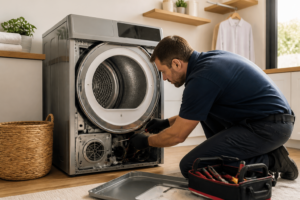
If the EHS error returns after a full vent cleaning, the exhaust thermistor itself is likely faulty and needs to be tested. Unplug the dryer completely before proceeding, then remove the rear panel by extracting the five quarter-inch hex screws around its perimeter. Once the panel is off, locate the exhaust thermistor clipped directly to the exhaust duct inside the cabinet — it is a small disc or capsule sensor with a two-wire harness.
Step 3
Test the thermistor using a multimeter set to resistance (Rx1) to determine whether it is reading within specification. At room temperature (approximately 25°C or 77°F), a healthy exhaust thermistor should measure around 11 kΩ — a reading that is significantly off or shows an open circuit (OL) confirms the component has failed. Pro tip: let the dryer cool for at least 30 minutes after use before testing, since resistance values shift with temperature and a hot thermistor will give a misleading low reading.
Step 4
To replace the thermistor, disconnect the two-pin harness connector by pressing the release tab and pulling straight back — do not yank by the wires, as the connector pins can pull free of the housing. Unclip the old thermistor from its mounting bracket on the duct, press the new thermistor firmly into the clip until it seats, and reconnect the harness until you hear or feel it click. Using the correct OEM replacement part number ensures the resistance curve matches what the control board expects.
Step 5
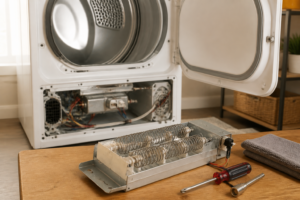
While the rear panel is already off, take a moment to test the high-limit thermostat mounted on the heater housing, since a heat-related failure often stresses both components simultaneously. Set your multimeter to continuity mode — at room temperature the thermostat should show continuity (closed circuit); an open reading means it has tripped or burned out and must be replaced before running the dryer again. Skipping this check risks a repeat service call if the thermostat is marginal and fails shortly after the thermistor is replaced.
Step 6
Reinstall the rear panel and tighten all five screws snugly but without overtightening, as the panel is sheet metal and the screw bosses can strip. Plug the dryer back in and run a full heated cycle while monitoring for the EHS code — if the vent is clear and the thermistor is new and in spec, the error should not return. If EHS fires again immediately, suspect a wiring harness issue between the thermistor and the control board, or a control board fault, and retrieve the full diagnostic history using the dryer’s service mode before replacing additional parts.
Where to Buy Replacement Parts
Find genuine OEM and aftermarket replacement parts for your LG DLEX8900V (Electric) on Amazon:
- LG DLEX8900V exhaust thermistor sensor 6323EL2001B replacement
- LG electric dryer EHS error code vent restriction
- LG dryer thermistor NTC exhaust replacement
When to Call a Professional
If the issue persists after completing all steps above, the problem may involve the sealed refrigerant system, a failed main control board, or wiring that requires specialized diagnostic equipment. Contact a licensed appliance technician — attempting sealed-system repairs without EPA 608 certification is illegal and unsafe.
“`html
How Much Does This Repair Cost?
Replacing the exhaust heat sensor on your LG DLEX8900V typically costs $15–$40 for the part alone when doing it yourself. A professional service call for the same repair usually runs $150–$300, including labor and parts. Tackling this repair yourself can save you $110–$260, making it a worthwhile DIY project.
“`
Frequently Asked Questions
What causes the EHS error code on my LG DLEX8900V?
The EHS error indicates the exhaust heat sensor has detected abnormal temperatures or the sensor itself has failed. A clogged lint trap or blocked exhaust vent can also trigger this error by causing heat buildup.
Can I still use my dryer while the EHS error is displayed?
No, you should stop using the dryer immediately to avoid a potential fire hazard or further component damage. Address the issue before running another cycle.
How do I reset the EHS error on my LG DLEX8900V after fixing it?
Unplug the dryer for at least 10 seconds, then plug it back in to reset the control board. If the error returns, the exhaust heat sensor likely needs replacement.
Recommended Products
These are the parts and tools we recommend for this repair, based on compatibility and customer reviews:
- 3PCS Dryer Thermistor Temperature Sensor Kits 6323EL2001B Thermister Assembly 6931EL3003D Thermal Fuse 6931EL3001E Thermostat for LG GE Ken-more 1268366 1268363 1268206 PS3529026 AP4441539
- 2026 Upgraded 6931EL3003D Dryer Thermal Fuse 6931EL3001F Dryer Thermostat L125-31C Replacement Fit for KenM0re LG Replaces dle5955w dle2050w dle2301r AP5072172 AP4440975 PS3530482 PS3530485 by Romalon
- LG 6323EL2001B Genuine OEM Thermistor Assembly with Wire Harness for LG Dryers
- BlueStars 6323EL2001B Dryer Thermistor Assembly – Compatible with LG & Kenmore Dryers – Replaces 6323EL2001H AP4441539 PS3529026 DLE0442W DLE2512W DLE2514W DLE3733S DLE3777W DLE5932S DLE7177RM
As an Amazon Associate, I earn from qualifying purchases.